
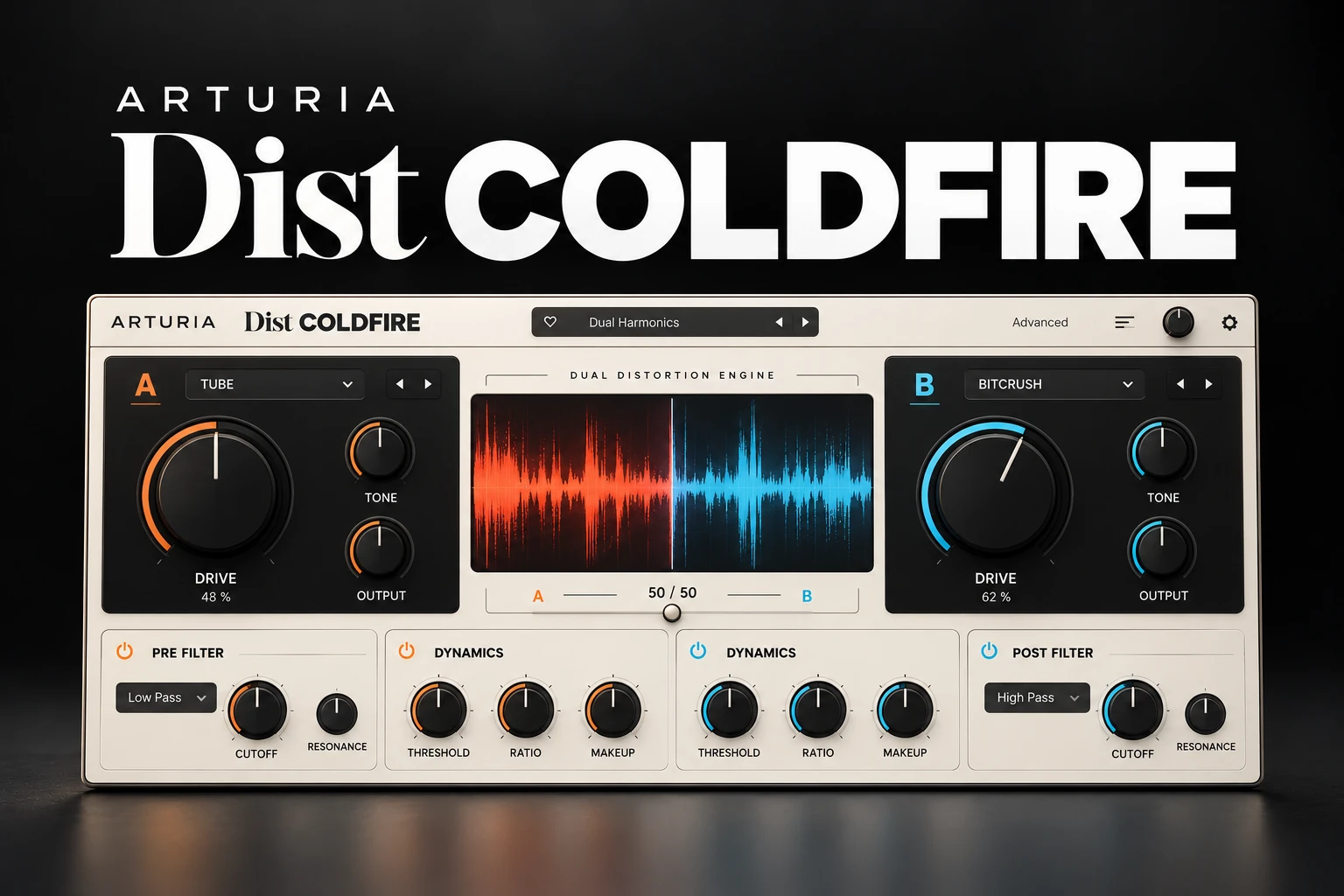

Arturia Dist COLDFIRE is worth considering if you want to combine different kinds of distortion and make them move over time. Its two engines, routing options and modulation make it relevant to bass design, drum treatments and creative effect layers.
If you mainly want one reliable saturation sound, a simpler processor may be enough. COLDFIRE's stronger buying argument is control over how two treatments interact, rather than the expectation that more distortion automatically improves a mix.
This assessment is based on manufacturer documentation and current product listings. We have not carried out a hands-on listening test or performance benchmark.
What is Dist COLDFIRE?
COLDFIRE is a dual-engine distortion effect with 11 algorithm types. Its options include tape, tube and transformer approaches alongside digital treatments such as bit crushing, wavefolding and waveshaping.
The number of algorithms is less important than whether you can reach a useful contrast. One part of a sound might need a restrained edge while another needs a deliberately altered texture. A dual-engine workflow lets you investigate that relationship inside one effect.
Before browsing presets, decide whether you are improving a part that already works or creating a new sound from it. Those are different tasks and deserve different comparisons.
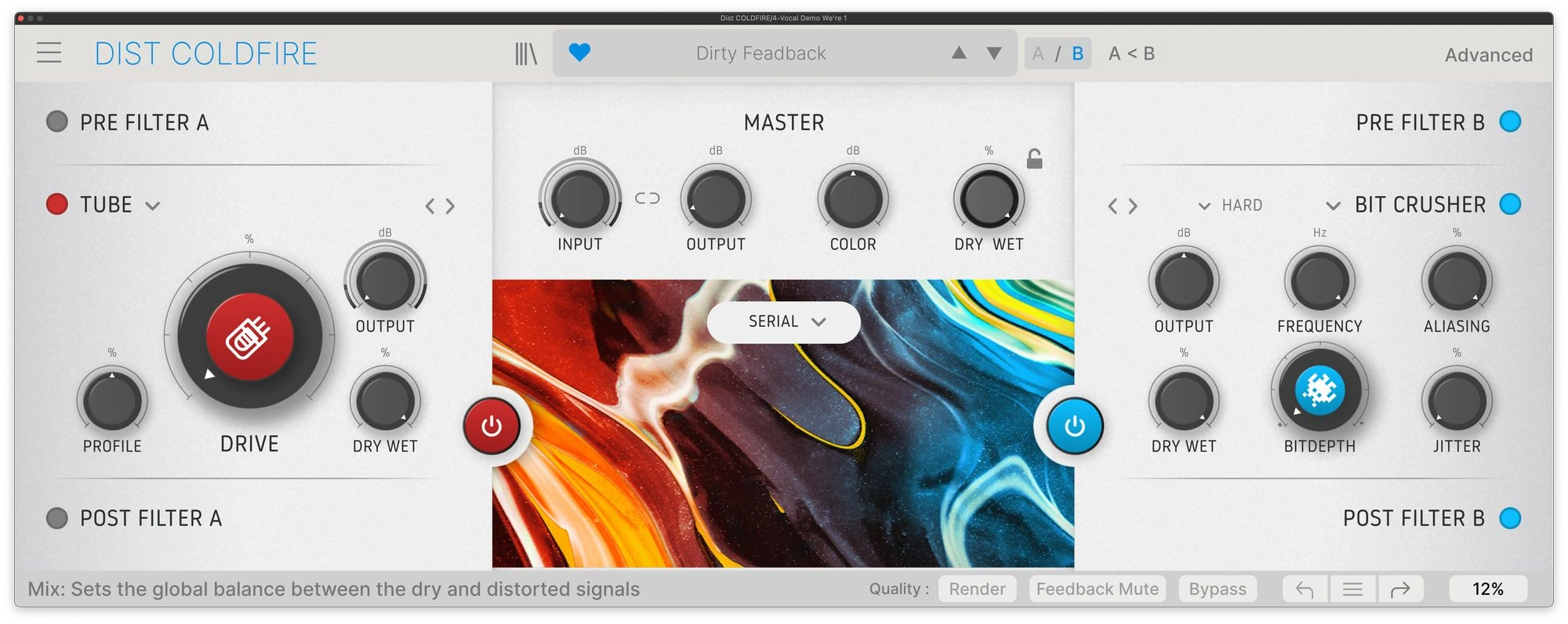
The routing is the main reason to look closer
COLDFIRE provides Serial, Parallel, Stereo, Mid/Side and Band Split routing. The routing balance control blends the two engines in the configurations where that applies.
Serial: one treatment feeds the next
In a serial chain, the second stage receives material already changed by the first. Small decisions earlier in the chain can therefore influence the later result.
Start by understanding each engine separately. Add the second treatment only when you know what it should contribute, then compare against the first engine alone. If the new stage mostly removes clarity you liked, return to the simpler version.
Parallel: compare complementary colours
Parallel processing is useful to audition when you want to blend two approaches rather than stack their entire response.
For a synth, try a restrained version alongside a more aggressive one and listen to the balance in the arrangement. Preserve a reference for the original sound so you do not gradually turn every option into more intensity.
Band Split: different roles across the spectrum
Band Split gives the two engines different frequency regions to work on. This is an interesting starting point when you want the upper character of a bass to change without treating its full range identically.
Listen around the split and across the bass line's different notes. The useful setting is the one that supports the part throughout the song, not just on the single note that sounded impressive during setup.
Bass and 808s: keep the foundation audible
Our first bass audition would use a phrase with several notes and the actual kick playing. Decide whether you want more audible harmonics, a rougher texture or a deliberately transformed bass.
Keep the comparison level sensible. More upper-frequency content can make the bass seem louder even when the underlying musical relationship has become less convincing.
For trap, check the 808's pitch and decay against the drums. For house and techno, listen to how the processed bass returns between kick hits. If the low end feels less organised, reduce the treatment before adding another processor to compensate.
Our 808 layering guide covers the wider source-selection decision. If the main issue is competition between kick and bass, our FUSER review discusses a different kind of tool.
Drums: character without losing the backbeat
Begin with a loop containing strong hits and quieter details. Compare the snare attack, kick body and percussion separately before deciding that a denser sound is better.
A parallel treatment can be a useful experiment for a loop that needs more texture but still depends on a clear dry attack. Keep the dry version easy to return to and check whether the additional layer changes the groove.
For lo-fi material, an obvious transformation may be the goal. For a clean pop drum bus, the useful amount may be much smaller. Choose the amount from the arrangement rather than the preset category.
If bit-depth and sample-rate reduction are the specific effects you want, read our Decimort 2 review as another buying reference.
Modulation: make the distortion part of the pattern
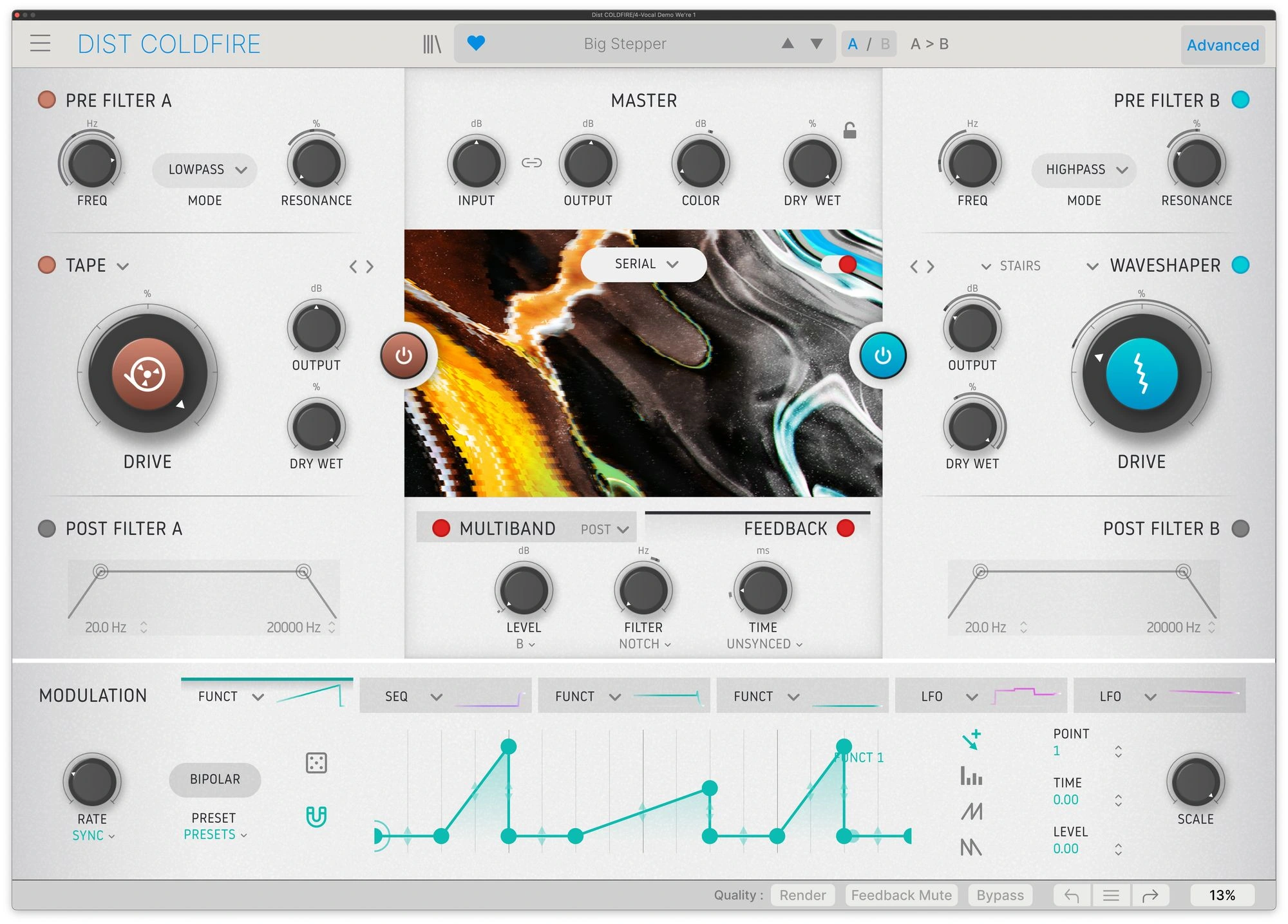
The advanced section offers six assignable modulation slots. Available source types include LFO, Function, envelope follower and a 16-step sequencer.
This is where COLDFIRE becomes more interesting for sound design than for a static saturation task. You can investigate how a parameter changes during a phrase instead of leaving the same treatment active throughout.
Start with one destination and a small amount of movement. Listen to the start of the bar, the important rhythmic accents and the transition to the next section. Keep the change that helps the pattern rather than the one that makes the display most active.
For an industrial or experimental layer, the movement may become the main feature. For a bass supporting a vocal, it may need to remain a subtle detail. The role of the part determines how much attention the modulation should attract.
Filters, dynamics and feedback
COLDFIRE includes pre and post filtering, a dynamics section with compressor, multiband and limiter modes, and a feedback module. These expand the processing chain around the distortion engines.
When learning the plugin, add those stages one at a time. If you change filtering, drive and dynamics together, it becomes difficult to tell what improved the result.
Compare the source before and after the complete chain. A controlled output can still have the wrong tonal balance or less useful punch. Check both quiet and loud passages instead of relying on a single repeating hit.
Arturia notes a specific feedback restriction with Bit Inverter. If the feedback option is unavailable in a particular setup, consult the FAQ before treating it as an installation problem.
A practical audition in seven decisions
1. Name the task. Choose a bass, drum loop or synth that needs a defined change.
2. Save the original. Keep a version you can compare without reconstructing settings.
3. Learn one engine. Choose a single algorithm and establish a useful amount before combining treatments.
4. Select the routing. Decide whether the second treatment should follow the first, blend beside it or work on another frequency region.
5. Add only the control you need. Bring in modulation, filtering or dynamics when it solves a specific problem.
6. Compare the full section. Include the surrounding instruments and match the perceived listening level as closely as practical.
7. Test the simpler alternative. Try the same job with your existing distortion and EQ. Keep COLDFIRE only if its result or workflow adds something useful.
Two details worth knowing before the trial
Input-output Link is not a reason to stop checking levels
Arturia's FAQ explains that Link lowers the output as you raise the input. Input automation can therefore also change the output when Link is enabled.
Use that behaviour deliberately. Listen to the complete passage after an automated change rather than assuming it will preserve the same impression at every point.
Studio and Render quality affect the audition
The FAQ describes Studio and Render oversampling settings, with Studio intended to conserve CPU while working. It also explains how to disable the central animation.
Test your final choices at the quality you intend to use for delivery. We have not measured the CPU difference or audible effect, so check a representative session on your own machine.
Should you buy COLDFIRE if you already have distortion plugins?
You want one fast saturation character: start with your current processor. Our Decapitator review covers another focused option.
You want two algorithms with flexible routing: COLDFIRE has a clearer role to audition. Test whether that integrated workflow is easier than building a chain from existing plugins.
You already use a broader distortion toolkit: compare the same source and musical goal. Our Output Thermal review provides another reference, without implying a sound-quality winner from specifications.
You mainly want glitchy textures made from small audio fragments: our Efx FRAGMENTS review covers a different sound-design process.
Price, trial and installation
Plugin Boutique displayed COLDFIRE at €98.18 when checked on 20 October 2026. The Arturia overview page displayed a $79 offer in the version served to us. Those currencies are not directly comparable checkout totals: confirm current regional pricing, tax and account offers before buying.
A trial is listed. Installation and activation use Arturia Software Center. Check your Arturia account and existing bundle licenses first so you do not pay twice for a product you already own.
Consult the current requirements for your operating system, CPU and DAW, then test the plugin in a real project. If it does not appear after installation in FL Studio, our VST scanning guide covers common visibility problems.
SoundShaper opinion
COLDFIRE is most appealing when distortion is part of building a sound, rather than just a finishing touch. Routing and modulation give you concrete reasons to consider it beyond the algorithm count.
For electronic bass, adventurous drum processing and evolving synth layers, we would audition it on an unfinished project with a clear task. For basic colour on occasional tracks, we would first use the processors already available.
On a limited budget, the purchase should earn its place through a repeatable result or a workflow advantage. Finishing one useful bass or drum treatment tells you more than collecting dozens of presets.
Conclusion
Arturia Dist COLDFIRE combines two distortion engines with flexible routing and modulation. It is worth considering when you want to explore how treatments interact and evolve.
Start with one clear goal, compare the result in the arrangement and keep the simpler version when it serves the music better. The value is a useful sound you can control.
Sources
Details checked against the official COLDFIRE page, Arturia FAQ and Plugin Boutique listing.
![[background image] image of recording equipment (for a musician & band)](https://cdn.prod.website-files.com/68efa70811edd8e5af30a90d/6adbdffd1258b281fa64d9e8_6adbdfe06748b62dcaeff101_vintageverb-vs-pror2-cover-v2.webp)
![[background image] image of recording equipment (for a musician & band)](https://cdn.prod.website-files.com/68efa70811edd8e5af30a90d/6adbdd6f7d47fb086e52b147_6adbdd4e3cb3e94d421e55da_how-to-fix-harsh-vocals.webp)
![[background image] image of recording equipment (for a musician & band)](https://cdn.prod.website-files.com/68efa70811edd8e5af30a90d/6adbd8f9d34e0624a55714e1_6adbd8e12694d8b251e72784_decapitator-vs-saturn-2-corrected.webp)