
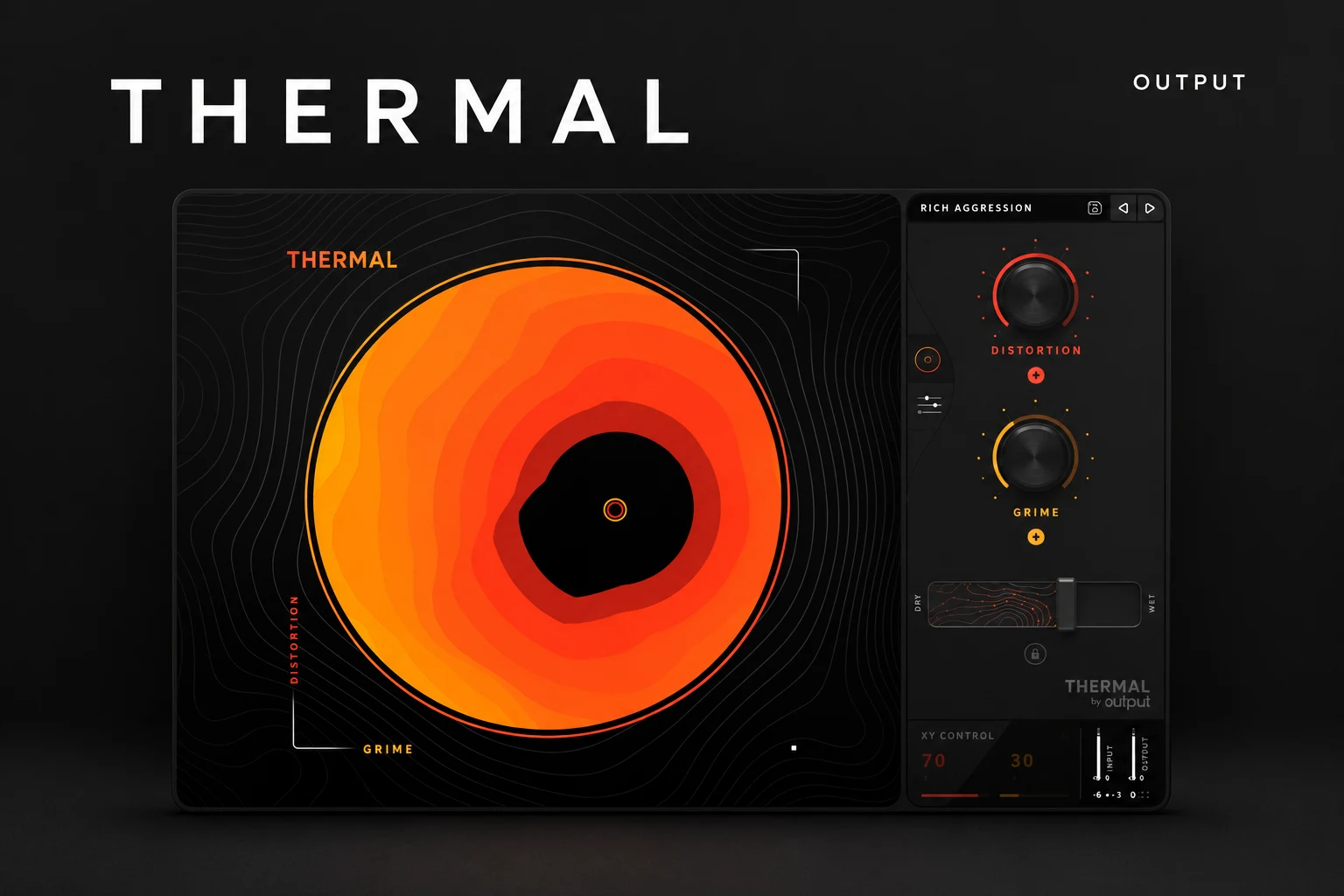

Output Thermal is worth considering when you want distortion to reshape a sound, rather than simply add a little warmth. Its stage processing, frequency targeting and modulation make it a candidate for electronic basses, drum textures and dramatic vocal effects. For a quick touch of saturation, we would start with a simpler tool.
This Thermal review focuses on the buying decision: when does the extra control help, and when does it create more work? Our recommendations are based on the documented features and suggested production workflows; we are not claiming hands-on listening tests.
What is Output Thermal?
Thermal is an audio effect built around multiple distortion stages, additional effects and modulation. It processes an incoming sound from your DAW. It is not a synthesizer with its own oscillator section or a library of ready-made bass instruments.
The main page offers a circular XY control, two macros, presets and a Dry/Wet slider. The advanced page exposes the stage controls, modulation and effects. That gives you two ways in: start from a preset and move its macros, or build a more deliberate processing setup.
The important feature: distortion does not have to affect everything equally
Thermal has three processing stages. With Band Split enabled, a stage can target a frequency range using its Low and High crossover controls. Refilter can remove harmonics outside that stage's selected range after its distortion and effects.
Each stage also includes drive and output controls, effects, width and tone options. Output notes that the stage Tone section is applied after stage summing, across the full spectrum. Do not assume every control stays confined to the selected band.
Our reason to explore this architecture is control over a specific conflict. You might want more aggression in a bass's upper character without applying the same treatment to its deepest notes. The useful outcome is the finished balance, not the number of active stages.
Three situations where Thermal makes sense
Electronic bass that needs a more distinctive voice
For drum and bass, dubstep and heavier electronic music, begin with a bass you already like. Write the part first, then decide what is missing: bite, movement, density or contrast between sections.
Start with one stage and a limited frequency range. Increase Drive until the change is clear, compensate the output and listen with the drums. If the bass loses its weight or the kick becomes difficult to hear, reconsider the range and amount before adding another stage.
SoundShaper advice: keep the deepest bass under close observation. Targeting a range gives you options, but it does not guarantee an untouched sub through every part of a complex preset. Bypass and compare the whole chain.
A drum loop that needs grit in one area
A full drum bus can become tiring when the same distortion that helps the snare also exaggerates the hats. Try Thermal on a smaller percussion group or explore a stage range that suits the problem.
Our suggested approach is to decide which part should change before touching the macros. If you want a rougher clap, start there. If you want a deliberately crushed loop for a breakdown, treat that as a separate effect layer rather than the default sound of every chorus.
Compare the groove after processing. More sustained energy can sound exciting while also reducing the contrast that made the drums bounce. Keep the treatment only when the pattern still moves the way you want.
A vocal or synth effect with movement
For industrial pop, aggressive rap layers and electronic transitions, Thermal's modulation gives you a reason to move beyond a static distortion setting. The advanced page has two assignable modulation envelopes, with sync and randomization options.
Start by moving one target over a short phrase. A controlled change at the end of a word can be more useful than constant motion across the entire vocal. Keep the main performance available on a separate path while you explore a more extreme version.
On a synth, audition movement against the notes and drums. A preset that sounds impressive on a held chord may make a busy riff harder to follow.
A focused first session with Thermal
1. Choose a source and a goal. Write down a concrete target, such as a rougher midrange or a moving transition.
2. Save the clean version. Keep a bypass comparison and enough headroom for experimentation.
3. Start with one stage. Thermal's factory INIT preset is available in the User folder.
4. Set the relevant range. Explore Band Split when frequency targeting is part of the goal.
5. Add drive, then rebalance the output. Internal compensation can help, but listen at comparable loudness.
6. Add one extra process only if needed. Choose modulation, another stage or an effect for a clear reason.
7. Set Dry/Wet in the full song. Compare the original and the result after a short break.
These are suggested exercises, not tested presets. If the sound works after step five, there is no requirement to fill every processing section.
Presets and the XY pad: useful shortcuts, with a catch
Plugin Boutique lists more than 250 presets. The XY pad moves both macros together, and the macros can control several underlying parameters. Their behavior therefore depends on how the current preset is configured.
That is convenient for trying a broad transformation quickly. It also means a single movement may change more than distortion strength. Read the macro labels, check the advanced page when needed and use your ears to identify what is changing.
Thermal offers a Dry/Wet lock so your chosen blend can remain fixed while browsing. We would use that to compare presets with a similar amount of processed signal, then revisit the balance after choosing one.
Thermal or Decapitator?
We would audition Thermal when a project calls for stage-based frequency targeting and movement. If the goal is a quick character change with fewer decisions, a focused saturator may suit the job better.
Our Decapitator review covers that simpler buying question. Do not buy both automatically: take a few real project tasks and see whether each plugin solves a distinct need.
Thermal or Portal?
The main question is whether you want to reshape tone through distortion or transform fragments of the source through granular processing. Start with the sound you want to create, rather than the similar circular interfaces.
For chopped textures, stretched fragments and atmospheric source transformation, read our Output Portal review. For a broader rhythmic effects workflow, our ShaperBox 3 vs Infiltrator 2 comparison is another useful decision guide.
Who should skip Thermal?
• You want subtle saturation with almost no setup. Try a simpler distortion or saturation tool first.
• You mainly need louder masters. Choose processing for that specific task rather than expecting a creative distortion preset to finish the master.
• Your stock effects already create the sound. Buy for a workflow improvement you can identify.
• You keep browsing instead of finishing. Set a short experiment and commit to the useful result before adding more options.
For peak control in FL Studio, start with our soft clipper vs limiter guide. That decision is different from choosing a creative distortion engine.
Price and system requirements
On 18 October 2026, Plugin Boutique displayed Thermal at €152.73. This is a dated price observation; your currency, taxes and promotions can change the checkout total. Check the current offer below before deciding.
Output's current FX requirements specify macOS 10.14 or higher, or Windows 10/11, with a 64-bit DAW and operating system. Memory requirements are 8 GB RAM, with 16 GB recommended. The listed plugin formats are VST, VST3, AU and AAX; FL Studio is among the supported hosts.
Output documents a perpetual licence route using a serial code as well as a subscription route. Follow the installation instructions matching the licence you purchased. Buying a serialized Thermal licence does not mean you must also subscribe to use that licence.
SoundShaper opinion
Thermal is most compelling when distortion is part of designing the sound itself. Electronic bass, processed percussion and deliberate vocal effects give its deeper controls a clear purpose. That is where we would focus an audition.
We would not recommend it simply because a mix needs more excitement. First identify what should change and why. If the answer involves a particular range, a changing texture or several controlled processing steps, Thermal deserves a look. If the answer is just a little more warmth, a smaller tool may be the better purchase.
Frequently asked questions
Is Thermal an instrument?
No. It processes incoming audio as an effect in your DAW. Load a source instrument or recording first.
Can I distort only part of the frequency range?
Band Split lets you set a stage's processing range. Refilter provides further control over harmonics created by that stage. Check the complete preset, since other controls can affect the broader signal.
Do I need extra presets?
No. The base product includes factory presets. Learn those and the main controls before deciding whether an optional expansion fills a real gap.
Does Thermal work in FL Studio?
Output lists FL Studio among its supported hosts. Verify your operating system, plugin format and current requirements before purchasing.
Conclusion
Choose Thermal for controlled, evolving distortion and deeper sound design. Its stage processing and modulation make the most sense when you can give them a specific job. Start simply, compare at similar loudness and keep the settings that improve the part inside the song.
Sources: Output's Thermal manual, FX system requirements, installation and licence instructions and the Plugin Boutique listing. Details checked 18 October 2026.
![[background image] image of recording equipment (for a musician & band)](https://cdn.prod.website-files.com/68efa70811edd8e5af30a90d/6ad5421eaf14ef1dbac4dfa8_TAIP%20Review.webp)
![[background image] image of recording equipment (for a musician & band)](https://cdn.prod.website-files.com/68efa70811edd8e5af30a90d/6ad5413cb1504db30162273f_Phoscyon%202%20Review.webp)
![[background image] image of recording equipment (for a musician & band)](https://cdn.prod.website-files.com/68efa70811edd8e5af30a90d/6ad5403dd747f3fbbe4286ab_Chordjam%20Review.png)