
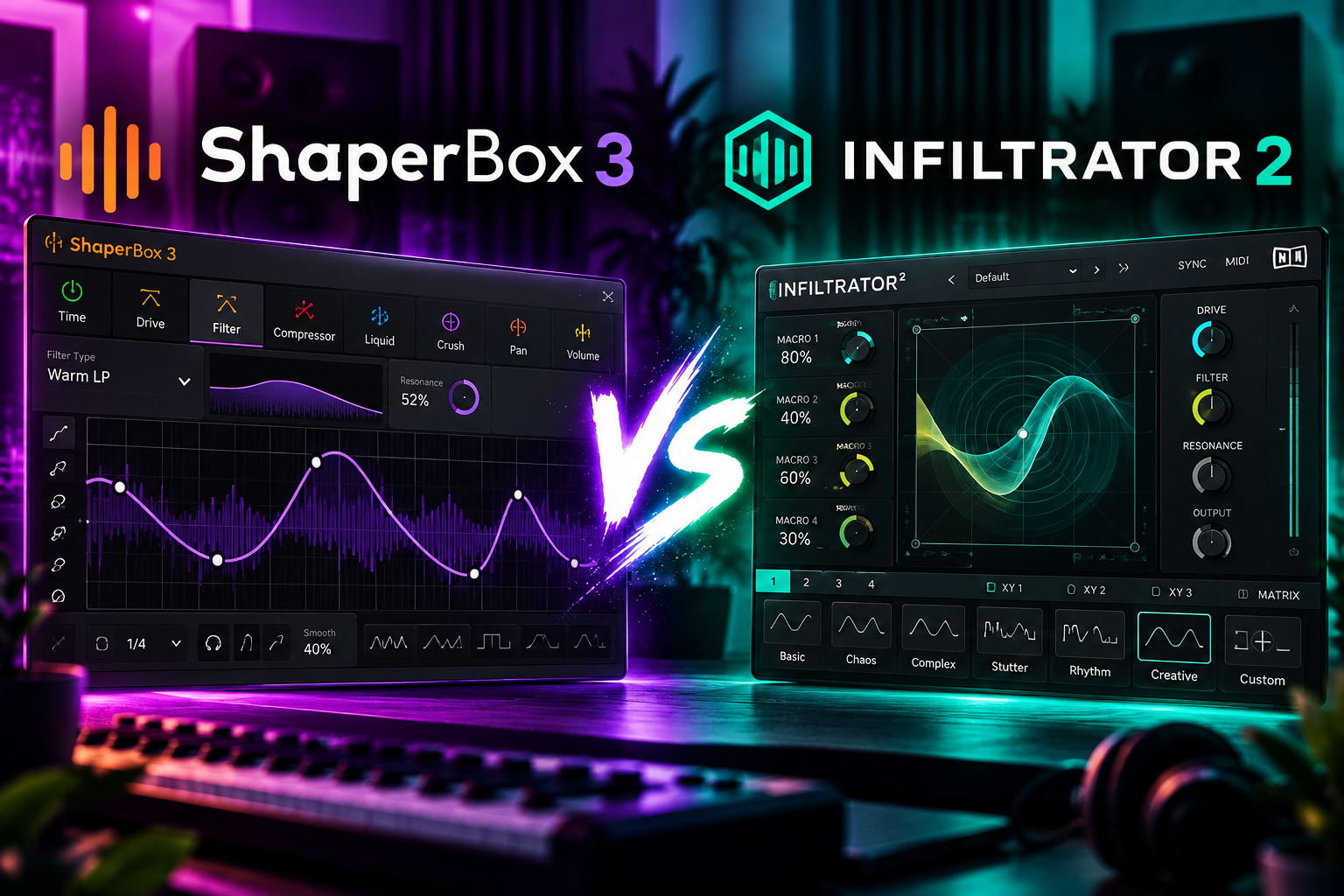

We would choose ShaperBox 3 for precise rhythmic shaping, sidechain ducking and controlled movement. We would choose Infiltrator 2 for building more involved effect chains and exploring unusual sound transformations.
Both can turn a simple loop into something more interesting. The useful difference is how you want to work: draw the change you already hear, or combine effects until a new idea appears.
This ShaperBox 3 vs Infiltrator 2 comparison focuses on that buying decision. Below, we explain the workflow, suggest uses for drums, bass and vocals, and show when we would keep our money instead.
ShaperBox 3 vs Infiltrator 2: Quick Comparison
| Buying question | ShaperBox 3 | Infiltrator 2 |
|---|---|---|
| How does it shape movement? | Drawable modulation curves, envelope followers and triggering. | Modulation envelopes plus a sequencer for switching effect slots on and off. |
| What stands out? | Three-band processing for each Shaper. | Up to 10 effect slots, selected from 54 effects. |
| Our suggested starting point | You have a groove or change in mind. | You want to explore combinations and transitions. |
| Our practical buying test | Can you draw the movement your part needs? | Can you build a useful effect sequence without losing the original idea? |
| Should you buy both immediately? | We would start with one. | We would start with one. |
SoundShaper Opinion: Neither wins because its feature list is longer. We would buy the one that solves a recurring problem in our tracks. A tool you understand and use is worth more than a second plugin you only browse.
What Is ShaperBox 3?
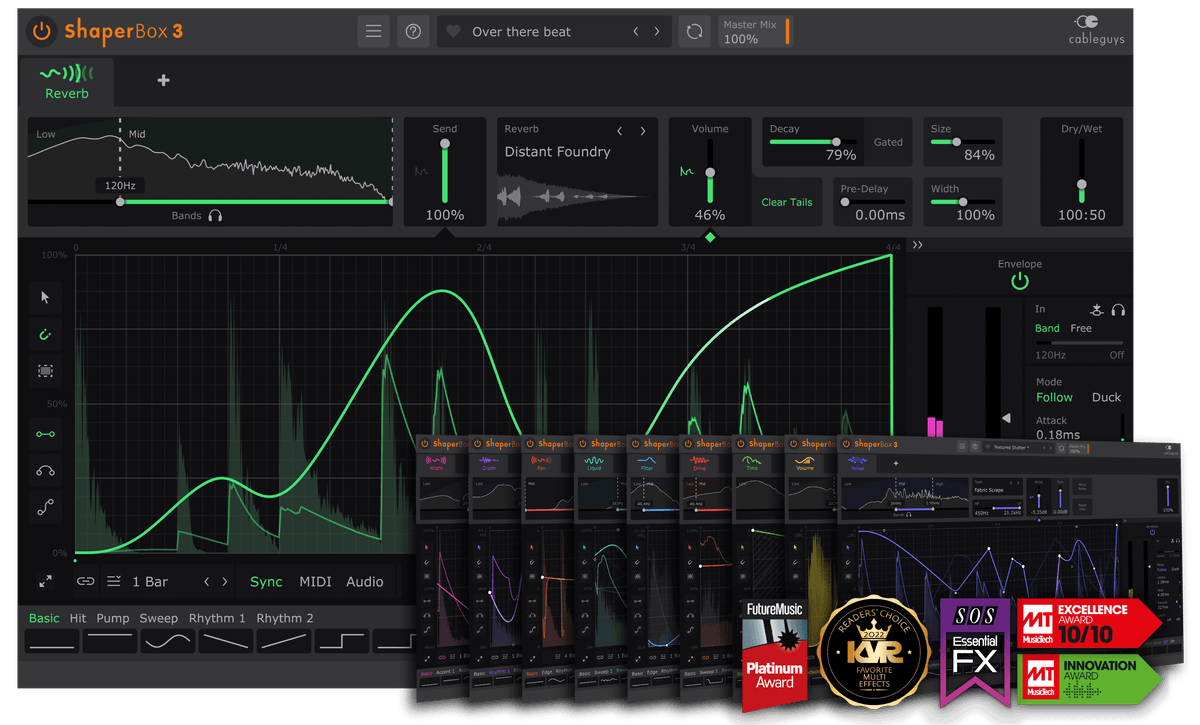
ShaperBox 3’s visual curve editor, shown here with ReverbShaper. Product image: Cableguys.
ShaperBox 3 is Cableguys’ multi-effect platform. Its Shapers cover processing such as volume, filtering, time, distortion, pitch, reverb, panning and stereo width. The current full bundle includes 11 Shapers; check the exact bundle contents before buying a smaller edition or upgrade.
The visual editor lets you draw how an effect changes over time. You can synchronize movement to the song or use triggering. Each Shaper supports three frequency bands, so you can target different parts of the sound.
SoundShaper Opinion: This is where we would start when the instruction in our head is specific: “make the pad pulse,” “leave space for the kick,” or “change the last beat of the loop.” Start with that one task and leave the other modules alone until the arrangement needs them.
What Is Infiltrator 2?
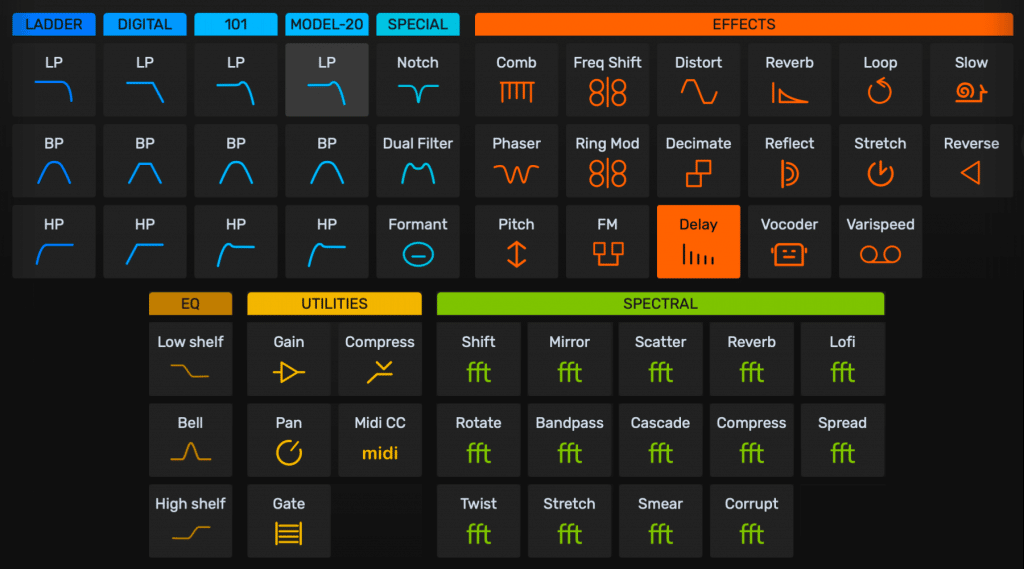
Infiltrator 2’s effect selection, including filters, distortion and spectral processing. Product image: Devious Machines.
Infiltrator 2 is Devious Machines’ multi-effect plugin. It combines filters, distortion, delay, reverb, pitch and spectral processing. Its 32-step sequencer switches the 10 effect slots on and off, while each effect has two modulation envelopes.
It also includes over 1,500 presets. Macros let you adjust assigned controls together, rather than changing every parameter separately.
SoundShaper Opinion: We would shortlist it when experimenting with effects is part of writing. Start with a familiar sound and ask how far you want to push it. Save a clean version first, then keep only the changes that create a useful role in the track.
The Main Difference: Drawing Movement vs Sequencing Effects
Our suggested ShaperBox workflow starts with one change. Draw the rhythm, listen to it with the drums and adjust its depth. Add another layer only when the first one works.
Our suggested Infiltrator workflow starts with a short effect chain. Choose a few processors, decide where they enter and use modulation to vary their character.
This is our way of approaching the tools, rather than a strict limit on either plugin. Both offer controlled shaping and creative experimentation.
SoundShaper Opinion: If you regularly know what you want but struggle to create the movement, try ShaperBox first. If finding the movement is the creative task itself, try Infiltrator first.
Which Would We Choose for Sidechain Ducking?
For ducking, ShaperBox 3 would be our first demo. VolumeShaper supports external audio triggering and an external sidechain waveform view, which are directly relevant to matching the bass movement to a kick.
Our practical check is simple: play the busiest kick pattern in your song and listen to how the bass returns after each hit. Avoid making the recovery so slow that the bass loses the notes that give the groove its character.
Do not buy a full multi-effect bundle just because you need basic ducking. If your existing compressor or volume automation gets the result, keep using it. The broader purchase makes more sense when the other shaping tasks also matter.
Which Would We Choose for Glitch Effects and Transitions?
For a transition built from several changing effects, we would try Infiltrator 2 first. Its effect sequencer fits an approach where different processors appear at different moments.
Make a four-bar transition and set a clear destination. Does it lead into a chorus, a drop or a quieter section? The final moment should prepare that change, rather than simply add more processing.
ShaperBox also belongs on the shortlist when the fill is mainly a deliberate time or volume pattern. If you already have a time-effect workflow that works, see our HalfTime vs Gross Beat comparison before adding another tool for the same job.
SoundShaper Opinion: A memorable fill usually needs a clear rhythm. We would keep a simpler version alongside the heavily processed one and choose with the full arrangement playing.
Drums, Bass and Vocals: Practical Starting Points
Drum loops
We would start with ShaperBox when the drum loop needs a specific groove adjustment. Keep the kick and snare relationship easy to hear, then explore movement around them.
We would start with Infiltrator when making an alternate drum phrase or a transition. Process a copy of the loop and use the result for a short section. An effect that is exciting for one bar can become tiring over an entire verse.
Bass and synths
For bass, decide whether you are solving a mix problem or designing a new sound. For a mix problem, preserve the notes and low-end rhythm. For sound design, keep a simple version so you can compare what the extra movement adds.
If the sound already clashes with the kick, adding more effects may make the decision harder. Fix the musical relationship first. Then use the plugin to give the part a deliberate change.
Vocals
We would begin on a copied vocal phrase or an effects send, with the main vocal still clear. Try a processed ending, a repeated word or a short response between lines.
For an important lyric, listen to whether the words remain understandable. For a background texture, the transformation can be the point. Choose the role before choosing a dramatic preset.
Our HyperWarp review covers another option if granular processing is the specific effect you want, rather than a broader multi-effect workflow.
Presets and Learning Curve: Which Is Easier?
We would approach ShaperBox by learning one Shaper at a time. Draw a basic pattern, change one setting and listen in context. This gives you a clear link between your edit and what you hear.
With Infiltrator, start from a preset you like and simplify it. Switch off an effect, compare the result and work out which part carries the idea. That is more useful than auditioning fifty presets without saving anything.
SoundShaper Opinion: Our beginner recommendation is ShaperBox when deliberate shaping is the goal. Our experimental recommendation is Infiltrator when exploring chains is the goal. We would still try both demos: an interface that makes sense to someone else might slow you down.
Price and Value: Compare the Licence You Actually Need
Check the ShaperBox 3 Bundle price and the Infiltrator 2 price before buying. We are linking the full products; discounts, regional totals and upgrade offers can change.
For ShaperBox, compare the bundle with the modules you need and any upgrade offer attached to your account. A lower-priced listing is not automatically the same licence.
For either product, write down three jobs it would handle in your next tracks. If you cannot name those jobs, we would keep testing instead of paying.
SoundShaper Opinion: A sale is useful when the plugin already fits your workflow. It is a weak reason to buy a tool you have not tried. We would compare the cost with what it adds beyond the effects already in our DAW.
CPU and Compatibility: Test Your Own Session
We have not run a matched CPU benchmark, so we would not claim either plugin is lighter. Download the demos from Cableguys and Devious Machines, and check current system requirements before purchasing.
Test in a normal project at your usual buffer setting. Try the effect you actually need, automate a useful control and export a short section. If you intend to use several instances, test that setup too.
For FL Studio playback problems, our crackling guide and buffer-size guide can help you separate audio settings from the plugin-buying decision.
Should You Buy Both?
We would start with one. There is enough overlap in rhythmic effects that buying both immediately can leave you learning two workflows before finishing a song.
Consider the second only when you can name a job the first does not handle in a way you enjoy. For example, you might want a dedicated visual-shaping workflow alongside a separate space for effect-chain experiments.
SoundShaper Verdict: Which Should You Buy?
Choose ShaperBox 3 if you want deliberate control over groove, ducking and movement. It is our suggested starting point for a producer with a clear shaping task.
Choose Infiltrator 2 if you want to explore combinations, sequenced effects and unusual textures. It is our suggested starting point when experimentation is a regular part of writing.
If you mainly want one occasional effect, compare simpler tools and your existing DAW effects first. Our recommendation is to buy a recurring workflow improvement, then use it to finish music.
Frequently Asked Questions
Can ShaperBox 3 make glitch effects?
Yes. Its time and other shaping modules can create rhythmic transformations. We would compare the actual pattern you need in both demos.
Is Infiltrator 2 only for extreme sound design?
No. We would also investigate a short, restrained chain for a small change. The depth of the plugin does not mean every track needs heavy processing.
Does every ShaperBox purchase include every Shaper?
Check the exact licence. This article compares the full ShaperBox 3 Bundle with Infiltrator 2, rather than an individual Shaper.
Which would SoundShaper recommend for a beginner?
We would try ShaperBox first for clear rhythmic shaping tasks, and Infiltrator first for exploring effect combinations. Make a short musical test before deciding.
Is this comparison based on hands-on testing?
This is editorial buying advice based on current official documentation. We have not conducted a matched audio or CPU benchmark.
Sources checked on 12 October 2026: Cableguys ShaperBox 3, Devious Machines Infiltrator 2 and the linked retailer listings.
![[background image] image of recording equipment (for a musician & band)](https://cdn.prod.website-files.com/68efa70811edd8e5af30a90d/6acd43b8998701bbde84e11a_Best%20Export%20Settings%20for%20FL%20Studio.png)
![[background image] image of recording equipment (for a musician & band)](https://cdn.prod.website-files.com/68efa70811edd8e5af30a90d/6acd3d99fa68785e0f58960e_Kontakt%208%20vs%20Decent%20Sampler.png)