
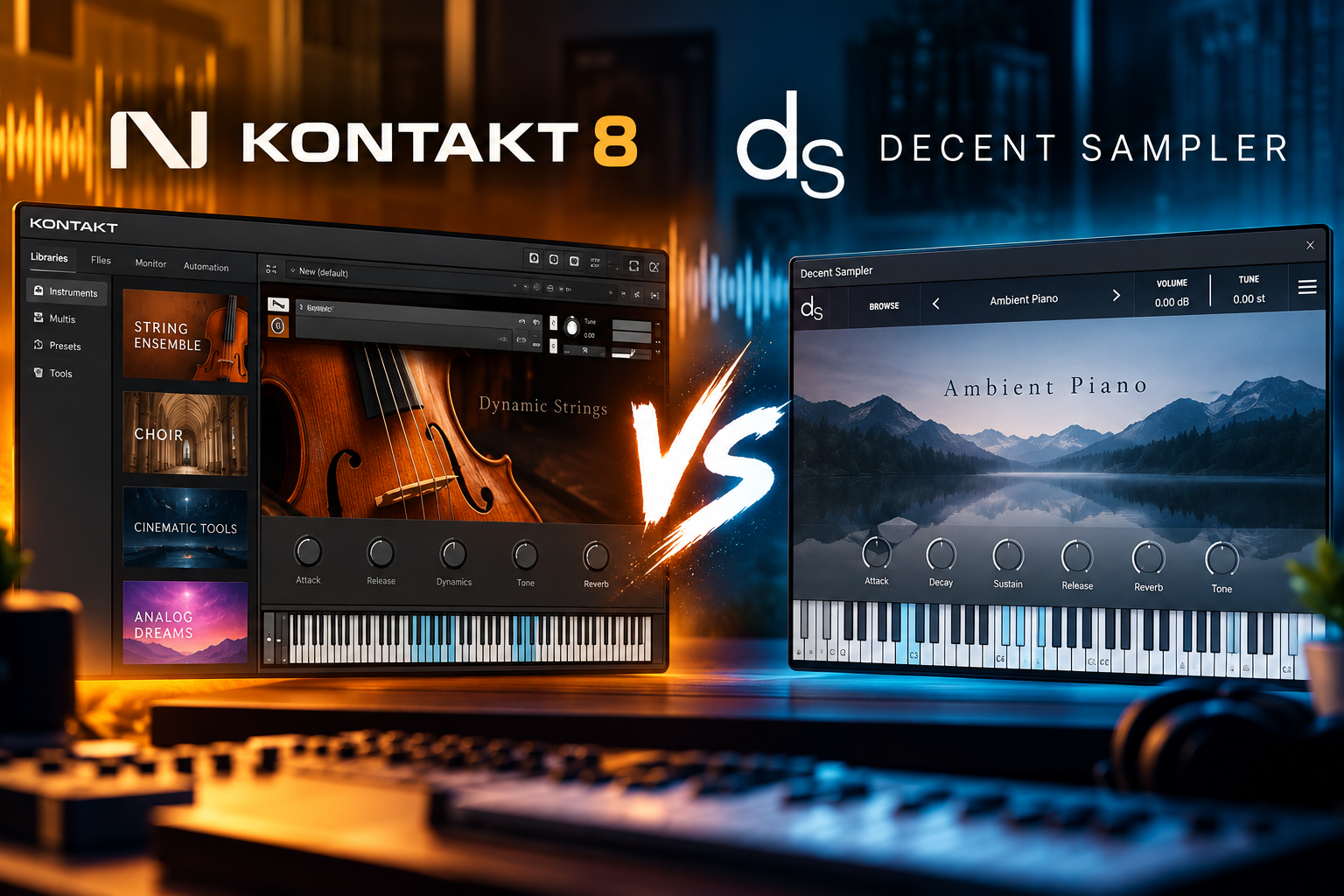

Decent Sampler is our starting recommendation if you want to explore sampled instruments without paying for the player. Kontakt 8 makes sense when a library you want requires the full version, or when you need its deeper instrument-building tools.
There is also a third option: the free Kontakt Player. Our Kontakt Player download guide covers getting started. Many Kontakt libraries work with it, so you might not need to buy Kontakt 8 at all.
In this Kontakt 8 vs Decent Sampler comparison, we explain what each platform does, where the money goes and how we would choose. Our advice starts with the sounds you want to make music with.
Kontakt 8 vs Decent Sampler: Quick Comparison
| Question | Kontakt 8 — full version | Decent Sampler |
|---|---|---|
| Is the software free? | No. Kontakt Player is the separate free option. | Yes, the desktop plugin is free. |
| Which libraries does it play? | Compatible Kontakt libraries, including those that require the full version. | Libraries made for Decent Sampler. |
| Are all extra libraries included? | No. Third-party libraries are separate purchases or downloads. | No. Libraries can be free or paid. |
| What would we choose it for? | A specific full-Kontakt library or deeper instrument creation. | Exploring compatible instruments with no player cost. |
| Can you build instruments? | Yes, with detailed editing and scripting tools. | Yes, using its documented library format. |
| Desktop platforms | Windows and macOS. | Windows, macOS and Linux. |
SoundShaper Opinion: We would choose the library first and the sampler second. Paying for a platform before you know which sounds you need is an easy way to spend money without improving your next track.
What Is Kontakt 8?
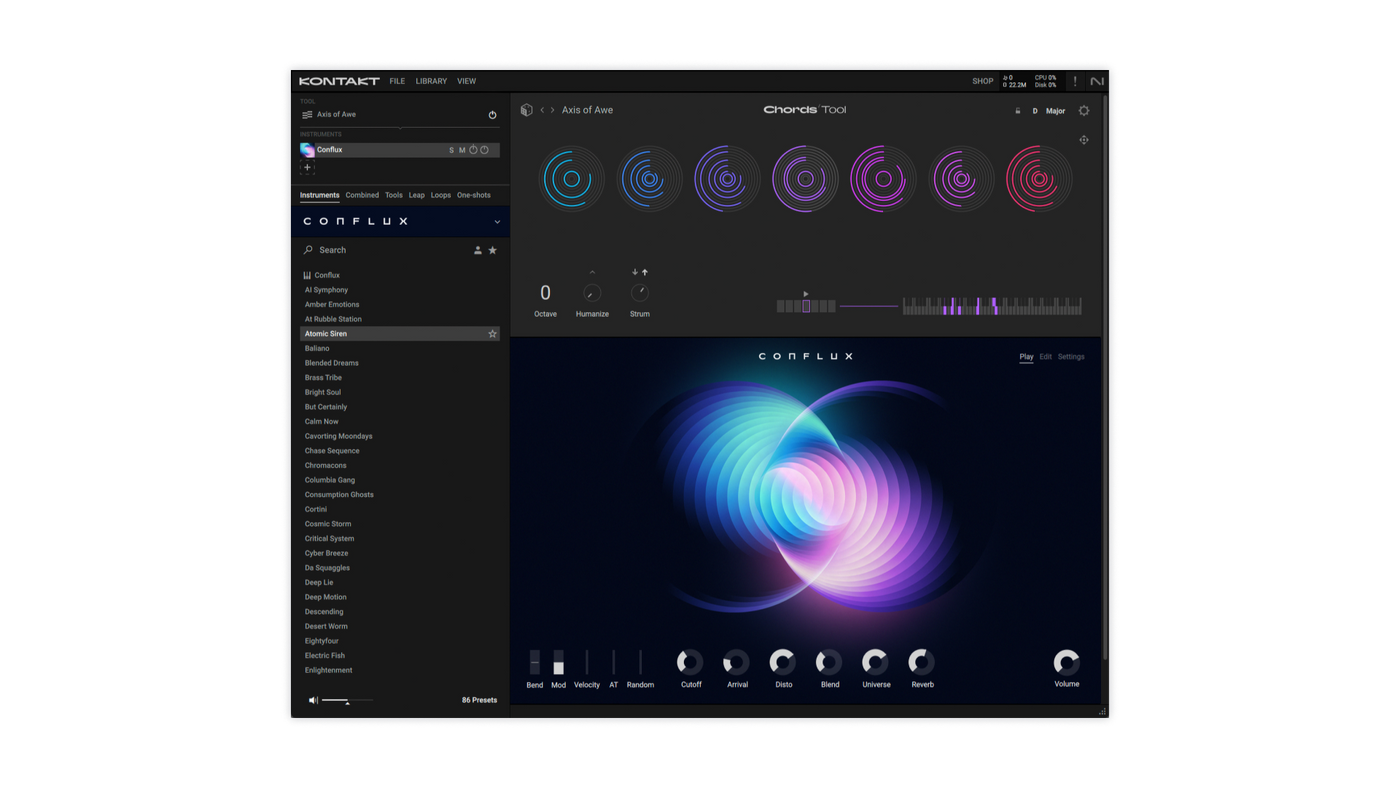
Kontakt 8 shown with its browser, Chords Tool and Conflux instrument. Image: Native Instruments.
Kontakt 8 is Native Instruments’ platform for playing and building sample-based instruments. A sample-based piano, for example, uses recordings of piano notes that respond when you play your MIDI keyboard.
The full version includes a Factory Library, Conflux, Hybrid Keys and Leap content. It also provides deeper editing tools for creating and changing instruments. Other developers sell or share their own Kontakt libraries; those are not automatically included with your purchase.
SoundShaper Opinion: We would consider Kontakt when we already have a shortlist of instruments that need it. If a particular piano or string library fits your music, that is a useful reason to investigate the platform. Buying it because everyone else seems to use it is a weaker reason.
What Is Decent Sampler?
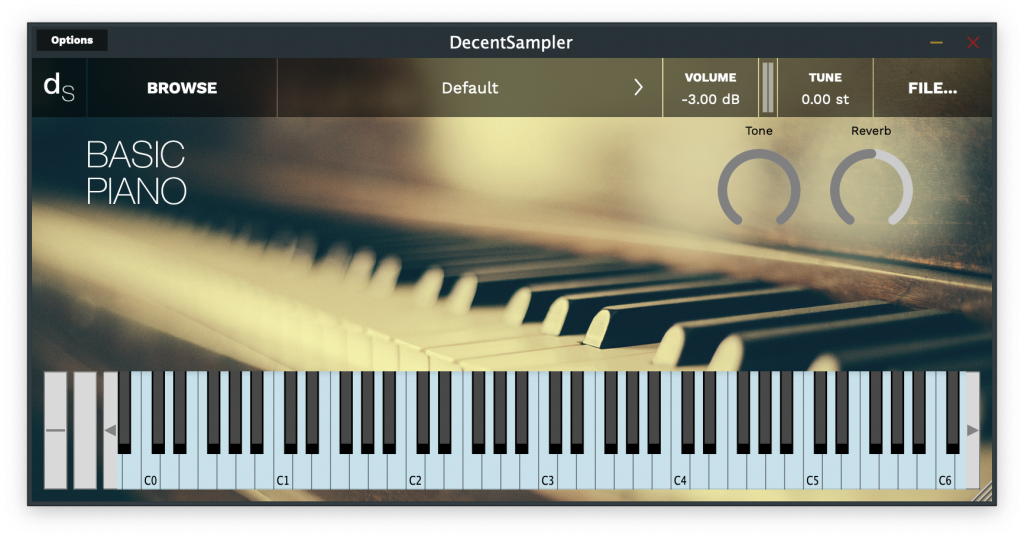
An example of a piano instrument loaded in Decent Sampler. The interface and available controls depend on the library. Image: Decent Samples.
Decent Sampler is a free sample player for libraries in its own format, including .dspreset and .dslibrary files. The desktop plugin is available for Windows, macOS and Linux.
Free software does not mean every instrument for it is free. Check the price and licence of each library you download.
SoundShaper Opinion: We like it as a low-cost way to try different instruments and find a sound that starts a song. We would download a few useful libraries, learn their controls and make something with them before collecting dozens more.
The Important Difference: Kontakt 8 vs Kontakt Player
This is the part we would check before spending anything.
Kontakt Player is free and runs libraries specifically licensed for it. Those libraries can be paid or free. A paid library does not automatically require paid Kontakt.
Other Kontakt libraries require the full version. In Player, non-Player libraries are limited to a 15-minute demo and cannot be used normally with saving. Check the developer’s compatibility statement and minimum Kontakt version.
| The library says… | What to do |
|---|---|
| “Works with the free Kontakt Player” | Install the required Player version. You do not need full Kontakt just to play it. |
| “Full version of Kontakt required” | Use a compatible full Kontakt licence. |
| “Decent Sampler version included” | Use that version in Decent Sampler. |
| Only “Kontakt compatible” | Ask the developer which edition and version it needs. |
Our advice: If all your chosen libraries work in Player, start there. Consider the full Kontakt 8 version when you can name the extra library or editing feature you need.
Which One Sounds Better?
We would not declare a sound-quality winner based on the sampler name. Compare the actual instruments: their recordings, playing response, controls and how they fit your arrangement.
A piano with an attractive demo might still leave too little space for your vocal. A simple instrument might be exactly what a quiet verse needs. The useful question is whether the sound serves your song.
SoundShaper Opinion: Listen to demos with your project in mind. For a piano, we would listen for soft notes, sustained chords and exposed passages. For strings, we would check whether the library supports the playing styles the arrangement needs. Judge those details before judging the price.
Libraries and Compatibility: Can They Replace Each Other?
These are separate library formats. Decent Sampler is not a direct player for Kontakt instruments, and buying Kontakt does not turn Decent Sampler libraries into Kontakt libraries.
Some developers offer the same instrument in more than one format. If they do, download the version for your player and check whether the editions offer the same controls and content.
SoundShaper Opinion: Save a small list of libraries you actually want. Put the required player beside each name. That list is more useful than a long sampler feature comparison because it tells you what you need for your own music.
If one of your essential choices requires full Kontakt, check Kontakt 8’s current price and add the library cost to your budget. If your favourites come in Decent Sampler format, start with the free player.
Which Is Easier for Beginners?
Our suggested beginner route is to load one ready-made instrument, play it and learn the controls that affect your part. You do not need to understand sample mapping or scripting to start writing.
We would start with Decent Sampler when the library we want supports it. We would start with Kontakt Player when the desired instrument supports Player. Full Kontakt becomes relevant when the library or the next editing step requires it.
The library’s interface matters too. A simple instrument in either platform may be easier to learn than a complex instrument with several pages of controls.
SoundShaper Opinion: Give yourself a musical task: write eight bars with one instrument. If you can do that comfortably, keep going. Learn the deeper settings when you have a specific change to make.
Creating Your Own Sampled Instruments
Full Kontakt offers instrument editing and scripting through KSP. Decent Sampler also supports instrument creation: its developer guide explains sample mapping, interface controls, effects and other library features using its text-based format.
Our recommendation: For a first project, record a few notes and map them into a basic playable instrument. Follow the official examples for the platform you choose. A small finished instrument teaches more than an ambitious project you never complete.
We would investigate Kontakt 8 for a project aimed at the Kontakt ecosystem and its editing tools. We would investigate Decent Sampler when letting people use the instrument without buying a desktop player is a priority.
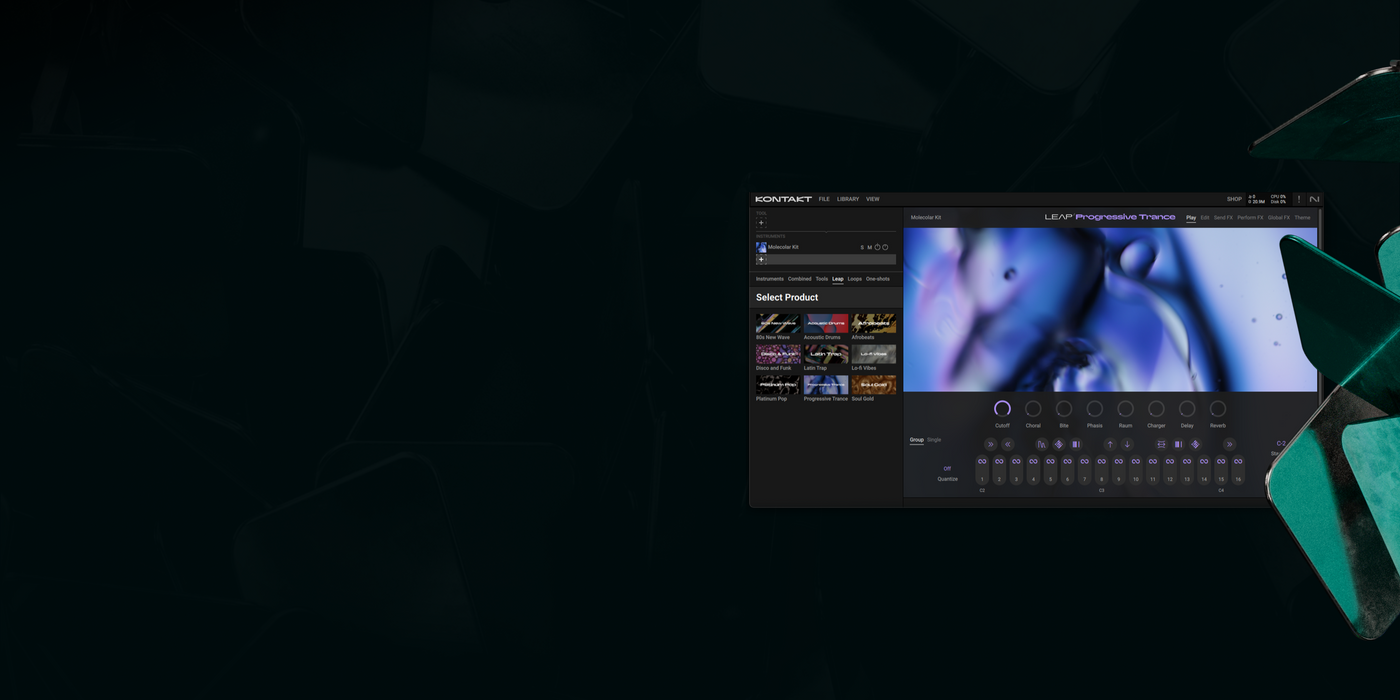
Kontakt 8’s Leap provides a separate workflow for playing and manipulating loops. Image: Native Instruments.
CPU, RAM and Storage: What Should You Check?
We have not run a matched performance benchmark, so we would not promise that either sampler uses less CPU or memory. Test the actual instrument you plan to use.
Download size is only one part of the decision. Check the library’s requirements, available drive space and the number of instruments your arrangement needs. Then try sustained chords and a busier passage at your usual audio settings.
If you are also shopping for electronic sounds, read our Massive X review for advice on a synthesizer rather than a sample-library platform. We would decide which type of sound you need before buying either.
Price and Value: When Is Kontakt 8 Worth Buying?
Decent Sampler’s desktop plugin is free. When checked on 12 October 2026, Plugin Boutique displayed €303.99 for the full Kontakt 8 licence. Prices, regional taxes and offers can change; check the current listing before buying.
We would budget for the whole setup: the player, the instruments you want and any extra storage you need. A free player with paid libraries still has a total cost.
Before purchasing Kontakt, check your Native Instruments account and any bundle you already own. Existing Kontakt owners should also check update eligibility instead of automatically buying another full licence.
SoundShaper Opinion: Full Kontakt is worth considering when it unlocks a sound or a creation task you can clearly name. If you are still browsing without a specific need, we would keep using the free options and wait.
Our Recommendation for Different Producers
| Your situation | Where we would start |
|---|---|
| You are learning and keeping costs down | Decent Sampler with a few compatible libraries. |
| You want a library licensed for Kontakt Player | The free Kontakt Player. |
| A specific instrument requires full Kontakt | A compatible full Kontakt version; compare the total purchase cost. |
| You already own a suitable Kontakt licence | Use it. Add Decent Sampler for instruments in that format. |
| You use Linux | Investigate Decent Sampler’s native Linux version. |
| You want to build instruments | Compare the official creation workflows with a small project first. |
SoundShaper Verdict: Which Should You Choose?
For a beginner without a specific Kontakt library in mind, we would start with Decent Sampler. Choose a small set of compatible instruments and use them to finish a track.
For a producer with a clear need for full Kontakt, we would consider Kontakt 8. Check the library’s requirements, your existing licences and the current buying options first.
If the sound you want works in Kontakt Player, use Player. You can also keep both platforms installed and choose whichever the instrument needs.
Our strongest advice is simple: spend money on a clear musical need. The best choice is the one that lets you make the part you hear in your head.
Frequently Asked Questions
Is Decent Sampler completely free?
The desktop plugin is free. Libraries for it can be free or paid, so check each instrument’s terms separately.
Can Decent Sampler load Kontakt libraries?
It does not directly load Kontakt instruments. Look for a Decent Sampler edition from the library developer.
Do I need Kontakt 8 for every Kontakt library?
No. Player-licensed libraries work with the compatible free Kontakt Player. Other libraries require the full version.
Does buying Kontakt 8 include every Kontakt library?
No. It includes its advertised content, but third-party libraries are separate downloads or purchases.
Should I install both?
Yes, if you want instruments from both formats. We would install each platform as the need appears.
Is this comparison based on hands-on testing?
This is an editorial buying guide based on official documentation and the linked retailer listing. We have not conducted a matched audio or performance test.
Sources checked on 12 October 2026: Kontakt product information and requirements, Kontakt Player FAQ, Decent Sampler product page, Decent Sampler developer guide, and Plugin Boutique’s Kontakt 8 listing.
![[background image] image of recording equipment (for a musician & band)](https://cdn.prod.website-files.com/68efa70811edd8e5af30a90d/6acd43b8998701bbde84e11a_Best%20Export%20Settings%20for%20FL%20Studio.png)
![[background image] image of recording equipment (for a musician & band)](https://cdn.prod.website-files.com/68efa70811edd8e5af30a90d/6acd3f9347bd0dd62b202621_ShaperBox%203%20vs%20Infiltrator%202.png)