
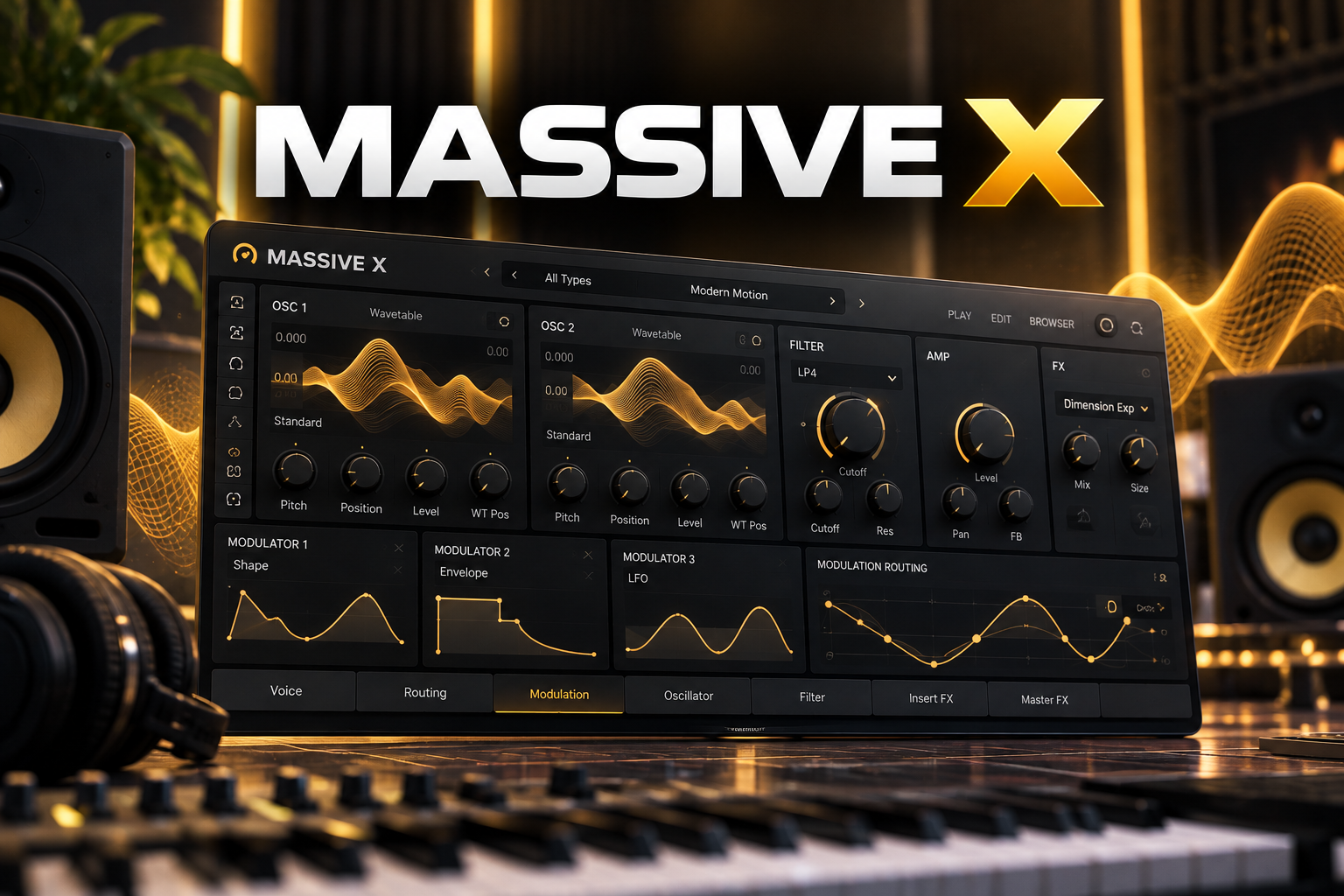

Massive X is worth considering if you want a synth for detailed bass, lead and evolving texture design. If you mainly want to play presets and make quick variations, start with the free Massive X Player.
This Massive X review focuses on the buying decision: what the full synth adds, where the free version is enough, and which limitations you should know before paying. We also explain when we would compare it with Pigments or Serum.
Disclosure: SoundShaper may earn a commission from purchases through the affiliate links in this article, at no extra cost to you. Our view is editorial buying advice based on current documentation; this article does not claim hands-on testing.
What Is Massive X?
Massive X is Native Instruments’ wavetable synthesizer. Two main wavetable oscillators feed a flexible signal path, with oscillator modes, filters, effects and modulation tools for building sounds.
The reason to investigate it is how those parts interact. A moving sound can come from changing the source, the processing or the modulation pattern. You have several places to explore before reaching for another effect.
SoundShaper view: We would put Massive X on the shortlist when designing a sound is part of the enjoyment. If your priority is finishing a song quickly, first ask whether you need that level of editing.
Massive X at a Glance
| Buying question | What matters |
|---|---|
| Our suggested buyer | A producer who wants detailed control over synthetic sounds |
| Free option | Massive X Player, available through Komplete Start |
| Full version advantage | Access to the synth engine, routing and deeper modulation editing |
| Important limitation | No custom wavetable import |
| Original Massive presets | Not compatible with Massive X |
| Our buying approach | Try Player, then test the full demo if you need more control |
Massive X vs Massive X Player: Which Do You Need?
Massive X Player is a genuinely useful free version with a reduced feature set. You can browse sounds and shape them with macro controls, the Morpher, Animator and Randomize tools. It comes with the Bass Music Essentials preset bundle.
The full version opens up advanced routing, oscillator modes and modulation editing. Full-version owners also get the Player features by updating Massive X through Native Access.
| Your goal | Our recommendation |
|---|---|
| Play sounds and explore variations without spending | Start with Massive X Player |
| Change how a sound is built inside the synth | Try the full Massive X demo |
| Buy because you assume Player sounds are lower quality | Reconsider: base the upgrade on editing needs |
| You already own the full synth | Update in Native Access before shopping again |
SoundShaper view: Start with the free Player if you are unsure. Make a bass part, a lead and a pad for an existing project. Keep track of the changes you wanted but could not make. That gives you a real reason to investigate the full Massive X version.
There is no need to upgrade just because the full version exists. If the available controls already get the sound into your track, spend your time on the arrangement.
What Is Massive X Good For?
Bass sounds with controlled movement
The oscillator modes include Gorilla, Hardsync and Formant options. The Performer section lets you draw modulation patterns and assign them to parameters.
Our suggested use is a bass patch with a clear rhythm and one changing tonal element. Keep a simple version alongside it. Compare both with the kick and the rest of the track, rather than judging the most dramatic sound in isolation.
SoundShaper view: A bass that sounds impressive alone can take too much space in a mix. We would buy Massive X for the control it gives you, then use that control to make deliberate choices.
Leads that change across a phrase
Try linking a small number of useful changes to a macro: for example, more brightness as a phrase builds. Decide where that movement belongs in the song before adding further modulation.
We would keep the main melody easy to follow. A lead often needs one memorable change more than several competing movements. Save a restrained version of the patch so you can return to it when the arrangement becomes busier.
Pads and background textures
For a pad, our first question is what role it plays. Is it supporting the chords, filling a quiet space or becoming the main atmosphere? Set that role before exploring more complex sound design.
Massive X’s noise section also accepts custom noise samples. This is a separate feature from wavetable import. A recording can become part of a patch’s texture without becoming a wavetable.
We would explore that feature with a short, simple source first. Keep listening in the arrangement: a texture should add something you miss when it is muted.
Three Limitations to Check Before Buying
You cannot import your own wavetables
Native Instruments’ current FAQ says custom wavetable import is unavailable. If bringing a personal wavetable library into your next synth is essential, investigate another option.
We would not buy a plugin on the assumption that a future update will add the missing feature. Choose from what it supports today.
It does not load original Massive presets
Massive X uses a different engine from the original Massive, and the preset libraries are not cross-compatible. Treat it as a separate instrument when comparing the purchase.
If your goal is opening older projects or using an existing Massive soundbank, check which product those sessions and presets actually require before buying.
The deeper controls take time to learn
Flexible routing adds decisions as well as possibilities. Our advice is to learn one signal path first: identify the source, follow it through the processing and change one modulation assignment.
If you keep losing your musical idea while editing, use a preset or Player for the writing stage. Sound design can be a separate session. Massive X makes more sense when you want to spend time learning those controls.
Massive X vs Pigments and Serum: Where Would We Start?
Pigments 7 combines multiple synthesis engines with a colour-coded interface. We would investigate it if you want to explore different synthesis methods within one instrument. Read our Pigments 7 review for the broader buying decision.
Serum is another comparison worth making if you already know its workflow or have sounds built around it. Our Serum 2 review covers that option. Do not assume a new synth will improve a track simply because it offers a different workflow.
SoundShaper view: If you already own a capable synth, write down what is missing before buying another. For Massive X, we would look for a specific interest in its oscillator modes, routing or Performer editing. “More presets” is a weaker reason when you have not explored your current library.
Massive X Price: Buy Now or Wait?
When checked on 8 October 2026, Plugin Boutique displayed €197.34 for Massive X. Native Instruments displayed $199. These are store prices in different currencies, not a direct value comparison. Tax, region and promotions can change the total.
Check the current Massive X price at Plugin Boutique before purchasing. We are not presenting the current listing as a discounted deal. If there is no immediate project need, we would try the demo first and compare the next available offer.
Also check your Native Access account and any Komplete bundle you already own. Avoid paying for a second licence when you already have access. If comparing a bundle, check its exact included products and licence eligibility.
Compatibility and Demo Checks
Native Instruments currently lists macOS 13–15 and 64-bit Windows 10 or 11, with Apple Silicon support and an AVX requirement for Intel processors. It lists VST, VST3 and AAX on Windows, plus AU on Mac. Massive X does not run as a standalone application.
Use the official product page to check requirements and demo availability before buying. The manufacturer’s current requirements take priority over older retailer specifications.
Test the demo in a normal session with your usual buffer setting. Play chords, automate a useful change and render the part. We have not benchmarked CPU use, so we would not promise a particular performance result for your computer.
SoundShaper Verdict: Is Massive X Worth It?
We would shortlist Massive X for a producer who wants to shape synthetic sounds in detail and enjoys learning the engine. Its deeper editing is the reason to consider paying.
We would stay with Player if preset browsing, macros and its creative controls already serve the track. We would compare alternatives if custom wavetable import is a requirement, or if another interface makes the same work easier for you.
The practical test is simple: identify one useful sound you want to build, try it in the full demo and decide whether the result justifies the purchase for your workflow.
Frequently Asked Questions
Is Massive X free?
The full synth is paid. Massive X Player is the free version, available through Komplete Start, with reduced editing access.
Is Massive X Player just a preset preview?
No. Its macros, Morpher, Animator and Randomize tools let you shape and vary sounds. The full version adds deeper access to how patches are built.
Can Massive X import wavetables?
Custom wavetable import is currently unavailable. Custom samples in the noise section are a different feature.
Does Massive X replace the original Massive?
It is a separate instrument and cannot load the original Massive’s presets. Keep that distinction in mind when buying soundbanks.
Sources checked on 8 October 2026: NI product information, Player comparison, Massive X FAQ, noise documentation and the linked retailer listings.
![[background image] image of recording equipment (for a musician & band)](https://cdn.prod.website-files.com/68efa70811edd8e5af30a90d/6acd43b8998701bbde84e11a_Best%20Export%20Settings%20for%20FL%20Studio.png)
![[background image] image of recording equipment (for a musician & band)](https://cdn.prod.website-files.com/68efa70811edd8e5af30a90d/6acd3f9347bd0dd62b202621_ShaperBox%203%20vs%20Infiltrator%202.png)
![[background image] image of recording equipment (for a musician & band)](https://cdn.prod.website-files.com/68efa70811edd8e5af30a90d/6acd3d99fa68785e0f58960e_Kontakt%208%20vs%20Decent%20Sampler.png)