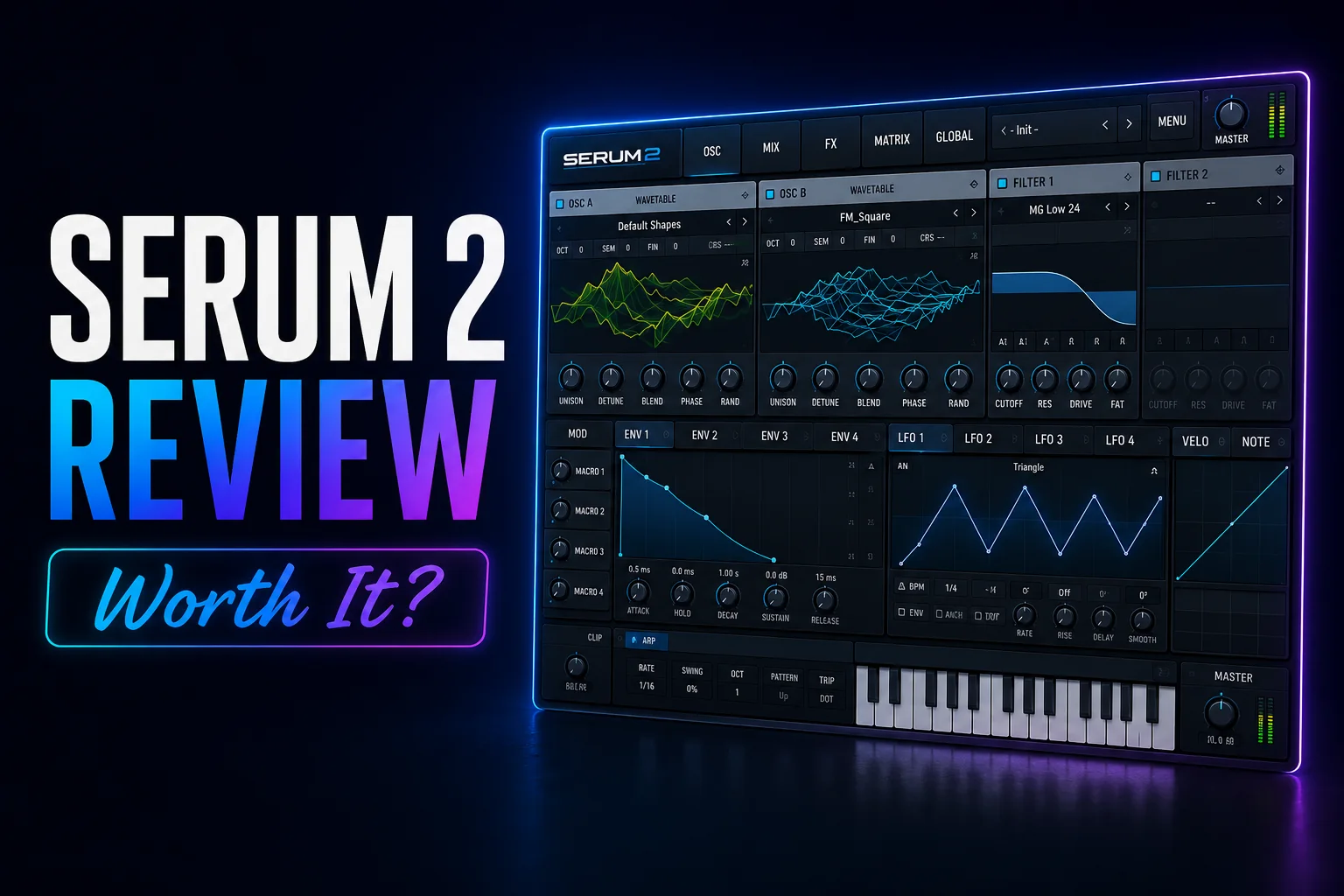
Serum 2 is no longer just a wavetable synth.
Xfer has expanded the original Serum concept into a much broader hybrid synthesizer, combining wavetable, multisample, sample, granular and spectral sound generation inside the same instrument. It also adds a third main oscillator, more flexible effect routing, an arpeggiator and a clip sequencer.
That changes what you are actually buying.
Serum 1 became popular because it made complex wavetable synthesis unusually visual and easy to understand. Serum 2 keeps that familiar workflow, but gives you far more ways to create sounds without leaving the plugin.
You can still build traditional wavetable basses, leads and pads, but you can now also work with real multisampled instruments, imported samples, granular textures and spectral resynthesis.
The factory content has also grown. Serum 2 currently includes more than 626 presets and 288 wavetables, giving new users a substantial starting library before adding third-party packs or creating sounds from scratch.
The bigger question is value.
At $249, Serum 2 is not a cheap synth. But existing Serum 1 owners receive Serum 2 as a free upgrade, while new buyers can either purchase it outright or use Splice Rent-to-Own for $9.99 per month for 25 months.
So in this Serum 2 review, we are not just asking whether it is powerful.
We are asking whether the new synthesis engines, workflow improvements and expanded feature set make Serum 2 worth $249 for someone buying it today.
Serum 2 is worth $249 if you want one synth that can cover far more than traditional wavetable synthesis.
The biggest improvement is versatility. You can now move between wavetable, sample, multisample, granular and spectral sound generation without leaving the same familiar Serum workflow.
That makes Serum 2 especially strong for producers who like creating sounds from scratch but do not want to jump between several different synths for different synthesis methods.
It is also easier to justify for new buyers because you get a large factory library, deeper sequencing tools and a much broader sound engine than the original Serum.
The main downside is price. If you only need basic wavetable synthesis, there are cheaper — and even free — alternatives that can already cover that job very well.
For existing Serum 1 owners, the decision is much easier because Serum 2 is a free upgrade.
Serum 2 is Xfer Records’ expanded version of Serum, built around the same visual workflow but with a much broader sound engine.
Instead of focusing mainly on wavetable synthesis, Serum 2 now combines five different sound-generation methods: wavetable, multisample, sample, granular and spectral synthesis.
That means you can use the same plugin for very different jobs. One patch might start with a traditional wavetable, while another could be built from a recorded instrument, chopped sample or granular texture.
Serum 2 also expands the oscillator section, adds more flexible routing, deeper sequencing tools and a larger factory library.
The important part is that Xfer did not completely redesign the experience.
If you already understand the original Serum workflow, Serum 2 still feels familiar. The modulation system, drag-and-drop approach and visual feedback remain central to how you build sounds.
So Serum 2 is best thought of as a much broader version of the original concept rather than a completely different synth.
Serum 2 is much more than a visual refresh.
The biggest change is that Xfer expanded Serum from a primarily wavetable-focused synth into a much broader hybrid instrument. Alongside the familiar wavetable oscillator, Serum 2 adds multisample, sample, granular and spectral oscillators, giving you far more ways to build a patch inside one plugin.
The wavetable engine itself has also been expanded with features such as Smooth Interpolation, new warp modes and dual warping, so even the part of Serum that existing users already know has become more flexible.
Serum 2 also adds major workflow tools that were not central to the original version, including an arpeggiator, clip sequencer, more flexible effect routing and preset audio previews.
Importantly, Xfer kept compatibility in mind. Serum 1 presets can be loaded in Serum 2, and both versions can remain installed at the same time. Existing Serum 1 projects are not automatically replaced with Serum 2, which helps avoid changing older sessions unexpectedly.
So the upgrade is not about replacing the original workflow.
It is about taking the same visual, modulation-heavy approach and giving it far more sound sources, sequencing options and creative range.
One of Serum 2’s biggest upgrades is that its three main oscillators are no longer limited to traditional wavetable synthesis.
Each main oscillator can use one of five different sound-generation modes: Wavetable, Multisample, Sample, Granular or Spectral.
Wavetable is still the classic Serum experience, giving you morphing waveforms, warp modes and detailed harmonic control.
Multisample lets Serum 2 behave more like a sampled instrument, using multiple recordings across different notes and velocity ranges. Xfer includes recordings of instruments such as pianos, guitars, choir and orchestral sounds.
Sample mode works with individual audio files and adds features such as looping, slicing, pitch manipulation and rate control.
Granular breaks samples into tiny grains that can be stretched, rearranged and modulated to create evolving textures and experimental sounds.
Spectral analyzes and resynthesizes audio at the frequency level, giving you another route to more unusual transformations and time/pitch manipulation.
The important part is that these engines are not separate plugins.
You can combine different oscillator types inside the same Serum 2 patch and then control them with the same filters, modulation system and effects.
That is what makes Serum 2 significantly broader than the original.
You are no longer choosing Serum only for wavetable synthesis — you are getting several different approaches to sound design inside one workflow.
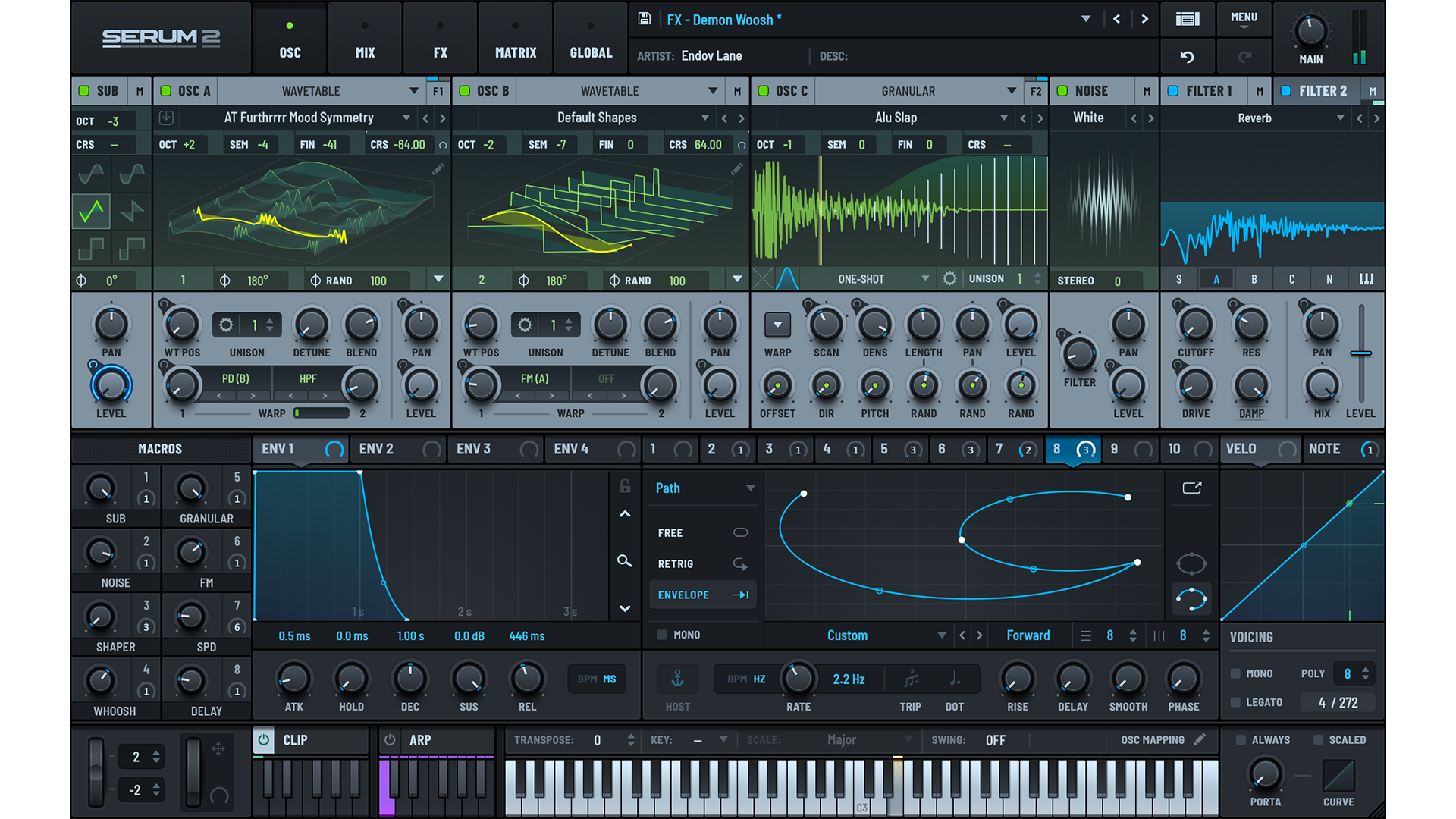
Serum 2 can now do much more than wavetable synthesis, but the wavetable engine is still the heart of the plugin.
You can scan through evolving waveforms, import or create your own wavetables and reshape them with filtering, FM, phase distortion, ring modulation and different warp modes. Serum 2 also adds Smooth Interpolation, which allows much finer movement between wavetable positions without relying on traditional frame morphing.
Another important upgrade is dual warping, which lets you combine two warp processes on the same oscillator rather than being limited to a single transformation.
That gives experienced Serum users more room to create complex motion without abandoning the workflow they already know.
The biggest advantage is still how visual the process feels. You can see the wavetable, move through its frames, apply modulation and immediately understand how the sound is changing.
So even though Serum 2 now includes several completely different synthesis engines, wavetable synthesis remains the best place to start if you want to understand what makes Serum distinctive.
Best for classic Serum sound design: the expanded wavetable engine.
Serum 2’s new Granular and Spectral oscillators are where the synth starts moving far beyond traditional wavetable design.
The Granular Oscillator breaks a sample into tiny fragments called grains, which can then be stretched, layered, rearranged and modulated. That makes it especially useful for creating evolving pads, atmospheric textures, strange transitions and heavily transformed versions of ordinary audio.
The Spectral Oscillator approaches sound differently. It analyzes and resynthesizes audio at the frequency level, giving you more independent control over time and pitch than normal sample playback. Xfer also includes transient-detection processing, which makes it possible to reshape source material in ways that feel closer to advanced resynthesis or time-stretching than a standard sampler.
The biggest advantage is that both engines still live inside Serum’s familiar modulation system.
You can take a sample, turn it into a granular texture or spectral sound, and then continue shaping it with Serum’s filters, envelopes, LFOs and effects instead of moving to another plugin.
These modes are probably more than you need for simple basses or leads, but they make Serum 2 considerably more interesting for experimental sound design, cinematic textures and evolving sounds.
Best new engines for experimental sound design: Granular and Spectral.
Serum 2 is much more capable with recorded audio than the original Serum.
The Multisample Oscillator lets you work with collections of recordings mapped across different notes and velocity ranges, which makes it possible to build more realistic instruments inside Serum. Xfer also includes its own multisample library with recordings of orchestra, choir, pianos, guitars and other acoustic sources.
You can also import your own multisamples using the SFZ format, so Serum 2 is not limited to the factory content.
The separate Sample Oscillator is better suited to individual audio files. You can pitch, loop, layer and transform a single sample, then process it with the same filters, modulation and effects used by the other oscillator types.
That makes Serum 2 useful for more than synthetic basses and leads.
You can combine something organic, such as a piano or vocal recording, with a wavetable or granular layer and still keep everything inside one patch.
Serum 2 still has one of its strongest advantages in the way modulation is handled.
Rather than hiding modulation inside menus, Serum keeps the process highly visual. You can assign sources such as LFOs and envelopes directly to parameters, then see those relationships while you work. The manual also allows modulation sources to be assigned through parameter context menus, making it easy to build more complex movement without losing track of what controls what.
That becomes even more useful in Serum 2 because there are now far more things to modulate.
You can animate wavetable positions, granular parameters, sample playback, filters, effects and other parts of the sound engine using the same basic modulation workflow.
Serum 2 also remains very visual when building patches from scratch. The default initialized patch gives you a simple starting point with an oscillator, envelope and LFO already available, so you can begin shaping movement immediately rather than setting up an entire modulation system first.
This is one of the reasons Serum has remained popular for sound design: deep modulation is available, but the workflow does not feel buried or overly technical.
For beginners, that makes modulation easier to understand.
For advanced users, it means you can build complex evolving patches without constantly switching between different pages or menus.
Serum 2 adds dedicated ARP and CLIP modules, which means rhythmic and melodic sequencing can now happen directly inside the synth instead of always relying on your DAW.
The arpeggiator is useful for turning held chords into rhythmic patterns, while the clip system gives you more control over programmed note sequences and performance-style patterns. Both can follow Serum’s global key, scale and swing settings, so generated notes can stay aligned with the musical structure of your track.
This matters because Serum 2 is no longer limited to designing a static patch and then sequencing everything elsewhere.
You can build a sound, create movement with modulation, add a rhythmic sequence and shape the final result with effects without leaving the plugin.
For producers making house, techno, trance, drum & bass or other electronic genres, that can make Serum 2 much faster for creating arps, bass patterns and evolving melodic ideas.
The sequencer is not a replacement for your DAW, but it gives Serum 2 another layer of creative control that the original version did not have.
Serum 2 also gives you much more control over what happens after the oscillators generate the sound.
The effects section is no longer just a fixed chain at the end of the synth. Xfer specifically highlights flexible effect routing as one of Serum 2’s major upgrades, which makes it easier to build more complex processing paths inside a single patch.
The oscillator and filter routing is also more flexible. Individual sound sources can be sent through Filter 1, Filter 2, both filters, directly to the main output, or bypass the effects section entirely.
That opens up more advanced patch designs.
For example, you could send one oscillator through heavy filtering and effects while keeping another layer cleaner, or route different sources through separate filters before combining them again.
This matters more in Serum 2 because you may now be combining wavetables, samples, granular textures and multisampled instruments inside the same preset.
Instead of processing every layer in exactly the same way, the routing system gives you more control over how each part contributes to the final sound.
For simpler patches, you can still ignore most of this and use Serum much like before.
But for deeper sound design, the expanded routing makes Serum 2 feel far more like a complete synthesis environment than a single wavetable instrument.
Serum 2 comes with a much larger starting library than the original Serum.
The factory content currently includes 626+ presets and 288 wavetables, giving you plenty to explore before you ever need to buy third-party sound packs.
The presets also do a good job of showing off Serum 2’s broader engine. You are not limited to typical wavetable basses and leads — the library also includes patches built around samples, multisamples, granular textures and spectral processing.
That makes the factory library useful for two reasons.
First, you get a large collection of ready-to-use sounds for production.
Second, the presets can act as starting points for learning Serum 2. Because modulation and routing remain visible, you can load a patch and inspect how the sound was built instead of treating presets as black boxes.
Serum also has one of the largest third-party preset ecosystems in software synthesis, so finding additional sounds for specific genres is rarely difficult.
For producers who prefer presets over building every sound from scratch, Serum 2 therefore has plenty of value before you even get into its deeper synthesis features.
Serum 2 is powerful, but it is still one of the easier advanced synths to understand visually.
The interface gives you clear feedback while you work. Wavetables move on screen, modulation amounts are visible around parameters, and envelopes and LFOs show exactly how they are changing the sound.
That makes it easier to understand the connection between what you change and what you hear.
At the same time, Serum 2 has become much deeper than the original. Granular synthesis, spectral processing, multisamples, advanced routing and sequencing can be overwhelming if you are completely new to synthesis.
Fortunately, you do not need to understand everything at once.
A beginner can start with presets, basic wavetable patches and simple drag-and-drop modulation, then gradually explore the more advanced engines later.
So Serum 2 is not the simplest synth you can buy, but its visual workflow makes a large feature set much easier to learn than it might appear.
Best for beginners who want a synth they can grow into rather than quickly outgrow.
Serum 2 is much more capable than the original, so CPU usage can vary a lot depending on the patch you build.
A simple wavetable sound with one or two oscillators will be very different from a patch using multiple oscillators, granular or spectral processing, heavy unison, modulation and several effects at once.
Xfer gives you some practical ways to keep sessions lighter. Oscillators and filters can be disabled when they are not needed, which the Serum 2 manual specifically notes can help free up CPU.
That means Serum 2 does not have one fixed “CPU cost.” It depends heavily on how complex each preset is and how many instances you are running.
For larger projects, the usual approach still applies: keep unnecessary modules disabled, avoid extreme polyphony when you do not need it, and freeze or bounce heavier Serum tracks once the sound is finished.
We would not call Serum 2 a lightweight synth, but considering how many synthesis methods and processing options now live inside one plugin, the extra complexity is understandable.
Serum 2 is extremely flexible, but that does not mean it is the best choice for every producer.
The first drawback is complexity. The extra oscillator types, routing options, sequencing tools and modulation possibilities give you far more creative freedom, but they also make Serum 2 easier to overcomplicate.
If you only want a simple synth for basic leads, basses and pads, you may end up paying for features you rarely use.
The second limitation is that Serum 2 is still primarily a sound-design instrument. Producers who mainly want huge cinematic libraries, realistic orchestral sounds or thousands of ready-made presets may get more immediate value from a dedicated sample-based instrument.
There is also the price. At $249, Serum 2 sits above many capable alternatives, including some excellent free synths.
So while Serum 2 can replace several different tools inside one workflow, that versatility only matters if you actually plan to use it.
Serum 2 costs $249, which puts it firmly in the premium synth category. Xfer sells it with lifetime free updates, and existing Serum 1 owners receive Serum 2 as a free upgrade.
For a new buyer, the value comes from how much Serum 2 now covers inside one plugin. You are getting wavetable, sample, multisample, granular and spectral synthesis, deep modulation, sequencing, flexible routing and a large preset library without needing separate instruments for each job.
There is also a more accessible way to buy it through Splice Rent-to-Own. Serum 2 is currently $9.99 per month for 25 months, with a 3-day free trial, no interest or hidden fees, and the option to cancel and resume later. Once all payments are completed, you own the plugin permanently.
That makes the value proposition quite different depending on who you are.
If you already own Serum 1, Serum 2 is an exceptionally strong upgrade because it costs you nothing.
If you are buying Serum for the first time, $249 is a significant investment, but the expanded feature set means Serum 2 can realistically cover several different synthesis roles inside one workflow.
And if paying $249 upfront feels too steep, the Splice plan makes the same full version much easier to access.
Yes. If you already own Serum 1, there is very little reason not to try Serum 2.
Xfer currently provides Serum 2 as a free upgrade for Serum 1 owners, so you are getting the expanded synthesis engines, sequencing tools, routing improvements and updated workflow without paying for another license.
The important part is that Serum 2 does not force you to abandon the original version.
You can keep Serum 1 and Serum 2 installed separately, which is useful for older projects that were created with Serum 1. That means you can explore the new version without immediately changing existing sessions or workflows.
For existing users, the biggest benefit is therefore not just “more features.”
It is that you can keep the familiar Serum approach while adding granular, spectral, sample and multisample synthesis, deeper sequencing and more flexible routing whenever a project needs them.
You may still prefer Serum 1 for simpler patches or older sessions, but Serum 2 gives you significantly more room to grow at no additional cost.
For Serum 1 owners, upgrading to Serum 2 is an easy recommendation.
Choose Serum 2 if you want one synth that can handle a wide range of sound-design jobs without constantly switching between different instruments.
It is especially strong for producers working in EDM, house, techno, trance, drum & bass, dubstep, pop and other electronic styles, where detailed modulation, evolving textures and custom sound design are important.
Serum 2 also makes sense if you enjoy building sounds from scratch. The combination of wavetable, sample, multisample, granular and spectral engines gives you a lot of room to experiment while keeping everything inside one familiar workflow.
You may want to skip it if you mainly use presets, only need simple synth sounds or already own other instruments that cover the same territory.
And if you are completely new to synthesis, Serum 2 can feel deep at first — although its visual workflow makes it easier to grow into than many other advanced synths.
Choose Serum 2 if you want a long-term sound-design synth with serious depth.
Skip it if you only need a simple preset player or basic wavetable synth.
Serum 2 is a much bigger upgrade than simply adding a few new features to the original synth.
It keeps the visual workflow and modulation system that made Serum popular, but expands the instrument into a much broader hybrid sound-design platform with wavetable, sample, multisample, granular and spectral synthesis.
That extra depth is what makes the $249 price easier to justify.
For producers who enjoy building sounds from scratch, Serum 2 can cover a huge amount of ground without forcing you to rely on several separate synths. The added sequencing, routing and effects options make it even more complete.
The main downside is that not everyone needs this much flexibility. If you only want basic wavetable sounds or mainly work from presets, a cheaper synth may already be enough.
But if you want one instrument that can grow with your sound-design skills for years, Serum 2 remains one of the strongest all-round synth choices available.
For existing Serum 1 owners, the free upgrade makes the decision even easier.
Our pick: worth $249 for serious sound designers, and an easy upgrade for existing Serum users.
![[team] image of team member (for a mobile gaming)](https://cdn.prod.website-files.com/68efa70811edd8e5af30a90d/690abaa8987a07a672c4cd2c_channels4_profile.jpg)
![[background image] image of recording equipment (for a musician & band)](https://cdn.prod.website-files.com/68efa70811edd8e5af30a90d/6aa35b3b03d3771388765f76_Main%20Image.png)
![[background image] image of recording equipment (for a musician & band)](https://cdn.prod.website-files.com/68efa70811edd8e5af30a90d/6aa35785b8608362620d46e3_Main%20Image.png)
![[background image] image of recording equipment (for a musician & band)](https://cdn.prod.website-files.com/68efa70811edd8e5af30a90d/6aa351f638777f809800a4ff_Main%20Image.png)