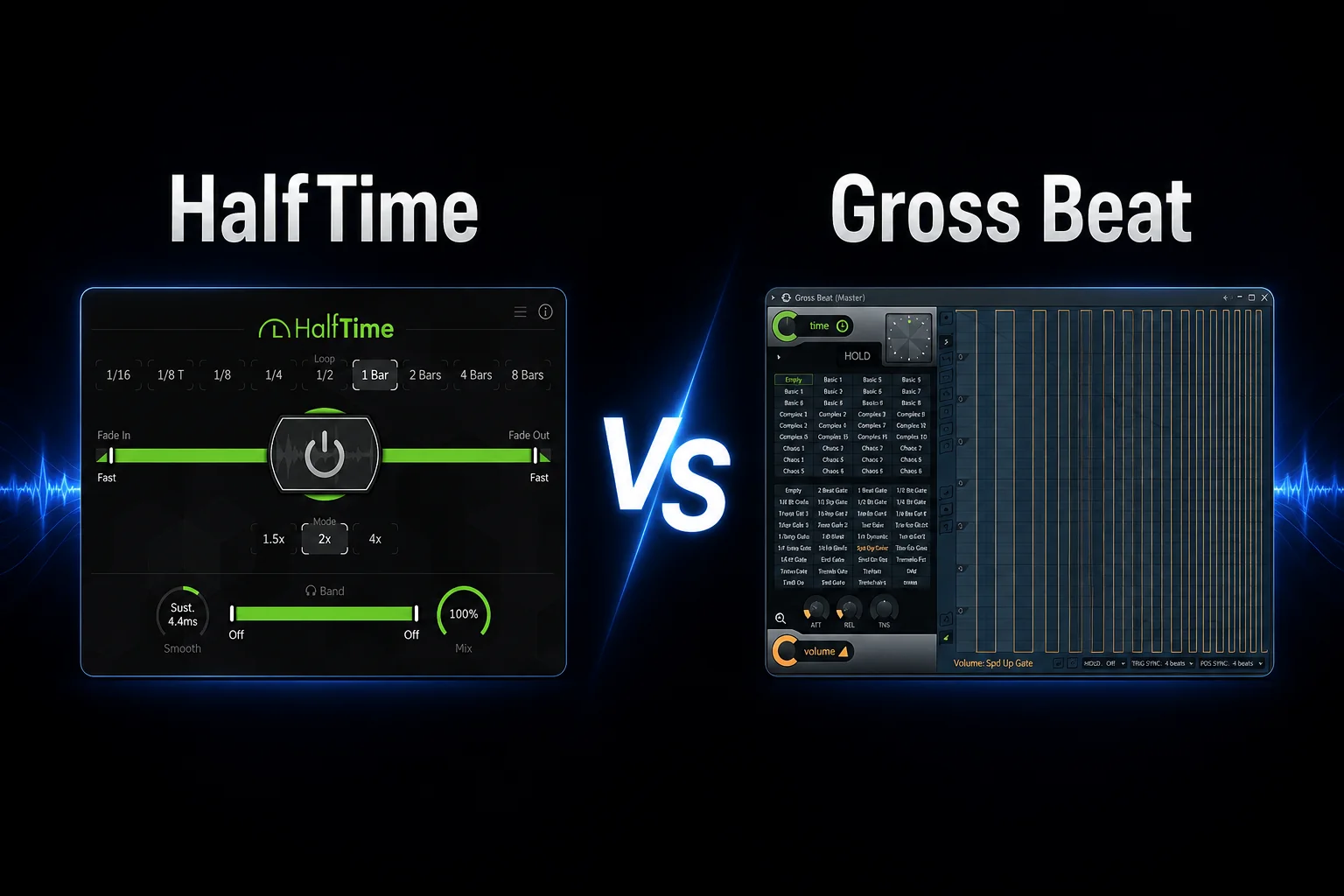
HalfTime and Gross Beat can both transform the timing and movement of a sound, but they are built for very different kinds of producers.
HalfTime is focused on one job: creating smooth half-speed and slowed-down effects quickly. You load it, choose the timing, shape the transition and you are basically done.
Gross Beat is much broader. Instead of only slowing audio down, it gives you detailed control over time and volume, making it possible to create stutters, gating, reverses, rhythmic cuts and more complex glitch-style effects.
That extra flexibility also makes Gross Beat more involved. HalfTime is easier to understand and faster when you simply want that recognizable slowed-down effect, while Gross Beat rewards producers who want to draw their own timing patterns and experiment with more aggressive rhythmic processing.
So the real HalfTime vs Gross Beat decision comes down to how much control you actually need.
In this comparison, we’ll look at the half-time effect, time manipulation, workflow, gating, DAW compatibility, CPU use and value to help you decide which plugin makes more sense for your productions.
Choose HalfTime if you mainly want a fast, reliable half-speed effect. It is simple to use, works across multiple DAWs and gets you to the slowed-down sound with very little setup.
Choose Gross Beat if you want deeper control over timing and rhythm. Its time and volume envelopes let you create far more than just half-time effects, including stutters, reverses, gating and complex rhythmic edits.
HalfTime is the better choice for speed and simplicity. Gross Beat is the better choice for creative time manipulation and detailed rhythmic control.
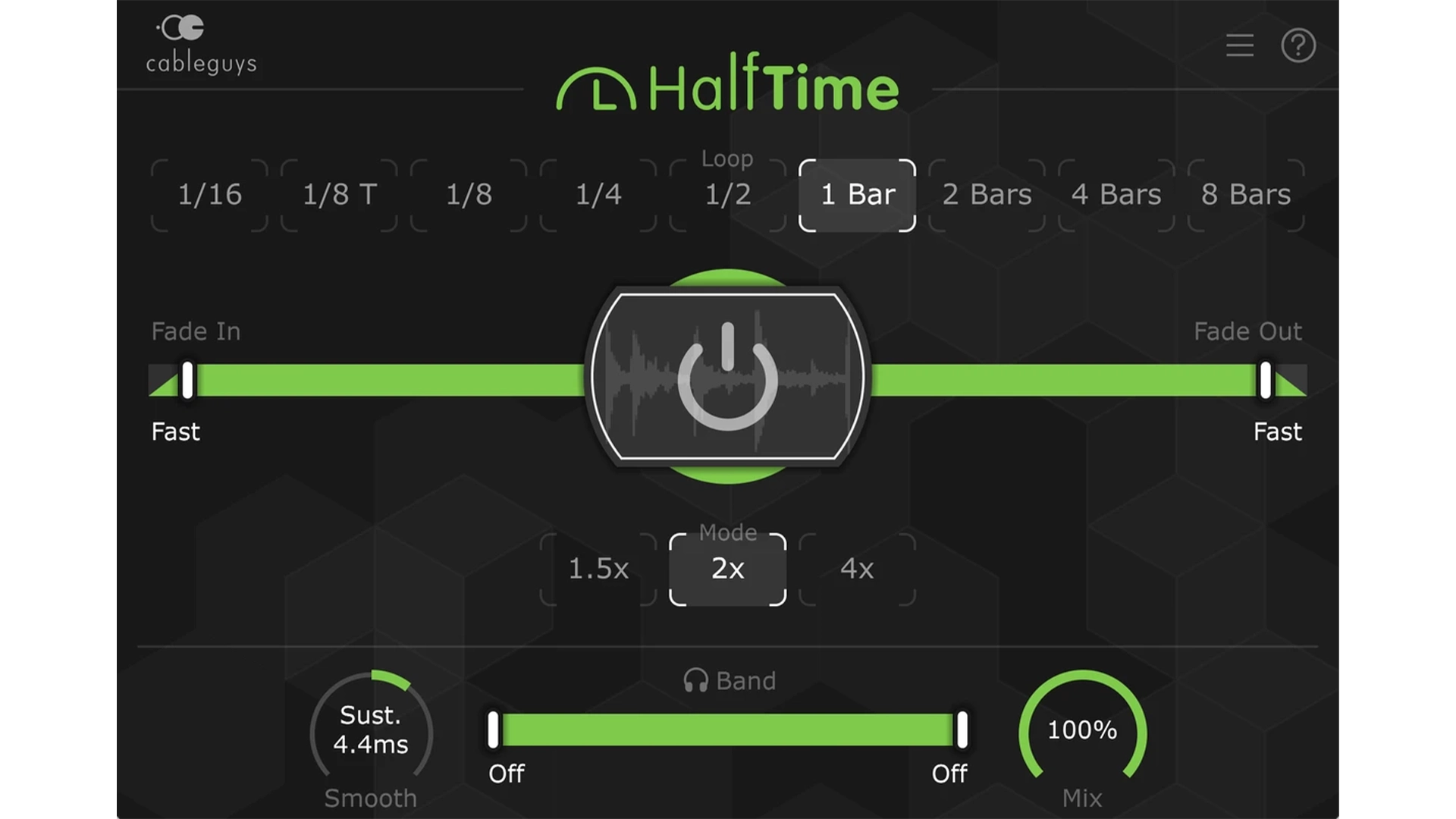
If your main goal is to create that familiar slowed-down, darker half-speed sound, HalfTime is the easier choice.
The plugin is built specifically around this effect. You can choose the timing, adjust how the transition behaves and quickly change the feel of melodies, vocals, loops or entire instrument groups without setting up complex curves.
Gross Beat can create a similar slowdown effect, but it gives you a much larger editing environment than you actually need for that one job. You are working with time envelopes and preset shapes instead of a dedicated half-speed workflow.
That extra control is useful when you want to go further, but it also means more decisions.
If you mainly use this type of effect to turn melodies into slower, heavier or more atmospheric versions of themselves, HalfTime gets you there faster.
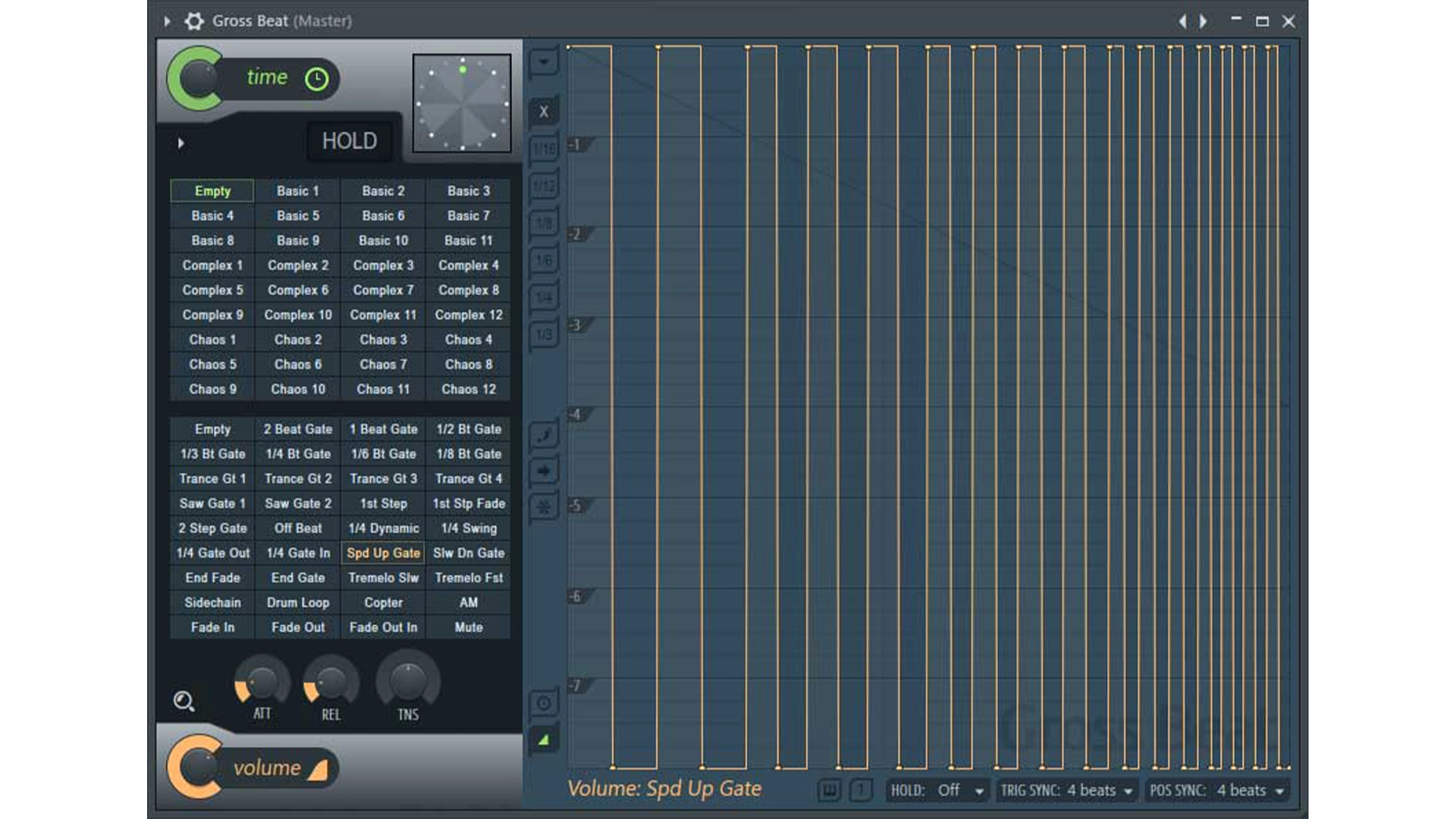
This is where Gross Beat becomes the more powerful creative tool.
Instead of focusing on one slowdown effect, Gross Beat lets you reshape both time and volume with editable curves. That opens the door to stutters, rhythmic cuts, reverses, tape-stop style movements and more complex glitch effects.
You can also combine time manipulation with volume shaping, which makes it easier to create patterns that feel completely different from the original audio.
HalfTime is much more limited by design. That is part of its appeal: fewer controls, faster results. But if you want to move beyond a basic half-speed sound, Gross Beat gives you far more room to experiment.
So for producers who enjoy turning loops and melodies into new rhythmic patterns rather than simply slowing them down, Gross Beat is the stronger option.
HalfTime is much easier to understand the first time you open it.
The interface is focused around a small number of controls, so it does not take long to figure out how to slow a sound down and shape the transition. That makes it useful when you want the effect without interrupting your workflow.
Gross Beat takes more time to learn because its main strength comes from drawing and editing time and volume envelopes. Once you understand how those curves work, you can create much more detailed effects, but the plugin is less immediate at the beginning.
That makes the choice fairly simple.
If you want a plugin you can load and understand almost instantly, HalfTime is easier.
If you are willing to spend more time learning the controls in exchange for more creative freedom, Gross Beat gives you much more depth.
If you want to create rhythmic cuts and glitch-style effects, Gross Beat is much more capable.
Its volume envelope can be used to chop audio into rhythmic patterns, while the time envelope lets you create repeats, reverses and stutter effects that can completely change the groove of a loop.
That makes Gross Beat useful for more than just slowing audio down. You can turn a simple melody, vocal or drum loop into something far more rhythmic and unpredictable without leaving the plugin.
HalfTime does not offer the same level of control here. You can shape the character of the slowdown effect, but it is not designed as a full glitch or gating tool.
So if your goal is to create stutters, rhythmic gating, reverses and more experimental timing effects, Gross Beat gives you far more options.
This is one of the clearest differences between the two plugins.
HalfTime works across multiple DAWs, including FL Studio, Ableton Live, Logic Pro and other hosts that support common plugin formats. That makes it easy to keep the same workflow even if you switch DAWs or work on different systems.
Gross Beat is tied to FL Studio. It is an Image-Line plugin and is mainly useful if FL Studio is already your main production environment.
That matters more than it may seem. If you collaborate with producers using different DAWs, move projects between systems or simply want a plugin that stays useful outside FL Studio, HalfTime is the more flexible purchase.
If you already work entirely inside FL Studio, Gross Beat’s lack of cross-DAW support is much less of a problem.
Neither plugin is especially difficult to run in a normal project, but the way they are used is different.
HalfTime is a very focused effect, so it is usually easy to add to melodies, vocals or buses without turning the processing chain into something complicated.
Gross Beat can also be lightweight in simple setups, but more detailed time and volume patterns can make a project harder to manage creatively, especially when several instances are used across different sounds.
We did not run a controlled CPU benchmark, so we would not call either plugin definitively lighter.
In practical use, the bigger difference is workflow rather than processor load: HalfTime is quicker to drop in and forget about, while Gross Beat invites more detailed editing and automation.
This is where HalfTime becomes very hard to beat.
HalfTime currently costs just $12 through Plugin Boutique, which makes it one of the cheapest ways to add a dedicated half-speed effect to your setup. It also comes with a free trial, so you can test the workflow before buying.
Gross Beat costs $99 as a standalone FL Studio plugin. It is also included with the FL Studio Signature Bundle and higher, which can make it much better value if you already planned to upgrade your FL Studio edition.
So the value depends heavily on what you actually need.
If you mainly want the half-speed effect, paying $99 for Gross Beat does not make much sense when HalfTime does that specific job for a fraction of the price.
If you want time manipulation, gating, stutters and glitch effects in one plugin, Gross Beat gives you far more creative depth.
Choose HalfTime if you mainly want a quick half-speed effect without spending time drawing curves or learning a more complex plugin. It is the better fit if you work across different DAWs and want something simple, cheap and easy to use.
Choose Gross Beat if you produce in FL Studio and want much more than slowdown. Its time and volume envelopes make it better for stutters, reverses, gating, rhythmic edits and more experimental processing.
HalfTime makes the most sense if you want one specific effect done quickly.
Gross Beat makes more sense if you want a broader creative tool for reshaping timing and rhythm.
HalfTime and Gross Beat can both create slowed-down effects, but they are built for very different workflows.
HalfTime is the better choice if you mainly want a fast half-speed effect. It is simple, affordable and works across multiple DAWs, making it easy to use without slowing down your production process.
Gross Beat is the better choice if you want more creative control over timing and rhythm. Its time and volume envelopes make it far more flexible for stutters, reverses, gating and glitch-style processing.
For most producers who only want the classic half-time sound, we would choose HalfTime. It does the job faster and costs much less.
Gross Beat becomes the stronger option if you already work in FL Studio and want a broader tool for experimental time manipulation.
![[team] image of team member (for a mobile gaming)](https://cdn.prod.website-files.com/68efa70811edd8e5af30a90d/690abaa8987a07a672c4cd2c_channels4_profile.jpg)
![[background image] image of recording equipment (for a musician & band)](https://cdn.prod.website-files.com/68efa70811edd8e5af30a90d/6aa35b3b03d3771388765f76_Main%20Image.png)
![[background image] image of recording equipment (for a musician & band)](https://cdn.prod.website-files.com/68efa70811edd8e5af30a90d/6aa35785b8608362620d46e3_Main%20Image.png)
![[background image] image of recording equipment (for a musician & band)](https://cdn.prod.website-files.com/68efa70811edd8e5af30a90d/6aa351f638777f809800a4ff_Main%20Image.png)