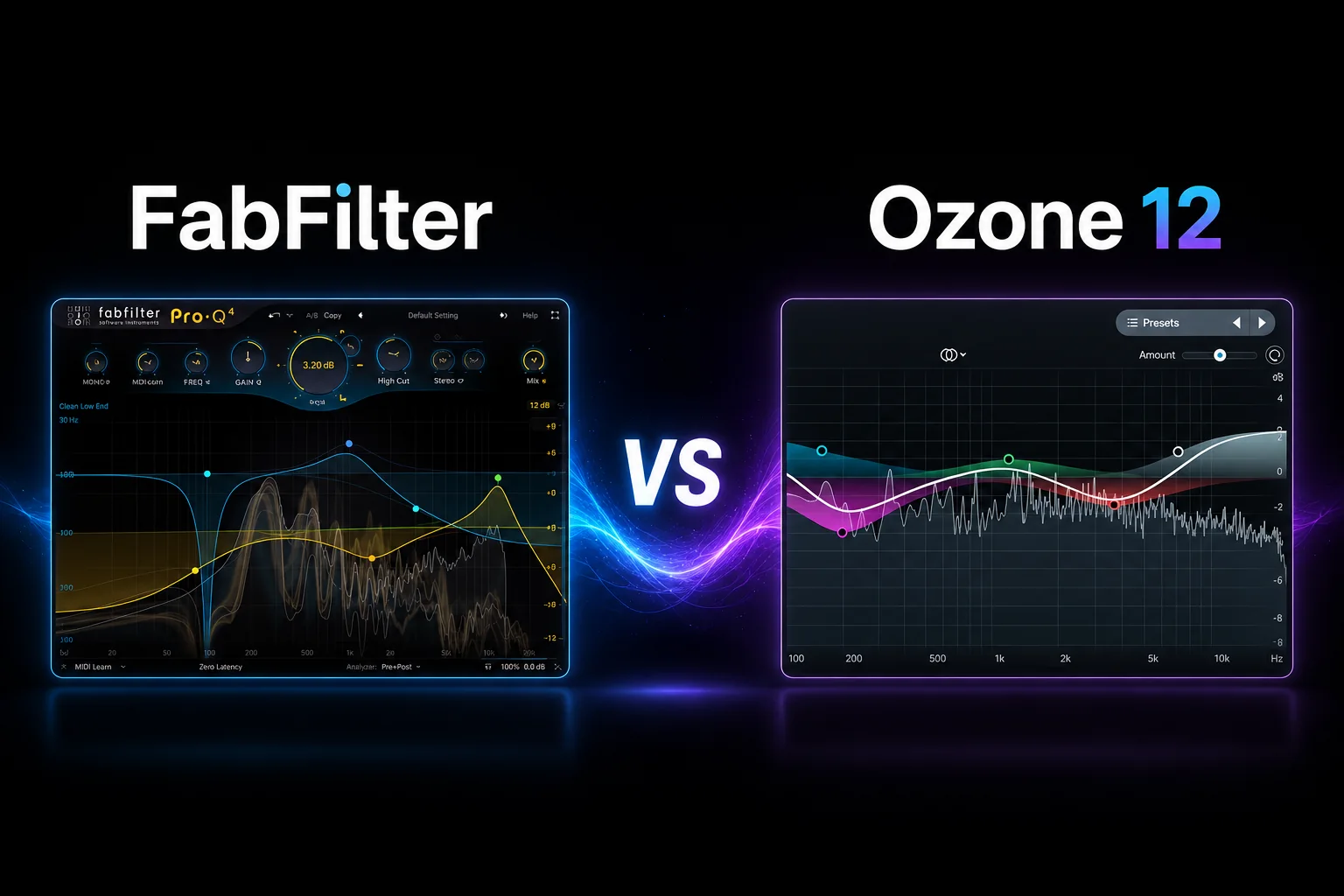
FabFilter and Ozone 12 can both take a mix from finished to release-ready, but they approach mastering in very different ways.
For this comparison, we’re looking mainly at the FabFilter Mastering Bundle against Ozone 12 Advanced. FabFilter gives you separate specialist plugins such as Pro-Q 4, Pro-C 3, Pro-MB and Pro-L 2, so you build the mastering chain yourself and decide exactly what each processor should do.
Ozone 12 takes a more integrated approach. Its Advanced edition combines 20 editable mastering modules inside one environment, while also letting you load those modules separately. It adds Master Assistant and tools such as Stem EQ, Clarity, Low End Focus and Unlimiter that are designed to help solve problems directly from a finished stereo mix.
That makes this comparison less about which company has the “better sounding” plugins and more about how you want to master.
FabFilter makes more sense if you want to build a precise chain yourself and stay in control of every EQ move, compression decision and final limiting stage. Ozone 12 becomes more attractive if you want a complete mastering environment that combines traditional processing with intelligent assistance and specialized repair tools.
In this FabFilter vs Ozone 12 comparison, we’ll look at mastering workflow, EQ, dynamics, limiting, Master Assistant, problem-solving tools, CPU use and value to find out which suite makes more sense for the way you work.
Choose FabFilter if you want maximum manual control over every stage of mastering. The workflow is built around specialist plugins, so you decide exactly how the EQ, compression, multiband processing and limiting should work together.
Choose Ozone 12 if you want a more complete mastering environment with intelligent assistance. Its Master Assistant can help you get to a useful starting point quickly, while the Advanced version also gives you specialized tools for stereo-master repair and tone shaping.
FabFilter is the better fit for engineers who want to build the chain themselves.
Ozone 12 is the better fit for producers who want speed, guidance and more all-in-one problem-solving tools.
This is where the difference in philosophy becomes obvious.
With FabFilter, you build the mastering chain yourself. You might start with Pro-Q 4 for tonal corrections, add Pro-C 3 or Pro-MB for dynamics, and finish with Pro-L 2 for limiting. Each plugin has a specific role, and you decide the order, settings and amount of processing.
That approach gives you a lot of freedom. You can use only the processors the track actually needs and change the chain completely from one master to the next.
Ozone 12 is designed more like a complete mastering workspace. Instead of loading several separate plugins, you can build and reorder a chain of mastering modules inside one interface, making it easier to see the full process in one place.
The advantage is convenience. You can move between EQ, dynamics, imaging, saturation and limiting without constantly opening different plugin windows.
So the choice here comes down to workflow: FabFilter feels more modular and deliberate, while Ozone 12 keeps the entire mastering process together.
This is one of the biggest workflow differences between the two suites.
FabFilter expects you to make the decisions yourself. You choose where to EQ, how much compression to apply, when to use multiband processing and how hard to push the limiter. The plugins give you excellent visual feedback, but they do not try to build the mastering chain for you.
Ozone 12 can give you a starting point through Master Assistant. It analyzes the track and suggests a processing chain that you can then adjust manually. That can be useful when you want to move quickly or need a second opinion on tonal balance, dynamics and loudness.
The important difference is that Master Assistant is not a replacement for mastering decisions. It is better viewed as a starting point that you can refine.
FabFilter gives you more of a blank canvas. Ozone 12 gives you more guidance before you start making detailed changes.
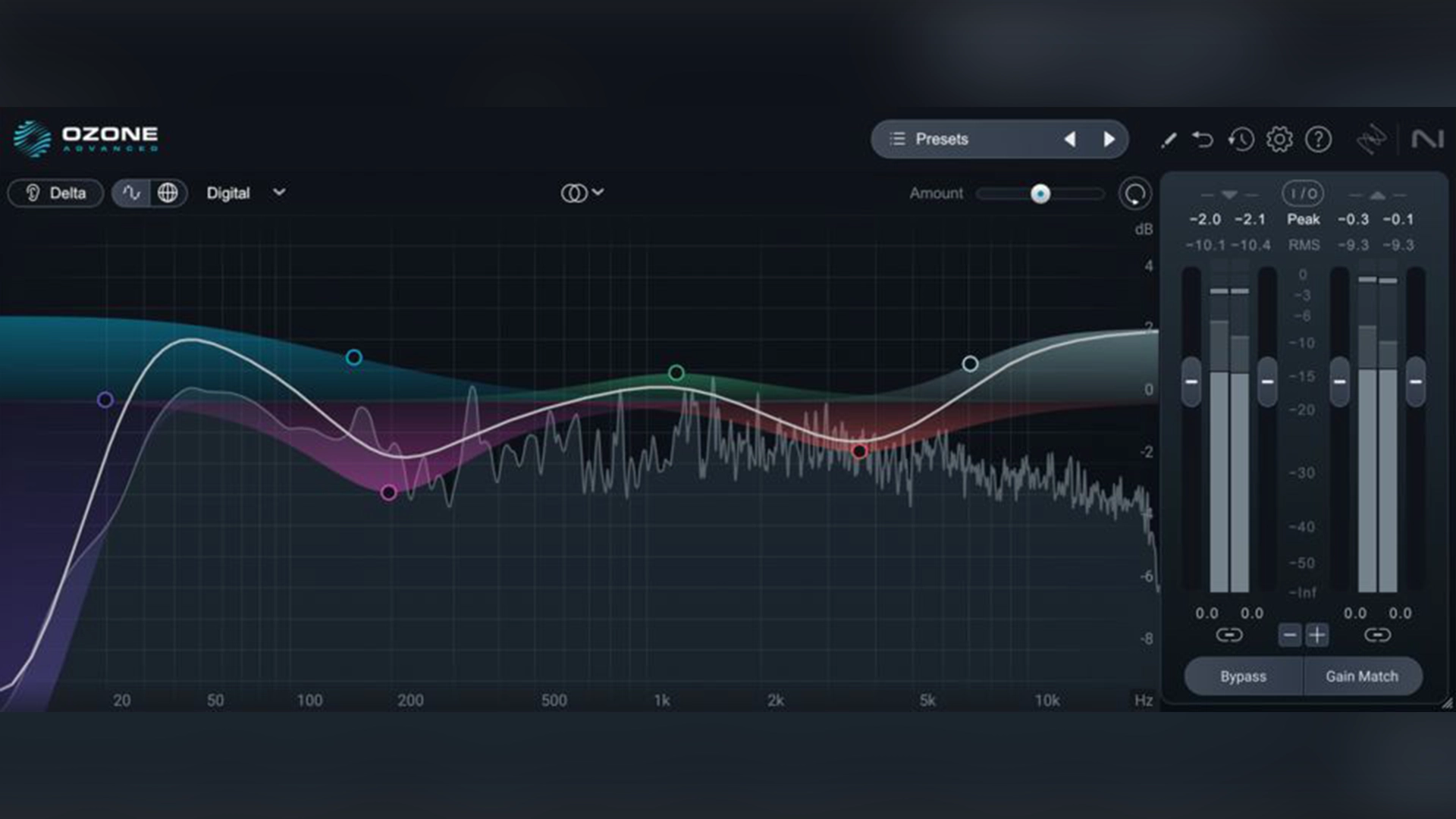
This is where FabFilter feels especially strong if you want to make small, deliberate mastering moves.
Pro-Q 4 gives you a very detailed EQ workflow, with dynamic EQ, mid/side processing, linear-phase options and newer spectral dynamics for controlling problem frequencies without pushing an entire band up or down. That makes it easy to move from broad tonal shaping to very surgical corrections inside the same plugin.
For compression, the Mastering Bundle includes Pro-C 3, while Pro-MB handles multiband dynamics. The advantage is that each processor has its own dedicated interface, so you are not trying to fit every dynamics task into one module.
Ozone 12 takes a more integrated approach. EQ and dynamics sit inside the same mastering environment, which makes it easier to move between tonal balance, compression and the rest of the chain without opening several separate plugins.
The difference is mainly workflow. FabFilter is better if you want to treat EQ and dynamics as separate, highly focused stages, while Ozone 12 is better if you prefer keeping those decisions inside one connected mastering session.
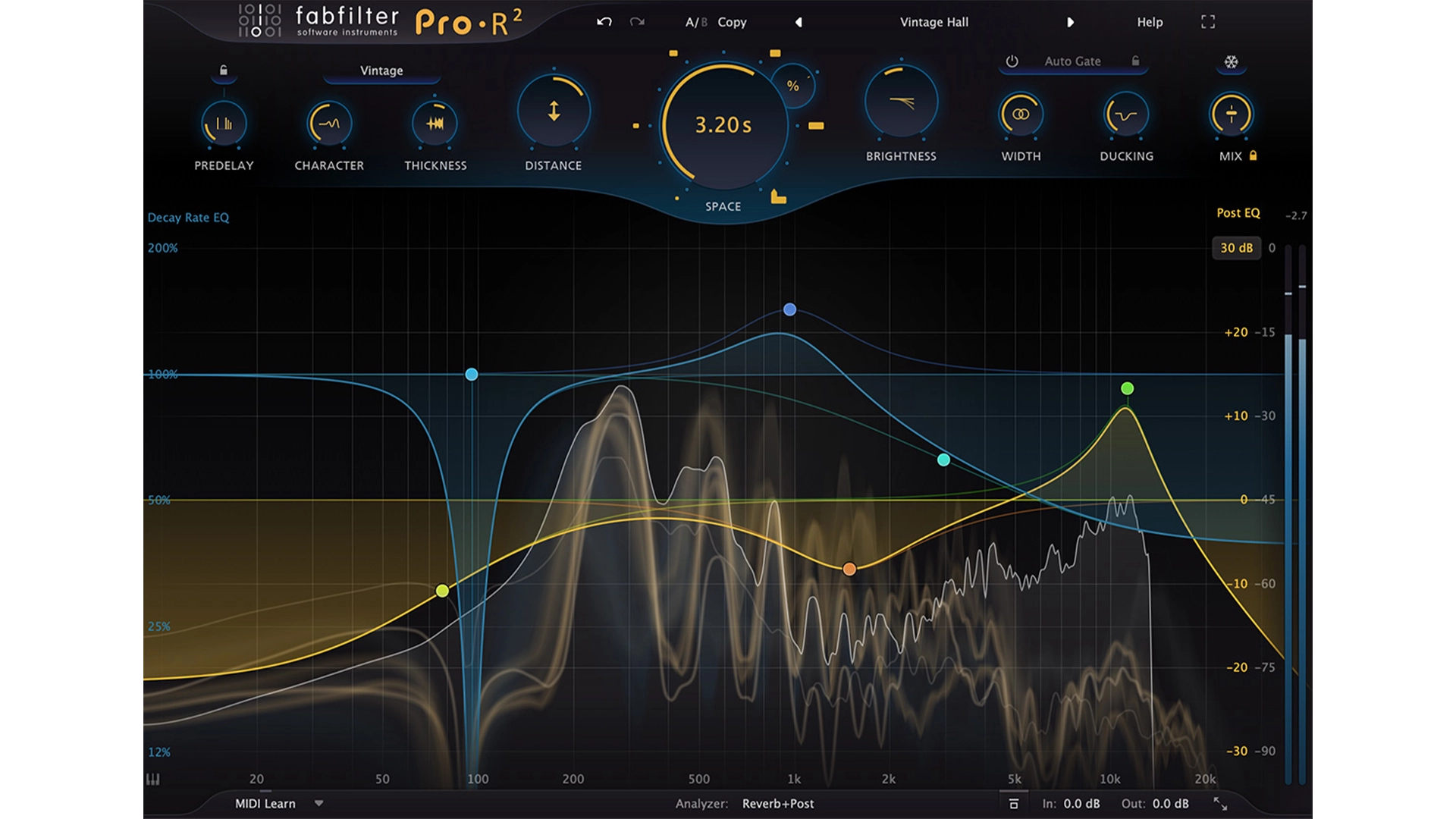
Both suites can handle the final loudness stage well, but they approach it differently.
FabFilter Pro-L 2 is a dedicated limiter, so the entire interface is built around controlling gain, loudness, true peak behavior and the character of the limiting itself. That makes it especially useful if you like to fine-tune how hard a master is pushed and how transparent or aggressive the final stage feels.
Ozone 12 uses its Maximizer as part of the wider mastering chain. The advantage is that limiting sits directly alongside EQ, dynamics, imaging and other modules, so you can adjust loudness while still seeing it as part of the complete mastering process.
For experienced engineers who already know exactly how they want to approach the final limiter, FabFilter feels more focused.
For producers who prefer to keep loudness decisions inside one connected mastering environment, Ozone 12 is more convenient.
This is one area where Ozone 12 Advanced has a clear advantage.
FabFilter gives you excellent traditional mastering tools, but you are still working with the stereo mix as a whole. You can use EQ, dynamics and multiband processing to correct problems, but you cannot directly isolate the vocal, bass, drums or instruments inside a finished master.
Ozone 12 Advanced goes further with tools designed specifically for that situation. Stem EQ can target vocals, bass, drums and instruments separately inside a stereo bounce, while Master Rebalance can adjust the level of vocals, bass or drums without reopening the original mix. Unlimiter is also designed to restore some dynamics to audio that has already been pushed too hard.
That does not mean you should rely on Ozone to rescue a bad mix. If you still have access to the multitrack session, fixing the source is usually the better option.
But when all you have is the final stereo file, Ozone 12 gives you more specialized tools for correcting problems that traditional mastering processors cannot address as directly.
Best for repairing a finished stereo master: Ozone 12 Advanced.
The two suites feel very different when you actually start making mastering decisions.
FabFilter is easier to understand if you already know what you want to do. Each plugin has a clear purpose, so the workflow stays focused: EQ in Pro-Q 4, compression in Pro-C 3, multiband control in Pro-MB and final loudness in Pro-L 2.
The trade-off is that FabFilter gives you less guidance. You need to decide which processor to use, where it belongs in the chain and how much processing is appropriate.
Ozone 12 is easier to approach as a complete mastering system. The modules sit inside one environment, and Master Assistant can provide a useful starting point before you begin refining the chain yourself.
That makes Ozone attractive if you are still developing your mastering workflow or simply want to move faster.
For experienced users, FabFilter can feel cleaner because every tool stays focused on one job. For newer users, Ozone 12 can make the overall mastering process easier to navigate.
CPU use depends heavily on the modules you load and how complex the mastering chain becomes.
FabFilter can be very efficient when you only use the processors a track actually needs. A simple chain with EQ and limiting may stay relatively light, while linear-phase processing, oversampling and multiband dynamics can increase CPU use.
Ozone 12 can become heavier because more processing often happens inside one mastering environment. Using several modules at once, especially more advanced repair or analysis tools, can put more load on the system.
We did not run a controlled benchmark, so we would not call either suite universally lighter.
The bigger practical difference is workflow: FabFilter lets you keep the chain minimal by loading only what you need, while Ozone 12 makes it easier to build a larger mastering chain inside one plugin.
At full price, these two suites sit in almost the same range.
The FabFilter Mastering Bundle costs $519 and includes Pro-Q 4, Pro-C 3, Pro-MB and Pro-L 2. You are paying for four focused processors that can also be used throughout mixing, not just on the master bus.
Ozone 12 Advanced costs $499 and gives you the complete Ozone suite, including Master Assistant and a much broader collection of mastering, analysis and repair tools.
The value question is therefore less about the small price difference and more about what you want from the purchase.
FabFilter gives you a smaller collection of specialist plugins you can use across many different projects and chains. Ozone 12 Advanced gives you a broader all-in-one mastering toolkit, especially if you value intelligent assistance and tools for working with finished stereo mixes.
There is also an extra reason to consider buying through Plugin Boutique. Both products can qualify for a free software gift at checkout while the promotion is available, so you may be able to add another plugin to your purchase at no extra cost.
If you already know how you like to master, FabFilter may offer better long-term value because the individual processors are useful far beyond mastering.
If you want the most complete mastering package in one place, Ozone 12 Advanced gives you more tools for roughly the same money.
Choose FabFilter if you already understand the basics of mastering and want to stay in control of every decision. The Mastering Bundle makes the most sense if you prefer building your own chain and want specialist plugins that can also be used throughout mixing.
FabFilter is especially attractive if you value precision, flexibility and a clean manual workflow over automated suggestions.
Choose Ozone 12 if you want a more complete mastering environment that can help you move faster. Master Assistant can provide a useful starting point, while the Advanced edition gives you additional tools for tonal shaping, stereo-master repair and broader problem solving.
Ozone 12 makes more sense if you prefer working inside one connected suite instead of opening several separate plugins.
FabFilter and Ozone 12 can both deliver professional mastering results, but they are built around very different workflows.
FabFilter is the better choice if you want to build the mastering chain yourself. Its individual processors give you precise control over EQ, compression, multiband processing and limiting, while also remaining useful far beyond the mastering stage.
Ozone 12 is the better choice if you want a broader mastering environment with more guidance and problem-solving tools. Master Assistant can speed up the starting process, while the Advanced edition gives you specialized tools for working with finished stereo mixes.
For experienced producers and engineers who already know how they like to master, we would lean toward FabFilter.
For producers who want one complete mastering suite with more assistance and a wider set of specialized modules, Ozone 12 is the stronger fit.
![[team] image of team member (for a mobile gaming)](https://cdn.prod.website-files.com/68efa70811edd8e5af30a90d/690abaa8987a07a672c4cd2c_channels4_profile.jpg)
![[background image] image of recording equipment (for a musician & band)](https://cdn.prod.website-files.com/68efa70811edd8e5af30a90d/6aa35b3b03d3771388765f76_Main%20Image.png)
![[background image] image of recording equipment (for a musician & band)](https://cdn.prod.website-files.com/68efa70811edd8e5af30a90d/6aa35785b8608362620d46e3_Main%20Image.png)
![[background image] image of recording equipment (for a musician & band)](https://cdn.prod.website-files.com/68efa70811edd8e5af30a90d/6aa351f638777f809800a4ff_Main%20Image.png)