
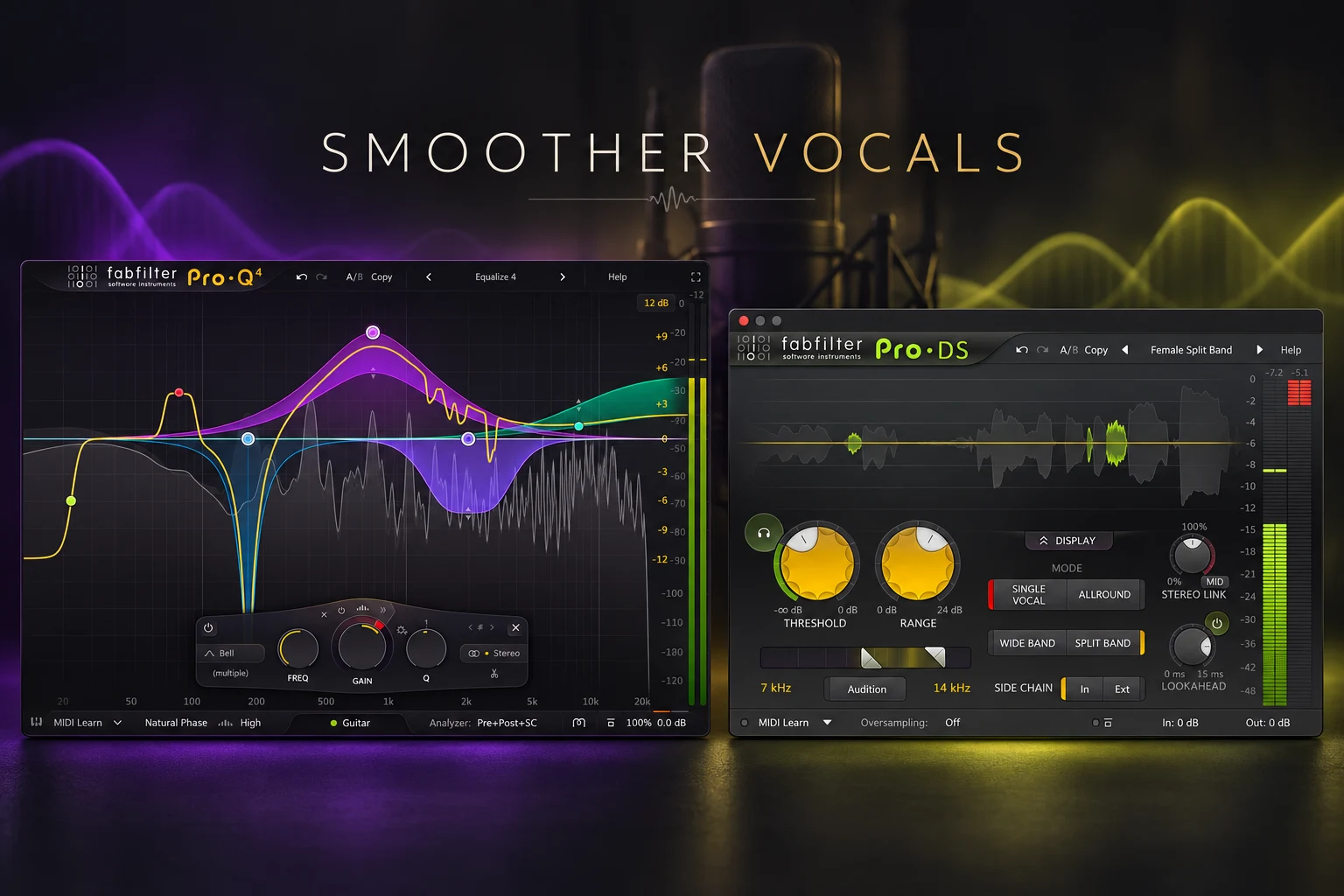

A vocal can sound clear at first and become tiring when the chorus gets louder. The solution is not always to remove more treble. To make vocals sound less harsh, first identify whether the problem is a constant tonal imbalance, a resonance on particular notes or sharp consonants. Then use a small EQ adjustment, dynamic EQ or de-essing to control that specific problem while keeping the words clear.
Start with the recording and the existing processing. An unnecessary presence boost or an aggressive effect may be easier to remove than to correct with another plugin. This guide gives you a practical order for making those decisions.
Harshness and sibilance need different checks
A biting vowel and a piercing “s” can both feel unpleasant, but they are not necessarily the same problem. The first step is to describe what you hear before choosing a processor.
| What you hear | First check | Possible response |
|---|---|---|
| The whole vocal feels bright or aggressive | Existing EQ, saturation and overall level | Undo excess processing or try a gentle tonal cut |
| A particular note or vowel jumps out | Where the problem occurs and how often | Targeted EQ, dynamic EQ or a local edit |
| Only s, sh or similar consonants are sharp | Sibilant phrases separately from vowels | De-essing or local clip-gain edits |
| The vocal is fine dry but sharp with effects | Reverb, delay and parallel returns | Adjust the effect that introduces the problem |
| The recording sounds crunchy even without effects | Input recording and clipping | Try another take or investigate audio repair |
1. Compare the raw recording with the processed vocal
Save your current chain, then bypass it. Compare at a similar listening level: a quieter raw take can seem smoother simply because it is quieter.
If the harshness is already in the recording, decide whether another take is practical. Try a small change in microphone position or singing angle and compare the same phrase before committing. If the recording is clipped, a treble cut cannot recreate the missing waveform detail; a cleaner take is worth prioritising when available.
If the raw vocal is comfortable, re-enable the processing one stage at a time. Listen for the point where the problem appears. Check presence boosts, high shelves, excitation, distortion and heavily compressed parallel layers before adding a corrective chain.
Keep one unprocessed reference available. It helps you separate a problem in the source from a problem you introduced while mixing.
2. Find the sharp phrase in context
Loop a short section containing the difficult phrase and a more natural-sounding phrase. Include enough of the backing track to judge the balance. A vocal that sounds slightly forward in solo may be doing exactly what the arrangement needs.
The upper midrange around 2–5 kHz is one useful area to investigate for an aggressive vocal tone. It also contributes to intelligibility, so removing too much can make the words harder to follow. Treat the range as a place to listen, not a frequency you must cut.
Start at a comfortable playback level. Use a modest EQ adjustment to locate the issue rather than a large, narrow boost that makes every frequency seem unpleasant. Once you find a likely area, test a small cut and compare the whole phrase.
If the problem occurs on only one word, a local edit may be more appropriate than processing the entire performance.
3. Use static EQ when the imbalance stays present
A static EQ cut makes sense when the same area is excessive through most of the section. As a first experiment, try a moderate-width bell and around 1–2 dB of reduction, then change the width to match what you hear. These are starting suggestions, not universal vocal settings.
Compare the consonants, vowel body and quieter words. If the cut smooths the loud line but makes everything else dull, a permanent reduction may be doing more work than the problem requires.
A narrower cut can help with an identifiable resonance, but do not keep adding notches just because the spectrum has peaks. A voice naturally contains changing harmonics. Judge the improvement in the performance rather than trying to flatten its display.
If the vocal becomes muddy after your correction, undo some reduction before adding another brightening stage. Our muddy mix guide covers that broader balance problem.
4. Use dynamic EQ for notes that become harsh only sometimes
Dynamic EQ changes a band's gain in response to the signal. It is useful when a particular vowel or louder note needs attention while nearby phrases already sound balanced.
In FabFilter Pro-Q 4, create a bell around the area you identified and choose Make Dynamic from the band's menu. Set a negative dynamic range for reduction. Begin with a small amount and check whether the band responds to the difficult phrase rather than staying active throughout the take. If the automatic behaviour does not isolate it, adjust the manual threshold.
Listen to the return between problem moments. The goal is to keep the natural presence of quieter phrases while controlling the notes that jump forward. If you need heavy reduction continuously, revisit the basic tonal balance instead.
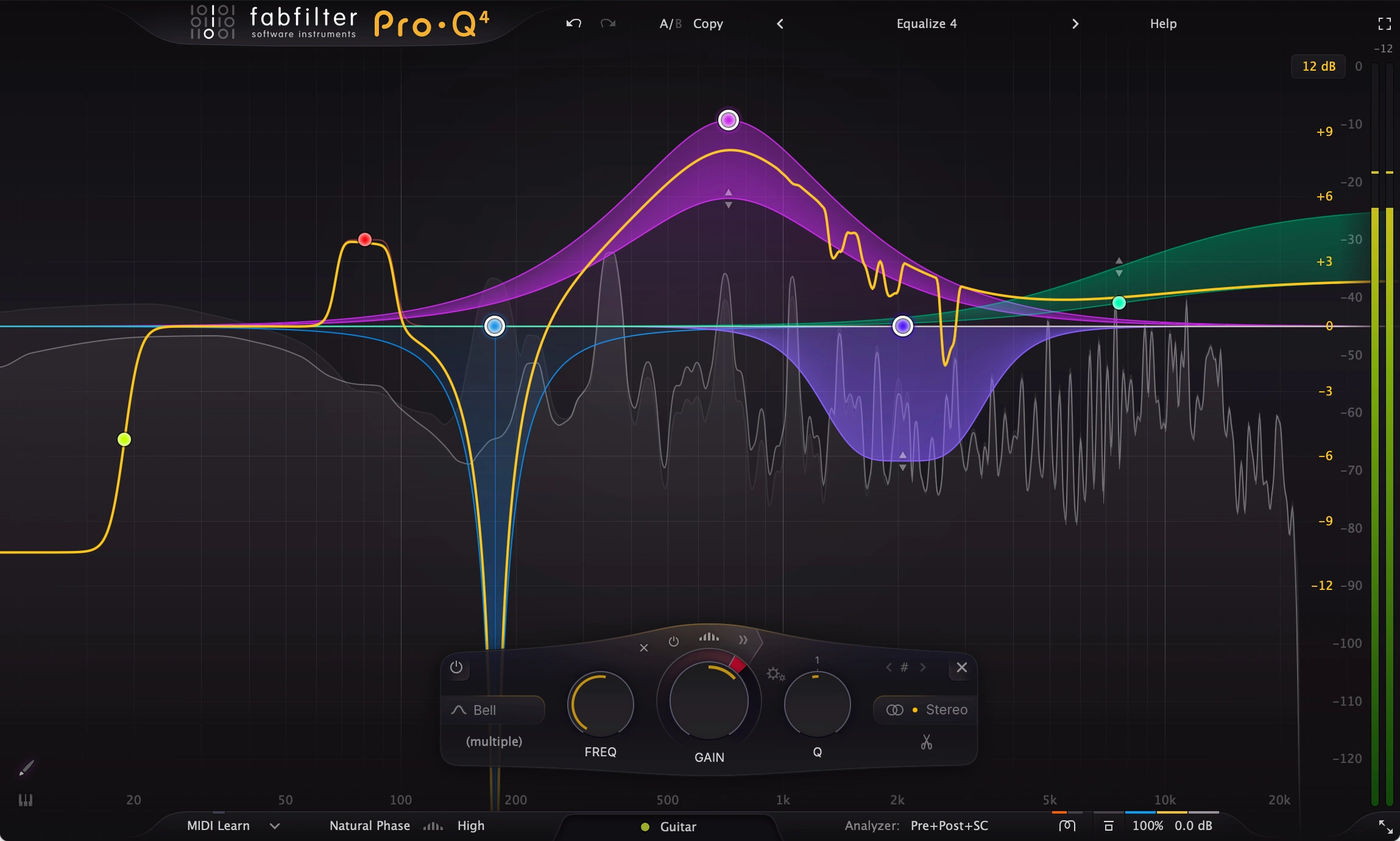
Pro-Q 4 is a paid option with dynamic EQ integrated into its regular EQ workflow. A stock dynamic EQ may also cover this task.
For a free alternative, TDR Nova provides dynamic EQ bands and can address changing resonances or sibilance. Our Pro-Q 4 vs TDR Nova comparison explains the workflow differences. You do not need to buy Pro-Q 4 just to try the technique.
5. Use a de-esser for sharp consonants
If the main problem follows “s,” “sh” or similar sounds, test a de-esser before making a permanent treble cut. Sibilance is brief; the air and detail you like in the rest of the phrase may not need reducing.
With FabFilter Pro-DS, start with Single Vocal mode for a single vocal track. Use the trigger-frequency controls to focus detection on the troublesome consonants. Lower Threshold until those moments trigger reduction, and use Range to limit how much reduction is allowed.
Audition several different phrases. The setting should catch the sharp sounds without changing every vowel or making the singer sound as if they have a lisp. If it removes too much, reduce the range or make detection more selective before increasing other processing.
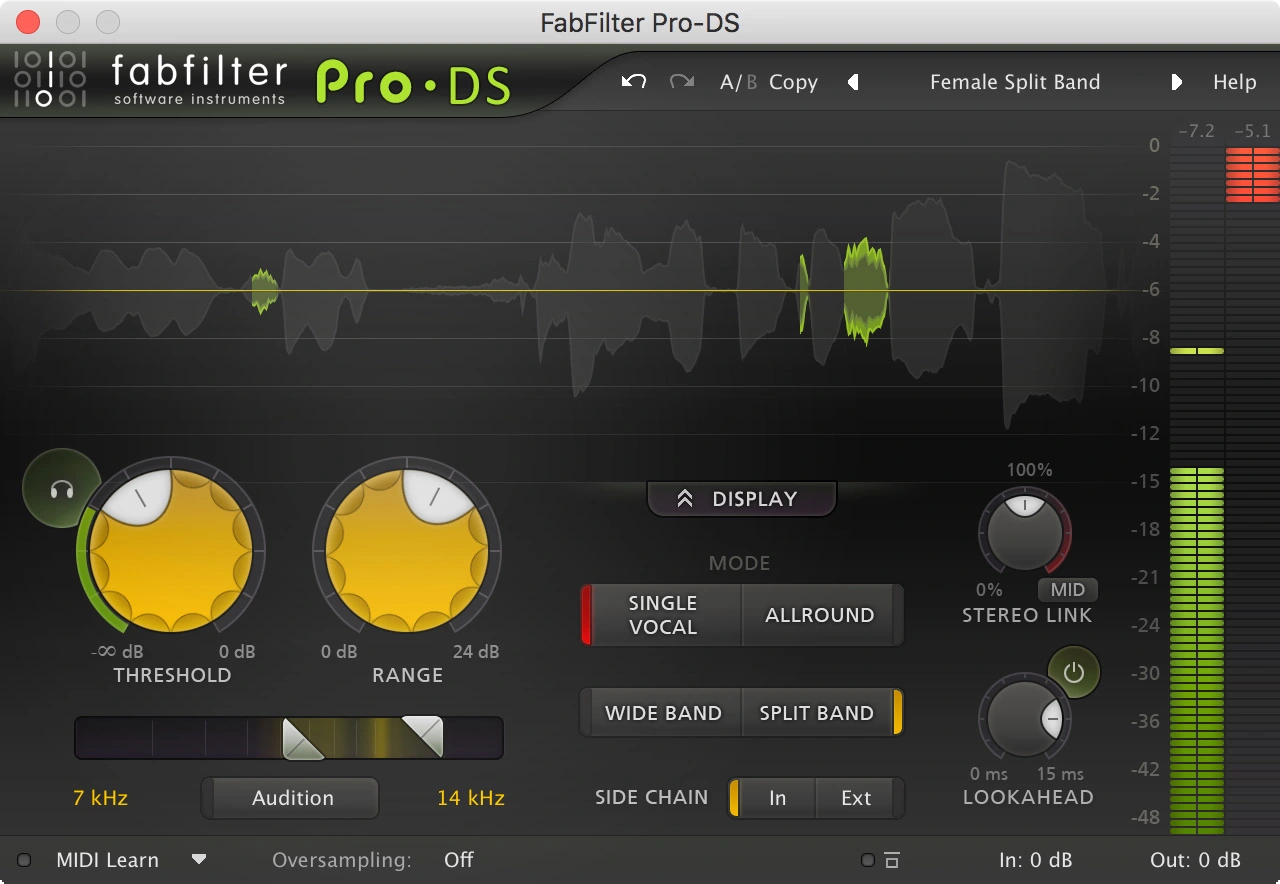
The screenshot is a reference to the controls, not a recommended preset. The right detection range and threshold depend on the recording.
Already have a de-esser in your vocal suite or DAW? Try it first. For the rest of your chain, our vocal plugin guide explains the different jobs these tools perform.
6. Edit isolated words before treating the whole song
If only a few consonants or notes cause trouble, try a local gain edit. Reduce the offending event slightly and use short fades so the transition remains smooth. Then play the phrase normally rather than judging the isolated fragment.
For a problem that changes the tone of a whole vowel, a local EQ adjustment may be more suitable than turning down the entire word. Keep the lyric's emphasis intact: an expressive syllable should not disappear just because it was the loudest.
Choose the smallest intervention that addresses the event. It is often easier to keep the vocal natural when one stubborn phrase does not force you into stronger processing everywhere else.
7. Check compression, saturation and effect returns
Compression and saturation can make existing sibilance more prominent. Compare your corrected vocal before and after those stages. If the problem reappears later, first reduce the processing that brings it back.
There is no single correct position for a de-esser in every chain. Compare a stage before strong processing with one later in the chain, depending on where the problem becomes audible. If you use two gentle stages, check their combined reduction rather than treating each in isolation.
Mute the reverb, delay and parallel returns for a moment. If the dry lead is comfortable but the full vocal sounds sharp, adjust the relevant return. You may need less high-frequency content in that effect, less send level or a different effect setting.
Finally, listen with cymbals, guitars and synths present. You may be reacting to competition around the vocal rather than the lead alone. Our vocal balance guide covers how to assess that relationship.
How to tell when you have gone too far
Bypass the correction at a similar level and ask three questions:
- Are the uncomfortable moments less distracting?
- Can you still understand the lyric easily?
- Does the vocal retain its energy when the full arrangement plays?
If the sharpness is gone but the singer feels distant, start restoring some presence. If consonants sound unnatural, reduce the de-essing. If every phrase changes colour as it gets louder, revisit the dynamic band's range and triggering.
A reference track can help you judge broad tonal balance, but it is not an instruction to copy another singer's spectrum. Match listening levels and compare the role of the voice in the arrangement.
SoundShaper opinion
We would start by removing unnecessary processing, then use one targeted correction. A small EQ move or a de-esser doing a defined job is easier to judge than several processors all trying to smooth the same vocal.
Dynamic EQ is particularly useful when the problem comes and goes. A dedicated de-esser is the more direct starting point for consonants. Neither should be used to erase the character of a naturally bright or forceful performance.
Our preferred stopping point is a vocal that remains clear and expressive without drawing attention to the uncomfortable moments. Smoother does not have to mean darker.
Frequently asked questions
What frequency makes vocals sound harsh?
The upper midrange is a useful area to investigate, but there is no universal harsh frequency. A tonal imbalance, a narrow resonance and sibilance can require different adjustments. Identify the event before choosing the band.
Should I use EQ or a de-esser?
Try EQ for a persistent tonal imbalance, dynamic EQ for changing frequency problems and de-essing for sharp consonants. Choose the tool that matches what you hear.
Can I fix harsh vocals with free plugins?
Yes. A stock EQ or de-esser may be enough, and TDR Nova offers a free dynamic EQ option. Identify the problem and test the correction before buying another tool.
Conclusion
To make vocals less harsh, first find where the sharpness enters the sound and whether it is constant or occasional. Remove unnecessary boosts, make small tonal corrections and reserve de-essing for the consonants that need it.
Compare the result at a similar level in the full mix. Keep the improvement only while the lyric remains clear and the performance still has its original energy.
Sources
Technical details checked on 24 October 2026 against iZotope's vocal EQ guide and de-essing guide, FabFilter's Pro-Q dynamic EQ documentation and Pro-DS controls, and the official TDR Nova page. Screenshots: FabFilter. Suggested EQ amounts are starting experiments, not fixed settings for every vocal.
![[background image] image of recording equipment (for a musician & band)](https://cdn.prod.website-files.com/68efa70811edd8e5af30a90d/6adbdffd1258b281fa64d9e8_6adbdfe06748b62dcaeff101_vintageverb-vs-pror2-cover-v2.webp)
![[background image] image of recording equipment (for a musician & band)](https://cdn.prod.website-files.com/68efa70811edd8e5af30a90d/6adbd8f9d34e0624a55714e1_6adbd8e12694d8b251e72784_decapitator-vs-saturn-2-corrected.webp)