


A great vocal mix starts with a good recording and a clear idea of what the vocal needs. The best vocal plugins help you solve specific problems: an EQ removes buildup, a compressor controls level, a de-esser softens sharp consonants, and effects give the vocal a place in the song.
If you want one quick recommendation, iZotope Nectar 4 is the most convenient all-in-one vocal mixing tool. For a flexible individual EQ, choose FabFilter Pro-Q 4. For affordable, characterful reverb, Valhalla VintageVerb is an easy pick. The right choice depends on your workflow, not the number of plugins in your folder.
This guide covers eight plugins by task, including their strengths, limitations and the situations where your DAW's built-in tools may be enough. Product versions and features were checked against the manufacturers' pages in September 2026. Prices and promotions change, so check the linked product pages before buying.
Best vocal plugins at a glance
- Best vocal EQ: FabFilter Pro-Q 4
- Best character compressor: Universal Audio 1176 Classic Limiter Collection
- Best de-esser: FabFilter Pro-DS
- Best pitch correction: AutoTune Pro 11
- Best resonance control: oeksound soothe3
- Best vocal reverb: Valhalla VintageVerb
- Best all-in-one vocal plugin: iZotope Nectar 4
- Best saturation: FabFilter Saturn 2
These are editorial recommendations based on each plugin's role and published features. They are not the result of a controlled listening test. If you already own a tool that does the same job well, you may not need another one.
1. FabFilter Pro-Q 4 — best vocal EQ
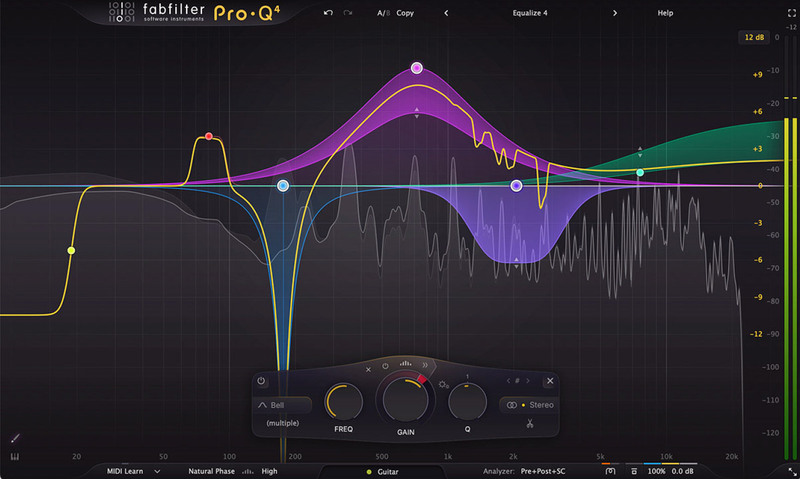
FabFilter Pro-Q 4 is a precise EQ for removing unwanted buildup and shaping a vocal's tone. Its dynamic EQ can pull down a harsh range only when it becomes prominent; the spectral EQ offers another way to manage changing resonances. The visual interface makes it easy to see what you are adjusting, though your ears should make the final call.
Best for: Detailed corrective EQ and flexible tonal shaping.
Watch out for: It is easy to make too many small cuts. Compare the processed vocal with the bypassed signal at a similar loudness.
Practical use: Sweep for a specific problem, then reduce it gently. If harshness appears only on loud phrases, try a dynamic band before making a permanent cut. Linear-phase mode is an option for particular routing needs, not an automatic upgrade for a lead vocal.
Pro-Q 3 still works if you own it; Pro-Q 4 is the current version to compare when buying new. Read our FabFilter Pro-Q 4 review for a closer look.
2. Universal Audio 1176 Classic Limiter Collection — best character compressor
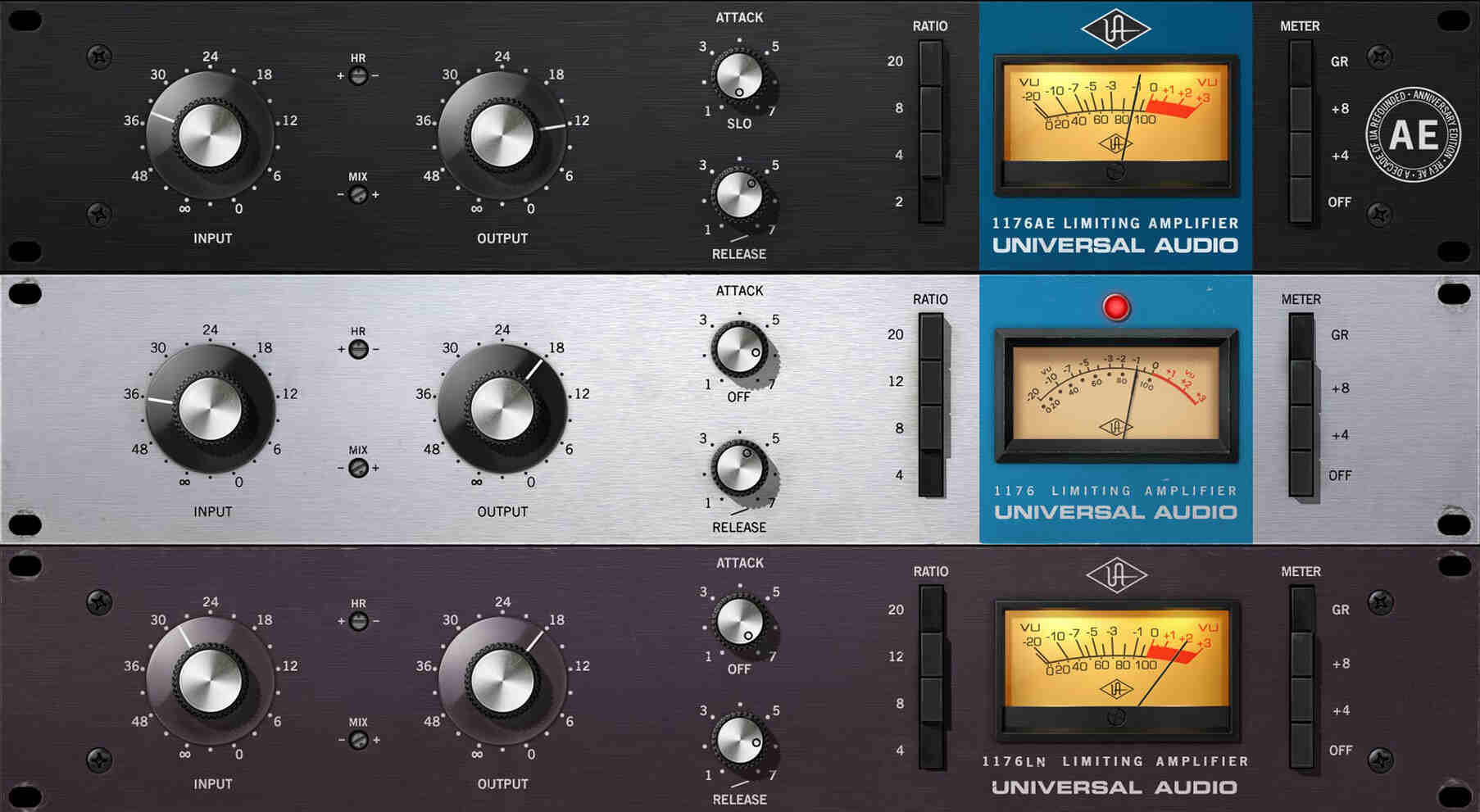
The 1176 Classic Limiter Collection gives you three modeled versions of the fast 1176 FET compressor. It is useful for catching vocal peaks and adding an assertive, forward character. Universal Audio offers native versions as well as versions for its hardware ecosystem; check the license and DAW compatibility you need before purchase.
Best for: Pop, rock and hip-hop vocals that need energetic compression.
Watch out for: Heavy compression can exaggerate breaths and sibilance. The 1176's attack control also behaves differently from many modern compressors, so audition the settings rather than copying knob positions blindly.
Practical use: Start with moderate gain reduction and match the output level for a fair bypass comparison. If you want to understand the controls first, read what a compressor does in music production. For a smoother alternative, see our Waves CLA-2A review.
3. FabFilter Pro-DS — best vocal de-esser
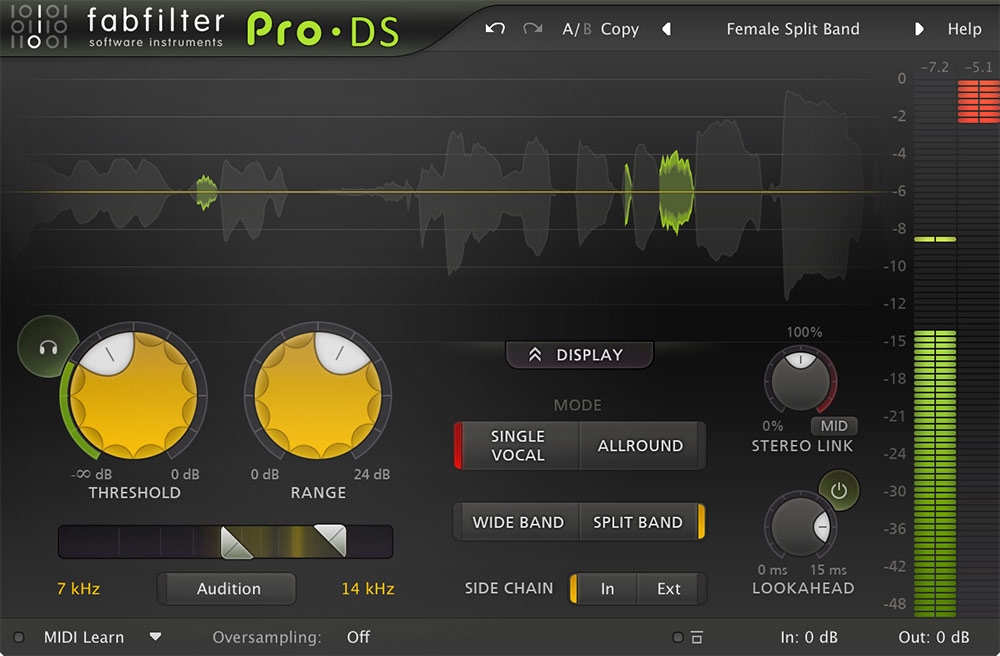
FabFilter Pro-DS reduces sharp “s” and “sh” sounds without requiring you to turn down every bright part of the vocal. You can choose wide-band processing, which lowers the full signal when sibilance is detected, or split-band processing, which focuses the reduction on the offending frequency region.
Best for: Bright recordings with uneven sibilance.
Watch out for: Too much reduction causes a lisp or dulls consonants. If only a few words are troublesome, clip gain or automation may sound more natural.
Practical use: Listen to the detector and set the range so it catches the harsh consonants without reacting strongly to the rest of the lyric. Check the vocal both soloed and in the full mix.
4. AutoTune Pro 11 — best vocal pitch correction
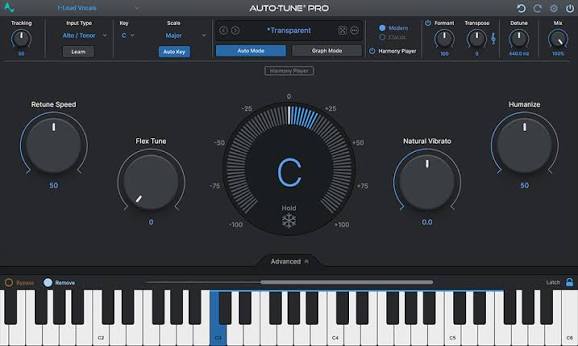
AutoTune Pro 11 offers Auto Mode for real-time correction and Graph Mode for detailed manual pitch and timing edits. Fast correction can create an audible effect; slower, carefully adjusted correction can preserve more of the singer's movement. Set the correct key and scale, and listen for notes that the algorithm interprets incorrectly.
Best for: Producers who need both real-time tuning and detailed editing.
Watch out for: It is a substantial purchase if you only need basic automatic tuning. Antares also offers a simpler AutoTune 2026; compare its features before paying for Graph Mode.
Practical use: Tune after choosing the best take and cleaning obvious editing issues. Some engineers tune before compression, while others adjust the order for the sound and tracking workflow. If your budget is tight, compare these free pitch-correction plugins.
5. oeksound soothe3 — best for harsh resonances
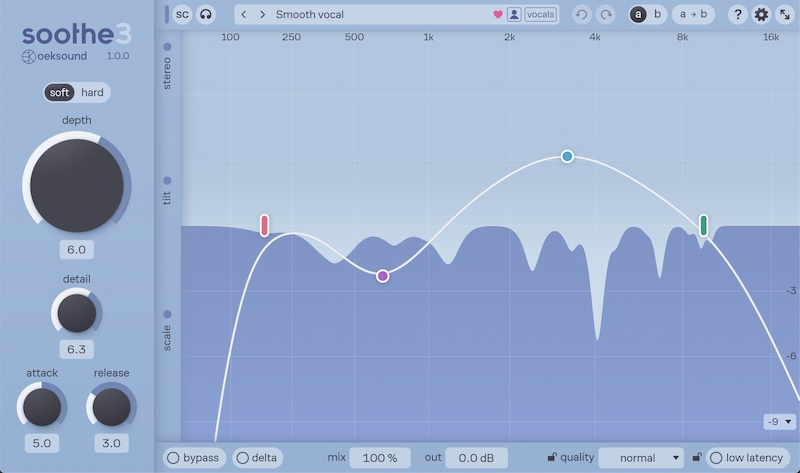
oeksound soothe3 dynamically reduces unwanted resonances that move around during a performance. It is particularly useful when a vocal becomes piercing on certain notes or vowels and a fixed EQ cut would remove too much tone everywhere else.
Best for: Vocal recordings with changing harshness or nasal resonances.
Watch out for: It is a specialist tool. Excessive processing can take the presence out of a vocal, and a standard EQ or de-esser may solve simpler problems at lower cost.
Practical use: Start with a restrained depth setting. Listen to what the plugin removes, then reduce its effect until the vocal still sounds alive. If you own soothe2, compare the upgrade with your existing sessions before buying again.
6. Valhalla VintageVerb — best vocal reverb for the money
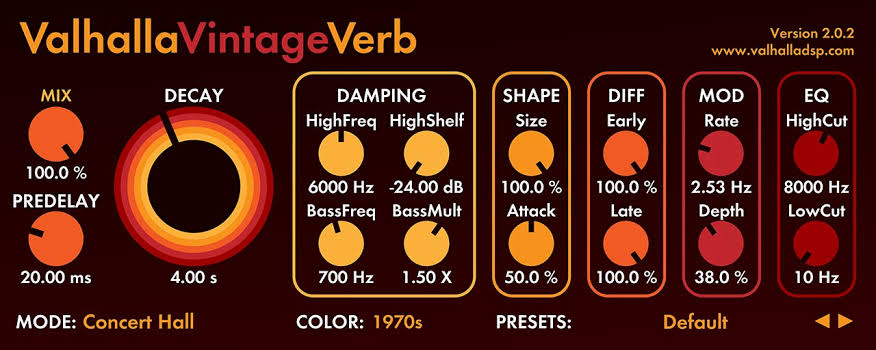
Valhalla VintageVerb offers multiple algorithms inspired by classic digital reverbs, along with 1970s, 1980s and modern color modes. A short plate or chamber can add dimension to a lead; a longer hall can make a phrase feel expansive. At $50 USD on the manufacturer's page when checked, it is one of the more accessible paid options here.
Best for: Producers who want versatile, colored reverb without a large upfront spend.
Watch out for: A long or bright reverb tail can push the lyric behind the instrumental. Filter the return and automate it where needed.
Practical use: Put the reverb on an aux/send track, set the plugin fully wet and blend the return under the dry vocal. That lets multiple vocal tracks share the same space. If you are starting out, compare a free reverb plugin or your DAW's stock reverb first.
7. iZotope Nectar 4 — best all-in-one vocal plugin
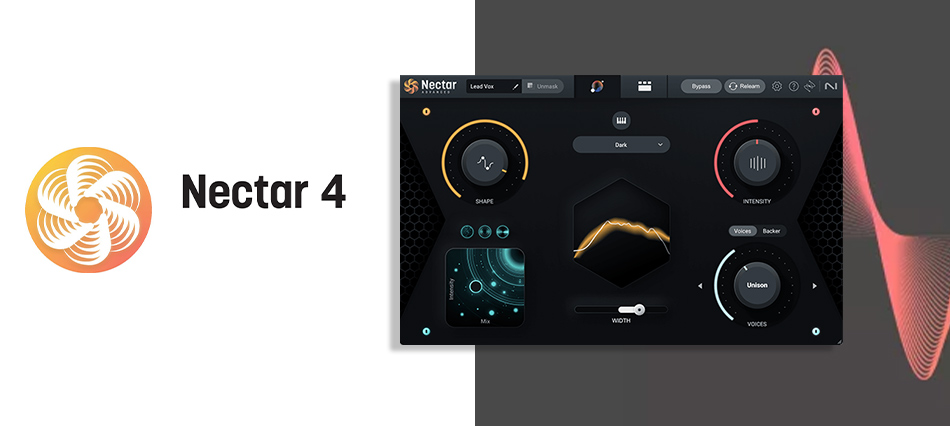
iZotope Nectar 4 brings vocal processing into one workflow. Its Vocal Assistant provides a starting point, while the available modules and controls depend on whether you choose Elements, Standard or Advanced. Compare editions carefully if you need a particular feature such as detailed module control, vocal layers or backing voices.
Best for: Solo producers and songwriters who want to get from a raw take to a workable vocal mix quickly.
Watch out for: Assistant-generated settings are starting points, not a substitute for listening in context. Nectar 3 is an older version; descriptions and prices for Nectar 3 Standard or Plus should not be presented as current Nectar 4 offers.
Practical use: Run Vocal Assistant, then bypass individual processing stages to see which ones improve this recording. Keep only what the mix needs.
8. FabFilter Saturn 2 — best vocal saturation

FabFilter Saturn 2 adds harmonic color, from subtle warmth to obvious distortion. Its multiband design lets you affect one frequency region more than another, which can help a vocal feel denser without treating the entire signal equally.
Best for: Adding presence, density or a deliberate distorted texture.
Watch out for: Saturation can make sibilance and upper-mid harshness more noticeable. Match levels when comparing settings; louder often sounds better even when the tone has not improved.
Practical use: Begin with a gentle setting and blend to taste. For an obvious effect, try it on a parallel track so the original consonants remain clear.
Which vocal plugins should you buy first?
You do not need eight paid plugins to make a good vocal mix. Your DAW's EQ, compressor, de-esser and reverb may already cover the essentials. Buy a specialized plugin when you can name the problem it solves or the sound it gives you that your current setup cannot.
- Starting from scratch: Learn your stock EQ and compressor, then consider Nectar 4 if you value an integrated workflow.
- Already comfortable mixing: Pro-Q 4 and Pro-DS give you more detailed control over common vocal problems.
- Want a signature sound: Try an 1176-style compressor, VintageVerb or Saturn 2 according to the character you need.
- Have a specific recurring problem: Choose AutoTune Pro 11 for detailed pitch editing or soothe3 for moving resonances. Neither is essential on every vocal.
A vocal chain might look like pitch correction → corrective EQ → compression → de-essing → gentle saturation, with reverb and delay on send tracks. Treat that as a starting point, not a rule. For example, compression can reveal sibilance, so placing the de-esser after it may help; another recording may need a de-esser earlier. Compare the result in the full mix.
Frequently asked questions
What are the best plugins for mixing vocals?
A useful set covers EQ, compression, de-essing and ambience. In this list, Pro-Q 4 handles detailed EQ, the UA 1176 adds compression, Pro-DS controls sibilance and VintageVerb provides reverb. Nectar 4 combines much of a vocal workflow in one product. The best combination depends on your recording and DAW.
Do I need expensive vocal plugins for professional results?
No. Recording quality, editing, balance and your decisions matter more than owning a particular brand. Start with the plugins included in your DAW and upgrade when a specific limitation becomes clear.
Should pitch correction go before or after compression?
Pitch correction often goes early in the chain, especially for editing a clean vocal performance. The best order varies with the plugin, latency, tracking setup and sound you want. Audition both if compression changes how the tuner responds.
Is a de-esser the same as a resonance suppressor?
No. A de-esser focuses on sibilant consonants. A dynamic resonance suppressor such as soothe3 can react to a wider range of changing tonal peaks. There is overlap, but one does not automatically replace the other.
Final recommendation
For most producers, start by identifying the weakest point in the vocal you are actually mixing. Choose Nectar 4 for a convenient all-in-one workflow, Pro-Q 4 for detailed EQ, or VintageVerb for affordable ambience. Add specialist tools only when the recording calls for them. You can explore more plugin reviews and production guides as you build your setup.
![[background image] image of recording equipment (for a musician & band)](https://cdn.prod.website-files.com/68efa70811edd8e5af30a90d/6acd43b8998701bbde84e11a_Best%20Export%20Settings%20for%20FL%20Studio.png)
![[background image] image of recording equipment (for a musician & band)](https://cdn.prod.website-files.com/68efa70811edd8e5af30a90d/6acd3f9347bd0dd62b202621_ShaperBox%203%20vs%20Infiltrator%202.png)
![[background image] image of recording equipment (for a musician & band)](https://cdn.prod.website-files.com/68efa70811edd8e5af30a90d/6acd3d99fa68785e0f58960e_Kontakt%208%20vs%20Decent%20Sampler.png)