
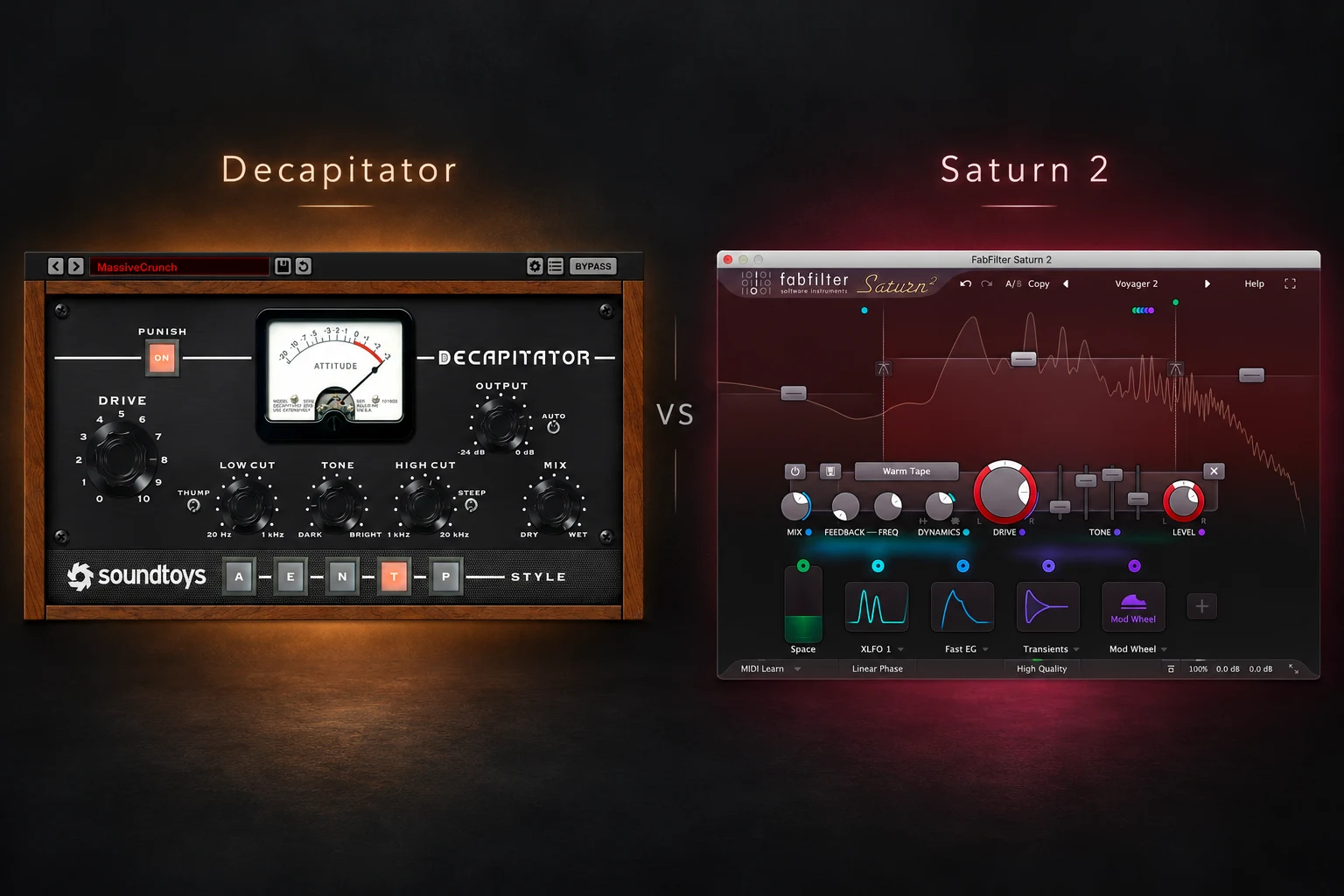

A vocal needs more edge, a bass disappears on smaller speakers, or a drum loop feels too polite. Decapitator and Saturn 2 can both add saturation and distortion, but they give you very different levels of control. Decapitator is our first recommendation for a focused, hands-on approach to colouring a sound. Saturn 2 is the more versatile choice if you want different processing across frequency bands or movement from modulation.
That does not mean Decapitator only does aggressive effects or Saturn 2 only does technical work. Both cover subtle and obvious processing. The better purchase depends on whether you want a small set of decisions or a deeper sound-shaping system.
This comparison uses the manufacturers' documented features and our practical buying recommendations. We have not carried out a controlled listening comparison or CPU benchmark.
Decapitator vs Saturn 2 Quick Look
| Feature | Decapitator | Saturn 2 |
|---|---|---|
| Main design | Five analog-style saturation models | Multiband saturation and distortion |
| Frequency bands | One main processing path | Up to six bands |
| Core workflow | Style, Drive, tone shaping and Mix | Per-band processing with optional modulation |
| Creative control | Punish and parallel blending | Multiple styles, feedback and modulation |
| Quality settings | No user-selectable oversampling control | Optional 8x or 32x oversampling |
| Our recommendation | Focused colouring workflow | Broader mixing and sound-design toolkit |
Why choose Decapitator?
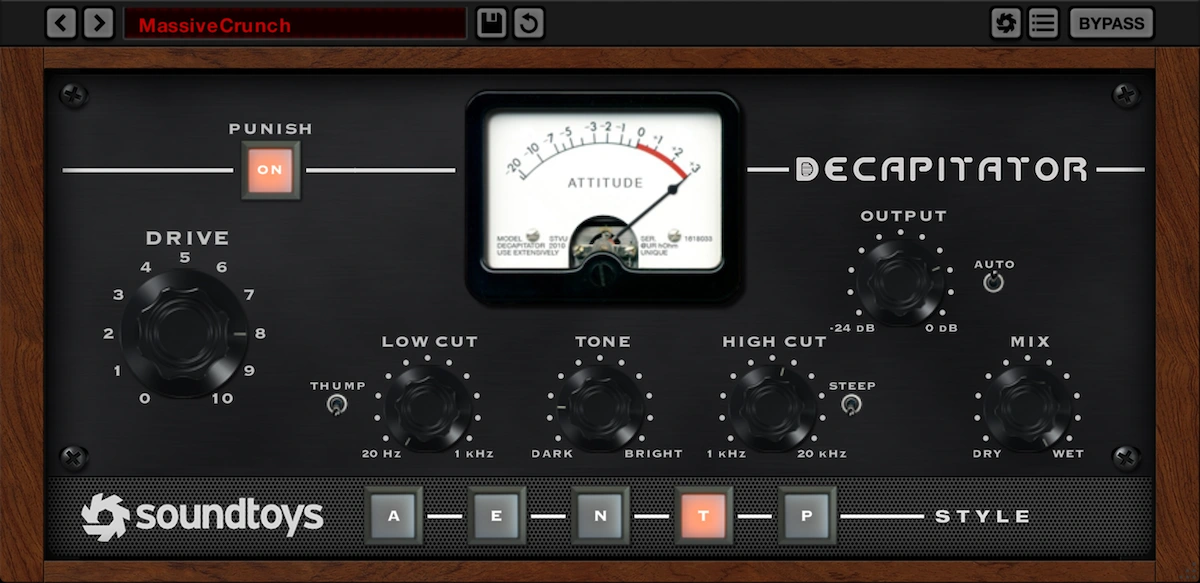
Decapitator centres its workflow on five saturation styles, Drive, tone shaping and a wet/dry Mix control. It also includes the Punish button for a much stronger push into distortion.
The appeal is a manageable set of choices. Pick a style, introduce drive, reshape the result and decide how much processed signal belongs in the mix. You can explore different characters without first designing a multiband setup.
We would consider this approach when the whole sound needs a change in attitude. Think of a vocal effect, a gritty drum layer or a synth that needs a more obvious texture. You can also use a small amount: the dramatic branding does not force every setting to sound extreme.
Read our Decapitator review for a closer look at its workflow.
Why choose Saturn 2?
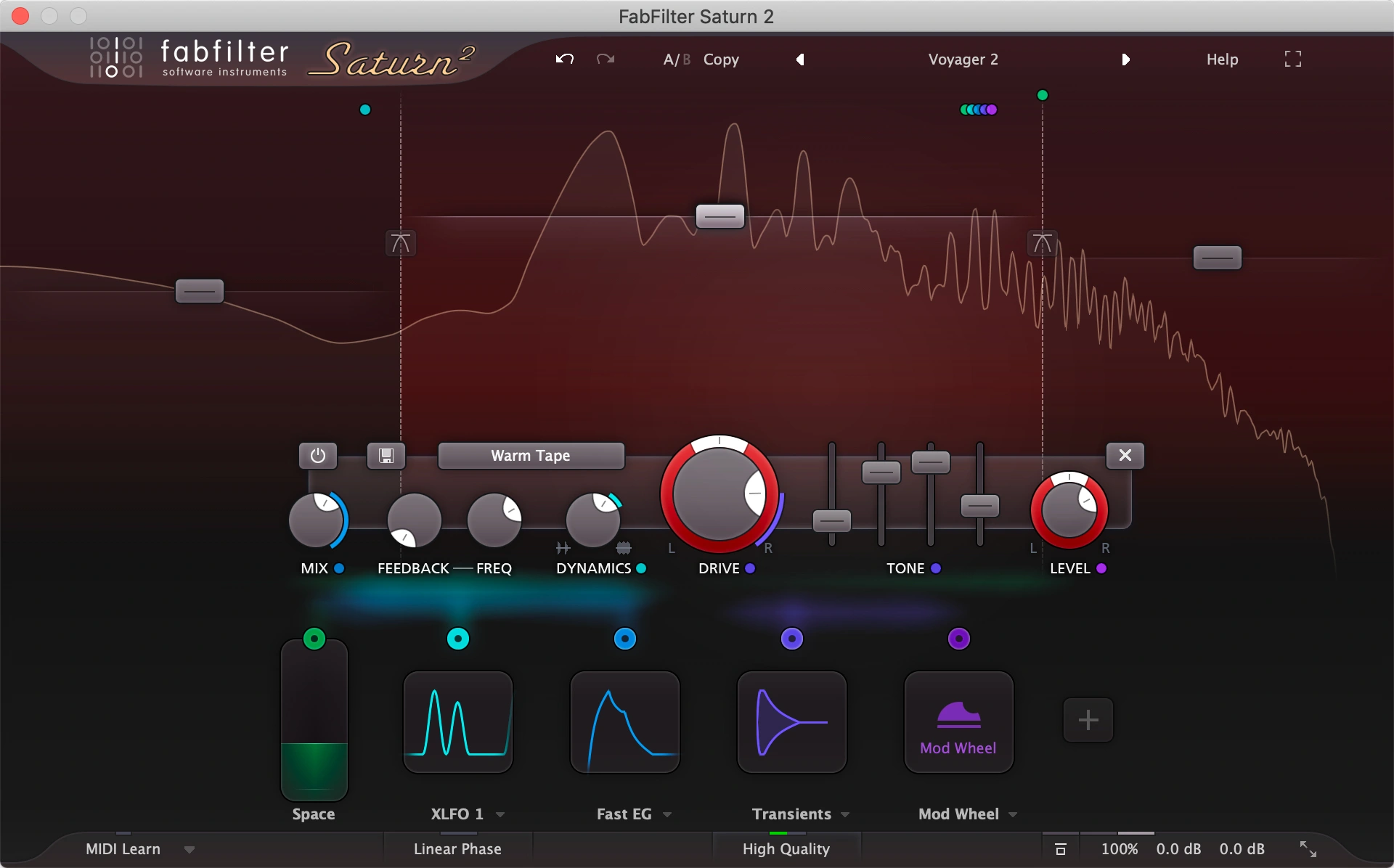
Saturn 2 lets you divide the signal into up to six bands and process them differently. Its 28 distortion styles range across tube, tape, amp and more experimental options. The modulation system adds movement to parameters rather than keeping every setting fixed.
Each band has its own drive, mix, tone, dynamics and feedback controls. This gives you a way to solve a more specific problem: perhaps the middle of a bass needs extra texture while the lowest band needs less intervention.
You do not have to use all that depth. Saturn 2 can work as a single-band processor. We would start there and add bands only when you can hear a reason to treat one part of the spectrum differently.
Choose Saturn 2 when you regularly reach a point where one whole-signal adjustment cannot deliver the result you want. Its flexibility becomes useful when it answers a recurring need.
Vocals: quick character or selective processing?
For a lead vocal that needs more presence in a busy arrangement, first check the level and competition from other instruments. Saturation should have a clear job beyond making the vocal louder.
Our Decapitator trial would begin with a short phrase containing both strong vowels and sharp consonants. Try a style at a modest setting, match the output level and blend the effect back if the result becomes too obvious. Check whether the extra character suits the lyric and delivery.
Our Saturn 2 trial would start with one band. If the desired change also exaggerates unwanted areas, add a split and focus the experiment. Listen to the complete voice, not just the soloed band: a flattering isolated texture can become thin or disconnected in context.
Our choice: Decapitator for a straightforward character pass; Saturn 2 when separate frequency areas need different treatment. Neither replaces fixing an uneven recording or an unsuitable vocal balance. For those surrounding decisions, see how to make vocals sit in the mix.
Bass and 808s: keep the low end doing its job
A useful saturation experiment should preserve the bass's musical role. Before processing, listen to its note lengths, the relationship with the kick and how consistently the notes speak through the arrangement.
With Decapitator, try introducing character to the whole signal, then check the blend and level. If that gives you the extra definition you want without changing the low-end balance too far, there is no need to build a more elaborate chain.
Saturn 2 is the more flexible starting point when the upper texture and low-frequency foundation need separate decisions. A clean or lightly treated lower band with more processing above it is one experiment to try. The crossover point should follow the source; a fixed frequency copied from another song is not a requirement.
Check several notes and both dense and sparse passages. Also compare on smaller speakers and headphones at a reasonable listening level. Keep the version that improves readability without making the bass feel disconnected from the track.
Our choice: trial Saturn 2 first for this selective workflow. Trial Decapitator first if you want one broad tonal change. Our kick and 808 guide covers the arrangement and balance decisions around either option.
Drums: avoid mistaking less attack for more weight
For a drum loop, compare the transient, body and cymbal texture separately. A setting can make the loop seem fuller while removing too much of the attack that gave it energy.
Decapitator's Mix control is useful for a parallel-style experiment. Create an obvious processed character, then blend it with the original and match the output. Its manual notes that Auto adjusts output as Drive changes, but we would still judge the final comparison by ear.
Saturn 2 offers a different route when the kick, snare body and top end need separate treatment within a bus. Use a minimal number of bands and return frequently to the whole loop. More independent controls do not automatically produce a more coherent groove.
Our choice: Decapitator for a quick whole-loop character experiment; Saturn 2 if keeping different frequency areas under separate control is the point of the task.
Sound design and modulation
Saturn 2 is our clearer recommendation when movement is part of the design. Its modulation sources include XLFOs, envelope generators, envelope followers and MIDI sources. These can turn a fixed processing setup into an evolving effect.
Decapitator remains worth trying when you want a bold, relatively direct transformation. Punish adds 20 dB of gain into the saturation stage, so compensate the output before deciding that the effect improved the sound.
For a fair creative test, start with the same plain synth phrase in both plugins. Give each one a specific job, such as a rougher lead or a changing bass texture. Save the original and compare the processed sound inside the arrangement.
If you want a broader multi-effect workflow, our Output Thermal review provides another option to consider.
Oversampling, linear phase and CPU
Saturn 2 provides optional 8x and 32x oversampling. FabFilter explains that these modes reduce aliasing at the cost of increased CPU use. Its Linear Phase option applies to crossover and oversampling filters; it does not make every internal filter linear phase.
Those controls make Saturn 2 more configurable, but they are not proof that every setting sounds better than Decapitator. We would compare the available modes on the actual material and use the level of processing the session needs.
We cannot name a CPU winner without a repeatable test. Try the number of instances you expect to use in your DAW, and include your intended quality settings. A light single-band setting and a complex multiband patch are different workloads.
Price and value: what are you actually buying?
Both plugins are available through Plugin Boutique. Check the current price in your currency, the exact licence and any relevant bundle before purchasing. We would avoid basing a long-term choice on a temporary discount alone.
If this is your first paid saturation plugin, make a short list of jobs it must handle. If you mostly want to add character and move on, Decapitator's focused interface may be enough. If the list includes multiband processing and modulation, Saturn 2 directly addresses those requirements.
Already own one? Identify a task it cannot comfortably solve before buying the other. A second set of colours can be inspiring, but it is a different reason to purchase from needing a missing workflow.
SoundShaper opinion
For someone choosing one versatile saturation tool, we would trial Saturn 2 first. Its single-band option keeps the starting point manageable, while its additional bands and modulation provide room for more specific work later.
We would choose Decapitator first for someone who values a small set of controls and wants to make broad character decisions quickly. That focused approach is a valid advantage, especially if extra options tend to slow down your sessions.
Our buying test is three short examples: a vocal, a bass line and a drum loop. Match levels, describe the improvement you want and stop adjusting once the sound serves the song. Buy the workflow you repeatedly prefer.
Frequently asked questions
Is Saturn 2 better than Decapitator?
It is more flexible for multiband processing and modulation. Decapitator offers a more focused design. We would choose by the task and workflow rather than claim one always sounds better.
Can Decapitator process separate frequency bands?
It does not provide Saturn 2's internal multiband layout. Tone shaping and parallel blending are different from assigning independent distortion settings to several bands.
Is Saturn 2 only for advanced users?
No. Start with one band and a simple setting. Add complexity when you need it rather than treating every available control as something you must use.
Conclusion
Choose Decapitator for a focused route to saturation character. Choose Saturn 2 for a broader toolkit with separate frequency-band processing and modulation.
Both deserve a task-based trial. The better choice is the one that helps you reach a useful sound consistently, with an interface you want to keep using.
Sources
Features checked on 23 October 2026 against the official Decapitator page, Decapitator manual, Saturn 2 page, Saturn band controls and Saturn quality and output settings. Cover artwork is based on the official Decapitator and Saturn 2 interface images.
![[background image] image of recording equipment (for a musician & band)](https://cdn.prod.website-files.com/68efa70811edd8e5af30a90d/6adbdffd1258b281fa64d9e8_6adbdfe06748b62dcaeff101_vintageverb-vs-pror2-cover-v2.webp)
![[background image] image of recording equipment (for a musician & band)](https://cdn.prod.website-files.com/68efa70811edd8e5af30a90d/6adbdd6f7d47fb086e52b147_6adbdd4e3cb3e94d421e55da_how-to-fix-harsh-vocals.webp)