
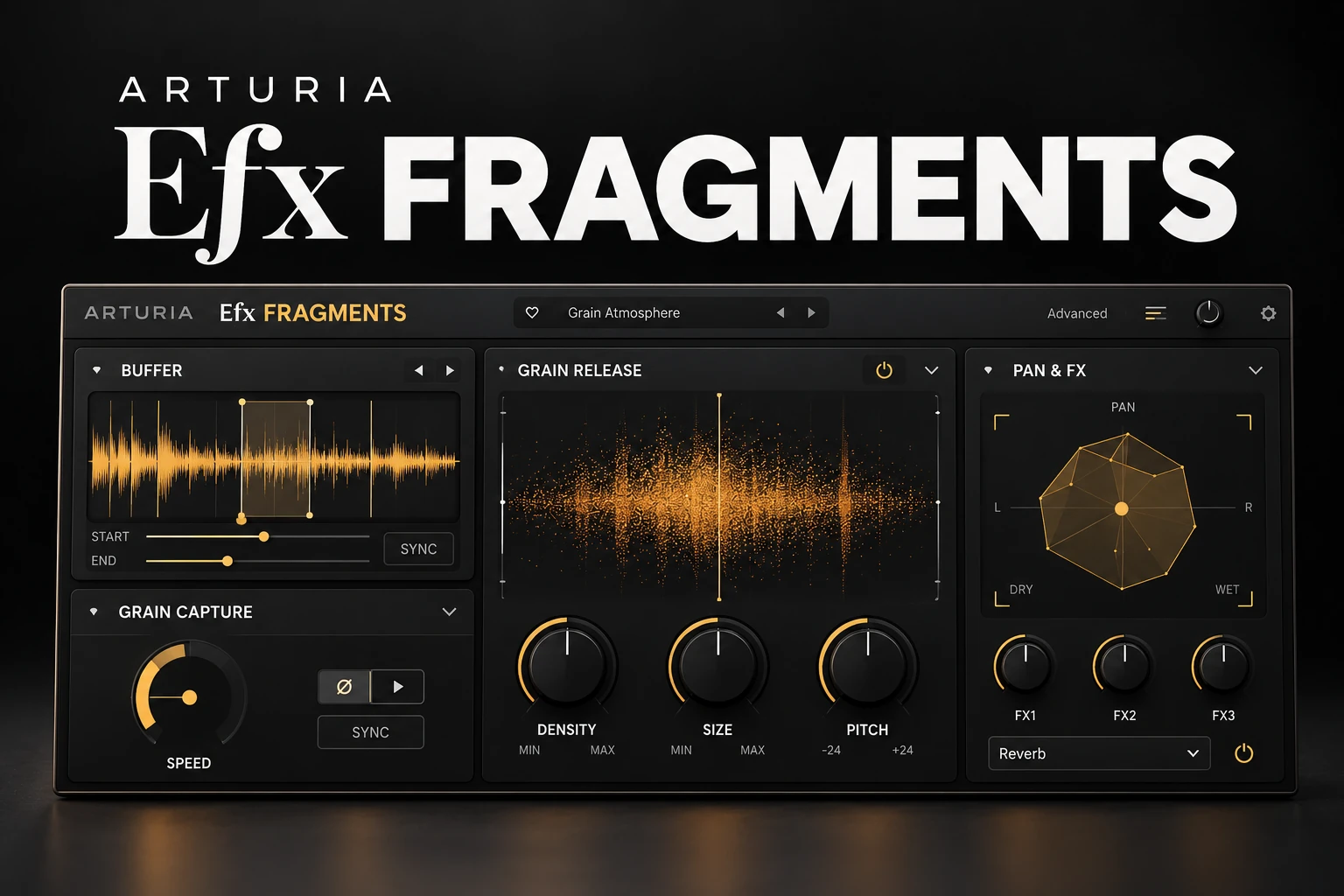

Arturia Efx FRAGMENTS is worth considering if you want to turn existing audio into rhythmic glitches, moving textures or sustained atmospheric layers. Its three granular modes give you different starting points for reshaping a vocal, instrument or loop.
The strongest reason to buy it is a sound-design task that your current tools make difficult. If you simply need a clean echo or a room around a vocal, start with a conventional delay or reverb. FRAGMENTS is more relevant when you want the source itself to become new material.
This review is based on current manufacturer information and product listings. It does not report a hands-on listening test or CPU benchmark.
What is Efx FRAGMENTS?
FRAGMENTS is a granular audio effect. It captures incoming sound in a buffer, then uses pieces of that recording as grains that can be rearranged and processed.
Think of a short vocal phrase as raw material for several different roles. You might keep the lyric recognisable, make a rhythmic answer out of it, or turn a small part into an atmospheric layer. The musical decision comes before the parameter choice.
Because it processes audio, choose an input that already contains something useful: a clear vowel, an interesting attack or a chord with the right mood. A complicated chain is not required before you begin.
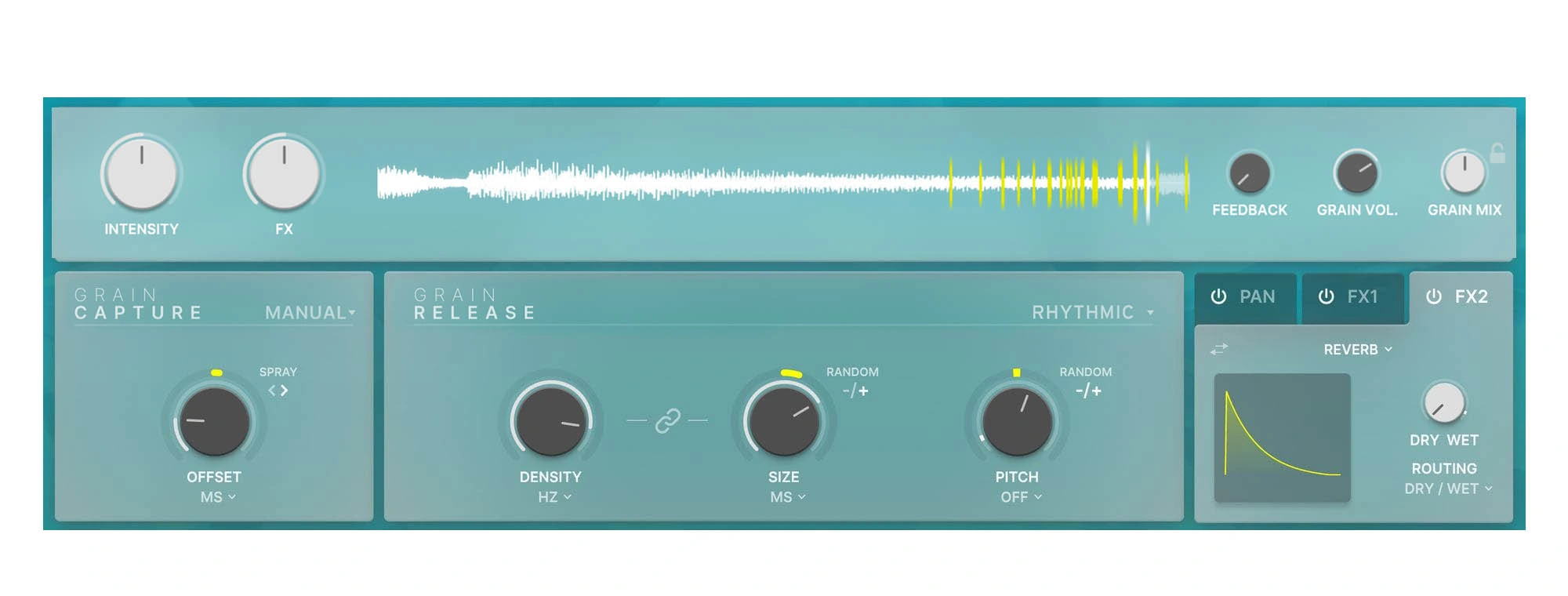
Classic, Rhythmic or Texture: choose the job first
Classic for open-ended experimentation
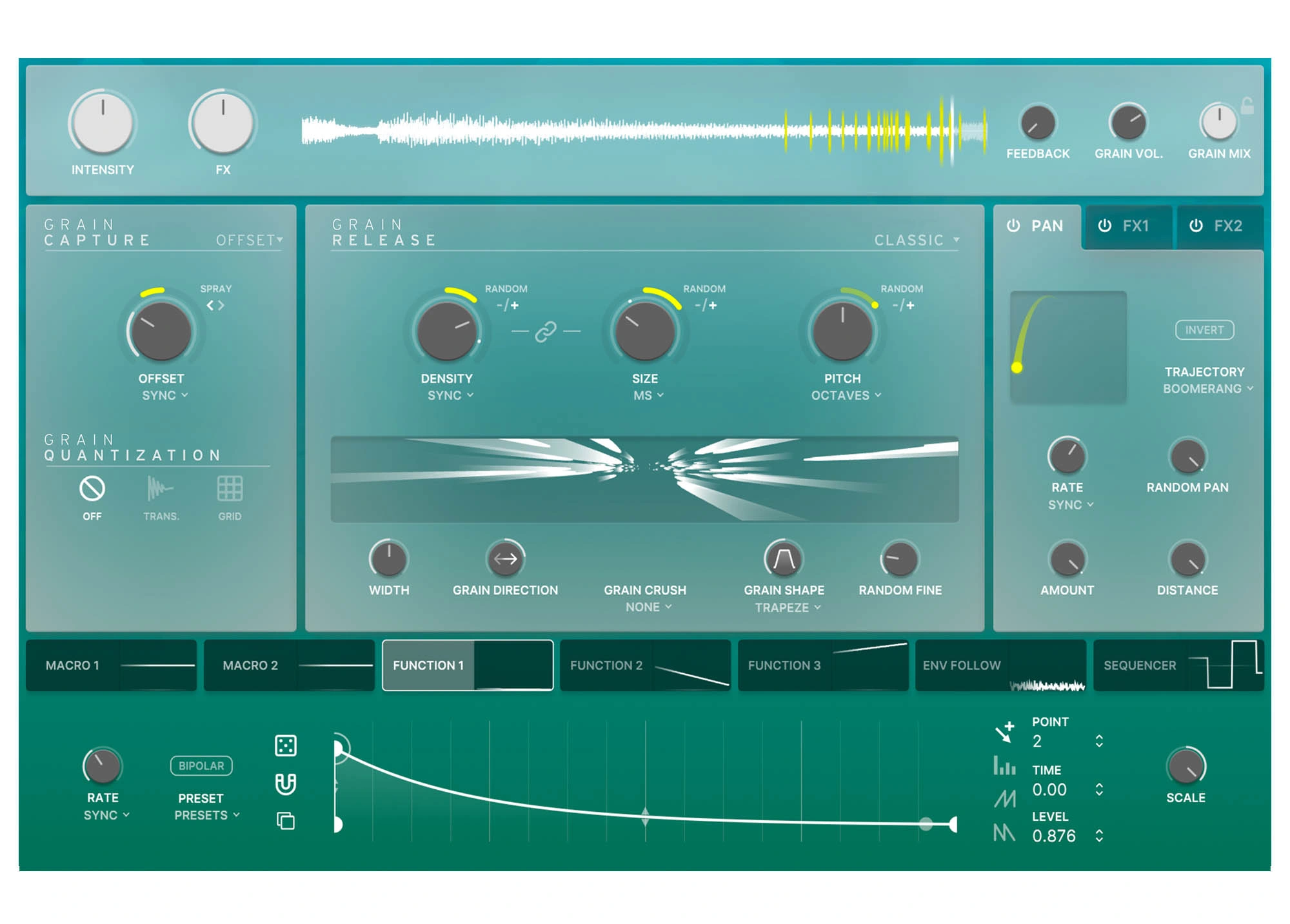
Classic is the broad, customisable mode. It is a useful starting point when you want to explore grain behaviour without committing to a particular rhythmic or textural approach.
Use a simple phrase and change one aspect at a time. Listen to whether the original performance remains recognisable and decide how much of that identity you want to preserve. If every adjustment happens at once, an interesting result can be difficult to develop or repeat.
Rhythmic for patterns and interruptions
Rhythmic mode links grain size and density to tempo-based values. It is the relevant starting point for stutters and pulsing variations.
Try a short percussion loop before processing a whole drum mix. Keep the kick and main backbeat available as a reference while you audition the new layer. An exciting fill should still let the next downbeat arrive clearly.
Texture for sustained material
Texture mode is aimed at clouds and drones, with a Layers control relating grain size and density. Freeze can hold captured audio for sustained processing.
For ambient music, the result might become a central part. In a pop production, it may work better as a quiet bridge between phrases. The same patch can have a different value depending on how much space the arrangement leaves for it.
Three production ideas to try
Turn a vocal detail into a background layer
Choose a word or vowel with a clear tone. Keep the dry lead separate and use the processed part as a supporting layer.
Start during a gap in the lyric. Listen to how the texture relates to the next chord, then decide whether it should continue underneath the following line. A sustained vocal fragment can preserve a recognisable emotional connection to the singer without repeating an entire phrase.
If you shift the grain pitch, check the harmony throughout the section. A note that works over one chord may need a different role over the next. A pitch-related setting is a starting point for listening, not proof that every fragment fits the song.
For a more direct vocal-character change, our Little AlterBoy review covers another approach. Granular rearrangement and voice transformation are different creative jobs.
Make a restrained drum transition
Take one or two bars before a section change and keep the original loop available. Begin with a simple rhythmic treatment and blend it against the dry version.
Check the last beat before the transition and the first beat after it. A fill that draws attention to the wrong moment can weaken the arrival, even if the processed loop sounds impressive on its own.
For house, preserve a clear sense of pulse while exploring the extra detail. For trap, listen to the interaction with hi-hat rolls and ad-libs so the transition does not become several competing fills at once.
Build a pad from a short instrument phrase
Use a chord or a small melodic passage with a tone you like. Explore a sustained treatment, then play the rest of the arrangement against it.
Listen for changing harmony, not just the texture's surface. If the new layer fills the entire register, reduce its contribution or choose a more focused source before adding more processing.
This is particularly useful as an audition for ambient, soundtrack and experimental electronic work. The purchase question is whether creating these layers is a recurring part of your music, rather than something you might try once.
The yellow collars control randomness
Arturia distinguishes the main knob value from the yellow collar around it. The collars add randomisation: Spray changes grain start position, while the other relevant collars vary density, size or pitch.
That distinction matters when learning a patch. If you want to understand the effect of a particular grain setting, begin with restrained randomisation. Add variation after the basic sound has a clear role.
For an evolving background layer, some unpredictability may be the point. For a hook that must land consistently against a vocal, a more controlled treatment may be easier to arrange.
Listen over several repetitions before committing. If a particular passage works especially well, consider recording the processed output and arranging that passage as audio. That is a production choice rather than a requirement to leave every decision running live.
How we would evaluate it in one session
1. Choose one current project. Use material with a real role to fill, such as an empty transition or a background texture missing from a section.
2. Keep the dry source. Work with a copy or a separate route so the original remains available.
3. Choose a mode from the task. Start with rhythm for a fill, texture for a sustained layer, or Classic for a broader experiment.
4. Keep the first comparison simple. Explore the grain behaviour before layering more effects and modulation.
5. Judge the whole section. Include the vocal, bass and drums. Compare at sensible levels and check the stereo result in mono.
6. Save a usable result. Keep a preset, an audio render or both so the session ends with material you can actually arrange.
7. Compare with existing tools. Try to solve the same musical task with your current delay, sampler or granular effect before deciding to buy.
For exporting useful audio from an FL Studio session, our export settings guide covers practical delivery choices.
FRAGMENTS versus delay, reverb and Portal
You want recognisable repeats: start with a conventional delay. Our EchoBoy review covers one option. You may not need granular processing for a clear rhythmic echo.
You want depth around an existing part: try reverb first. A texture-building effect is more relevant when changing the material is part of the goal.
You already own Portal: compare the same input and musical task before buying another granular processor. Read our Output Portal review alongside this article; we are not claiming a listening-test winner.
You want broader rhythmic effect combinations: our ShaperBox 3 versus Infiltrator 2 comparison explores a different workflow.
Choose based on the missing job in your setup. Owning more processors in a category does not automatically create more useful ideas.
No sound? Check the buffer and Transport Mute
Arturia's FAQ identifies Transport Mute as a setting that can mute the signal when the DAW is paused. If you are playing a software instrument through FRAGMENTS while transport is stopped, check that setting before assuming the installation has failed.
The FAQ also explains that upward-pitched grains can initially be silent when the buffer lacks the required audio. Allow the buffer to fill and investigate Grain Capture's offset setting if needed.
These are different from a plugin failing to appear in the DAW. For that problem, our FL Studio VST scanning guide covers the earlier troubleshooting stage.
Price, trial and setup
On 20 October 2026, Plugin Boutique displayed €98.18, while Arturia's product page displayed €79. These are the displayed prices at the time of checking, not a promise about your checkout total. Compare current taxes, currency and any account-specific offers before purchasing.
The retailer lists a trial. Arturia manages installation and licenses through Arturia Software Center. Check your existing products and bundle entitlements before buying a separate license.
Use Arturia's current requirements for your exact OS, processor and DAW. Its current page lists 64-bit hosts and Apple Silicon support, and excludes ARM processors on Windows. Older retailer system requirements may differ from the current manufacturer information.
Test it at your usual sample rate with a realistic project. We have not measured performance, so the trial should answer how comfortably it fits your setup.
SoundShaper opinion
FRAGMENTS is most compelling when you enjoy making new arrangement material from audio you already have. The three modes give you different ways into that task without requiring every experiment to begin from an empty state.
For ambient and experimental production, we would audition a sustained layer. For electronic beats, we would test one transition and one rhythmic loop variation. For a producer mainly finishing straightforward vocal mixes, it is a more optional creative purchase.
On a tight budget, make sure the new textures solve a recurring need. A session that ends with one usable transition or pad tells you more than browsing dozens of dramatic presets.
Conclusion
Arturia Efx FRAGMENTS is a focused option for reshaping audio into granular rhythms and textures. It is worth considering when that process belongs in your normal production workflow.
Give it a specific task, keep the original available and judge the new material in the song. A useful part is a stronger reason to buy than an impressive effect in isolation.
Sources
Details checked against the official Arturia product page, Arturia FAQ and Plugin Boutique listing.
![[background image] image of recording equipment (for a musician & band)](https://cdn.prod.website-files.com/68efa70811edd8e5af30a90d/6adbdffd1258b281fa64d9e8_6adbdfe06748b62dcaeff101_vintageverb-vs-pror2-cover-v2.webp)
![[background image] image of recording equipment (for a musician & band)](https://cdn.prod.website-files.com/68efa70811edd8e5af30a90d/6adbdd6f7d47fb086e52b147_6adbdd4e3cb3e94d421e55da_how-to-fix-harsh-vocals.webp)
![[background image] image of recording equipment (for a musician & band)](https://cdn.prod.website-files.com/68efa70811edd8e5af30a90d/6adbd8f9d34e0624a55714e1_6adbd8e12694d8b251e72784_decapitator-vs-saturn-2-corrected.webp)