


Soundtoys Little AlterBoy is worth considering for creative vocal pitch and formant effects, especially character layers, ad-libs and transformed hooks. Its compact controls make it a focused option when you want a vocal to take on a different role in the production.
The important limitation is its purpose. If you mainly want careful correction of individual notes, choose a tool built for that editing workflow. Little AlterBoy is more relevant when changing the voice is part of the musical idea.
This review is based on current manufacturer documentation and the retailer listing, rather than a hands-on listening test.
Pitch and formant: two different changes
Pitch changes the note you hear. Formant processing changes characteristics of the voice's resonance, so a vocal can take on a different character without necessarily moving its melody.
Little AlterBoy provides separate Pitch and Formant controls, plus a Link switch. Its pitch range extends an octave in either direction. With Link enabled, pitch changes also affect formants; disabling it lets you adjust them independently.
For a first audition, leave the pitch unchanged and explore a small formant shift. Then reset and try pitch alone. Finally, compare the linked behaviour. This makes the differences easier to understand than turning both controls together and trying to guess which change helped.
Keep the original performance available. An interesting transformed voice may work best behind the lead rather than replacing it completely.
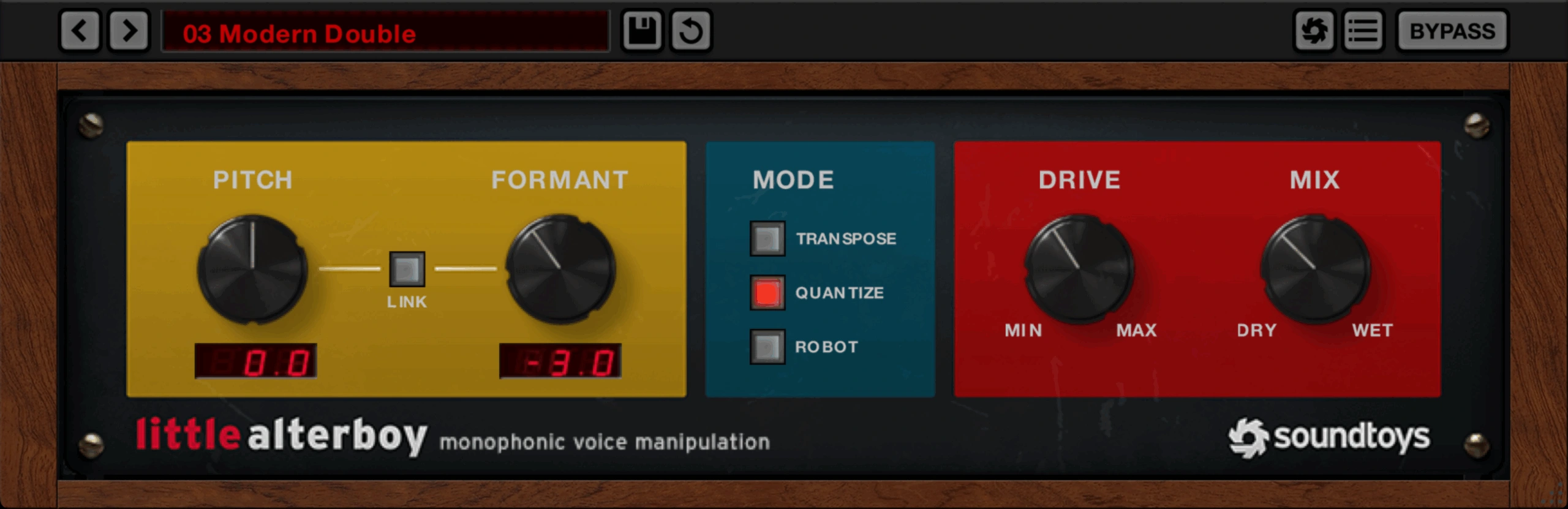
Transpose, Quantize and Robot do different jobs
Transpose: move the performance
Transpose shifts the incoming vocal without automatic pitch correction. It is the starting point for testing an octave layer or a different register.
An octave interval is a useful initial experiment because it preserves the broad melodic relationship. If you choose another fixed interval, check every note against the chord progression: a setting that works on the first phrase may clash later.
Quantize: obvious pitch snapping
Quantize snaps the vocal to the nearest chromatic semitone. That is different from choosing a musical key and asking a tuner to follow only that scale.
If a singer approaches the wrong neighbouring note, fast chromatic snapping is not automatically the correction you intended. Try it as an audible effect, then check the actual notes against the song.
Robot: a fixed-note voice effect
Robot holds the vocal to a single pitch controlled by the Pitch knob. It offers a different creative direction from preserving the original melody.
Try it on a short answer phrase or transition. A fixed-pitch texture can become a supporting rhythmic element, while using it across a complete lead may remove melodic information you wanted to keep.
Three useful vocal ideas to audition
A deeper ad-lib behind the lead
Start with a separate ad-lib take or a duplicate of a short phrase. Keep the main vocal clear, then explore the transformed layer at a low level.
For trap and hip-hop, listen to how it answers the lead and interacts with the 808. A deeper effect can add character while also adding low-mid density. If the lyric becomes harder to follow, lower the layer or use it on fewer words before trying to repair the whole mix.
Compare the layer during a busy line and during a pause. A treatment that works as a brief accent may become distracting when it follows every syllable.
A brighter hook or vocal chop
Choose a phrase with a clear vowel and a recognisable rhythm. Make a modest change first, then try a more exaggerated version to decide how artificial the sound should feel.
For house or electronic pop, keep the hook's relationship with the bass and chords in mind. If you move the pitch, confirm the new notes fit. Formant changes and musical transposition solve different tasks.
Leave the chop rhythm simple during the audition. Once the voice character works, build the arrangement around it rather than judging several new effects and edits at the same time.
A distorted character voice
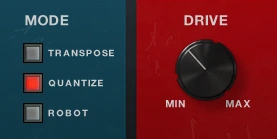
The Drive control adds a tube-saturation model derived from Soundtoys Decapitator. Mix blends the original and processed signals.
Start with a clearly understandable phrase and introduce Drive gradually. Listen to consonants as well as sustained vowels. A stronger edge may suit an effect layer while making a front-and-centre lyric less readable.
If you want broader saturation options rather than voice transformation, our Decapitator review covers the separate plugin. Little AlterBoy's drive section is one part of its vocal workflow.
Feed it a clean, single voice
Soundtoys recommends clean monophonic vocals and placing Little AlterBoy before other effects. For an initial test, use one exposed vocal line before adding the delay and reverb back.
A dry phrase makes it easier to distinguish the intended transformation from tracking problems or artifacts. Stacked harmonies, overlapping notes and prominent effects create a more complicated input than a single voice.
Experimenting with unusual material is a valid sound-design choice. Just avoid treating a deliberately difficult input as a fair test of how a clean lead will behave.
After finding a useful setting, restore the rest of the chain and listen again. If you add echo afterwards, check whether the repeats reinforce the idea or overcrowd the next lyric. Our EchoBoy review covers a related creative effect.
A practical audition workflow
1. Save the original. Choose a short, clean vocal phrase and keep an untreated version available.
2. Choose the role. Decide whether the result should replace the lead, sit beneath it or appear only as an accent.
3. Start in Transpose mode. Explore pitch and formant independently before adding more variables.
4. Check the musical notes. Compare any pitch-shifted phrase with the chords and bass across the whole passage.
5. Add Drive and adjust the balance. Keep the words as clear as the arrangement requires, and compare at similar perceived levels.
6. Test transitions and pauses. Listen to the beginning and end of phrases, not only the sustained note that initially sounded impressive.
7. Check your existing tools. Try the same musical idea with your current pitch or formant processor before buying another one.
Little AlterBoy or a dedicated vocal tuner?
You want to transform vocal character: Little AlterBoy is a relevant audition candidate, especially if separate pitch and formant control fits the effect you want.
You want to repair one note in an otherwise good take: look for detailed note-editing controls rather than assuming a global pitch shift will solve it.
You want a key-aware automatic tuning workflow: evaluate a dedicated tuner. Quantize's chromatic behaviour is an important distinction.
You need a complete vocal mix chain: consider what is missing beyond pitch. EQ, compression, de-essing and effects address separate jobs.
Our AutoTune versus Melodyne comparison explains two tuning workflows. For a wider view of vocal processing, see our vocal plugin guide.
Price, licensing and DAW compatibility
Plugin Boutique displayed Little AlterBoy at €94.21 when checked on 20 October 2026. Soundtoys listed it at $99. Check the current price, tax and currency before buying, and review any bundle you already own so you do not purchase the same license twice.
The retailer states that an iLok account is required; a physical USB iLok is not required. Soundtoys lists 64-bit formats including VST3, native Apple Silicon support, macOS 10.15 or later and Windows 10 or later. ARM-based Windows is excluded on the current product page.
For FL Studio, do not equate an available plugin format with an official host-support promise. Check Soundtoys' current supported-host information and test your exact setup before purchasing. If the plugin does not appear after installation, our FL Studio VST scanning guide covers common scanning issues.
SoundShaper opinion
Little AlterBoy makes the most sense when vocal transformation is a recurring part of your production. A few focused controls can be more useful than a large feature list when you already know the kind of character layer you want.
For hip-hop ad-libs, electronic hooks and stylised pop vocals, we would audition it on real phrases from a current project. For transparent lead-vocal repair or detailed harmony editing, we would first choose the appropriate editing tool.
On a limited budget, establish whether your existing processor reaches the intended sound. The reason to buy Little AlterBoy should be a useful result or a workflow you prefer, rather than the expectation that every vocal needs another plugin.
Conclusion
Little AlterBoy is a focused creative voice processor with pitch, formant, special modes and drive. It is worth considering for transformed layers and hooks when those effects serve a clear musical purpose.
Start with a clean voice, check the musical intervals and compare the result inside the arrangement. Keep the effect where it adds a distinct role to the song.
Sources
Details checked against the official Soundtoys product page, Little AlterBoy manual and Plugin Boutique listing.
![[background image] image of recording equipment (for a musician & band)](https://cdn.prod.website-files.com/68efa70811edd8e5af30a90d/6adbdffd1258b281fa64d9e8_6adbdfe06748b62dcaeff101_vintageverb-vs-pror2-cover-v2.webp)
![[background image] image of recording equipment (for a musician & band)](https://cdn.prod.website-files.com/68efa70811edd8e5af30a90d/6adbdd6f7d47fb086e52b147_6adbdd4e3cb3e94d421e55da_how-to-fix-harsh-vocals.webp)
![[background image] image of recording equipment (for a musician & band)](https://cdn.prod.website-files.com/68efa70811edd8e5af30a90d/6adbd8f9d34e0624a55714e1_6adbd8e12694d8b251e72784_decapitator-vs-saturn-2-corrected.webp)