
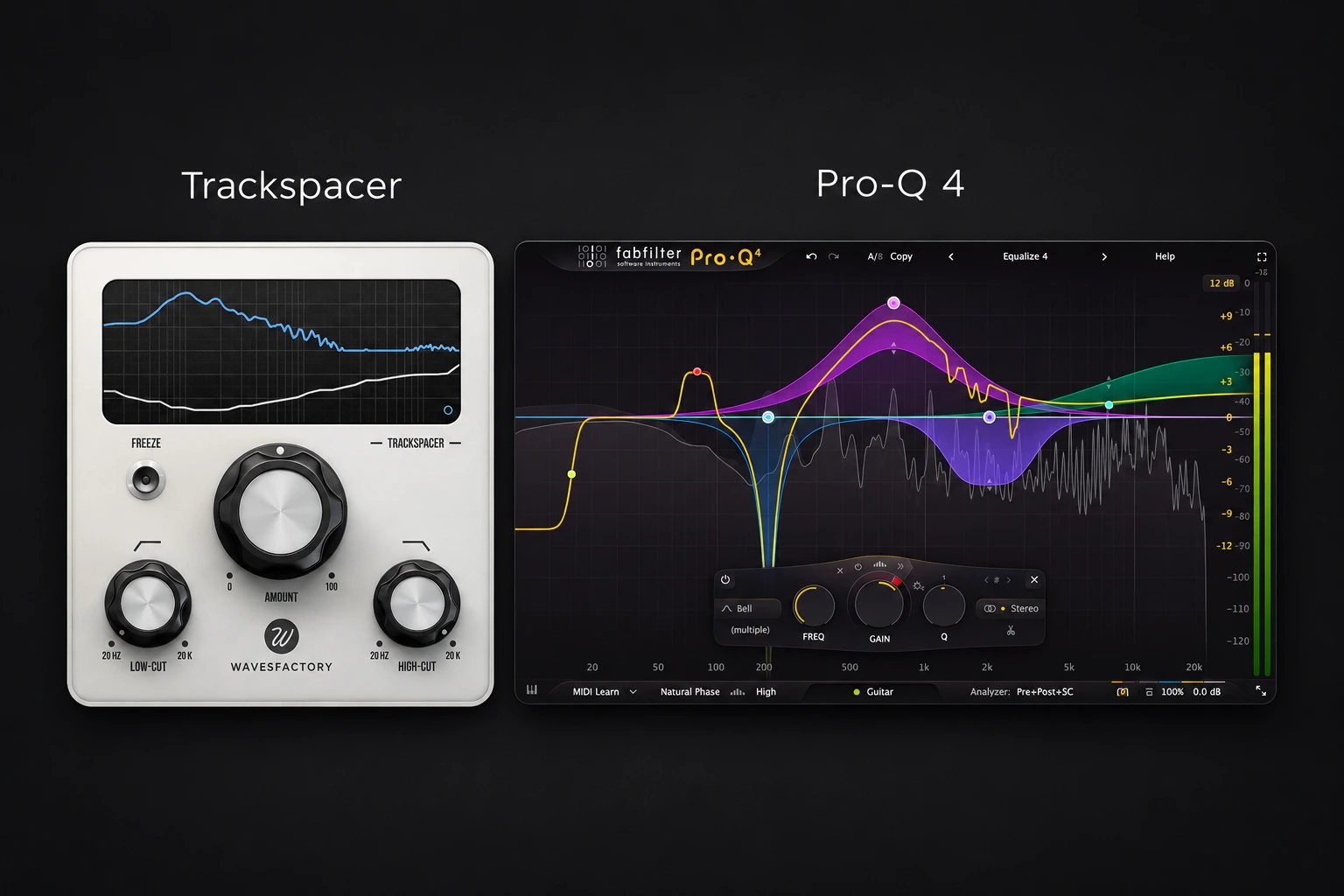

Choose Trackspacer when you want a focused way to make one sound move out of another sound's way. Choose FabFilter Pro-Q 4 when you also need a flexible everyday EQ, or already own it and want to try its external-sidechain dynamics before buying another plugin. Pro-Q 4 can handle many of the same mixing problems, but the setup and controls are different.
A vocal buried under synths is a good example. Trackspacer is built around creating space for that vocal. Pro-Q 4 lets you decide which frequencies should move, how much they should move and whether to use conventional dynamic EQ or spectral processing. Neither choice removes the need to balance the tracks first.
Quick Comparison
| Buying question | Trackspacer | FabFilter Pro-Q 4 |
|---|---|---|
| Main role | Frequency-dependent space-making between sounds | General equalization, dynamic EQ and spectral dynamics |
| How does the processing start? | An incoming sidechain drives an inverse 32-band EQ curve | You create EQ bands and choose their processing and trigger |
| What sets the working range? | Low-Cut and High-Cut controls | The selected bands, plus dynamics and trigger settings |
| Best buying reason | You want a dedicated, repeatable ducking workflow | You need broader EQ control or want to use a tool you already own |
| Main risk | Removing too much of the supporting sound | Spending time on detailed settings when a simpler solution would work |
What Trackspacer actually does
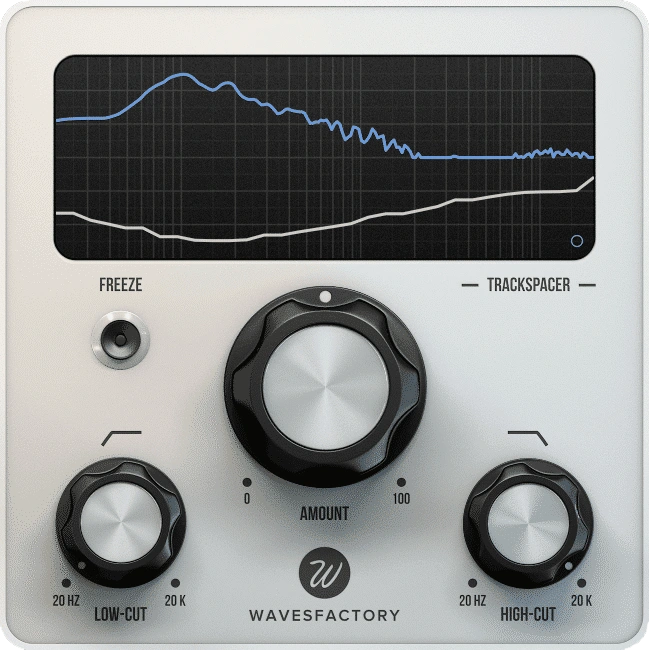
Trackspacer analyses its sidechain input and applies an inverse EQ curve to the track carrying the plugin. Its internal processing uses 32 bands. The Amount control sets how strongly it acts, while Low-Cut and High-Cut limit the area being processed.
For a vocal against a synth bus, put Trackspacer on the synth bus and send the vocal to its sidechain. The synths are the sound being reduced; the vocal tells the plugin when and where to make room. Reversing that relationship changes which part gets out of the way.
The advanced panel adds attack, release and stereo placement controls, including mid/side operation. You can adjust the movement rather than accepting the first response you hear.
We would start with a small amount and listen through complete vocal phrases. If the backing feels hollow whenever a line starts, reduce the depth or narrow the working range. A clearer vocal is only useful if the rest of the arrangement still feels right.
Our Trackspacer review covers the dedicated workflow in more detail.
What Pro-Q 4 gives you instead
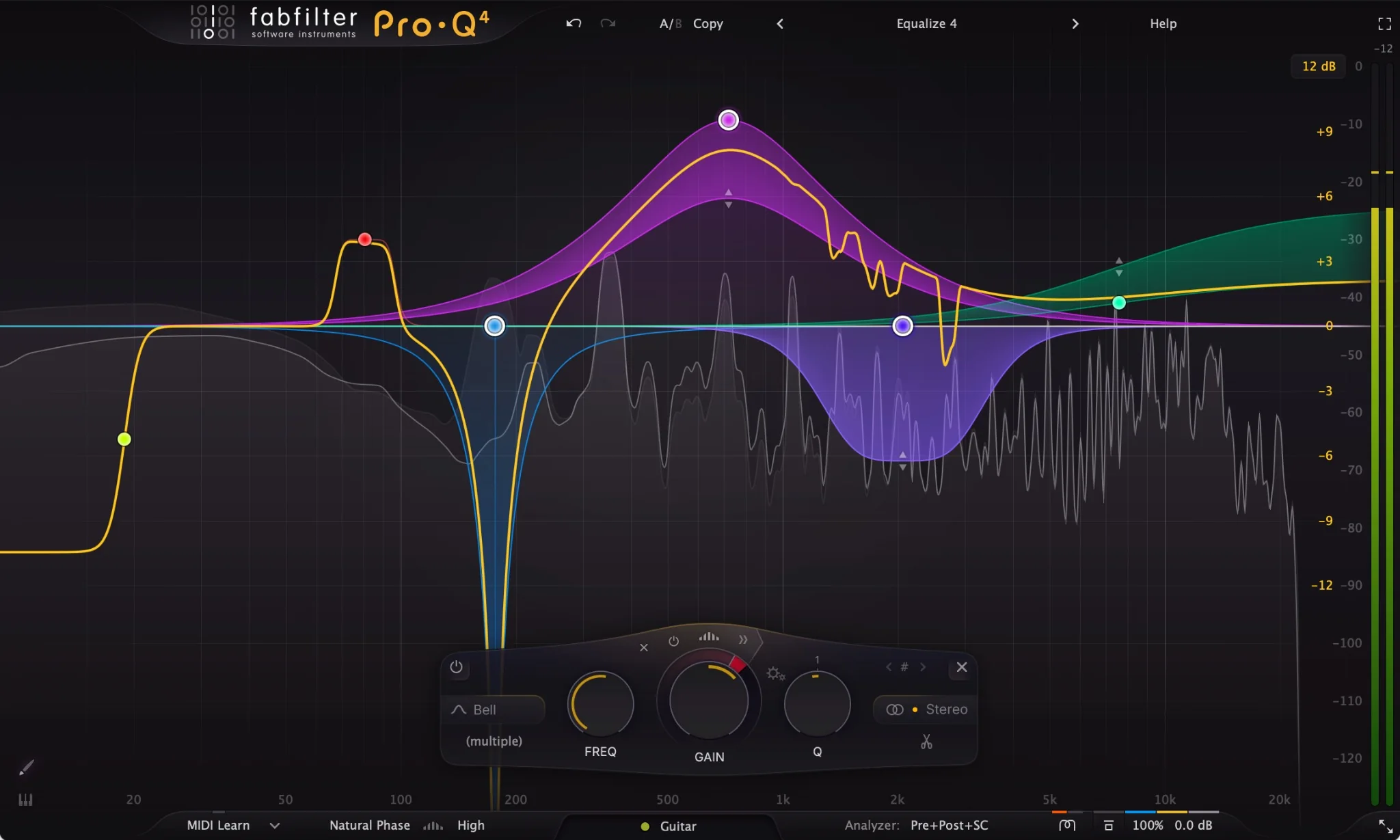
Pro-Q 4 is a full equalizer. You can use it for ordinary cuts and boosts, then make selected bands dynamic when a frequency area needs to change with the signal. External-sidechain triggering lets another track control that movement.
That makes it useful when you already know the conflict. If a guitar masks a vocal only in a particular range, you can focus the response there and leave the rest of the guitar's tone alone.
For conventional dynamic EQ, the selected band changes gain as a unit. Pro-Q 4's spectral mode works on individual frequencies within the chosen band. It also supports an external trigger, so Pro-Q 4 is a serious option for space-making rather than just static EQ.
Those options do not make it an identical Trackspacer preset. You still choose the working area, dynamics and trigger. Our Pro-Q 4 review looks at its broader value beyond this one job.
Do you still need Trackspacer if you own Pro-Q 4?
Try Pro-Q 4 first. If it already solves the problem quickly, Trackspacer needs to earn its place through convenience or a response you prefer in your own mix.
Use a simple test: a vocal that becomes difficult to follow when the backing gets busy. Before inserting anything, lower the competing bus slightly. If that fixes the balance without hurting the arrangement, you may already be finished.
If the conflict remains, try this Pro-Q setup:
- Insert Pro-Q 4 on the competing instrument or bus.
- Route the vocal to its external sidechain input in your DAW.
- Create a bell band around the area where the backing obscures the words.
- Set a negative dynamic range, expand the dynamics controls and enable the external sidechain trigger.
- Adjust the response while listening to both sounds together. Try spectral mode as a separate comparison if you need more selective processing.
Keep the static gain at zero initially if you want to judge only the dynamic cut. Start with a modest range and deepen it only if the words become easier to understand without making the backing feel smaller.
Seeing another track's spectrum is useful for inspection, but it does not by itself set up dynamic ducking. The routing, dynamic range and trigger selection all need to be in place.
Vocal and instruments: choose the amount of control you need
Trackspacer would be our first trial when the vocal competes with a changing stack of sounds and we want a quick way to hear whether frequency-dependent ducking helps. Limit its working range before reaching for a large Amount setting.
Pro-Q 4 would be our starting point when the problem is more specific: one guitar range, a piano accent or a pad that gets too dense only during certain lines. A carefully chosen dynamic band may be enough.
Neither approach should make the vocal appear pasted on top of the song. Listen for the backing recovering between phrases, and check whether the vocal actually becomes easier to follow at a quiet playback level. Our guide to making vocals sit in the mix covers the wider balance.
Kick and bass: solve the collision before chasing the display
For kick-and-bass work, first decide whether you need frequency-selective movement or a simple volume dip. If the whole bass needs to move briefly around every kick, a stock sidechain compressor or volume shaper may be a more direct choice.
Trackspacer becomes interesting when you want its response to follow the kick's spectrum. Pro-Q 4 is useful when you want to control a particular low-frequency area while keeping the rest of the bass steady.
With either, check the bass sustain and the space after the kick. Excessive reduction can make each hit seem clearer while weakening the groove. Our kick and 808 guide starts with the notes, timing and source sounds that processing cannot choose for you.
A practical difference: Pro-Q 4 spectral latency
FabFilter's documentation states that spectral bands use linear-phase processing. The resulting latency depends on the processing resolution, even when the other bands use a different mode.
That matters if you are still recording or playing parts live. Compare a normal dynamic band with a spectral band in your actual project, and check the monitoring response before committing to the latter. During mixing, confirm that your DAW's delay compensation is working as expected.
We have not run a controlled latency or CPU comparison between the two plugins. There is no universal performance winner here based only on the size of the interface or the number of controls.
Which purchase makes more sense?
If you already have an EQ you like and your recurring problem is making room between tracks, audition Trackspacer for that specific task. Buying Pro-Q 4 purely to avoid a simpler ducking workflow may leave much of its value unused.
If you want an everyday EQ as well as dynamic processing, assess Pro-Q 4 across those jobs. Its broader role matters more than whether it wins one vocal-and-pad example.
Compare current checkout prices in USD, including tax and any available account upgrade. Existing Pro-Q users should check their upgrade offer before buying another full licence. A discount only helps when the tool fills a gap.
For another dedicated option, read Trackspacer vs FUSER. For a more budget-focused EQ decision, see Pro-Q 4 vs TDR Nova.
Conclusion
Choose Trackspacer for a recurring sidechain space-making job that its focused controls make quicker. Choose Pro-Q 4 when broader EQ work also needs a home. If you already own Pro-Q, test the external-trigger setup above before buying another processor.
Sources
This is editorial buying advice based on documented functions, rather than a matched listening test. Sources checked 2 November 2026: Wavesfactory Trackspacer, the Trackspacer manual, and FabFilter's Pro-Q 4 feature overview, dynamic EQ guide, spectral dynamics guide and external-sidechain routing guide.


