
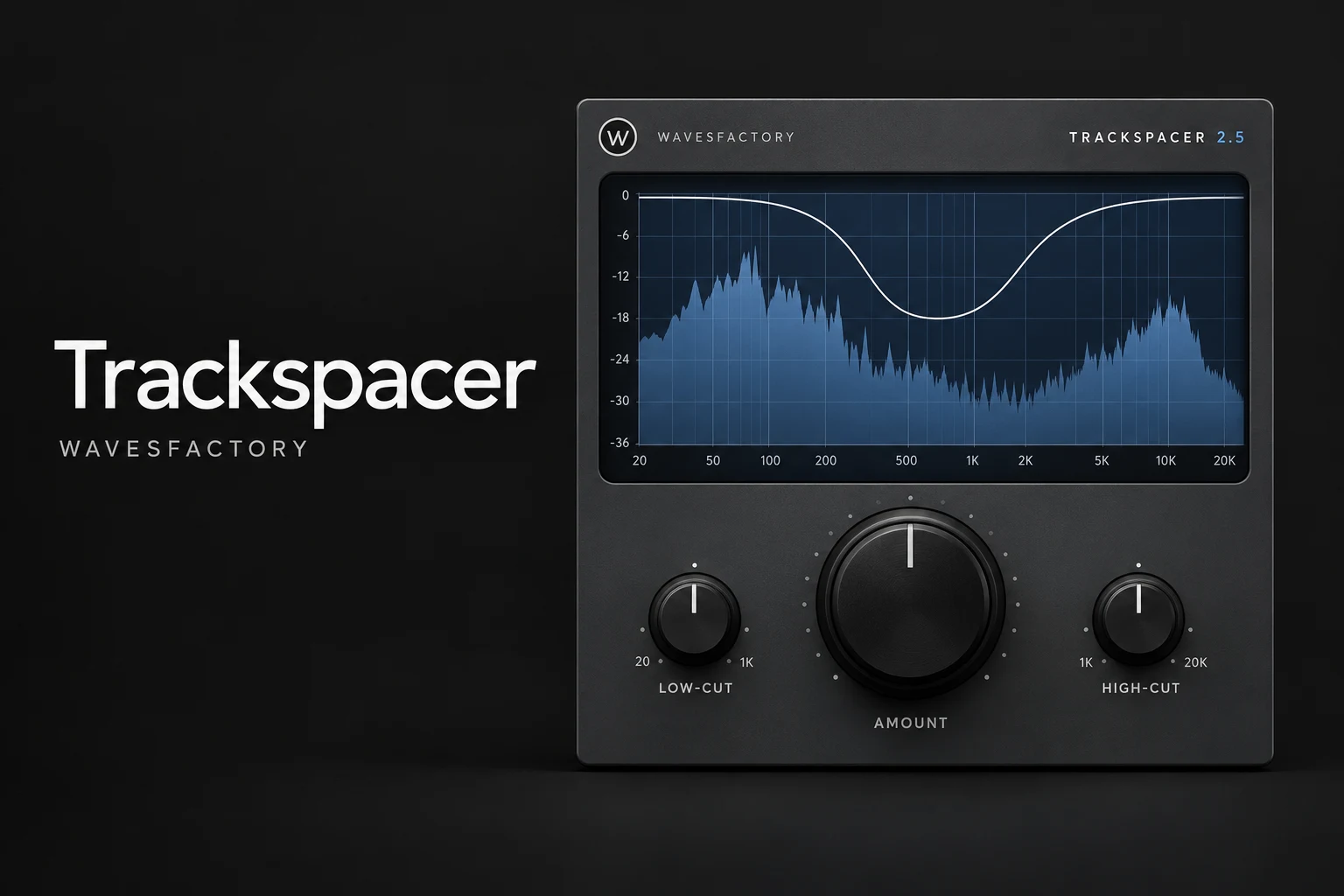

Trackspacer is worth considering if vocals, kick or bass keep getting buried by other parts of your mix. Wavesfactory's plugin uses a sidechain signal to reduce competing frequencies on another track. Our recommendation is to try it when the balance is already close and you need a little extra separation. If you mainly want obvious pumping, a regular sidechain compressor or volume shaper is the more direct choice.
This Trackspacer review explains the workflow, practical uses and buying trade-offs. Our recommendations are based on its documented controls and intended applications; this is not a hands-on listening test.
What does Trackspacer actually do?
Trackspacer listens to a source through its sidechain input, analyses that signal across 32 bands, and applies an inverse EQ curve to the track hosting the plugin. The source gets priority while the competing track makes room.
For example, put Trackspacer on your instrumental bus and feed the lead vocal into its sidechain. The instrumental receives the processing; the vocal provides the instructions. Getting those two roles right is the most useful part of learning the plugin.
It does not separate stems or create a vocal recording from a finished song. You need access to a suitable source signal for the external sidechain workflow.
Is Trackspacer a good fit for your music?
Three practical ways to use Trackspacer
1. Make room for vocals in a stereo beat
A common temptation is to keep turning up the vocal until it becomes harsh or disconnected from the beat. Before doing that, listen for which backing sounds hide the words. If you have stems, target those competing parts. If you only have a stereo instrumental, try the processor there with a restrained amount.
SoundShaper advice: loop a section with both singing and gaps. Aim for clearer words while keeping the instrumental convincing between phrases. If every syllable makes the backing sound hollow, reduce the processing or reconsider the target track.
2. Separate kick and bass without chasing more loudness
For house, techno and bass-heavy hip-hop, try the kick as the sidechain source and the bass as the processed track. Listen to the groove before changing anything else. A bass note that already finishes before the kick may need no help.
Our suggested approach is to isolate the low-frequency conflict, introduce a small amount of reduction, then listen with the whole arrangement. Protect the character of the bass rather than trying to remove all overlap. Musical parts are allowed to share frequencies.
3. Keep a lead clear of pads and guitars
In pop, indie and cinematic arrangements, a pad or guitar layer may only hide the lead during a busy chorus. Try processing that specific layer rather than the entire backing mix. This keeps the decision tied to a clear problem.
If a different chord voicing, octave or sound solves the clash, choose that solution first. Buying a plugin should not become a reason to keep an arrangement that is fighting itself.
The controls that matter
The main Amount knob sets the strength of the reduction. Low-Cut and High-Cut narrow the frequency range involved. An advanced panel adds attack, release and stereo or mid/side targeting. There is also sidechain auditioning and a Freeze function that holds the current reduction curve.
Start by identifying the range you want to protect. For kick and bass, that usually means focusing your attention on the low end. For vocals against guitars, listen for the region where the words lose definition instead of assuming every vocal needs the same frequency setting.
Adjust timing by ear: if the backing audibly flutters, ease the amount and revisit attack and release. If it remains reduced across the gaps you want to hear, revisit the recovery. Treat any preset as a starting point.
How to set up Trackspacer
- Choose the sound that should receive priority, such as your lead vocal.
- Insert Trackspacer on the competing sound or bus.
- Route the priority sound into Trackspacer's external sidechain using your DAW's routing controls.
- Check that the sidechain is receiving the intended source.
- Start with a low Amount setting and narrow the relevant range.
- Compare bypassed and processed playback in the full mix.
In FL Studio, creating a mixer sidechain route and assigning that input to a third-party plugin are separate parts of the setup. Check the plugin wrapper's input configuration if the sidechain is not reaching Trackspacer. For host-specific routing, use the current Image-Line wrapper documentation.
Trackspacer vs sidechain compression
A typical full-band sidechain compressor turns down the whole processed signal when its detector is triggered. Trackspacer instead shapes its frequency reduction from the sidechain spectrum. That distinction explains why they can solve different problems.
Our preference for a clear four-on-the-floor pumping groove is to start with the simplest envelope or compressor workflow. For competing musical parts, Trackspacer is worth auditioning when full-band ducking takes away more of the backing than you want.
Read our Kickstart 2 vs Duck 2 comparison if rhythmic ducking is the main goal.
What if you already own a dynamic EQ?
Before adding Trackspacer to your basket, check the sidechain capabilities of the EQ you already use. A carefully chosen dynamic band may solve a local clash without another purchase.
We would choose based on the task you repeat. If you often want a fast source-versus-backing workflow, Trackspacer's focused design is attractive. If you mostly need surgical adjustments to a few regions, learning your existing EQ may offer better value. See our Pro-Q 4 vs TDR Nova guide for a broader EQ buying decision.
Price, demo and compatibility
Checked on 18 October 2026, Wavesfactory displays a €59 product price. Plugin Boutique also lists Trackspacer, with a trial download option. Check the current checkout total, local taxes and any promotion before buying; the two stores may display different offers.
The manual lists 64-bit VST, VST3, AU and AAX formats for macOS and Windows. Wavesfactory documents native Apple Silicon support. Use the demo to check your exact DAW and computer rather than assuming an older minimum OS listing guarantees every current setup.
The documented demo inserts noise every 45 seconds and does not recall parameter settings when a session is saved. It is suitable for evaluation, rather than finished exports.
SoundShaper opinion
Trackspacer makes the most sense as a focused mixing purchase. Its appeal is easy to explain: choose which sound matters, then help the competing part move around it. That is a useful workflow for producers who repeatedly run into the same masking problem.
We would shortlist it for vocal-led pop, rap over stereo beats and arrangements with competing kick and bass. We would hold off if the mix still needs basic level decisions, or if a stock EQ already solves the issue. Spend on a repeatable improvement to your process, not the promise of an instant professional mix.
Frequently asked questions
Do I put Trackspacer on the vocal or the beat?
To make space for the vocal, put it on the beat or competing backing bus, and send the vocal to the sidechain. The track holding the plugin is the one being reduced.
Is Trackspacer free?
No. It is a paid plugin with a limited evaluation mode. Check the current Plugin Boutique listing for purchase and trial options.
Can it fix a muddy mix automatically?
Do not buy it with that expectation. Identify whether the problem is competing parts, excessive bass, recording quality or the arrangement before choosing a tool.
Does it replace a compressor?
It can be an alternative for some ducking tasks. Keep a compressor for jobs such as controlling a vocal's changing level or shaping a drum's dynamics.
Conclusion
Try Trackspacer if your mix is close but important parts still get buried. Its focused workflow is especially relevant when you want to protect a vocal or separate kick and bass. Audition it on a real problem section and keep the processing only if the whole mix improves. If you need pumping or basic tonal correction, start with the tools you already own.
For more vocal advice, read our guide to vocal mixing plugins.
Sources: Wavesfactory product page, Trackspacer user manual and the Plugin Boutique listing. Product information checked 18 October 2026.
![[background image] image of recording equipment (for a musician & band)](https://cdn.prod.website-files.com/68efa70811edd8e5af30a90d/6ad53c88c34497c2eb304ce9_Spaced%20Out%20Review.webp)
![[background image] image of recording equipment (for a musician & band)](https://cdn.prod.website-files.com/68efa70811edd8e5af30a90d/6ad53bb7ce283b927fe945fd_smart-EQ%204%20Review.webp)
![[background image] image of recording equipment (for a musician & band)](https://cdn.prod.website-files.com/68efa70811edd8e5af30a90d/6ad53a9f39eac7580cb27057_Eventide%20SplitEQ%20Review.webp)