
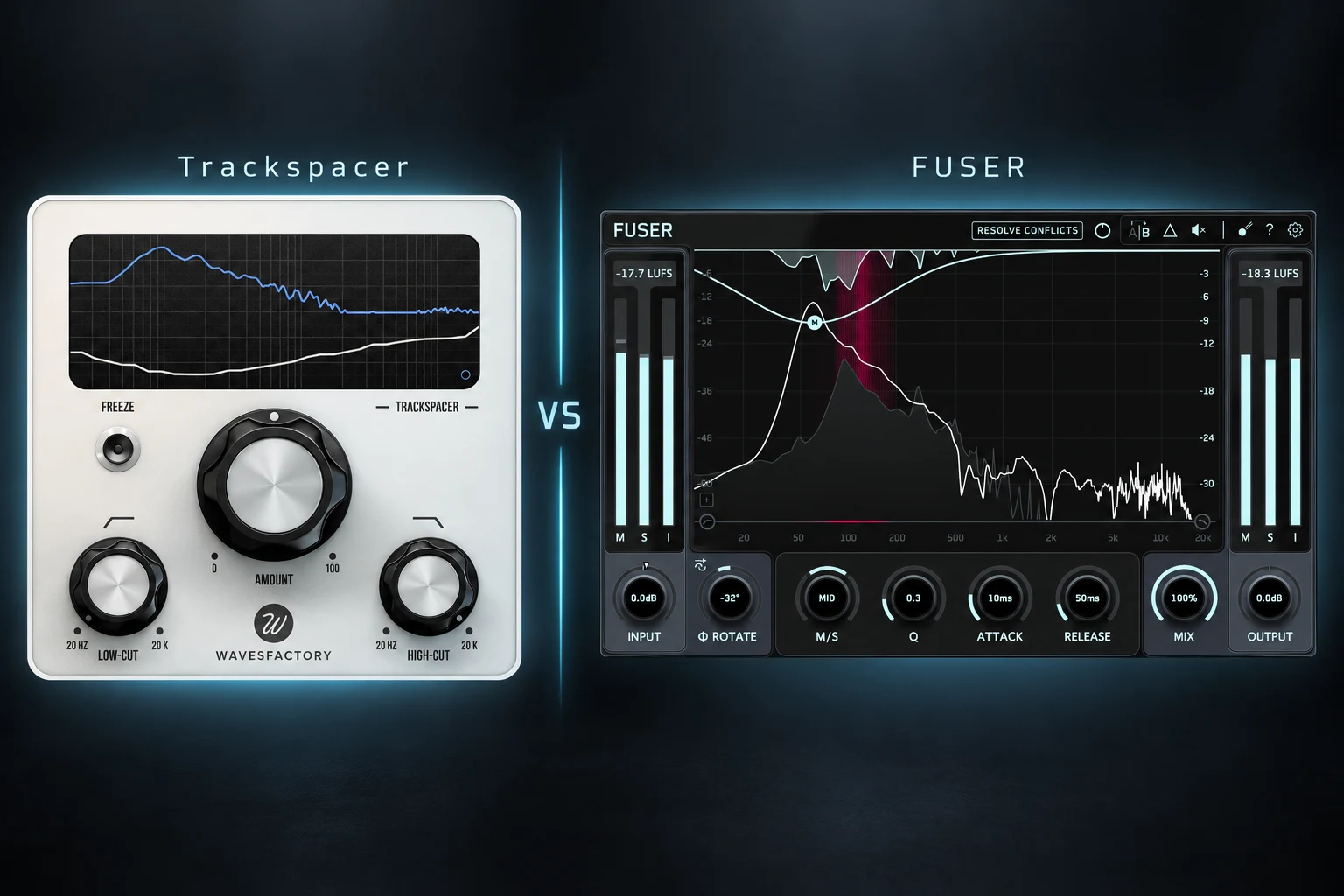

A vocal can sound clear on its own and disappear as soon as the instruments come back in. A kick can have plenty of punch until the bass joins it. Trackspacer and FUSER both address this kind of competition, but they offer different ways to control the result. Trackspacer is our first pick for a focused, simple unmasking workflow; FUSER is the more flexible choice if you want guided analysis, editable processing nodes and phase tools.
The useful question is which approach fits your sessions. Do you want to make a little room and keep mixing, or inspect the clash and adjust different areas separately? This comparison explains that choice using the documented features and practical mixing examples. We have not carried out a controlled listening comparison or CPU benchmark.
Trackspacer vs FUSER at a glance
| Feature | Trackspacer | FUSER |
|---|---|---|
| Main approach | Sidechain-driven inverse EQ across 32 bands | Conflict analysis and node-based dynamic ducking |
| Starting point | Amount knob and frequency limits | Resolve Conflicts or manual nodes |
| Detailed control | Frequency range, timing and stereo/mid-side settings | Individual node Q, timing and mid-side settings |
| Phase tools | No dedicated phase-analysis workflow | Phase Analyze, rotation and Phase Match |
| Our buying recommendation | Choose for simplicity | Choose for deeper adjustment and analysis |
Why choose Trackspacer?
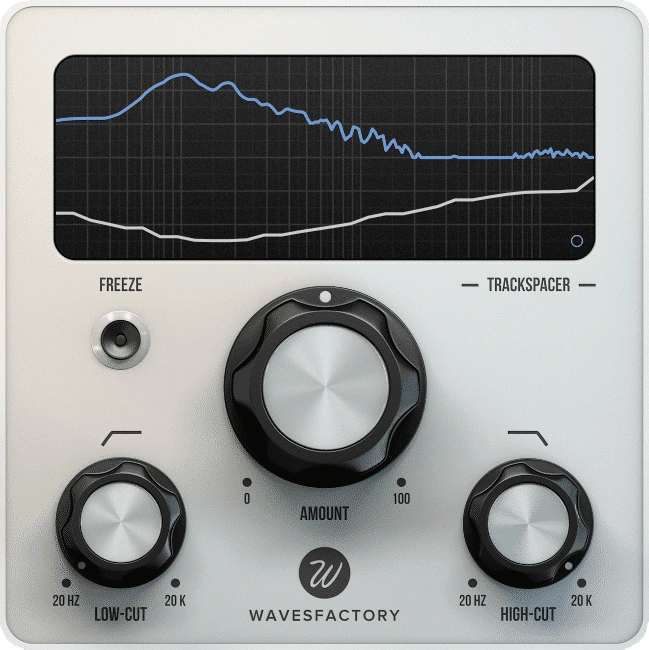
Trackspacer analyses the sidechain signal and applies an inverse EQ curve to the track you place it on. Its 32-band system follows the source spectrum, while Amount controls how much space you create. Low-cut and high-cut controls restrict the working range. The advanced panel adds attack, release and stereo or mid-side adjustment.
That layout suggests a straightforward decision process: choose the priority sound, route it to the sidechain, then introduce only enough reduction to help it come through. If you often get distracted by detailed EQ editing, a more limited interface may help you finish the adjustment and move on.
We would shortlist Trackspacer for producers who repeatedly need the same small intervention: a vocal needs room against a piano, or a kick needs a little space in a bass line. Read our full Trackspacer review for more detail on that workflow.
Why choose FUSER?
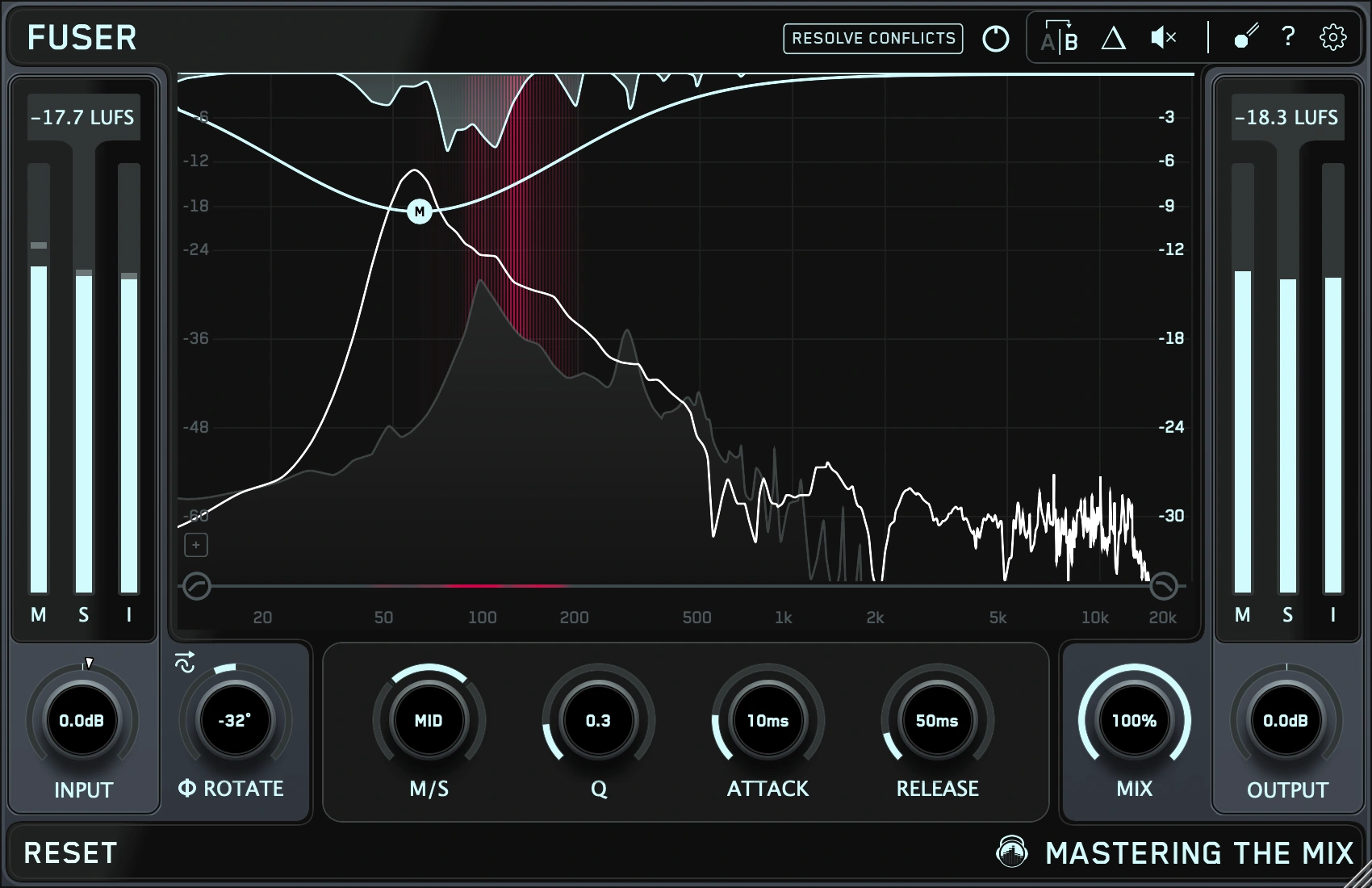
FUSER combines conflict detection with editable dynamic processing. Resolve Conflicts supplies a suggested starting point; manual nodes let you adjust individual frequency areas. Each node has Q, attack, release and mid-side controls. Delta monitoring lets you hear what the processing removes.
FUSER also includes phase rotation, Phase Analyze and Phase Match. These are separate tools for investigating how layered signals combine. They give you another reason to try FUSER if your problem involves cancellation as well as masking.
The advantage of this approach is choice. If one area needs a short response and another needs a slower recovery, separate nodes provide a more detailed way to work. The trade-off is that you have more settings to understand and more decisions to make.
Our FUSER review looks at its individual controls and buying considerations.
Vocals: which workflow makes more sense?
Imagine a lead vocal competing with a dense piano. Start by balancing the two without either plugin. If lowering the piano slightly solves the problem without weakening the song, keep that simpler solution.
If the clash happens mainly during the lyrics, try processing the piano with the vocal as the sidechain source. The piano is the sound receiving the reduction; the vocal tells the processor when to make room.
With Trackspacer, our suggested trial would be to bring Amount up gently, then restrict the frequency range if too much of the piano changes. Listen to a full phrase and the gap after it. The accompaniment should still feel like the same instrument.
With FUSER, try the automatic starting point, then inspect whether its nodes address the competition you actually hear. Avoid keeping extra cuts simply because a display suggests them. A slightly crowded verse can still be more convincing than an accompaniment that changes character around every syllable.
Our choice: try Trackspacer first for a simple vocal-versus-instrument job. Try FUSER first when you want separate control over the areas being reduced. For the wider vocal workflow, see how to make vocals sit in the mix.
Kick and bass: define the problem before choosing
There are several different reasons a kick and bass might fight. The kick may be too long, the bass may enter at an awkward moment, or both sounds may carry more low end than the arrangement needs. A new plugin is most useful after you have ruled out those basic choices.
For a fair trial, use a loop with several bass notes and more than one kick pattern. Put the processor on the bass and feed the kick into its sidechain. Listen for the kick attack while checking that the bass still carries the groove between hits.
Trackspacer is worth trying when you want a focused adjustment without placing individual nodes. FUSER is worth trying when you want to inspect particular conflicts and edit their responses separately. If you also suspect cancellation between layers, audition FUSER's phase tools as a separate step.
Do not assume a setting that helps one hit will improve every note. Test the busiest section and a quieter passage. Our kick and 808 mixing guide covers the sound selection, arrangement and balance decisions behind this test.
FUSER's phase tools: a reason to switch?
Phase tools are a meaningful feature difference, but they should solve a problem you can identify. Masking concerns one sound making another harder to hear; cancellation concerns how waveforms combine. Both can affect the low end, so it is easy to confuse them.
If you already own Trackspacer, we would not buy FUSER solely because it has a longer feature list. First find a project where your current approach falls short. Try FUSER there and judge whether its additional controls make the task easier.
Keep the original phase settings available for comparison. The FUSER manual specifically notes that Phase Match can introduce artifacts. Evaluate the whole pattern rather than choosing the loudest isolated hit. Also remember that reducing FUSER's Mix does not undo its gain or phase adjustments.
Do you need either if you own a dynamic EQ?
Possibly not. A dynamic EQ with a suitable external sidechain can already help one instrument move out of another's way. If you understand that workflow and get the result quickly, an extra unmasking plugin may offer convenience rather than a missing capability.
Our suggested comparison is practical: solve the same clash with your current tools, then repeat it with the trial. Keep the version that preserves the musical balance with the least unnecessary work.
For obvious rhythmic pumping, also try broadband sidechain compression or volume shaping. Sometimes you want the whole bass to move, rather than only part of its frequency range. Our Kickstart 2 vs Duck 2 comparison explores a different route to that effect.
Price, trials and value
Both products are available through Plugin Boutique. Compare the current prices in your currency before buying; discounts and bundles can change the value calculation. We would choose by workflow first, then use the live price to decide whether the improvement justifies the cost.
For a trial, prepare one vocal-and-instrument example and one kick-and-bass example from your own projects. Confirm that the sidechain reaches the plugin, compare at a sensible overall level and avoid stacking both processors during the test. If your plugin is missing in FL Studio, start with our VST detection guide.
We cannot name a CPU winner without a repeatable benchmark. Test the instances you expect to use in your own DAW, including any FUSER filter-mode changes, before making performance part of the purchase decision.
SoundShaper opinion
We would start with Trackspacer if the goal is simply to make space and return to the rest of the mix. Its focused design is the main attraction. A tool does not need to offer every possible adjustment to earn a place in a session.
FUSER would be our first trial if you enjoy detailed editing, want a guided starting point or regularly investigate layered low-end problems. Its extra analysis and phase functions give it a broader role, provided those are tasks you actually encounter.
If you already own either plugin and it solves your recurring clashes, there is little reason to buy the other without a specific unmet need. Spend time identifying that need before spending money.
Frequently asked questions
Is FUSER better than Trackspacer?
FUSER offers more analysis and editing options. Trackspacer offers a more focused approach. We would choose between them by the adjustments you need, rather than claim one always sounds better.
Can Trackspacer and FUSER make room for vocals?
Yes. For this workflow, place the processor on the competing instrument or bus and use the vocal as the sidechain source. Check the balance first and keep only the reduction that helps the lyric remain clear.
Should I use both on the same track?
We would start with one. Stacking them to solve the same clash makes it harder to judge which adjustment helps and can lead to excessive reduction. Add another stage only if it has a separate, clearly defined job.
Conclusion
Choose Trackspacer for a simple, focused way to create space between competing parts. Choose FUSER for guided conflict analysis, individual node control and phase tools. The better purchase is the one that makes a recurring mixing task easier while preserving the role of both sounds.
Try each on a problem you already understand. Keep the processing only when the complete mix benefits.
Sources
Product details checked on 23 October 2026 against Wavesfactory's Trackspacer page, the official FUSER page and the FUSER manual. Cover artwork is based on the official Trackspacer and FUSER interface images.
![[background image] image of recording equipment (for a musician & band)](https://cdn.prod.website-files.com/68efa70811edd8e5af30a90d/6adbdffd1258b281fa64d9e8_6adbdfe06748b62dcaeff101_vintageverb-vs-pror2-cover-v2.webp)
![[background image] image of recording equipment (for a musician & band)](https://cdn.prod.website-files.com/68efa70811edd8e5af30a90d/6adbdd6f7d47fb086e52b147_6adbdd4e3cb3e94d421e55da_how-to-fix-harsh-vocals.webp)
![[background image] image of recording equipment (for a musician & band)](https://cdn.prod.website-files.com/68efa70811edd8e5af30a90d/6adbd8f9d34e0624a55714e1_6adbd8e12694d8b251e72784_decapitator-vs-saturn-2-corrected.webp)