
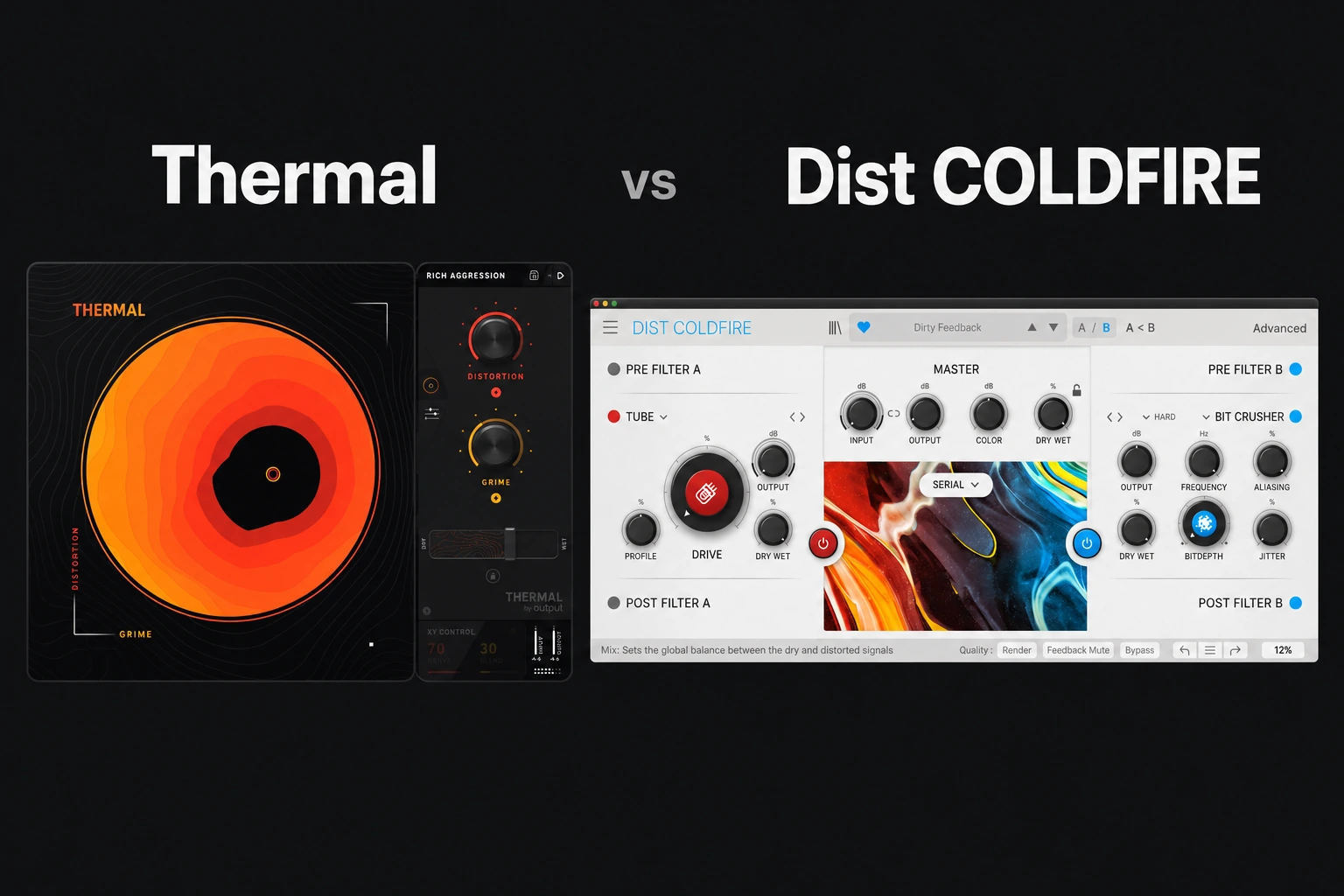

Choose Thermal if you like exploring distortion through presets, macro controls and an XY pad. Choose Dist COLDFIRE if you want to build a sound around two distortion engines, choose their routing and add detailed modulation.
For producers who usually start with a preset and adjust its character, Thermal is our first shortlist. For producers who already have a specific processing chain in mind, COLDFIRE is the more direct starting point to investigate.
This is an editorial comparison based on Output and Arturia documentation. We have not run a controlled listening comparison or measured CPU use. The recommendations below concern features and workflow, with practical ideas to try in your own session. Information checked on 29 October 2026.
The main difference is how you build the effect
| Decision | Thermal | Dist COLDFIRE |
|---|---|---|
| Starting point | XY pad and macro controls | Two distortion engines |
| Deeper processing | Three stages with optional Band Split | Five routing options between engines |
| Movement | Macro control and modulation | Six assignable modulation slots |
| Factory presets | 250+ | 150+ |
| Our reason to demo | Find and perform useful variations | Design the relationship between two processors |
The number of presets does not settle the purchase. The useful question is how quickly you can turn a starting sound into a finished part.
Thermal: explore first, then open the details
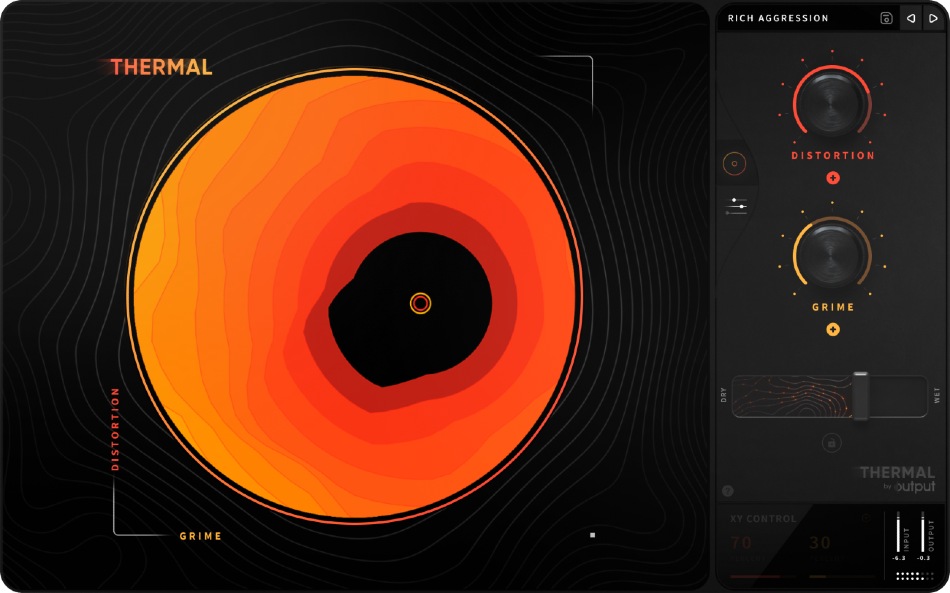
Thermal presents a circular XY control linked to macro parameters, with a more detailed Advanced page behind it. Its multi-stage engine combines distortion with additional effects and stereo tools. Output lists nine built-in effects and more than 250 presets.
That makes it an appealing candidate when you know the direction—rougher, wider, more animated—but do not yet know the exact chain. You can explore a preset, keep a useful position and then inspect the processing behind it.
The trade-off is that a macro can change several things together. If a variation becomes more exciting, check whether that comes from distortion, stereo width, extra effects or simply level. A useful macro movement should still work when the rest of the track is playing.
Our Thermal review explains the individual plugin in more detail.
COLDFIRE: choose the engines and their relationship
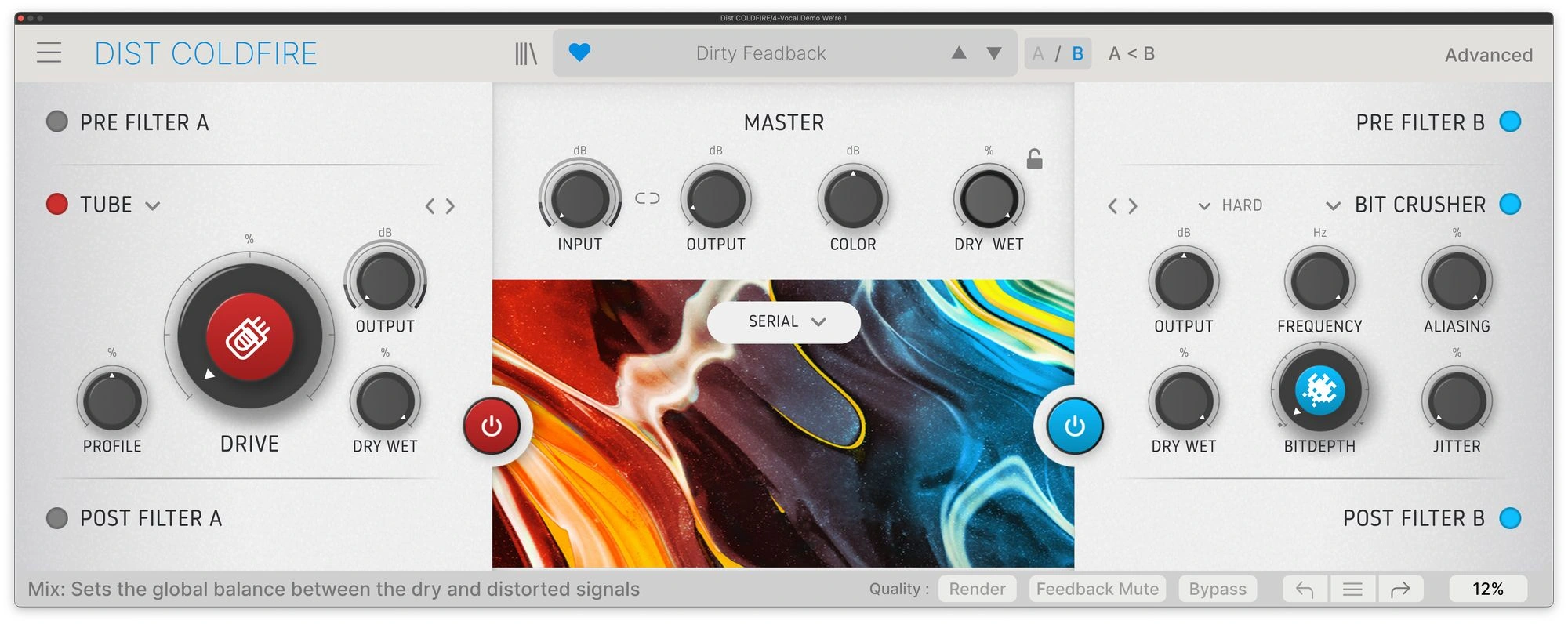
Dist COLDFIRE offers two engines and eleven distortion types. Routing options include Serial, Parallel, Stereo, Mid/Side and Band Split. Its advanced controls add filtering, dynamics, feedback and modulation.
Serial processing sends a sound through one engine and then the other. Parallel processing gives you two paths to blend. That is a meaningful starting choice: do you want one distortion to reshape the result of another, or two different treatments contributing alongside each other?
COLDFIRE’s six modulation slots can use an LFO, Function generator, envelope follower or 16-step sequencer. Arturia allows repeated source types, so the slots are not restricted to one of each.
Our reason to shortlist it is deliberate patch construction. Start with one engine, choose a second only when it adds something useful, then decide whether movement belongs in the sound at all.
Read the full Dist COLDFIRE review for its wider feature set.
For 808s and bass: protect the job of the low end
If the bass is already carrying the track, begin with a small goal: make its character easier to hear without losing the weight or consistency of the notes. More drive is not automatically the answer.
Thermal’s Band Split lets a stage target a frequency range. Its Refilter option can remove new harmonics outside that selected range. Output also notes that the stage Tone controls act after stage summing across the full spectrum, so do not assume every control is limited to the selected band.
COLDFIRE’s Band Split routing offers another architecture to investigate. Compare the final bass line across several notes and check whether the kick still has room.
We would try Thermal first for finding a character quickly, and COLDFIRE first for comparing two chosen distortion treatments. That is a workflow preference to test, not a claim that one produces universally stronger bass.
For the mix around the plugin, see how to mix kick and 808.
For drums: decide between body, attack and a separate layer
Before distorting a whole drum bus, decide what is missing. A snare that needs more body, a loop that needs rougher texture and a kick that needs more attack are different tasks.
For an exploratory loop treatment, Thermal’s preset-and-macro approach is a sensible first demo. Keep the original available and compare the result with the hats and vocal present. Extra high-frequency energy can feel impressive in solo and tiring in a full mix.
For a more planned treatment, try one COLDFIRE engine, then compare adding a second in serial versus parallel. Keep the level comparable. If the snare loses its initial hit, reduce the processing or use the distorted version as a quieter supporting layer.
Neither workflow requires maximum destruction. A small contribution that survives a level-matched comparison is a better result than a louder patch you later have to undo.
For moving textures and transitions
Try Thermal when you want to explore a continuous change through the XY control. Try COLDFIRE when you want to assign movement to specific parameters and understand the timing behind it.
Give either plugin a short destination: the last beat before a drop, one repeated vocal chop or an alternate synth phrase. Render a few versions and choose the one that helps the arrangement move forward.
If your main goal is a sequence of different effect events rather than distortion character, also consider our ShaperBox 3 vs Infiltrator 2 comparison. Choosing the type of workflow first can prevent buying a tool for the wrong recurring task.
Price, ownership and performance
Compare current store prices rather than treating a past sale as the normal price. Also check your existing licences and account offers: if you own an Arturia effects collection, verify whether COLDFIRE is already included in your edition before buying it separately.
Do not pay for a second creative distortion simply because the interface looks different. Try to name a task your current plugin makes difficult, then use that exact task for the demo comparison.
Check current system requirements, activation and DAW compatibility on the manufacturer pages. For COLDFIRE, Arturia documents Studio and Render oversampling settings; test the quality setting you expect to use. We have no measured basis for calling either plugin lighter on CPU.
SoundShaper opinion
Thermal is our first demo choice for producers who want to explore a sound and perform variations from a compact front page. Its deeper stages are there when you need to understand or change the preset.
Dist COLDFIRE is our first demo choice for producers who enjoy choosing algorithms, routing them and programming their movement. Its appeal is the way those choices are organised.
For gentle everyday saturation, also compare a simpler workflow. Our Decapitator vs Saturn 2 comparison provides another buying reference.
Conclusion
Try Thermal if you prefer to find a useful character through macros and then refine it. Try Dist COLDFIRE if your ideas start with a pair of processors and a routing plan. Buy the one that helps you complete an actual part with fewer abandoned decisions.
Sources
Output: Thermal features; Output: stage processing, Band Split and Tone; Arturia: Dist COLDFIRE features and routing; Arturia: modulation and oversampling. Checked 29 October 2026.
![[background image] image of recording equipment (for a musician & band)](https://cdn.prod.website-files.com/68efa70811edd8e5af30a90d/6ae28f3ffeabaf5b76db2580_6ae28f255000f820b159a320_crystalline-review-cover.webp)
![[background image] image of recording equipment (for a musician & band)](https://cdn.prod.website-files.com/68efa70811edd8e5af30a90d/6ae28e7e5d1572089570ac87_6ae28e5eead33b2db2a18b5f_transit-2-review-cover.webp)
![[background image] image of recording equipment (for a musician & band)](https://cdn.prod.website-files.com/68efa70811edd8e5af30a90d/6ae28d603a57759da71022d6_6ae28d41f6af13c91dee9c76_drumazon-2-review-cover.webp)