
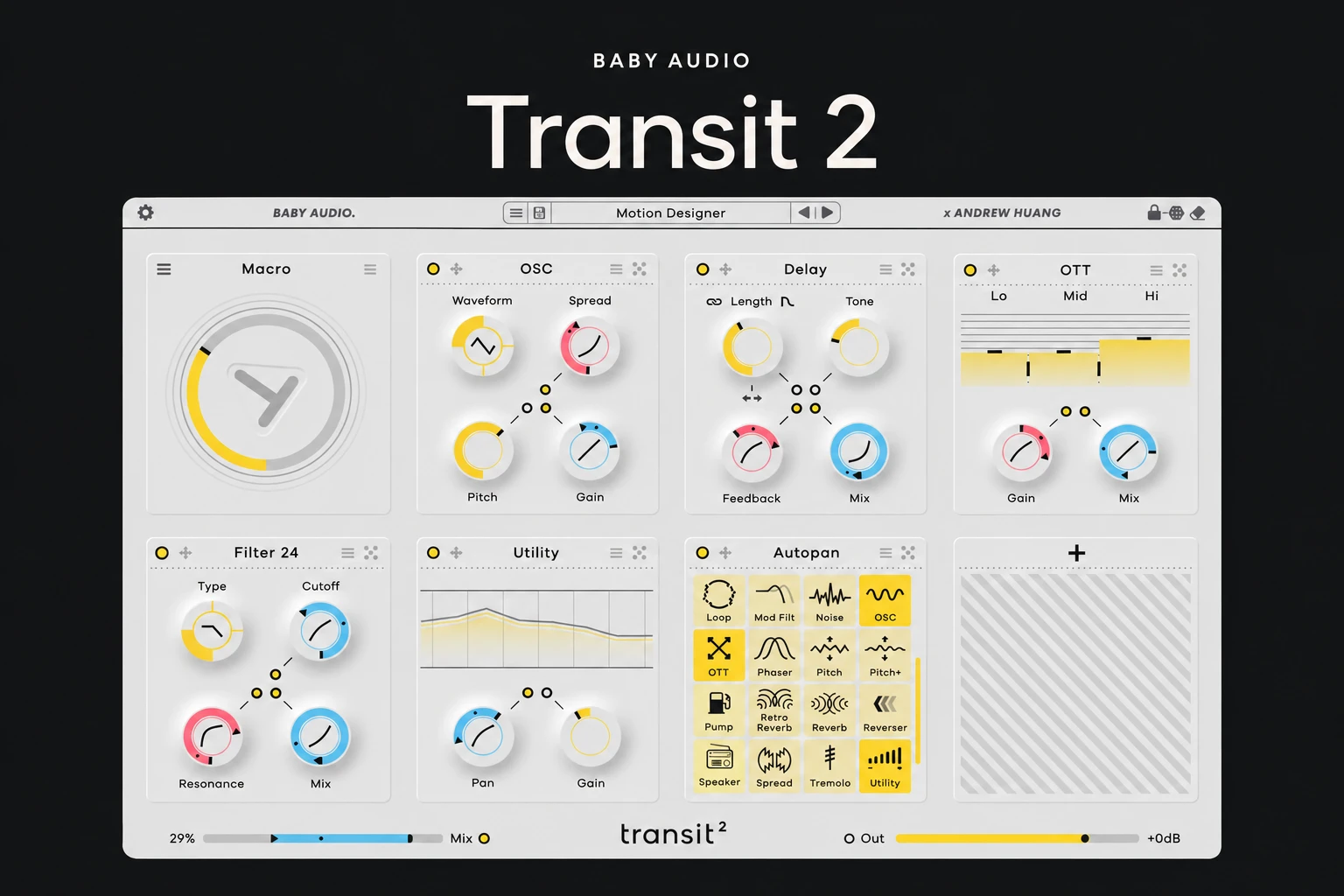

Transit 2 is worth considering if your music regularly needs coordinated effect changes: a breakdown that opens into a drop, a vocal that dissolves into delay, or a synth part that needs rhythmic movement. Its appeal is controlling a designed chain of effects through a shared motion system.
The important buying question is how often you need that workflow. If one automated filter already handles most of your transitions, this may be an enjoyable extra. If you repeatedly build the same complicated effect chains, the case becomes stronger.
This is an editorial review of the published features and workflow. We have not carried out a hands-on listening test or performance benchmark.
What is Transit 2?
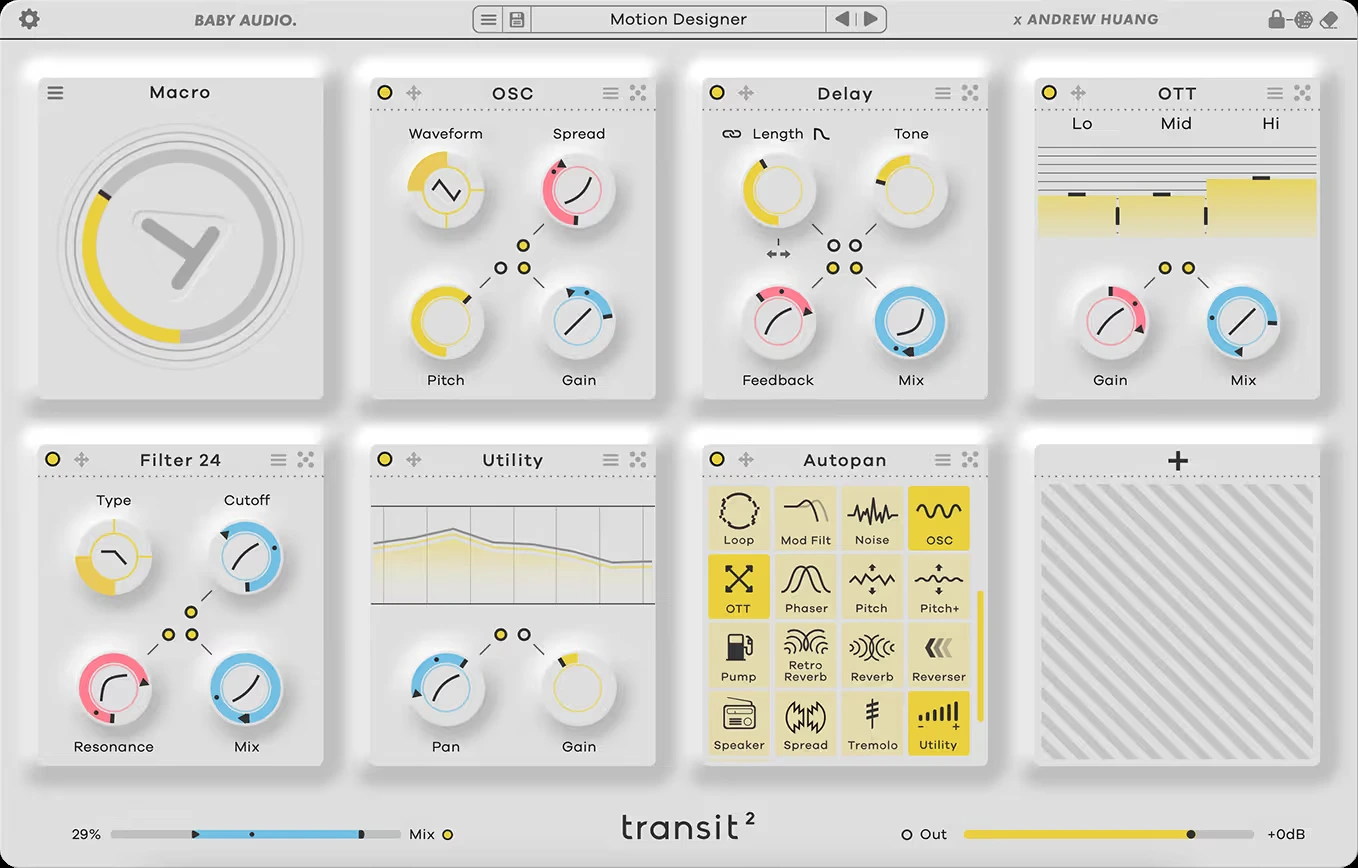
Transit 2 is Baby Audio's motion multi-effect, developed with Andrew Huang. It offers 28 effect modules, with up to seven effects in a chain, and six motion modes. Modules include familiar processing such as filtering, delay and reverb, alongside options such as Loop, Reverser and Warp.
The effects are only part of the idea. You choose how their linked controls move together, so a single action can change several aspects of a sound. That makes the plugin relevant to both arrangement transitions and ongoing sound design.
The macro workflow is the main attraction
In Macro mode, linked parameters follow one control. Their ranges and directions can be set separately, which means a transition does not have to turn every effect up at once. One parameter can increase while another decreases.
That distinction matters. A useful transition often needs a deliberate handover: the original sound becomes less prominent while texture or space becomes more noticeable. Linking everything to the same direction can make a transition louder and busier without helping the next section arrive.
Our advice is to begin with two effects and a clear musical purpose. Decide which part of the sound should disappear and what should replace it. Add another module only when it solves a specific problem. A smaller chain is easier to adjust when the arrangement changes.
Six modes give it a wider role
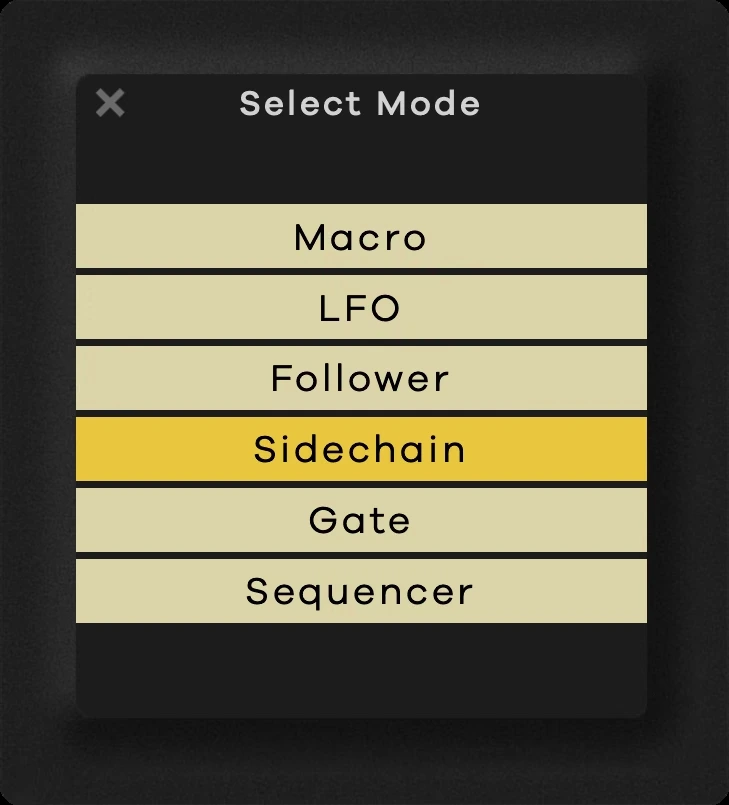
Macro provides direct control. LFO creates repeating movement, while Follower responds to the incoming audio level. Sidechain uses another signal to drive the movement. Gate triggers motion while held, and Sequencer launches a tempo-synced transition at the next bar.
For us, that range changes the buying argument. Someone who rarely creates dramatic risers might still want effects that react to a drum pattern or bring variation to a sustained instrument. The motion system can become part of a sound rather than something reserved for the final bars before a drop.
We would still choose one job first. It is easier to judge the value of a plugin when you know whether you want repeatable transitions, rhythmic processing or audio-reactive movement. Exploring every mode immediately can hide whether your main task has actually become easier.
Where it fits in a production
Vocal endings: a short phrase between sections is a sensible place to try a coordinated transition. Work on a dedicated vocal track or send first, so you can judge the effect without transforming every element of the song. Keep the lyric understandable until the point where the transition should take over.
Sustained instruments: repeating movement can help a long chord or texture develop across a section. We would check it against the rhythm already present in the track. Extra movement is useful when it supports the groove; it can become distracting when it competes with the main pattern.
Breakdowns and returns: judge the destination as carefully as the buildup. Leave enough contrast for the next section, and listen through the transition rather than repeatedly auditioning only its most dramatic moment.
These are suggested applications, rather than reports of test-session results. The right amount of processing depends on the source and arrangement.
What the workflow does not solve automatically
Transit can make related effect changes easier to manage, but it does not decide what a song needs. If a chorus lacks impact because its rhythm or instrumentation is weak, an elaborate transition may only draw more attention to that problem.
There is also a trade-off in using a shared motion control. It is convenient while several changes belong together. If each effect needs completely independent timing and behaviour, a chain of separate plugins with individual automation may suit you better.
We would avoid treating this as an automatic replacement for every delay, reverb or filter you own. Its strongest reason to exist is the relationship between effects and motion. Buying it solely for another static effect collection makes the decision less convincing.
Presets, price and upgrading
Transit 2 includes presets and randomization with parameter locking. Those are useful starting points, but we would save personal variations around real musical jobs: a restrained vocal transition, a short drum fill or a moving pad texture.
For existing Transit owners, check the upgrade route before buying the full product again. The sensible question is whether the additional motion options and modules fill a gap in your current version. If your original setup already handles the transitions you need, upgrading is optional.
Before purchasing, check current compatibility and try the demo in your usual DAW. In particular, verify the sidechain setup if external triggering is the reason you want it. We have no measured CPU or latency figures to substitute for that check.
SoundShaper opinion
Transit 2 has a clear purpose for producers who enjoy designing transitions and movement as part of an arrangement. We find the idea most compelling when it replaces a repetitive setup process: rebuilding several coordinated effects every time a new section needs a similar treatment.
It is a less urgent purchase if your work mainly needs straightforward mixing and occasional simple automation. You may already have everything required for those jobs. The strongest reason to buy is a workflow you expect to reuse, rather than the promise that every track needs more activity.
If you are exploring other approaches to creative processing, our ShaperBox 3 review looks at another option for shaping effects over time.
Conclusion
Transit 2 deserves a place on the shortlist when you want to coordinate multiple effects through a shared motion system. Its six modes make it relevant beyond traditional build-ups and washouts.
Try one unfinished transition and one ongoing movement effect. If it makes those jobs easier to finish and revisit, the purchase has a practical purpose. If simple automation already gives you the result comfortably, there is no need to add complexity.
Product references: Baby Audio Transit 2 and the official Transit 2 user manual.
![[background image] image of recording equipment (for a musician & band)](https://cdn.prod.website-files.com/68efa70811edd8e5af30a90d/6ae28f3ffeabaf5b76db2580_6ae28f255000f820b159a320_crystalline-review-cover.webp)
![[background image] image of recording equipment (for a musician & band)](https://cdn.prod.website-files.com/68efa70811edd8e5af30a90d/6ae28d603a57759da71022d6_6ae28d41f6af13c91dee9c76_drumazon-2-review-cover.webp)