
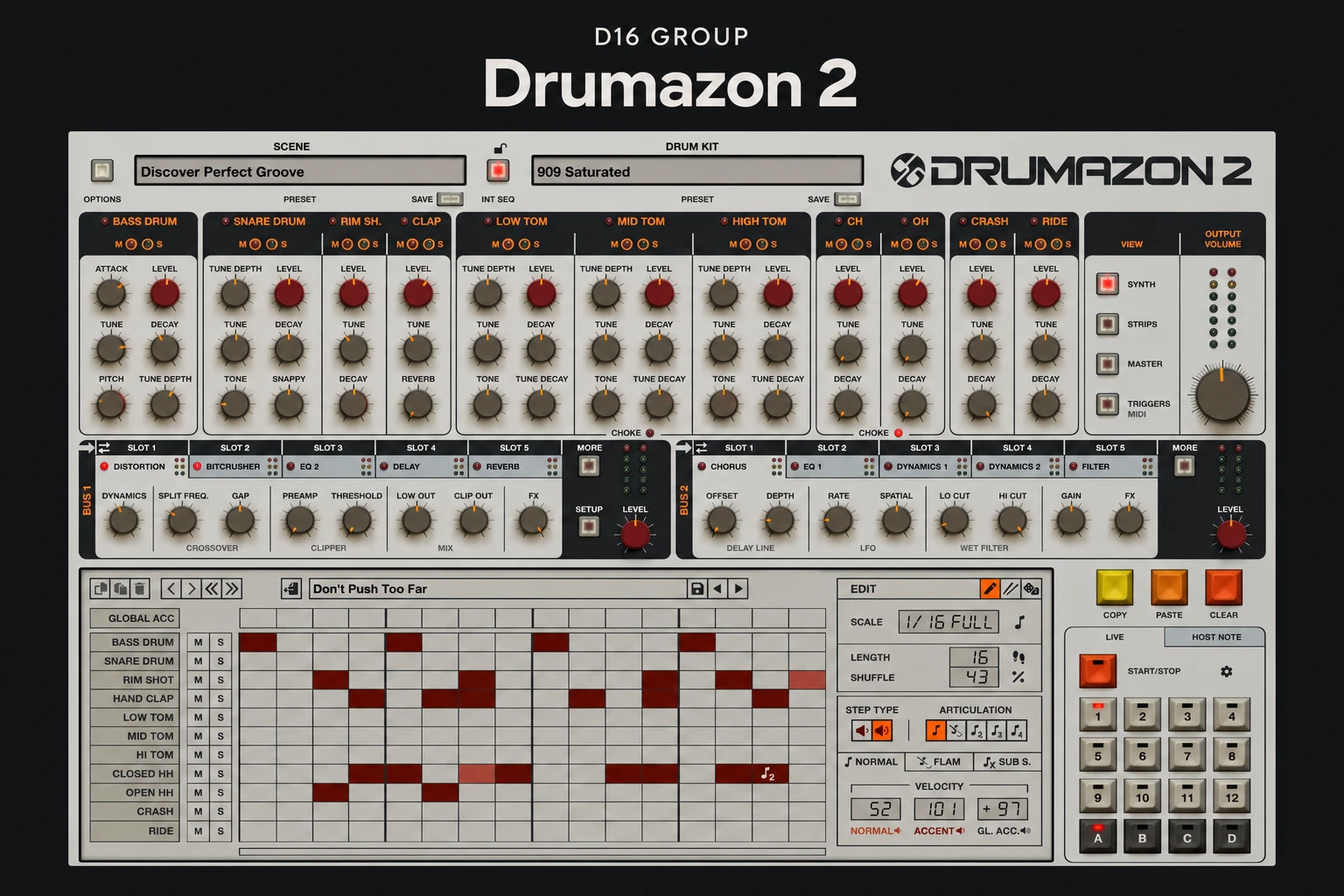

Drumazon 2 makes sense if you want to build electronic drum patterns inside a dedicated 909-style instrument. The reason to consider it is the complete workflow: shape the individual drums, program a groove and develop the processing within the same plugin.
If you already have good 909 samples, the decision is less obvious. Those may cover your tracks perfectly well. Drumazon 2 needs to earn its place through the way you work, rather than simply adding another familiar kick and hi-hat to your collection.
This review is an editorial assessment of the published features and documentation. It does not claim a hands-on audio test or a comparison with an original TR-909.
What is Drumazon 2?
Drumazon 2 is D16 Group's software drum machine based on the Roland TR-909. It covers the original machine's 11 drum sounds and adds sequencing, instrument processing and bus effects. It runs inside a compatible host such as a DAW; it is not a standalone application.
We would shortlist it for house, techno and other electronic tracks where a deliberately limited drum palette is useful. That focus can help you spend more time adjusting a groove and less time searching through thousands of unrelated samples.
The main appeal: shaping a kit as an instrument
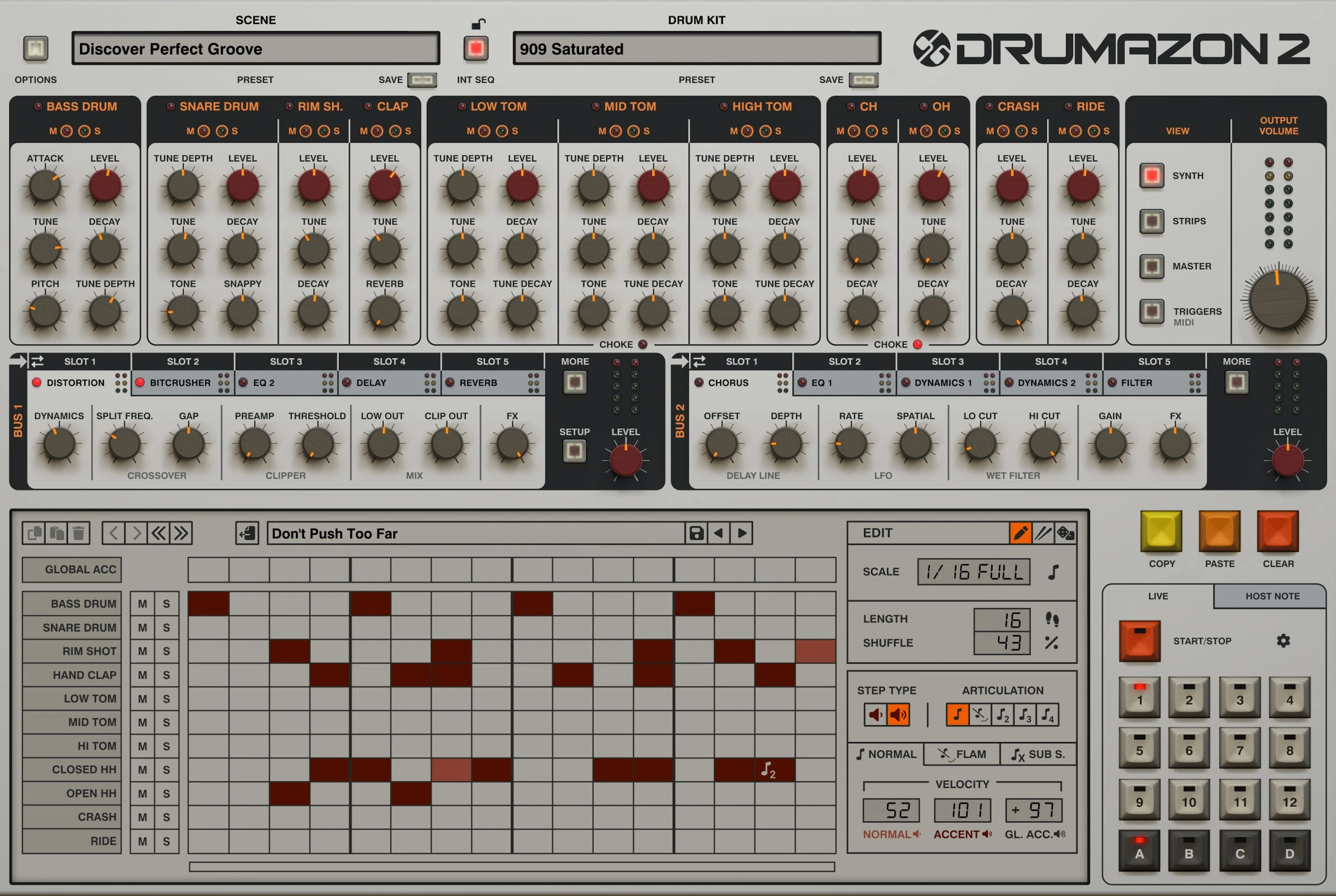
A sample workflow usually begins by choosing a recording. Drumazon encourages a different starting point: build a kit around the controls of a dedicated drum machine, then adjust the parts as the arrangement develops.
For example, a kick that works beneath a short bass line may become too long when the bass changes. We would first revisit its decay and level before reaching for more processing. Likewise, a busy hat pattern may need fewer steps or a lower level rather than an entirely different sample.
The advantage is consistency. You are working within one sound family, which can suit a track built around a clear drum identity. The limitation is the same focus: this is a targeted electronic drum purchase, rather than a general solution for acoustic kits or a wide sample collection.
Sequencing goes beyond placing steps
The internal sequencer includes accents, flam and substep articulations, a tap-recording function and a configurable randomizer. MIDI drag-and-drop export lets you move a completed pattern into the DAW for further editing.
Those features matter when a basic loop needs variation. Our advice is to write the main beat first, then use articulations on a few selected hits. A flam on one transition can have a clearer musical purpose than adding extra movement across every lane.
Randomization is best treated as a source of material to edit. Keep the useful parts and remove anything that weakens the groove. Generating a busier rhythm does not automatically produce a better drum part.
MIDI export is also a useful buying consideration if you prefer arranging in the piano roll. It gives you a route from the drum-machine environment into your usual editing workflow. Remember that MIDI contains note information, rather than the finished processed audio.
Processing inside the plugin
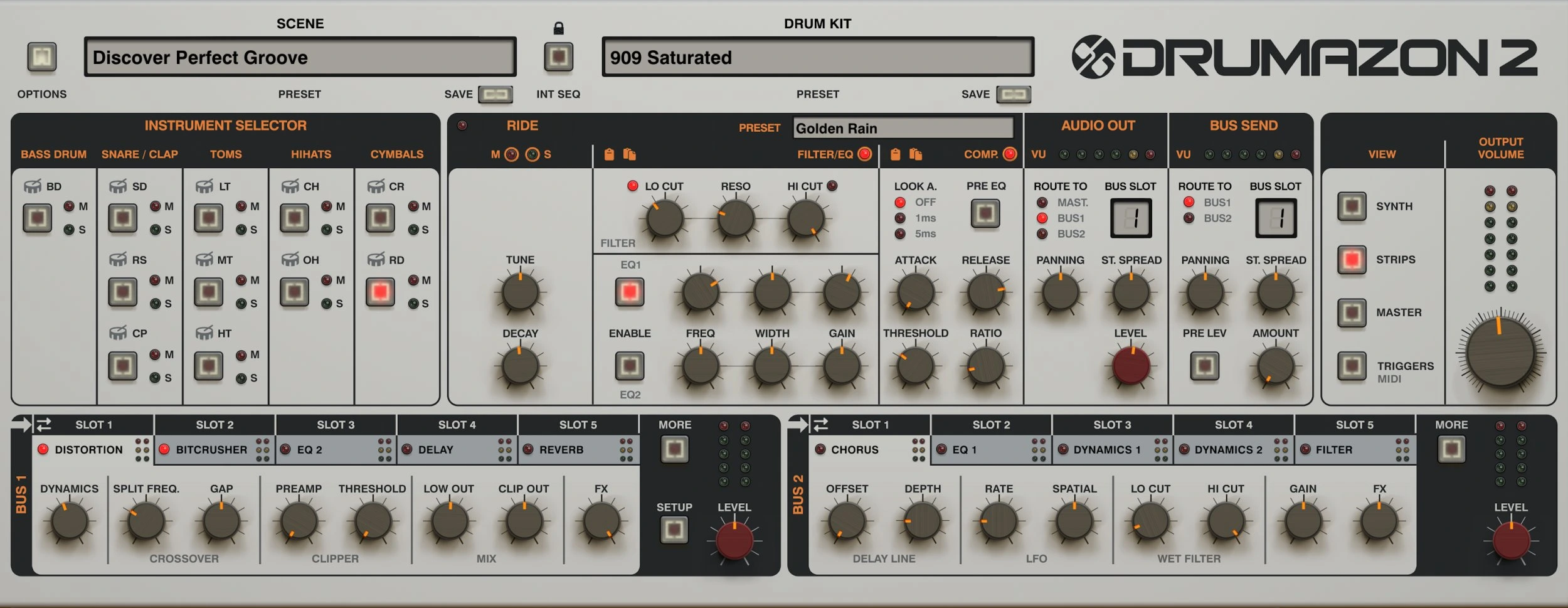
Each drum has a channel strip with EQ and compression. Two effects buses offer processing such as distortion, bitcrushing, delay and reverb. A master section includes a three-band compressor and a limiter with a soft-clip option.
For us, the benefit is being able to develop the kit before building a large external effects chain. That can be especially appealing when a project starts with the drums and the rest of the arrangement follows their character.
The risk is committing to too much processing early. We would keep a simpler kit preset alongside a heavily treated version. Compare them with the bass and musical parts playing, and match the output level as closely as practical. Otherwise the louder version can seem more convincing simply because it is louder.
Where samples may still be the better choice
If your current drum rack already gives you the sounds and editing speed you need, a dedicated 909 plugin may add little. A producer who assembles each kit from different recordings may also prefer keeping that selection process at the centre of the workflow.
Drumazon is easier to justify when you want to return to the same instrument across several tracks. Learning a focused tool can become valuable over time, but only if you enjoy the process enough to use it regularly.
We would also consider the interface during the demo. There are separate areas for sound, channel processing and master processing. Explore the edits you make most often and check whether moving between them feels comfortable on your screen.
What to check before buying
Build one short pattern at the tempo of an unfinished track. Change the kick and hat balance, add a small fill and export the MIDI. Then reopen the project to check that the workflow fits the way you save and revisit ideas.
Also try the plugin with your normal project load. We have no measured CPU figures for this review, so performance on your own computer is more useful than an assumption based on the appearance of the interface.
Check D16's current compatibility information for your operating system and plugin format. Compare the checkout price with any bundle or upgrade offer available to your account. A temporary discount is only useful if the instrument solves a problem you actually have.
SoundShaper opinion
Drumazon 2's strongest argument is the combination of a focused drum palette, pattern editing and integrated processing. We would put it on the shortlist for producers who want a recurring 909-style instrument at the centre of their electronic drum workflow.
We would be less enthusiastic about buying it purely to obtain more drum sounds. If you rarely adjust your existing kit after choosing samples, much of its appeal may go unused. The purchase becomes more convincing when editing and developing the kit is part of the creative process you want.
Conclusion
Drumazon 2 is worth considering when you want a complete 909-style drum-machine workflow inside your DAW. Its sequencer and processing are central to that value.
Try it against the drum workflow you already use. If it helps you finish a groove you want to keep, there is a clear reason to consider buying. If your samples already do the job comfortably, this can remain an optional specialist instrument.
Product references: D16 Drumazon 2 features, downloads and compatibility and the official user manual.
![[background image] image of recording equipment (for a musician & band)](https://cdn.prod.website-files.com/68efa70811edd8e5af30a90d/6ae28f3ffeabaf5b76db2580_6ae28f255000f820b159a320_crystalline-review-cover.webp)
![[background image] image of recording equipment (for a musician & band)](https://cdn.prod.website-files.com/68efa70811edd8e5af30a90d/6ae28e7e5d1572089570ac87_6ae28e5eead33b2db2a18b5f_transit-2-review-cover.webp)