
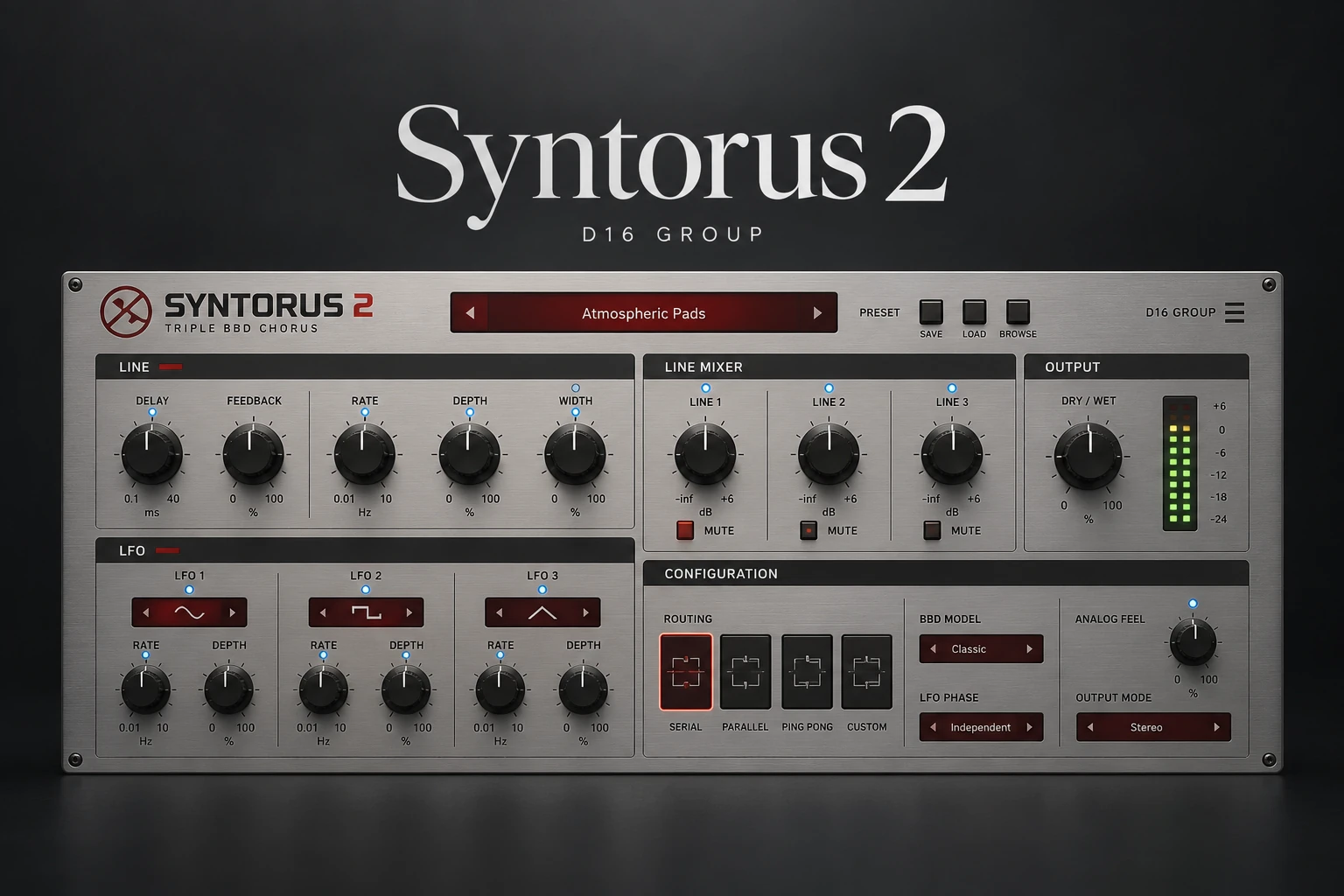

D16 Syntorus 2 is worth auditioning if you want detailed control over chorus movement on synths, keyboards and guitars. Three delay lines and configurable modulation give it more to explore than a simple width effect, especially when you want the movement to become part of the sound.
If you only need a little thickness on an occasional pad, start with the chorus already in your synth or DAW. Syntorus 2 becomes a more relevant purchase when that existing effect does not give you the modulation, stereo placement or character you want.
This review is based on current manufacturer information and the Plugin Boutique listing, rather than a hands-on listening or performance test.
What is D16 Syntorus 2?
Syntorus 2 is an analog-style chorus based around three BBD delay lines and three configurable LFOs. BBD stands for bucket-brigade device, a technology associated with analog delay circuits. D16 offers an Analog BBD option alongside the cleaner default model.
The useful buying distinction is the control over several moving layers. Rather than treating chorus as a final “make it wider” step, you can investigate how those layers contribute to the instrument's motion and position.
That does not mean a more complicated chorus is always better. A simple arrangement may need a stable keyboard sound more than a constantly changing one. Begin with the part's job in the song, then decide what movement would help.
Three delay lines: listen to the layers separately
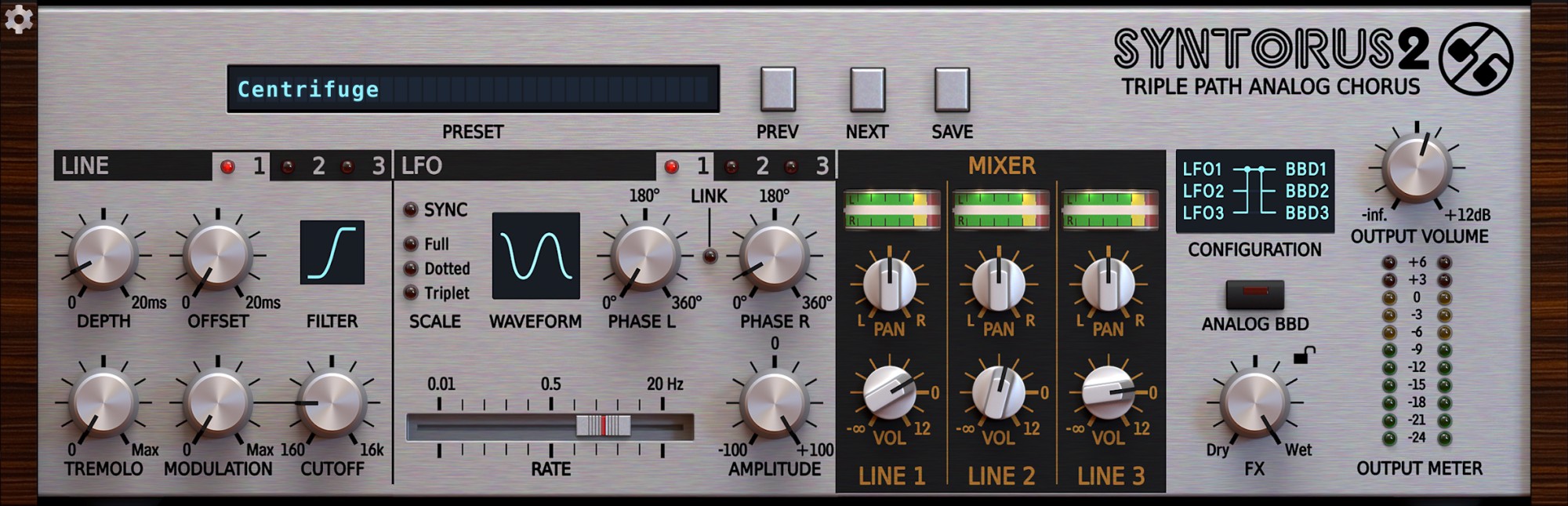
The delay-line mixer provides level and panning controls for the three lines. The modulation section offers different LFO-to-delay configurations, giving you several ways to organise their movement.
Our suggested audition is to start with one line contributing clearly, then bring in another. Ask what the additional layer changes: does the chord feel fuller, does the stereo image become more useful, or does the part lose its focus?
Do that with the other instruments playing. A wide pad can be impressive in isolation while competing with guitar layers or backing vocals in the chorus. Sometimes a smaller effect makes the arrangement feel larger because the important elements remain easier to follow.
Where we would try Syntorus 2 first
Held pads and synth strings
Use a progression with long notes and a clear transition between chords. Start with restrained movement so you can hear whether the effect adds interest during the sustain without blurring the change to the next chord.
For ambient music, you might deliberately want an obvious moving texture. For a busy pop arrangement, the same pad may work better with less depth and a more stable centre. Judge it by the arrangement rather than the preset name.
If you are still choosing the instrument itself, our synth plugin guide covers a wider set of sound-generation options. An external chorus is a finishing or sound-design choice; it will not make every unsuitable patch fit the track.
Electric piano and clean guitar
Try a phrase with both short attacks and sustained notes. Listen to the attack first, then the movement behind it. If the effect pulls attention away from the performance, reduce its contribution before changing the instrument's EQ to compensate.
For clean guitar, test the effect with the rest of the guitar chain active. A setting that feels restrained before further processing may become much more prominent later. For keys, include the lowest chords you actually play so the audition covers more than the attractive upper register.
Synth leads and bass textures
On a lead, compare a held note with a faster melody. A moving sustain may be useful while a quick run needs a clearer pitch centre.
For bass, begin with a texture or upper layer rather than assuming the entire low end should move. Compare the result in mono and listen to the bass relationship with the kick. If the foundation becomes less dependable, return to the simpler version before adding another correction plugin.
Tempo sync, filters and tremolo
Each LFO can sync independently to the host tempo, with its phase locked to the project timeline. The LFOs also provide multiple waveforms and left/right phase controls.
This is worth exploring when a pattern's movement needs to relate to the arrangement. Compare a slower motion across a phrase with a faster rhythmic setting. Listen to the entry into a chorus and to repeated passages instead of judging a few seconds of playback.
Each delay line also includes filtering and tremolo. These expand the possibilities beyond straightforward chorus thickening.
Keep those jobs separate during the first audition. If you want a pulsing keyboard, evaluate the volume movement first. If you want a softer background layer, investigate the filtered effect. Adding every type of motion together makes it harder to understand why the part works or fails.
A useful trial session in FL Studio
1. Choose a plain source. Use a pad, keyboard or guitar part with minimal existing modulation. Save the original so you can return to it.
2. Decide what should change. Write down one goal, such as a more interesting sustain or a broader background layer. Keep the original rhythm and pitch role in mind.
3. Start with a restrained effect amount. Compare against bypass at a similar perceived listening level. An increase in level should not decide the result.
4. Explore one modulation decision at a time. Change the rate or depth before rebuilding the entire configuration. Listen to both sustained notes and transitions.
5. Check the complete arrangement. Include the lead vocal, drums and bass. Then check mono and a second section of the song.
6. Compare with your current chorus. Try to reach the same musical goal with both tools. Buy Syntorus 2 only if the difference or workflow matters to you.
If the plugin is missing after installation, follow our FL Studio VST scanning guide. When the session is ready for delivery, our FL Studio export settings guide covers the next stage.
Do you need another chorus?
You want more movement in a synth patch: first check the instrument's own modulation and effects. An internal change may solve the problem with less setup.
You want one chorus across several instruments: an external effect is worth considering because you can learn one workflow and apply it to different sources.
You want a simple widening shortcut: audition your existing tools first. More controls are only an advantage if they help you make the intended choice.
You want echoes or a large ambient tail: compare the job with delay and reverb rather than asking chorus to provide every kind of space. Our Spaced Out review explores another approach.
You mainly want a worn tape texture: our u-he Satin review covers a different toolkit. Choose the effect category from the sound you want, then compare products within that job.
Price, demo and compatibility
When checked on 20 October 2026, Plugin Boutique displayed Syntorus 2 at €58.51, while D16 listed €59. The retailer also offered a trial. Prices, tax treatment and promotions can change, so check the current total in your currency.
Syntorus 2 requires a compatible host rather than running standalone. VST3 is among the listed formats, making it a relevant option for FL Studio.
Use D16's current compatibility information for your actual operating system and processor. The retailer's system section includes older OS ranges, so do not treat that list alone as confirmation for a newer machine.
We have not benchmarked CPU usage or latency. Test the plugin in a representative session at your normal sample rate, particularly if you intend to use it across several tracks.
SoundShaper opinion
Syntorus 2 is most interesting for producers who want chorus to be an adjustable part of the sound design. The separate lines and modulation choices give you concrete features to evaluate rather than relying on the analog label.
For synth-pop, ambient and keyboard-led music, we would trial it on a sustained part you use regularly. For occasional subtle thickening, we would first keep using the tools already available. For a beginner with a limited budget, understanding rate, depth, balance and mono behaviour matters more than collecting another effect.
The strongest buying reason is a repeatable result you struggle to reach with your current chorus. If both tools get you there comfortably, keeping your existing setup is a sensible outcome.
Conclusion
D16 Syntorus 2 offers a flexible approach to chorus, with three delay lines, configurable modulation and additional filtering and tremolo. It deserves a trial when you want more control over movement on pads, keys, guitar or synth layers.
Judge it inside your music. A useful chorus setting should support the part's role, preserve the clarity you need and offer a reason to keep it active after the initial impression wears off.
Sources
Features and pricing checked against the official D16 Syntorus 2 page and Plugin Boutique listing.
![[background image] image of recording equipment (for a musician & band)](https://cdn.prod.website-files.com/68efa70811edd8e5af30a90d/6adbdffd1258b281fa64d9e8_6adbdfe06748b62dcaeff101_vintageverb-vs-pror2-cover-v2.webp)
![[background image] image of recording equipment (for a musician & band)](https://cdn.prod.website-files.com/68efa70811edd8e5af30a90d/6adbdd6f7d47fb086e52b147_6adbdd4e3cb3e94d421e55da_how-to-fix-harsh-vocals.webp)
![[background image] image of recording equipment (for a musician & band)](https://cdn.prod.website-files.com/68efa70811edd8e5af30a90d/6adbd8f9d34e0624a55714e1_6adbd8e12694d8b251e72784_decapitator-vs-saturn-2-corrected.webp)