
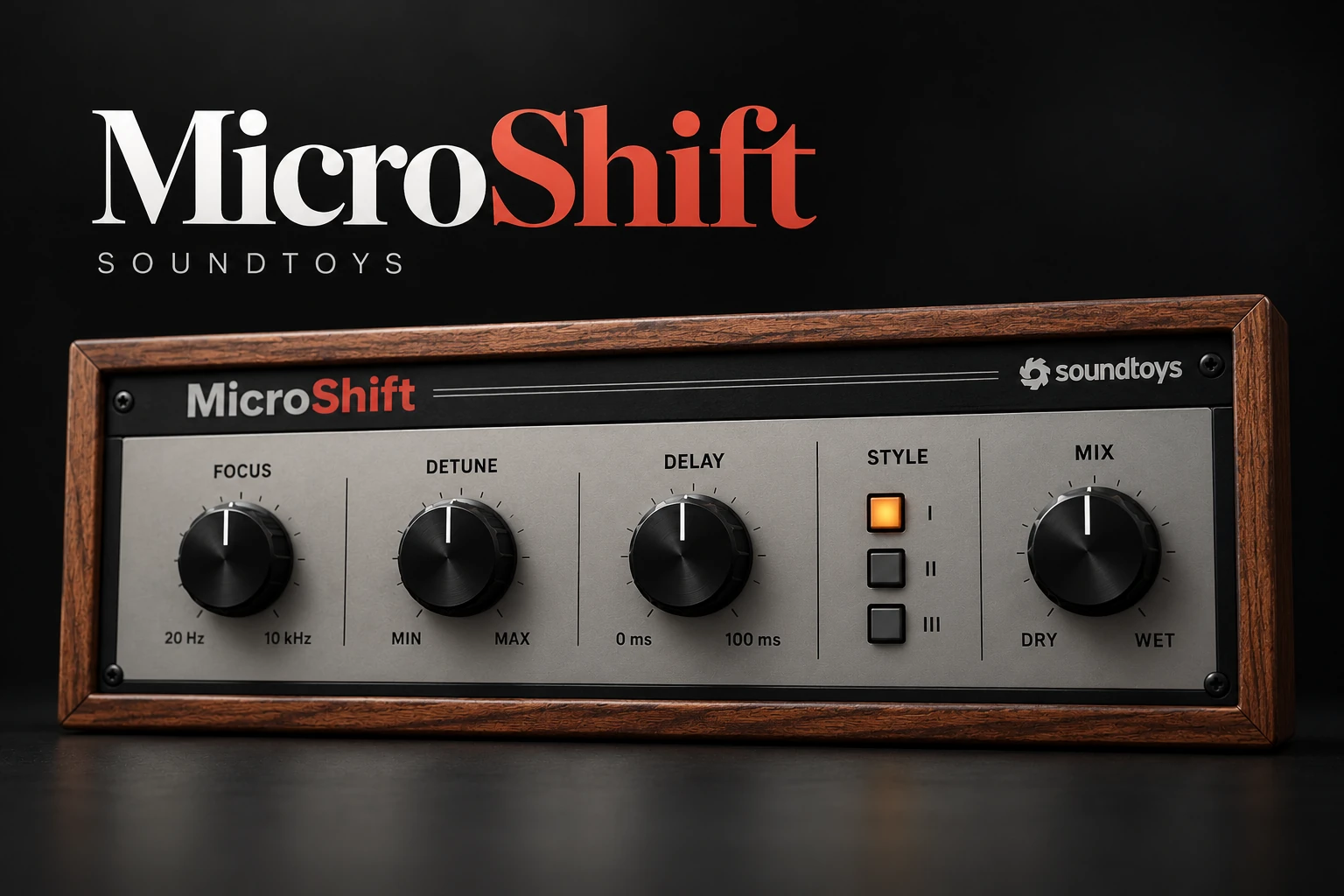

Soundtoys MicroShift is worth considering when you want quick stereo thickening for backing vocals, guitars or synths, with control over how the effect behaves. Its main attraction is a focused workflow: choose a style, adjust the movement and blend it into the arrangement.
We would be less inclined to buy it for a track that already has plenty of width. The useful question is whether one particular part needs a wider role, and whether MicroShift reaches that result more comfortably than your existing effects.
This assessment uses current product documentation and the retailer listing. It does not claim hands-on listening results or measured performance.
What does MicroShift actually do?
MicroShift combines small pitch shifts with time-varying delay to create stereo width. It offers three styles inspired by classic hardware pitch-shifting approaches, with Detune, Delay, Focus and Mix controls.
This is a character effect as well as a placement decision. Listen for changes in the texture and apparent movement of the source, rather than treating the result as a simple panning adjustment.
A useful starting point is a supporting part you can hear clearly: a backing-vocal phrase, a clean guitar line or a simple synth melody. If you start with a huge stereo pad, it can be difficult to judge what the plugin contributes.
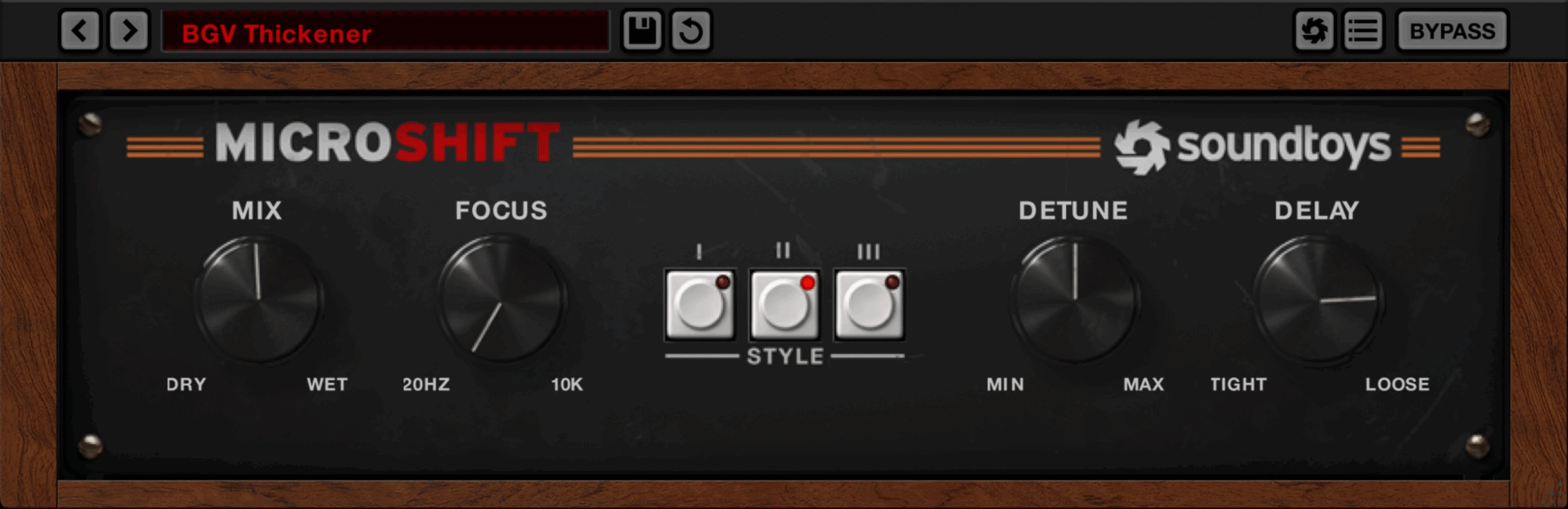
Focus is the control to understand first
Focus sets a crossover so that the effect is applied to the upper band. It lets you concentrate the treatment on higher-frequency material instead of widening the entire range in the same way.
That is different from removing the low frequencies from the whole instrument. When auditioning, listen to how the lower body relates to the moving upper detail.
For a vocal, start with the full phrase and gradually change the affected range. Ask whether the voice keeps a convincing centre and body while the upper detail gains the desired spread. For a synth, check its lowest notes as well as the attractive high ones.
Avoid selecting the setting from a generic frequency target. The useful point depends on the source and on the instruments surrounding it.
Detune and Delay: thickness versus separation
Detune scales the amount of micro pitch shifting, while Delay scales the time-varying delay. Their percentage values are relative to the selected style, rather than a direct semitone or millisecond setting.
First compare the three styles without making large changes. Then explore one control at a time. If you change style, detune, delay and balance together, it becomes harder to identify the adjustment that helps.
On a short vocal phrase, listen to the consonants and the end of each word. A setting can add attractive size to a sustained vowel while making quick lyrics less defined. On guitar, compare the initial pick attack with the sustain.
When the treatment begins to sound like a separate event rather than part of the instrument, decide whether that is the intended effect. Reducing the amount is a valid choice; there is no requirement to use the entire available range.
Backing vocals: our first audition choice
Start with a backing line that supports the lead without carrying the main lyric. Set the effect while the lead is playing, then check the full arrangement.
For pop and R&B, listen to the relationship between the centre vocal and the surrounding layers. If the lead becomes less obvious, reduce the support layer before trying to make the lead brighter or louder.
For a sparse hip-hop arrangement, a small amount of spread on an answer phrase may provide enough contrast. Putting the same treatment on every vocal can remove the contrast that made the effect useful.
MicroShift also does not create a new performance. If the musical idea needs different timing, pronunciation or emphasis, record another take rather than expecting a width effect to supply those differences.
For related processing choices, our vocal plugin guide separates the jobs involved in building a vocal mix.
Lead vocals: preserve the lyric's role
You can audition MicroShift on a lead, but compare clarity with size. A bigger-sounding effect is not automatically a more convincing lead.
Try it on a short section containing both fast words and longer notes. Check quiet lines, breaths and phrase endings. If those details become distracting, reduce the effect or reserve it for particular moments.
Automation is worth considering when the arrangement needs contrast. A wider final word or chorus layer may communicate more than a constant treatment throughout the song.
If your aim is to transform the vocal's register or character instead, read our Little AlterBoy review. That is a different buying decision from adding subtle stereo thickening.
Guitars and synths: choose which part owns the space
For an indie or clean pop guitar, audition the effect against the vocal and the other guitar layers. Keep the playing rhythm easy to follow. If the arrangement already has two distinct performances panned apart, test whether another widening stage adds anything useful.
For synth-pop, start with a plain lead or a narrow chord patch. Listen to the sustained notes and the transitions between them. A fuller texture should still let the harmony move clearly.
For ambient pads, compare with the existing chorus and reverb disabled first. Reintroduce those effects one at a time so you can tell whether MicroShift improves the result or duplicates movement already present.
Our Syntorus 2 review explores a chorus-focused alternative. For a wider selection of sound sources, see the synth plugin guide.
Insert or send: make the comparison deliberate
Mix controls the dry/wet balance. On an insert, use it to choose how much original source remains alongside the treatment.
On a conventional parallel send, start with the effect return fully wet and use the return level to set its contribution. This makes it easier to understand how much untreated audio is already coming from the original channel.
Compare both approaches if you are unsure which you prefer. Keep the listening level similar and avoid accidentally counting the extra dry signal as an improvement.
If you use a separate return, name it clearly and check which tracks feed it. Sharing one effect can be convenient, but a setting chosen for backing vocals may not suit a bright guitar or a dense synth.
The mono check that belongs in the audition
Any effect built around stereo differences deserves a mono comparison. Do not judge it only through the most impressive headphone presentation.
1. Listen in stereo with the full mix. Check whether the intended part has the right position and apparent size.
2. Switch the monitoring to mono. Listen for changes in level, tone and intelligibility rather than expecting the width to remain.
3. Compare with bypass. Ask whether the part still does its musical job once the stereo presentation is removed.
4. Revisit the settings if needed. Try less effect, another style or a different Focus setting, then repeat the comparison.
5. Check a second section. Include a sparse passage and the busiest chorus before deciding.
A smaller stereo effect that holds together in the contexts you care about may be the stronger production choice.
MicroShift versus Little MicroShift
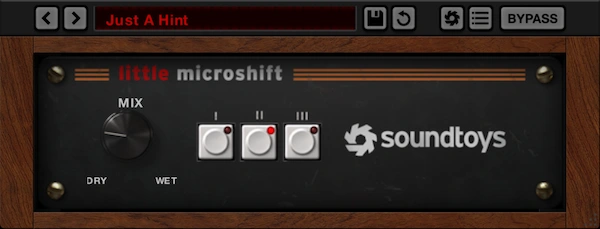
Soundtoys includes Little MicroShift with the full MicroShift purchase. The smaller version provides three style choices and a Mix control; the full version adds Focus, Detune and Delay adjustment.
Choose the simpler workflow if its style and balance settings already reach the sound you need. More parameters do not create value when you will leave them untouched.
Consider the full version when you want to change the affected frequency range or refine the pitch and delay behaviour. Those are specific reasons to upgrade.
If you already own Little MicroShift, Soundtoys advises checking your account for upgrade options. Check your other Soundtoys licenses too before purchasing overlapping products.
Price and compatibility
Plugin Boutique displayed MicroShift at €94.21 when checked on 20 October 2026. Soundtoys listed $99. Compare the current total in your currency, including taxes and any relevant upgrade offer.
The current Soundtoys page lists 64-bit formats including VST3, native Apple Silicon support, macOS 10.15 or later and Windows 10 or later. It excludes ARM-based Windows. The retailer states that an iLok account is needed, while a physical USB iLok is optional.
Check the current supported-host information for your DAW and test your exact setup before buying. For FL Studio, an available VST format alone does not establish an official host-support promise. Our VST scanning guide can help with installation visibility.
SoundShaper opinion
MicroShift makes the most sense as a repeatable way to place supporting parts around a clear musical centre. Its value is the combination of quick style selection and enough adjustment to adapt the treatment.
For a producer regularly mixing backing vocals, guitars or narrow synth parts, we would audition it on three real examples. For a beginner on a tight budget, we would first explore the current chorus, pitch and delay effects already available.
Buy it because the workflow or result helps you finish a mix. If an existing effect does the job and survives the same mono check, there is no need to replace it.
Conclusion
MicroShift offers focused stereo thickening with three styles and useful control over the treatment's range and movement. It is worth considering when width is a specific arrangement choice you make regularly.
Keep the comparison practical: choose one source, preserve its role in the mix and check the result beyond stereo headphones. Useful space matters more than maximum spread.
Sources
Details checked against the official MicroShift page, MicroShift manual and Plugin Boutique listing.
![[background image] image of recording equipment (for a musician & band)](https://cdn.prod.website-files.com/68efa70811edd8e5af30a90d/6adbdffd1258b281fa64d9e8_6adbdfe06748b62dcaeff101_vintageverb-vs-pror2-cover-v2.webp)
![[background image] image of recording equipment (for a musician & band)](https://cdn.prod.website-files.com/68efa70811edd8e5af30a90d/6adbdd6f7d47fb086e52b147_6adbdd4e3cb3e94d421e55da_how-to-fix-harsh-vocals.webp)
![[background image] image of recording equipment (for a musician & band)](https://cdn.prod.website-files.com/68efa70811edd8e5af30a90d/6adbd8f9d34e0624a55714e1_6adbd8e12694d8b251e72784_decapitator-vs-saturn-2-corrected.webp)