


A kick and bassline can sound good separately and still fight when they play together. Kickstart 2 is worth its $16 asking price when you want a quick, repeatable way to shape that overlap. It is harder to justify if your existing sidechain setup already gives you the movement you need.
The appeal is a focused workflow: choose a volume curve, fit its timing to the kick and adjust the amount. It can create obvious pumping or a smaller dip that leaves room for the transient. The important decision is how much bass you want to hear between the kick hits.
This is an editorial review based on Cableguys’ product information and manual. We have not carried out a controlled listening test or measured performance. The practical examples below are suggested ways to evaluate the demo.
The quick buying advice
| Buying question | Our advice |
|---|---|
| Buy it for | A fast way to create and adjust regular volume ducking. |
| Try the audio trigger for | Patterns where the kick does not land on every beat. |
| Look elsewhere for | Completely free curve drawing and deeper multiband shaping. |
| Keep your money if | Stock compression or automation already does the job comfortably. |
What Kickstart 2 actually does

Kickstart 2 applies a volume shape to the track on which it is inserted. In a kick-and-bass setup, that normally means placing it on the bass track. The kick can then remain audible while the bass briefly becomes quieter.
This is a different control approach from setting a compressor’s threshold, ratio and release. You work with the shape and timing of the level change. That can be convenient when the desired movement is already clear in your head.
It does not fix every low-end problem. A bass note in the wrong octave, a kick with an excessively long tail or distortion that masks the attack may need a different decision first. Before adding ducking, listen to the arrangement with one of the two parts muted. If either part already causes trouble on its own, start there.
The preset curves are both the attraction and the limit
The plugin provides sixteen curves, a Mix control and timing adjustments. That is enough to explore several recovery shapes without drawing a fresh envelope.
At 125 BPM, a quarter note lasts 480 ms. With a quarter-note sync cycle, choose a curve that dips at the kick and recovers before the next beat. Use the Shift arrows to align the whole curve with the transient. Drag the coloured Slope area to change how long the dip lasts, then adjust Mix to retain more bass if needed. A longer kick may need a later recovery; do not choose a deep dip merely because it looks decisive.
Listen for the body of the bass after the transient. If every note seems to disappear, reduce the amount or change the recovery. If the kick is still buried, inspect its tail and the bass tone before making the dip more extreme.
The limitation is relevant to the purchase: Kickstart is not a blank canvas for drawing any shape. Its focused controls are useful when the supplied curves get you close. If your musical idea repeatedly needs a shape the plugin cannot provide, a fuller envelope editor is the better category to investigate.
Audio triggering makes it useful beyond four-on-the-floor
Tempo-synced ducking repeats according to the selected timing. That is convenient for a regular pattern, but an irregular kick arrangement needs a way to follow the actual hits.
Kickstart 2 offers audio triggering as well as sync and MIDI options. For audio triggering, the kick must reach the plugin’s sidechain input through your DAW’s routing. Selecting the mode alone does not create that connection.
A useful test is to make a short pattern with a missing kick and a couple of extra hits. Listen through the gaps. You want the bass to keep its intended movement rather than ducking unnecessarily where no kick plays. Then change the pattern and check whether your routing still behaves as expected.
FL Studio users should distinguish audio routing from plugin detection. If the effect does not appear, begin with our plugin detection guide. If you want to learn the stock approach first, follow sidechaining with Fruity Limiter.
Low-band ducking: useful when the bass needs presence
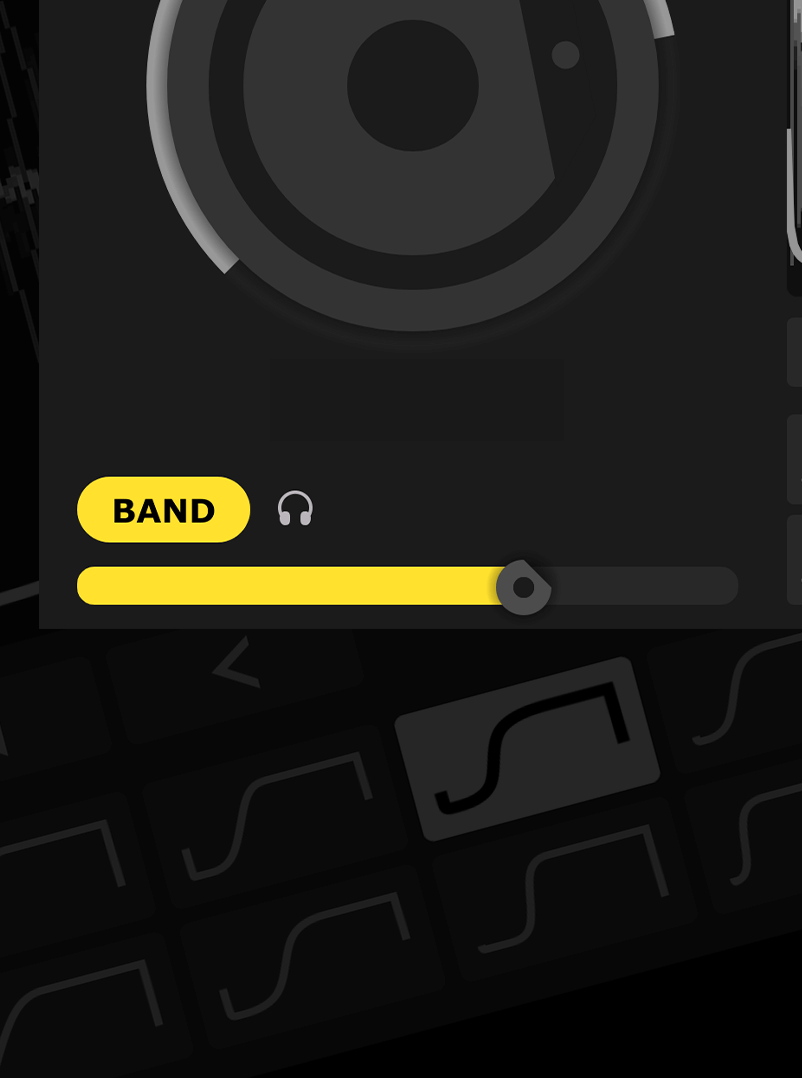
The band option lets you focus ducking on the lower frequencies. That can be useful when you want the upper character of a bassline to remain present while its low end moves around the kick.
Start with full-band processing, then compare the band-limited result at a similar listening level. Keep the option that serves the arrangement. Upper harmonics can still overlap with the kick’s attack, so leaving them untouched is not always the clearer choice.
Do not treat this as independently editable three-band envelope processing. The reason to buy Kickstart remains its focused approach. If separate bands need different shapes, look at a more extensive tool rather than expecting this control to become one.
Kickstart 2 versus stock sidechain compression
Your DAW can probably produce useful ducking already. A sidechain compressor responds to an incoming signal, while drawn volume automation can put level changes exactly where you want them.
For a fair comparison, use a loop from a real project. Create the result with stock tools, then try Kickstart. Compare the amount of bass remaining, the timing of its return and how easily you can revise the setting after changing the kick.
Saving a few repeated routing and editing steps may be a perfectly good reason to spend $16. Expecting the plugin to make an otherwise unchanged arrangement professional is not. The musical decision still belongs to you.
For the broader balance, our kick and 808 mixing guide covers problems that reach beyond the ducking curve.
Price, upgrade and compatibility
The official site lists a full licence at $16 and a Kickstart 1 upgrade at $5. Check the current checkout and select the correct licence. Existing owners should look for the upgrade before buying another full copy.
Cableguys lists 64-bit support for Windows and macOS, with VST2, VST3 and AAX, plus AU on Mac. Apple Silicon is supported. Follow the current manufacturer requirements for your operating system and DAW.
Use the demo to check your actual host setup before paying. In particular, test the external sidechain route if irregular kick patterns are the reason you are buying. A successful installation does not by itself confirm that the routing is correct.
When Duck 2 or ShaperBox makes more sense
If you regularly create custom rhythmic gates or want to draw more detailed envelopes, a broader volume-shaping tool deserves a place on your shortlist. Identify that need before purchasing several overlapping plugins.
Our Kickstart 2 vs Duck 2 comparison examines the more focused buying decision. The ShaperBox 3 review is relevant when you also want other forms of creative processing. More functionality is useful only if it replaces work you actually do.
Conclusion
Kickstart 2 is a sensible small purchase for producers who want sidechain-style movement without spending much time building the setup. Its limited scope is part of the appeal.
We would try stock tools first if money is tight, and choose a deeper shaper if custom curves are already a repeated requirement. For everyone in between, test it on a difficult kick-and-bass pairing. If the workflow gets you to a usable balance more quickly, the price is straightforward to justify.
Sources
Official Kickstart 2 features, prices and requirements; Cableguys: Kickstart 2 manual. Checked 2 November 2026.


