
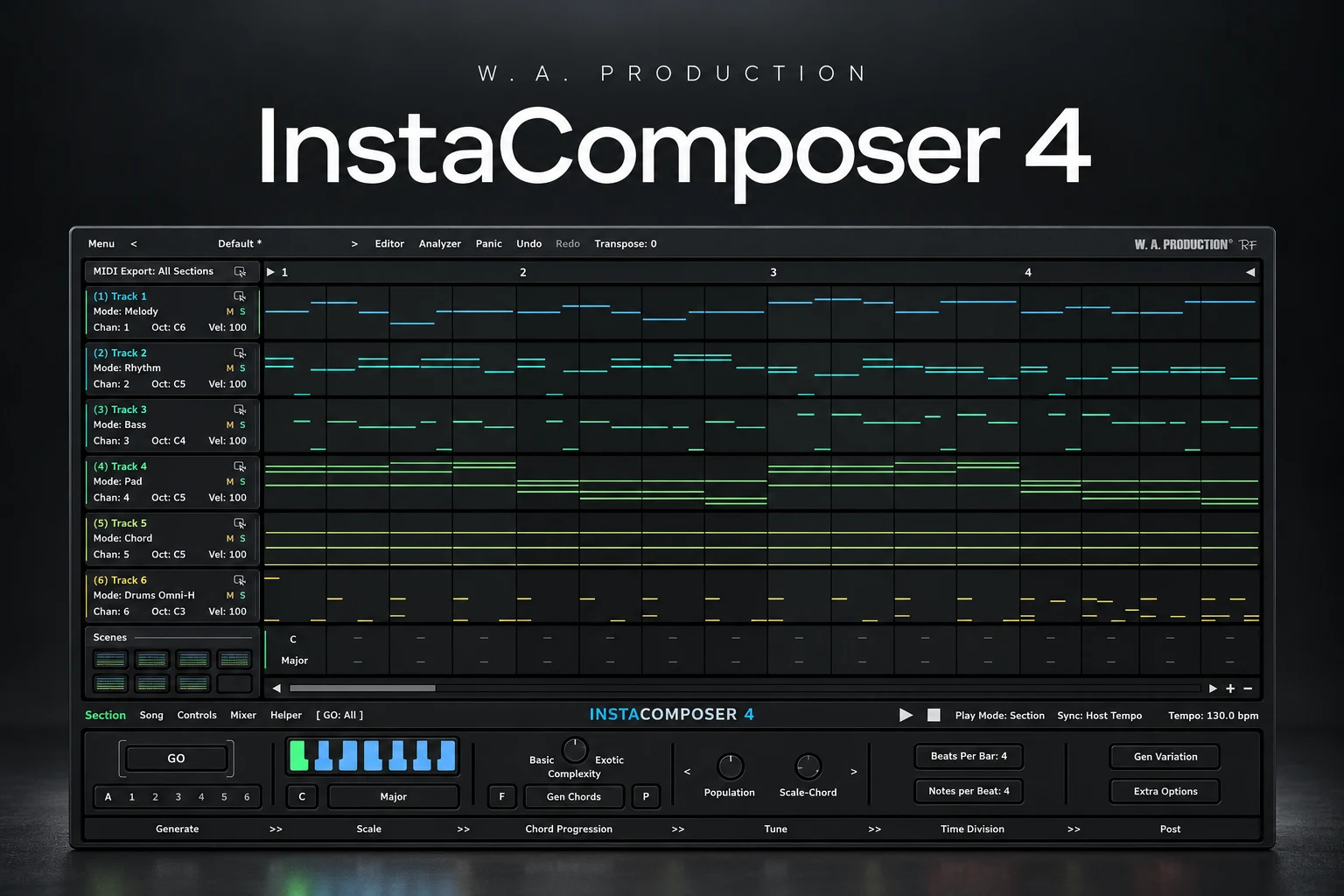

InstaComposer 4 is worth considering if you struggle to get a musical idea started and want editable MIDI to build from. We would buy it for generating starting points, then shape those ideas into a track ourselves. If your main problem is finishing arrangements rather than writing parts, another generator may simply give you more unfinished projects.
Version 4 adds built-in instruments, so you can hear a sketch without first connecting every part to another plugin. That is the update we would pay closest attention to: less setup between opening the plugin and deciding whether an idea is useful.
This review evaluates the documented workflow and buying options. We have not run a hands-on listening or performance test.
What is InstaComposer 4?
It is W. A. Production's composition plugin for generating chords, melodies, bass and other MIDI parts. It supports six tracks and eight scenes per section, with MIDI editing and export. Those features make it a sketching environment rather than just a button that produces one melody.
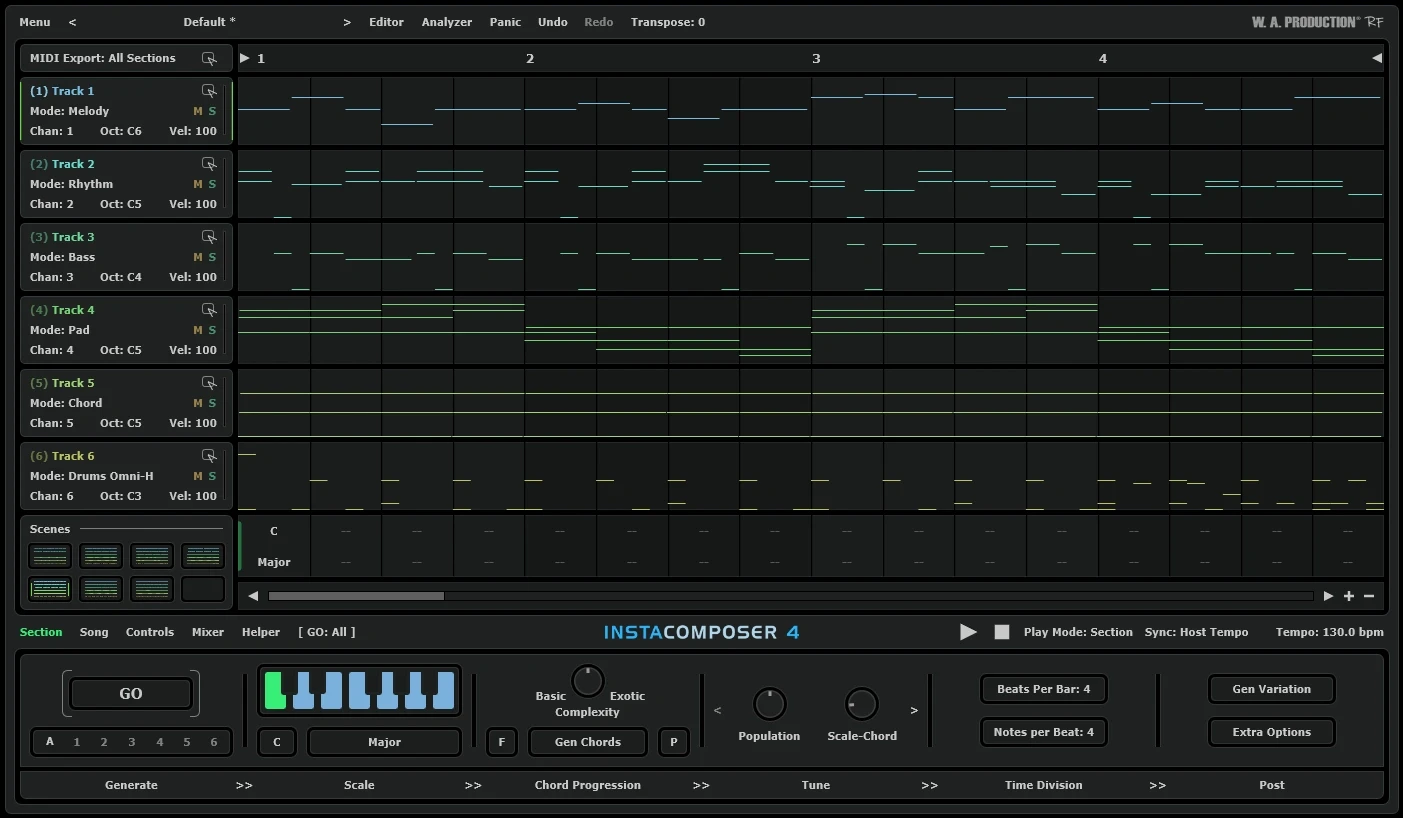
The useful distinction is between having material and having a reason to keep it. A generated pattern can solve the empty-screen problem, but it still needs a role in your track. We would start each session with a small brief: a restrained verse melody, a moving bassline or a chord pattern that leaves room for a vocal.
If you are new to this workflow, our MIDI vs audio guide explains why exporting notes lets you change the instrument afterwards.
What changes in version 4 matter most?
The update introduces MIDI Engine 2.0, Arpeggiator and Rhythm V2 modes, plus additional groove and Foliage controls. The developer describes improvements to the generated phrasing; we have not independently compared the engine against version 3.
Internal piano and General MIDI-style sounds, SF2 loading and a mixer let you audition parts inside the plugin. Our preference would be to use a plain sound first. A lush preset can make an ordinary sequence feel impressive, while a simple piano makes the rhythm and note choices easier to judge.
Foliage adds supporting notes around a melody. We would compare a sparse version with a busier one, then choose based on the arrangement. More movement may help an instrumental break; the same movement may crowd a singer.
Similarly, we would change one groove parameter at a time. Keep an earlier version and compare both against the same drum loop. Random variation is only useful when you prefer the result.
Who should buy it, and who should skip it?
Consider it if you regularly get stuck before writing the first useful part. A producer who understands the DAW but struggles to invent melodic material has a clear problem to test it against.
Consider it if you enjoy editing more than starting from scratch. You may hear what is wrong with a phrase more easily than you can invent one. Removing notes, moving a phrase ending or changing its rhythm can become your starting point.
Skip it for now if you already collect more loops than you finish. Try taking one existing idea through a verse and chorus before buying another source of material. You might need a smaller set of choices.
Do not choose it primarily for a new instrument sound. Our buying case is the writing workflow. For sounds, first explore the instruments you already own.
A focused writing exercise: find one phrase worth keeping
We would judge the demo by a short, repeatable task rather than an evening of generating unrelated songs. This is a suggested exercise, not a report of our test results.
1. Set a brief. Choose a tempo and a mood. For example, aim for a quiet backing phrase that answers a vocal rather than competing with it.
2. Keep the audition sound simple. Begin with the internal piano. Avoid choosing a final production sound until the musical idea makes sense.
3. Limit your choices. Compare three candidate phrases. Save or note the useful result within the demo's restrictions, then stop generating and start editing.
4. Remove something. Shorten a run, leave a gap or simplify a repeated figure. Listen for a clearer identity rather than a larger note count.
5. Make a reply. Keep the opening of the phrase and change its ending for the next section. That gives you a connected variation instead of two unrelated ideas.
6. Continue in your DAW. Move the useful MIDI to your chosen instrument and arrange it against the drums. Check the octave and note lengths before adding another layer.
The result we would want is one phrase we can recognise and develop. That is a more useful buying signal than how many patterns a session produces.
Using InstaComposer 4 in FL Studio
The version 4 manual recommends loading it as an instrument in the Channel Rack and starting with its internal audio. MIDI drag-and-drop is another route to your own sounds. For separate live destinations, the manual illustrates Patcher with VFX Color Mapper and wrapper Output Port settings.
Our advice is to begin with export. Put each part on the intended instrument, open its Piano roll and check it in context. A bass phrase may need a different octave; a chord part may need shorter notes to leave space around the kick.
Only add live routing when you know why you need it. For example, hearing several instruments respond together may help you choose an arrangement. If you only want one melody for a beat, a simple transfer is easier to manage.
If the plugin does not appear after installation, use our FL Studio plugin scanning guide. Follow the current version 4 instructions when setting up routing, because older tutorials can describe a different workflow.
Price, upgrades and demo limitations
On 27 October 2026, Plugin Boutique displayed the full licence at €29.65, reduced from €127.93, with the offer marked through 1 November. These are the displayed euro prices at the time of checking; currency, tax and offers can change.
Existing owners should check the correct upgrade listing: there is one for version 3 and another for versions 1 or 2. Confirm the ownership requirement before purchasing.
The manual says the demo is limited to C major, restricts melody generation and does not restore presets or saved settings with projects. Plan a small evaluation session rather than relying on it for a finished project.
Plugin Boutique lists 64-bit Windows 10 or later and macOS 10.15 or later, including Intel and Apple Silicon support. Check the current format and host requirements before buying.
Should existing users upgrade?
We would ask one question first: why did you stop using your current version?
If connecting instruments interrupted the writing session, internal playback gives you a specific reason to investigate version 4. If you disliked working from generated ideas altogether, a new version may not change that preference.
If you already use InstaComposer regularly, compare a familiar task before and after the upgrade. Judge the time needed to reach an idea you want to keep. We would not upgrade solely because a feature list is longer.
InstaComposer 4 or Scaler 3?
Our first trial choice would be InstaComposer when the question is, “Can I get a few candidate parts to edit?” We would investigate Scaler when the question is, “How can I develop these chords and understand the alternatives?” These are starting points for choosing a demo, not a claim that either tool has only one use.
Read our Scaler 3 review for its harmony and arrangement workflow. Our Riffer 4 vs Scaler 3 comparison explores another approach, while Chordjam is worth reading about if you are interested in chord variation.
Start by trying one tool on the same short writing task. Buying several composition helpers together makes it harder to work out which one actually earns its place.
SoundShaper opinion
The strongest reason to consider InstaComposer 4 is practical: it puts candidate musical parts in front of you, and internal playback removes a setup step. We like that as a way to begin a session with something you can question and change.
We would keep the first sessions deliberately narrow. Choose one phrase, make a few meaningful edits and build a section around it. A generator becomes more valuable when it helps you commit to a direction.
For us, the purchase makes sense when you enjoy shaping the material and it leads to a track you continue working on. If you spend the session clicking through endless alternatives, set a tighter brief before assuming another plugin will solve the problem.
Conclusion
InstaComposer 4 deserves a look if starting melodic ideas is a recurring obstacle. Test its workflow with one small musical goal, check the demo restrictions and compare the correct full or upgrade licence.
Our recommendation is to buy it for a clear writing need. Keep the useful notes, edit them with intention and let the finished arrangement decide how much material stays.
Sources
Features and workflow checked against the official InstaComposer 4 manual and the linked Plugin Boutique product and upgrade listings on 27 October 2026. Product images: W. A. Production. The writing exercise and buying recommendations are SoundShaper's editorial advice.
![[background image] image of recording equipment (for a musician & band)](https://cdn.prod.website-files.com/68efa70811edd8e5af30a90d/6ae28f3ffeabaf5b76db2580_6ae28f255000f820b159a320_crystalline-review-cover.webp)
![[background image] image of recording equipment (for a musician & band)](https://cdn.prod.website-files.com/68efa70811edd8e5af30a90d/6ae28e7e5d1572089570ac87_6ae28e5eead33b2db2a18b5f_transit-2-review-cover.webp)
![[background image] image of recording equipment (for a musician & band)](https://cdn.prod.website-files.com/68efa70811edd8e5af30a90d/6ae28d603a57759da71022d6_6ae28d41f6af13c91dee9c76_drumazon-2-review-cover.webp)