
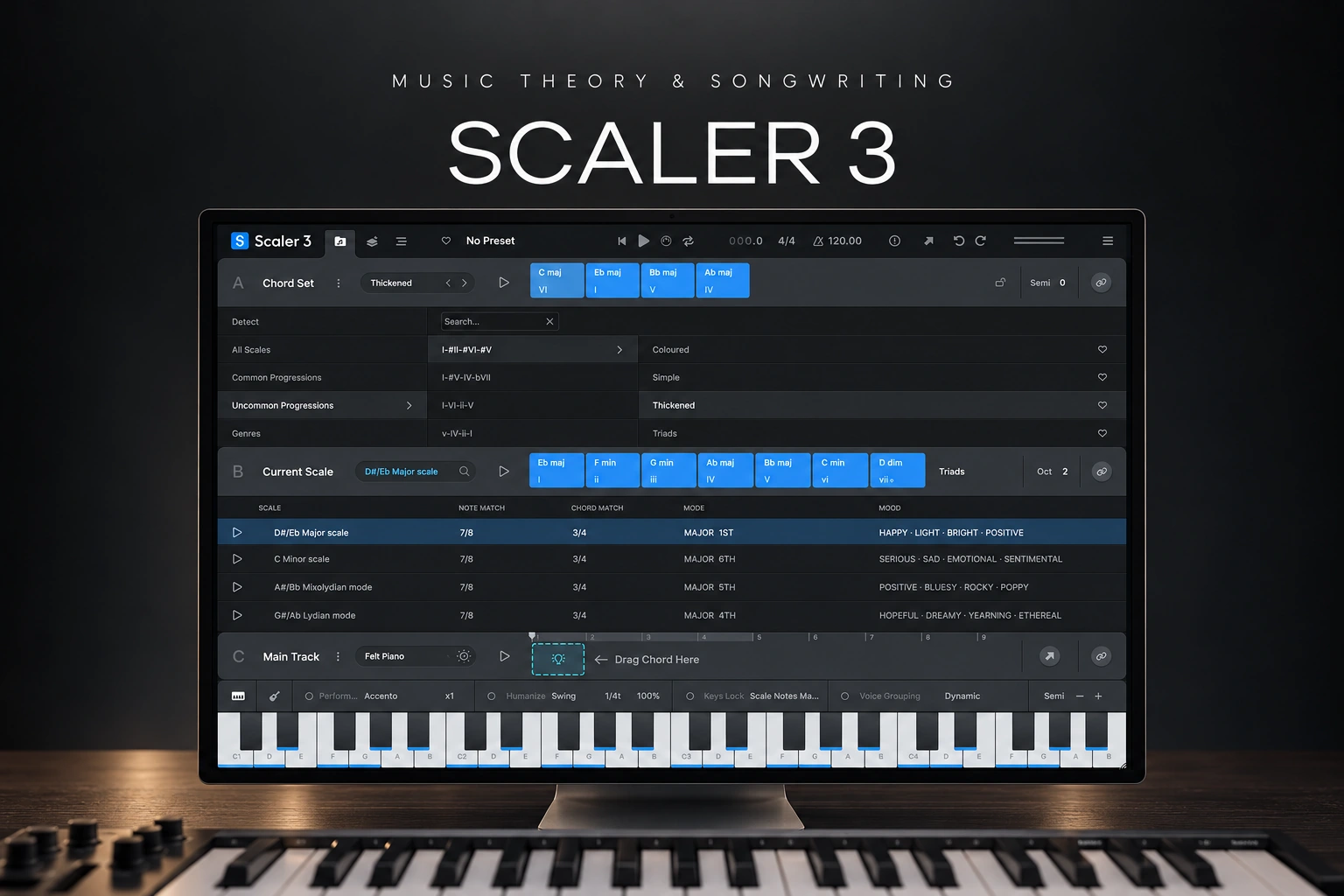

Scaler 3 is worth considering if choosing chords and turning them into connected musical parts regularly slows you down. It combines harmonic suggestions, performance tools and an arrangement workspace, so you can develop an idea beyond a row of chord buttons.
Our recommendation is to buy it for a specific writing problem. If you keep abandoning beats because the harmony feels unfinished, it has a clear role. If you already write parts comfortably and mainly need different sounds, another instrument may be the more useful purchase.
This is an editorial review based on the current documentation and buying options. We have not conducted a hands-on listening or performance test.
What does Scaler 3 actually do?
Scaler 3 helps you explore chords, scales and the relationship between musical parts. You can browse progressions, find possible next chords and develop a sequence using different voicings. A voicing is simply how you arrange a chord's notes across the keyboard.
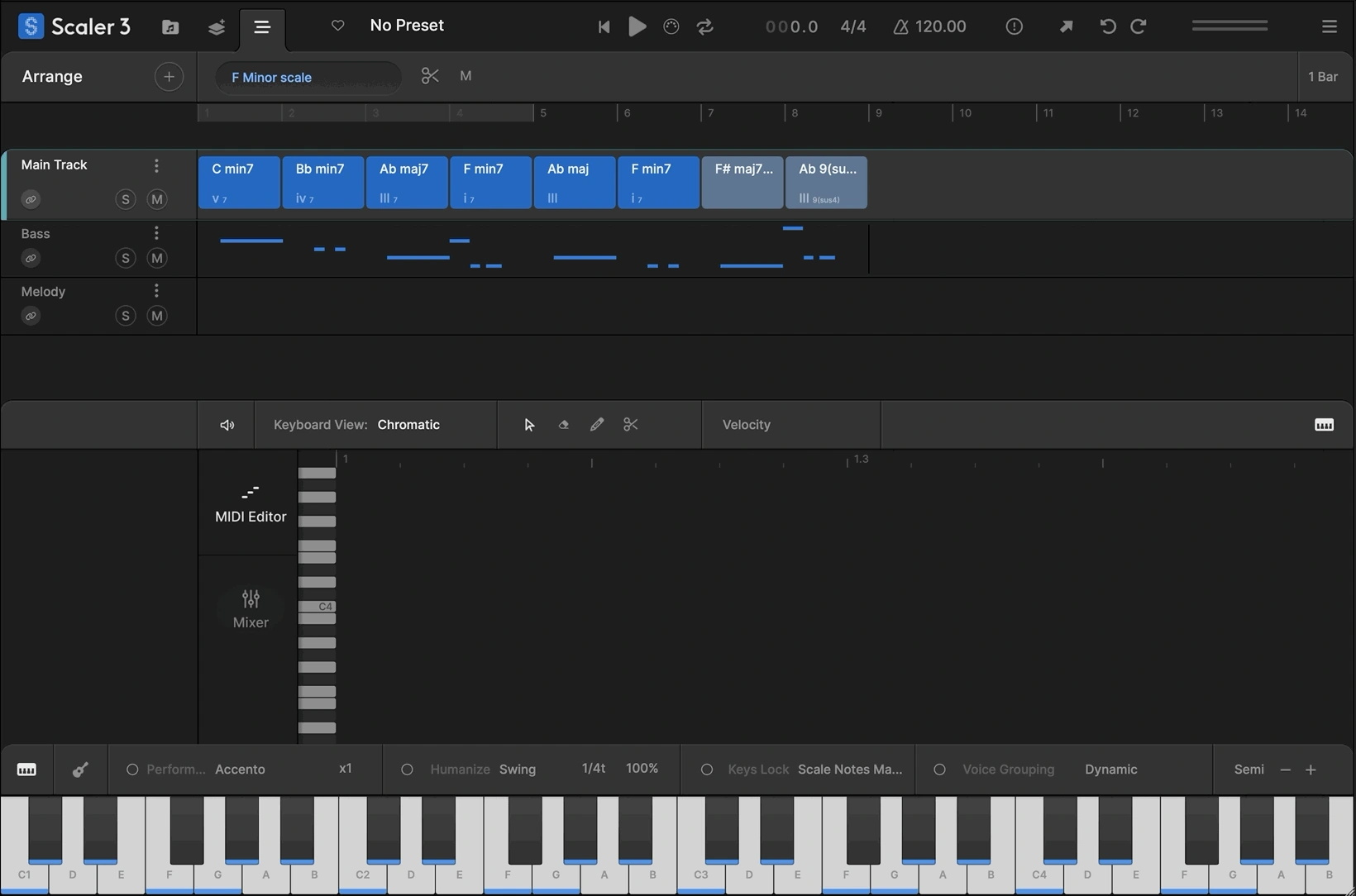
Its Motions provide performances such as melodies, basslines and arpeggios. The Arrange page gives those ideas lanes alongside the main chord track. It also supports third-party instrument and effect hosting, so the sketch can use sounds beyond its internal selection.
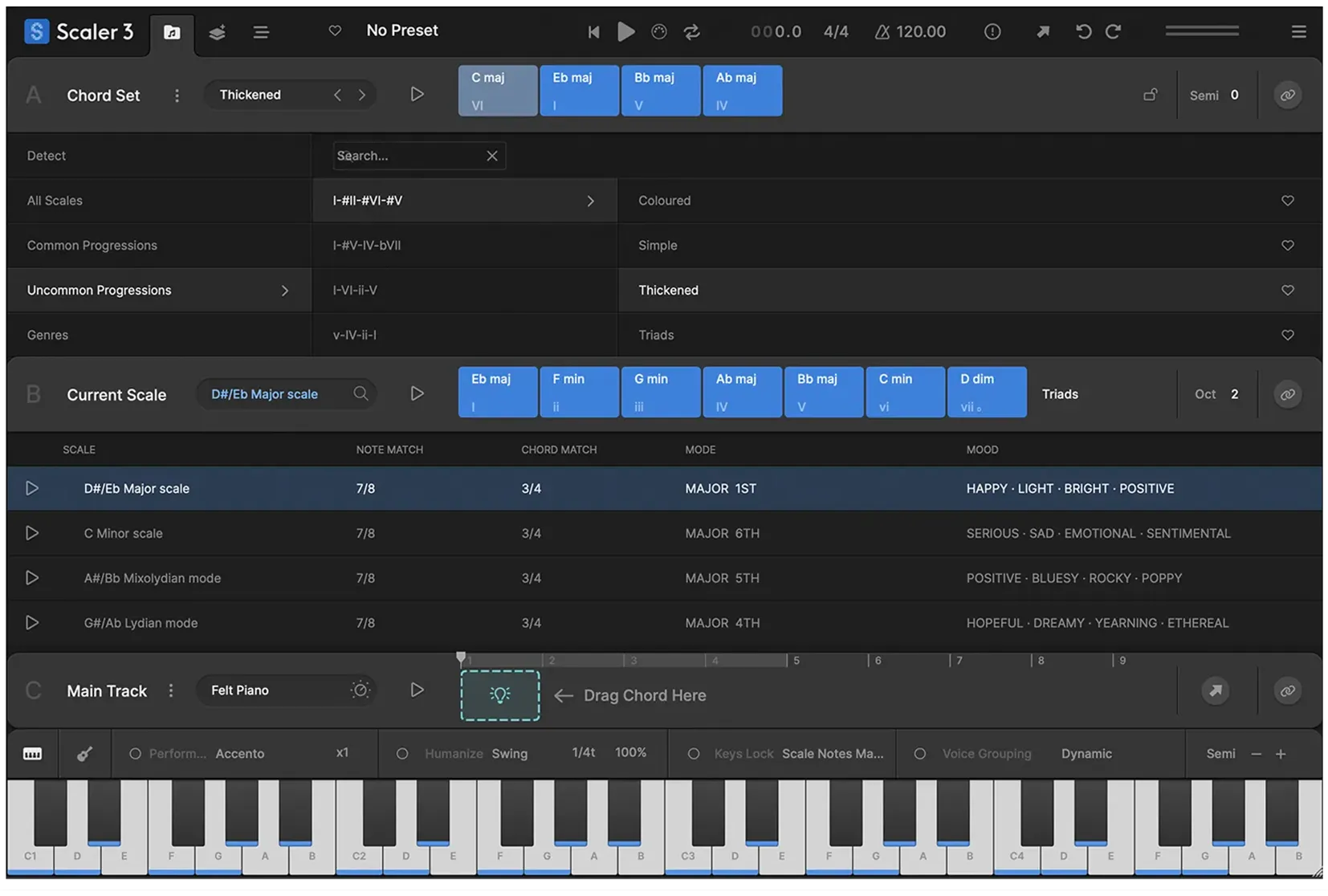
The attraction for us is being able to ask a musical question and hear alternatives. “What could follow this chord?” is a more useful starting point than endlessly opening presets and hoping one writes the song for you.
Who would get the most value from it?
| Your situation | Our buying advice |
|---|---|
| You can build a beat but struggle with chords. | A strong reason to try Scaler's harmony tools. |
| You write chords but want different ways to play them. | Explore voicings and Motions before adding more layers. |
| You want to understand the notes you prefer. | Use the chord and scale information as a learning aid. |
| You mainly want a new piano or synth sound. | Prioritise an instrument; composition tools may not solve that need. |
| You already own a composition tool you rarely use. | Finish one idea with it before buying another. |
The feature we would focus on first: better chord choices
It is easy to mistake “more complicated” for “better.” We would first use Scaler to compare a few alternatives, then keep the progression that supports the track's mood.
Try a deliberately simple example: Am–F–C–G. Play it with one plain piano sound. Before replacing the chords, move individual notes up or down an octave and listen to how the top note moves between changes.
That exercise helps separate harmony from arrangement. The chord names can stay the same while the passage feels smoother, wider or less crowded. A different voicing may be enough; you do not always need another chord.
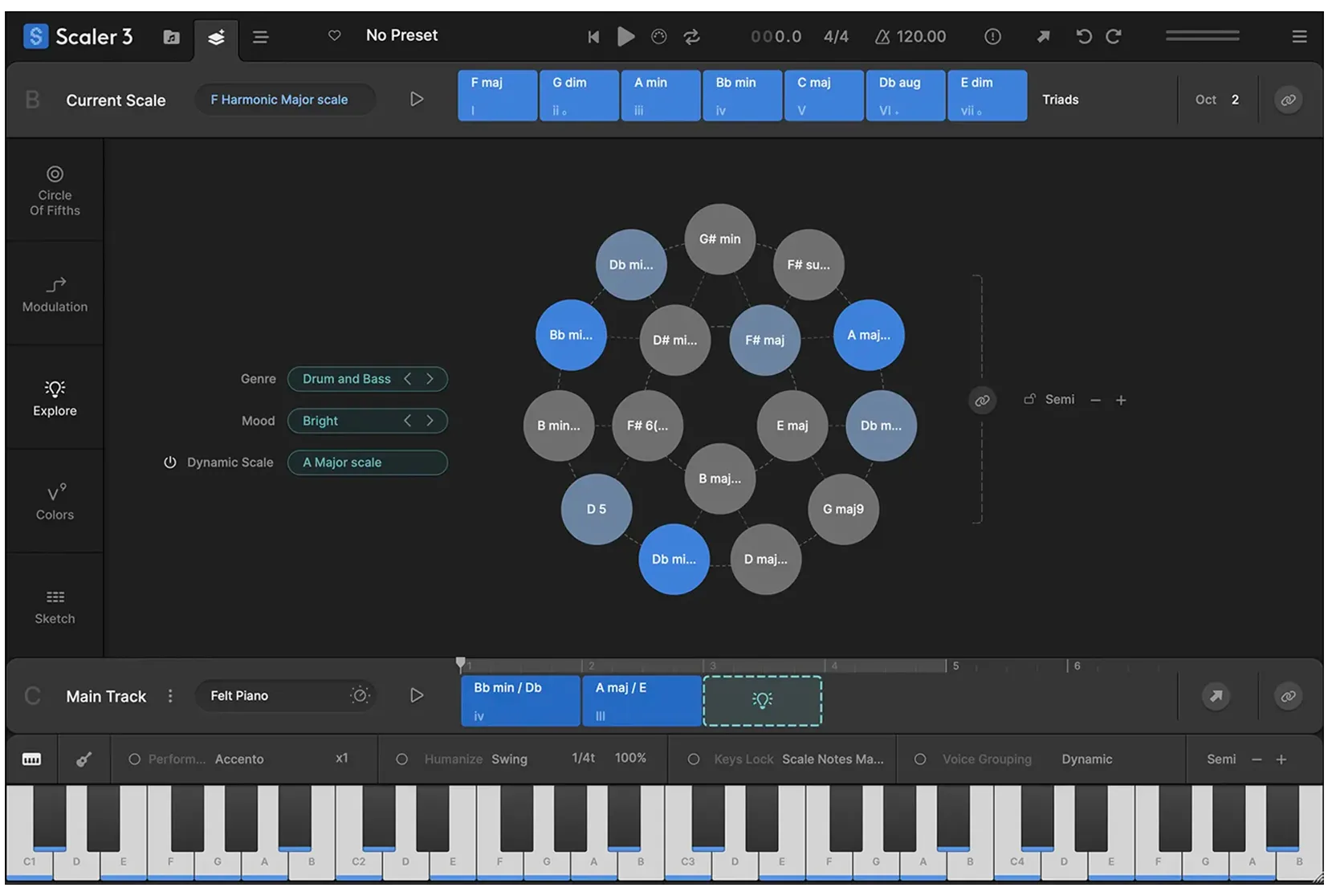
Scaler's Explore page also lets you investigate options outside one fixed scale. We would use that when the existing loop feels settled but needs a more surprising turn. Compare one alternative at a time so you can hear why it changes the mood.
Can Scaler 3 make melodies and basslines?
Yes. Its Motions cover more than block chords, and the current Arrange workflow supports parts that follow the main progression. You can edit the resulting material rather than accepting a complete performance unchanged.
For a beat with a vocal, our first move would be to reduce the number of notes. Keep a short melodic answer between vocal lines instead of filling every gap. A phrase can be harmonically correct and still leave too little room for the singer.
For bass, begin with a simple part that makes the chord changes clear. Then decide whether extra movement helps the groove. Check its register and rhythm with the kick before adding another melodic layer.
Our tip: keep one memorable detail from a suggested performance. That might be a rhythm, a repeated note or the way a phrase ends. Build around that detail instead of assuming you need the whole pattern.
A practical exercise: turn four chords into a beat idea
This is the exercise we would use during the trial. Keep the sound selection simple so you can judge whether the writing process helps.
1. Choose a musical direction. Start with a short drum loop and decide whether the backing should feel restrained, tense or uplifting. Pick a key or a chord set that gives you a useful starting point.
2. Commit to four chords. Use the simple progression above or choose your own. Listen to the changes against the drums and save one version before exploring alternatives.
3. Improve one transition. Change the voicing or replace one chord. Keep the edit only if the movement into the next chord feels more convincing.
4. Add one supporting part. Try a bass Motion or a short melodic phrase. Avoid adding both immediately; first decide what the progression is missing.
5. Make a second section. Change the chord rhythm, register or one chord for a chorus or bridge. The second section should feel connected without being an exact repeat.
6. Continue in your DAW. Export the useful MIDI and finish the sounds, drums and arrangement in your normal project. Listen again the next day before deciding whether Scaler deserves a permanent place.
We would judge the trial by whether this produces a sketch you want to develop. An hour of browsing is only useful if it leads to a musical decision.
Using Scaler 3 with FL Studio and your own instruments
Scaler 3 is listed as compatible with FL Studio and is available as a plugin and a standalone application. For a first session, use the regular instrument version with an internal sound. Add external routing once the basic progression works.
There are three useful routes: host a supported instrument inside Scaler, send MIDI to another instrument in the DAW, or export MIDI and edit it there. Existing licences and compatibility still apply to any third-party instruments you load.
The current manual describes an Export window for MIDI, including a loop or the full arrangement and single-track or multitrack file options. MIDI Capture is another route for recording a performed idea before saving or dragging it out.
Our advice: start with MIDI export if live routing becomes a distraction. Open the result in the receiving instrument's Piano roll and check note lengths, timing and register. MIDI carries the performance information; it does not contain the piano or synth sound.
Our MIDI vs audio guide explains that distinction. If Scaler does not appear after installation, follow our FL Studio plugin scanning guide.
What we would be careful about
Too many options can delay decisions. Set a limit for the session: one progression, one supporting part and one alternate section. Learn the other pages when a project needs them.
Compatible notes do not guarantee a strong hook. Rhythm, repetition, contrast and the sound itself still matter. Try humming the idea without the plugin playing; that can reveal whether the phrase has a clear identity.
Detection needs musical judgment. Chord and scale detection can give you useful candidates. Check them against the recording instead of treating the first result as the only possible harmonic interpretation.
Do not keep an arrangement full just because the lanes are available. Mute a part and listen. If the beat improves, simplify it. The point is to finish a convincing track, not demonstrate every feature.
Price, upgrade, trial and compatibility
Plugin Boutique displayed the full desktop licence at approximately €98.18 when checked on 25 October 2026. Prices depend on currency, taxes and offers, so compare the final checkout total before buying.
If you own an eligible earlier Scaler licence, check the separate upgrade listing rather than purchasing the full version again. Confirm its ownership requirements and current price.
The current user guide describes a 14-day trial with full functionality. Use it to check the writing workflow and your own setup. The developer's latest-version thread listed 3.3.2 when checked, so use the current installer rather than judging the product from an old build.
Listed requirements are Windows 8 or newer or macOS 10.14 or newer, with 64-bit support and native Apple Silicon compatibility. Desktop formats include VST, VST3 and AAX, plus AU on Mac, alongside standalone use. Confirm your particular host and instruments during the trial.
The iPad edition is a separate purchase. Do not assume a desktop licence includes it.
Scaler 3 or a simpler MIDI tool?
We would favour Scaler when the question is how the chords and supporting parts fit together. A more focused generator may suit you better if your progression is already settled and you only want fresh phrase ideas.
Our Riffer 4 vs Scaler 3 comparison explores that choice. If you are interested in a different approach to chord variation, our Chordjam review is another useful comparison point.
SoundShaper opinion
Scaler 3 makes the strongest buying case when it helps you move past the same unfinished chord loop. We like the idea of hearing alternatives while still keeping the notes available to understand and edit.
For a beginner, we would keep the first sessions narrow. Learn to build and change a progression before trying every arrangement tool. For a more experienced producer, the value may be in exploring a harmonic direction you would not normally play.
We would not buy it just because it is popular. Buy it when the trial helps you create a part you want to keep and makes the next writing session easier to start. That is a clearer reason than adding another icon to the plugin browser.
Conclusion
Scaler 3 is worth a serious trial if harmony is a recurring obstacle in your production. It gives you several ways to develop chords into connected parts, while leaving the final musical decisions with you.
Start small, edit the ideas and finish a short arrangement. If that process works for you, the full version or qualifying upgrade has a useful job to do.
Sources
Feature and buying details checked against Scaler Music's product information, the current user guide, the developer's version notes and the linked Plugin Boutique full and upgrade listings. Screenshots: Scaler Music. The example workflow and buying recommendations are SoundShaper's editorial advice.
![[background image] image of recording equipment (for a musician & band)](https://cdn.prod.website-files.com/68efa70811edd8e5af30a90d/6ae28f3ffeabaf5b76db2580_6ae28f255000f820b159a320_crystalline-review-cover.webp)
![[background image] image of recording equipment (for a musician & band)](https://cdn.prod.website-files.com/68efa70811edd8e5af30a90d/6ae28e7e5d1572089570ac87_6ae28e5eead33b2db2a18b5f_transit-2-review-cover.webp)
![[background image] image of recording equipment (for a musician & band)](https://cdn.prod.website-files.com/68efa70811edd8e5af30a90d/6ae28d603a57759da71022d6_6ae28d41f6af13c91dee9c76_drumazon-2-review-cover.webp)