
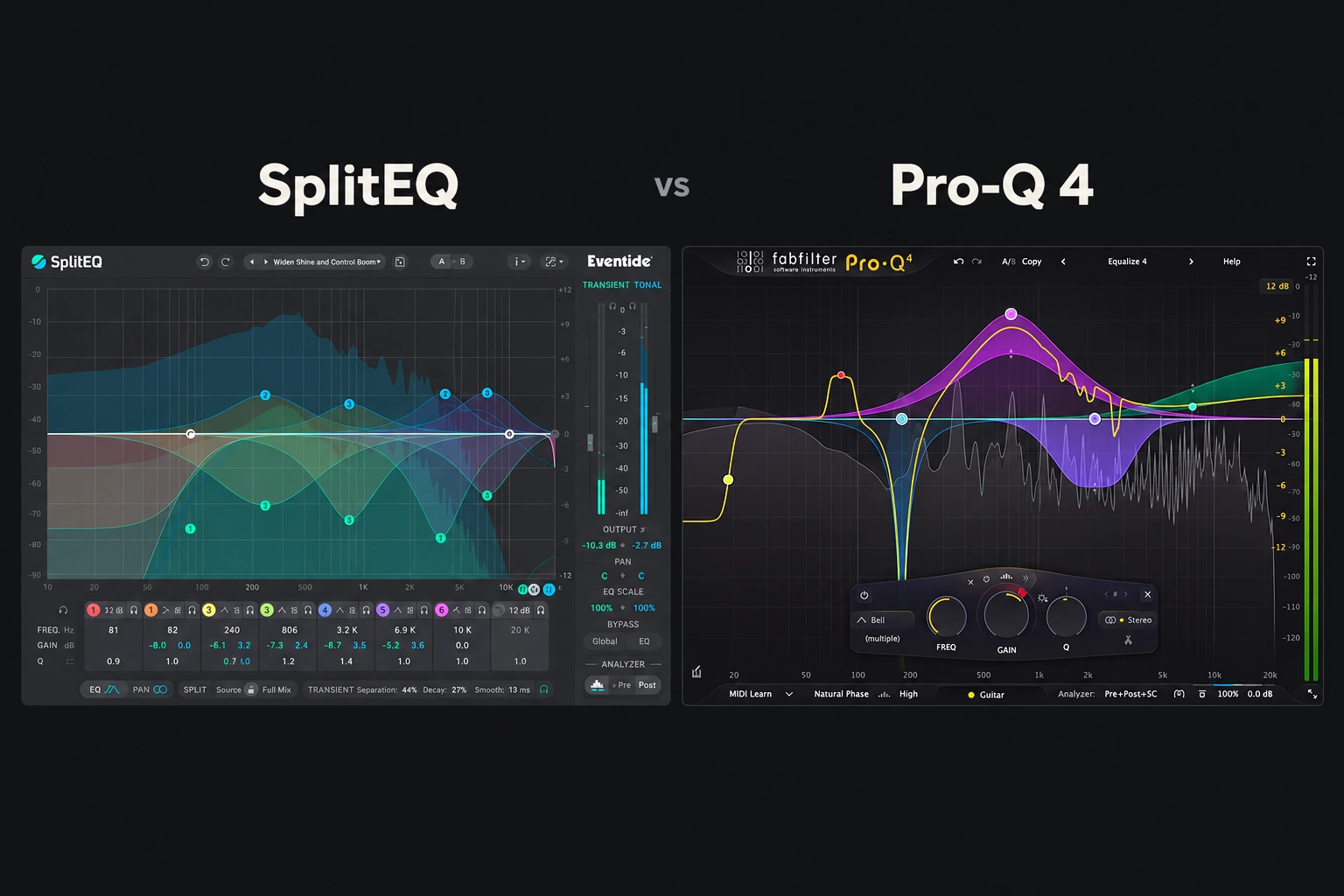

Choose SplitEQ if you want to change the attack and sustained character of a sound separately within frequency bands. Choose FabFilter Pro-Q 4 if you need an everyday EQ with detailed static, dynamic and spectral processing.
Pro-Q 4 is our first demo recommendation for a main EQ. SplitEQ becomes especially interesting when an ordinary cut fixes one part of a sound but weakens another—for example, reducing snare ring while wanting to keep the initial hit.
This is an editorial comparison based on Eventide and FabFilter documentation. We have not conducted a controlled listening test or measured comparative performance. Product information was checked on 29 October 2026.
The difference in one question
Before choosing a plugin, ask what needs to change. Is it a frequency range, a frequency range only when it gets loud, or a particular part of the sound’s structure?
| Problem | First approach to try |
|---|---|
| A consistently boxy instrument | A modest static EQ cut |
| A band that jumps out on louder notes | Dynamic EQ |
| Moving resonances inside a wider region | Pro-Q 4 spectral dynamics |
| Too much sustained ring but useful attack | SplitEQ tonal processing |
| A hard initial edge but a useful sustained tone | SplitEQ transient processing |
These are starting points for a demo, not guaranteed fixes. Source material and the surrounding mix still determine which treatment works.
What SplitEQ actually separates
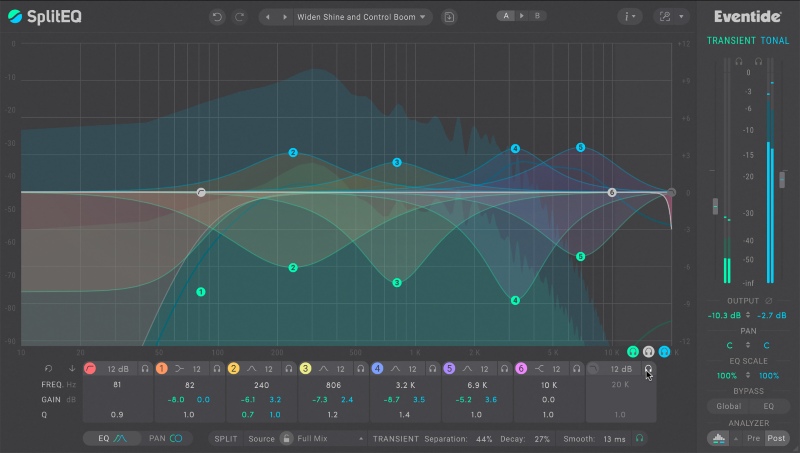
SplitEQ uses Eventide’s Structural Split technology to divide the incoming signal into Transient and Tonal streams. Its eight-band EQ can treat those streams differently. It also provides separate output levels and per-band stereo positioning for the components.
Eventide’s manual describes the separation as identifying relatively stable regions across time and frequency as tonal, with the remaining material classified as transient. It is not simply a gate that labels every loud moment as an attack.
That matters because a quiet consonant, a pick noise and a drum hit can all contain useful transient information. Equally, a loud sustained note can still be tonal.
Use the component solo controls to hear what the separation is doing before making a large change. The Source, Separation, Decay and Smooth controls affect the classification and transitions. A setting that suits one recording may need adjustment for another.
Our SplitEQ review covers the individual plugin in more detail.
What Pro-Q 4 gives you instead

Pro-Q 4 combines up to 24 EQ bands with dynamic EQ, spectral dynamics, stereo options, different processing modes, EQ Sketch and an Instance List for working across the session.
A static band applies the chosen curve continuously. A dynamic band varies its gain according to the trigger signal. Spectral dynamics works more selectively inside a band, responding to individual frequency areas that trigger rather than moving the whole band together.
Our reason to recommend its demo as a main EQ is that these approaches share an editing workflow. You can start with a simple cut and investigate dynamic behavior when the source needs it.
That does not give Pro-Q the same transient/tonal separation as SplitEQ. The tools can address some similar problems through different processing decisions.
See our Pro-Q 4 review for the wider feature set.
Example 1: a snare with too much ring
First decide whether the ring is unwanted. A sustained snare tone can be part of the groove, especially when the arrangement leaves room for it.
If it needs reducing, compare a small ordinary cut with SplitEQ’s tonal treatment in the same region. Listen for whether the attack still has the presence you want. Do this with the drum pattern playing; an isolated hit can invite a more severe correction than the song needs.
With Pro-Q, investigate a dynamic band if the resonance becomes objectionable only on certain hits. Spectral processing is another candidate when the troublesome frequencies move. None of these approaches should be judged from the analyzer alone.
Example 2: an acoustic guitar with sharp picking
A broad high-frequency cut may soften the pick but also remove desirable clarity from sustained notes. That is a good reason to try a transient-only adjustment in SplitEQ.
Check the separation, make a restrained change and listen across both soft and hard playing. Stop if the guitar loses the articulation that makes its rhythm readable.
If the problem is mainly a particular region becoming too strong with level, try Pro-Q’s dynamic EQ as well. Choose the result that leaves the performance easiest to place in the mix, rather than assuming a more unusual method must be better.
Example 3: a vocal that is bright in the wrong places
Brightness, sibilance, plosives and distortion are different problems. Identify the actual moments before treating the entire upper range.
SplitEQ is worth a trial when you want to reduce an edge associated with transient material while retaining more tonal presence. Pro-Q is worth a trial when you can define a problem region and want static, dynamic or spectral control over it.
For consistent sibilance, compare a dedicated de-esser too. For one loud plosive, a clip edit or local adjustment may be enough. Read how to fix harsh vocals for the broader diagnosis.
Recording, latency and larger sessions
Do not assume every Pro-Q configuration has zero latency. FabFilter documents that spectral bands use linear-phase processing, with latency depending on the selected resolution. Check the actual configuration before using it while monitoring a recording.
Test both plugins in your own DAW with realistic settings. Check reported latency, playback and project recall. We have not measured which is lighter on CPU, and one simple instance would not establish performance across every use case.
Should you buy both?
If you already own a useful everyday EQ, SplitEQ can be a more distinct addition than another conventional EQ. The reason to buy it should be recurring transient/tonal tasks that your existing workflow handles awkwardly.
If you are choosing your first main paid EQ, try Pro-Q on routine work before adding a specialist. A stock EQ may still cover your immediate needs. Our Pro-Q 4 vs TDR Nova comparison addresses that budget decision.
Compare current prices and any upgrade or crossgrade offers. Check your existing bundles before buying another licence. If the real priority is assisted tonal balancing and group unmasking, our smart:EQ 4 vs Pro-Q 4 comparison covers that separate workflow.
SoundShaper opinion
Pro-Q 4 is our broader recommendation for producers who want one EQ for everyday shaping and detailed dynamic work. Start there if that role is missing.
SplitEQ is our more specific recommendation when attack and sustained tone need different treatment in the same frequency region. Its value is a different way to approach that conflict, not the number of bands.
Conclusion
Choose Pro-Q 4 for the main EQ role. Try SplitEQ when ordinary processing keeps making a trade-off between useful attack and unwanted tone, or the reverse. Demo both against a real problem and keep the simpler solution when it works.
Sources
Eventide: SplitEQ features; Eventide: Structural Split user guide; FabFilter: Pro-Q 4 manual; FabFilter: spectral dynamics and latency. Checked 29 October 2026.
![[background image] image of recording equipment (for a musician & band)](https://cdn.prod.website-files.com/68efa70811edd8e5af30a90d/6ae28f3ffeabaf5b76db2580_6ae28f255000f820b159a320_crystalline-review-cover.webp)
![[background image] image of recording equipment (for a musician & band)](https://cdn.prod.website-files.com/68efa70811edd8e5af30a90d/6ae28e7e5d1572089570ac87_6ae28e5eead33b2db2a18b5f_transit-2-review-cover.webp)
![[background image] image of recording equipment (for a musician & band)](https://cdn.prod.website-files.com/68efa70811edd8e5af30a90d/6ae28d603a57759da71022d6_6ae28d41f6af13c91dee9c76_drumazon-2-review-cover.webp)