
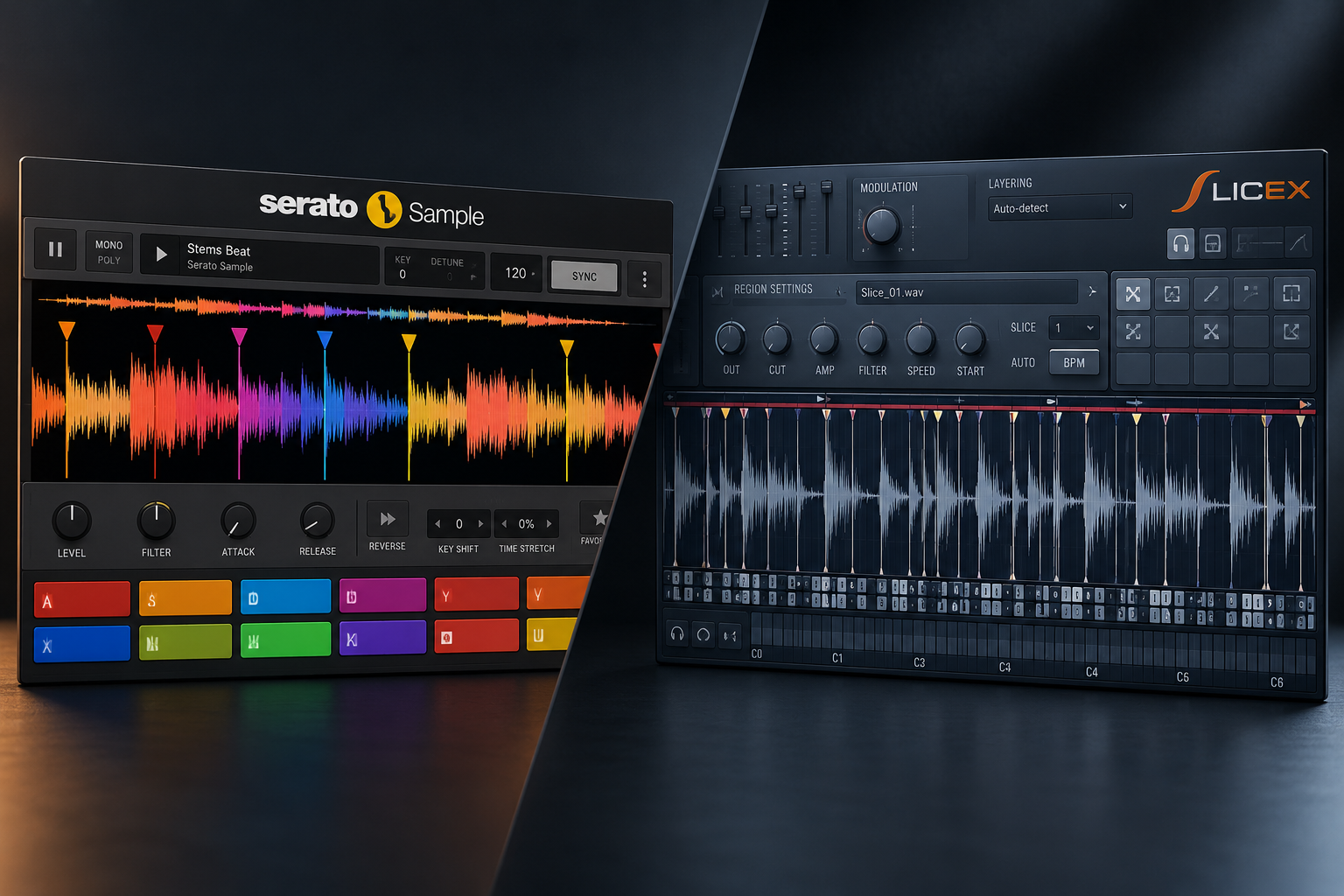

Serato Sample and Slicex can both turn a loop into something new, but they feel very different in use. Slicex is the sensible starting point if you already own FL Studio Producer Edition or higher and want detailed control over individual chops. Serato Sample becomes more interesting when you regularly flip full songs or mixed loops and want chopping, stem controls, key changes and tempo matching in one place. The real buying question is whether that faster workflow is worth paying for when Slicex is already in your DAW.
That is our starting point for Serato Sample vs Slicex. Both can turn a loop into a new part. The buying question is whether Serato's approach removes enough friction from your sessions to justify another purchase.
You do not need Serato just to separate stems: FL Studio already offers that in Producer Edition and above. Below, we explain where each workflow makes sense, what we would try first, and when we would keep the money.
Disclosure: SoundShaper may earn a commission if you buy through our affiliate links, at no extra cost to you. Our recommendations are editorial advice based on official product documentation, rather than a matched listening or CPU test.
Serato Sample vs Slicex: quick comparison
| Buying question | Serato Sample | Slicex in FL Studio |
|---|---|---|
| What is the main attraction? | A focused environment for flipping existing audio. | Detailed slice editing inside your existing DAW. |
| How do you play chops? | Up to 32 cue points, triggered from pads or MIDI notes. | Regions mapped to notes in the Piano roll or a controller. |
| What about stems? | Separation and stem controls are inside Sample. | Use FL Studio's separate stem-separation workflow. |
| What stands out for editing? | Per-pad pitch, speed, level, filtering and playback controls. | Two decks, waveform editing and articulators for shaping slices. |
| Is there an extra cost? | A separate paid product; Serato lists an outright purchase at $129 USD. | Included with Producer Edition and higher; check your licence. |
| Our suggested starting point | You repeatedly want to change the source, stems, key and tempo while writing. | You already have suitable audio and want to rearrange or reshape its slices. |
SoundShaper opinion: Start with the tool you already own. If you cannot name a part of sampling that currently slows you down, there is no clear reason to buy another sampler yet.
What does Serato Sample add to FL Studio?
Serato Sample puts sample analysis, cue points, pitch and tempo changes, and stem separation into a single instrument. Its Find Samples function suggests places to chop; you can also place cues yourself.
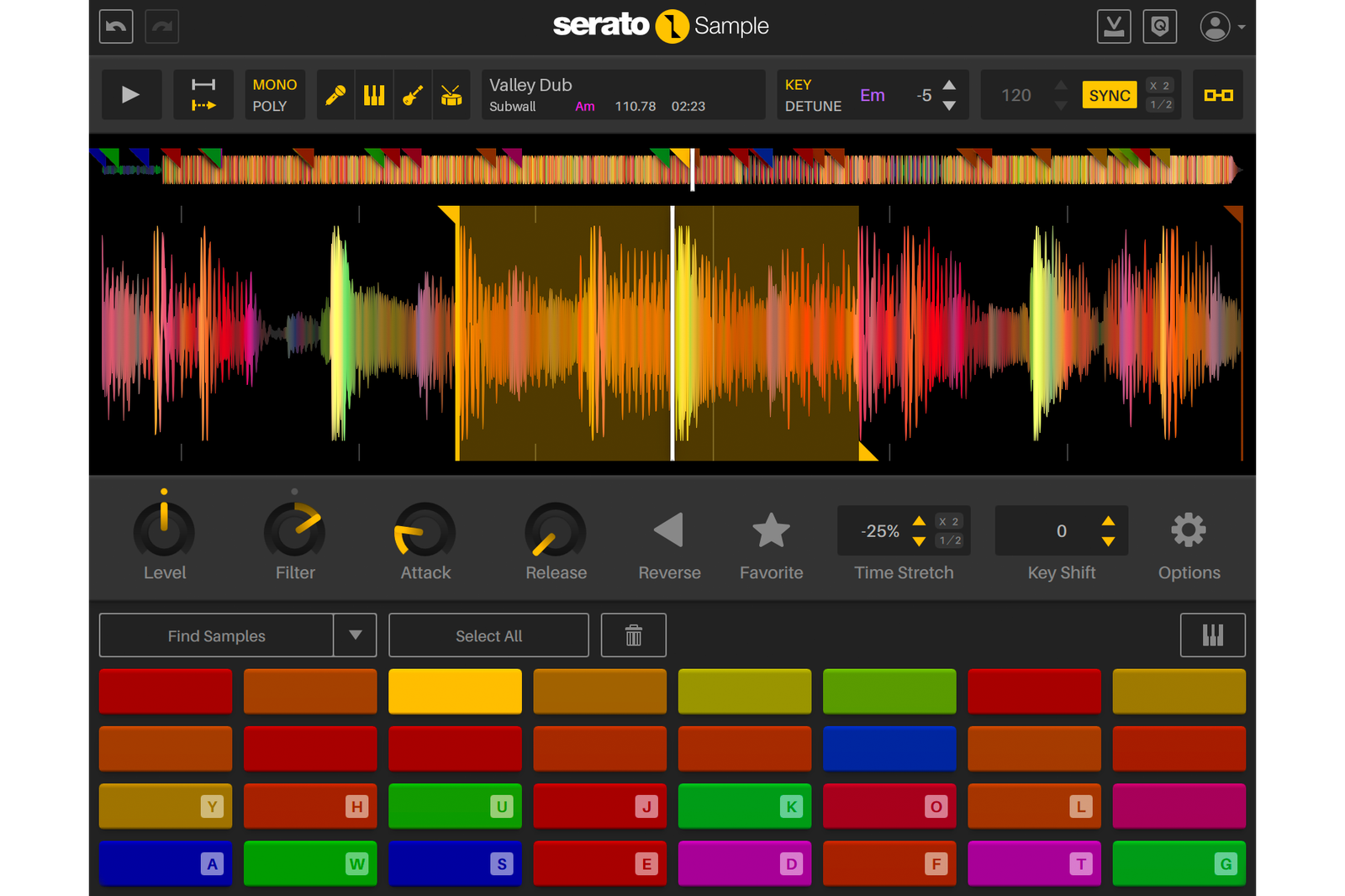
At the time of checking, Serato's download page lists Sample 2.2.0. Its additions include individual stem levels and host automation for stem switching and levels. That matters if you want to change the balance of a source while developing a phrase.
Imagine a house idea built from a vocal phrase and a melodic fragment. Before committing to a chop, you may want to try a different key, remove the drums or bring some bass back into the source. We would demo Sample for that kind of repeated exploration.
The trade-off is the extra purchase and another instrument to learn. A single window is useful only if it makes your decisions easier. If your existing FL Studio process already gets you to a finished phrase comfortably, convenience alone may not be worth paying for.
For the broader product overview, read our Serato Sample review.
Where Slicex makes more sense
Slicex is built around slicing audio into regions and playing those regions from notes. It supports two decks and detailed waveform and articulation editing. You can work on the boundaries, playback and shaping of individual slices instead of treating a loop as one fixed recording.
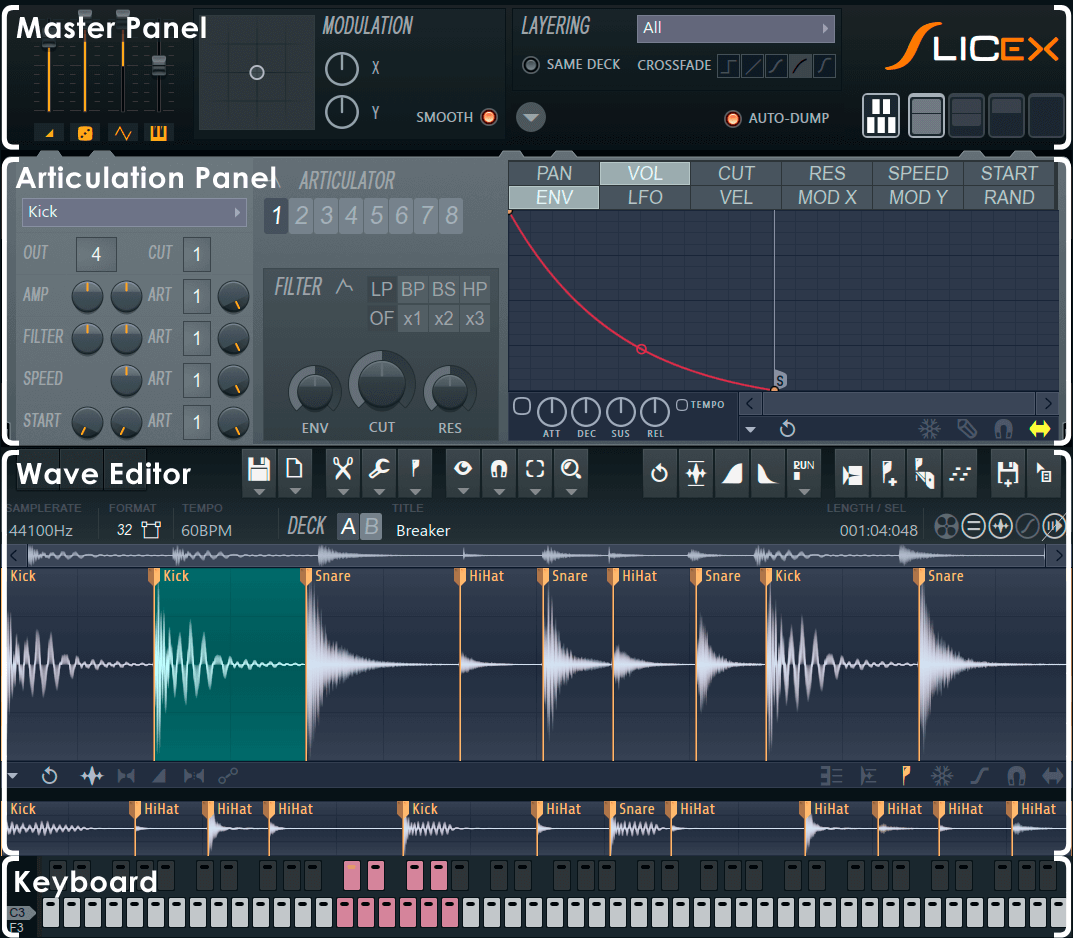
Our suggested starting point is a drum break or melodic loop that already contains the material you need. Pick a few useful regions, write a different rhythm in the Piano roll and adjust any awkward boundaries.
SoundShaper opinion: We would stay with Slicex when the creative work is mainly in the rhythm and the individual slices. Learning where to cut a phrase and which notes to leave out is likely to help more than buying a second way to trigger it.
Its depth can also mean more setup. Envelope assignments, region settings and waveform tools deserve some learning time. If that process repeatedly interrupts your writing, a more focused alternative is worth trying.
Stem separation: compare Sample with the whole FL Studio workflow
Slicex itself is not the same thing as FL Studio's stem separator. However, comparing Sample's integrated separation with Slicex alone leaves out a tool many readers already own. Image-Line currently includes both Slicex and stem separation with Producer Edition and higher.
For a fair purchase decision, compare Serato Sample against FL Studio's stem separation plus Slicex. In one approach, you work with stems inside the sampler. In the other, you prepare separated audio in the DAW and continue chopping it.
Our practical suggestion is to use one dense source and one cleaner loop. Listen for unwanted bleed, softened attacks and other changes in the parts you plan to keep. We have not run a controlled comparison, so we would not call either separation engine the better-sounding option.
SoundShaper opinion: Integrated stem controls are a persuasive reason to try Sample if you keep changing your mind about what belongs in the source. If you usually separate once and then work from the result, FL Studio's existing approach may already suit you.
Pitch and tempo: judge the actual phrase
Serato Sample provides independent key and tempo changes through its Pitch 'n Time workflow. Slicex also has time-stretching tools, with Image-Line describing its stretching capabilities as optimised for drum loops.
For a melodic phrase that needs a large change, we would include Sample in the trial. For a break that mostly needs chopping into a new rhythm, we would begin in Slicex.
Neither suggestion is a sound-quality ranking. Try the interval and tempo change your song needs. Listen to sustained notes, vocal consonants and drum attacks in the arrangement. An isolated chop can sound unusual and still work well in the track.
Which would we choose for your music?
Hip-hop and lo-fi
For an already usable loop, we would begin with Slicex and focus on the new groove. For full-song sources where you regularly explore different stem combinations and key changes, we would demo Sample.
Do not judge the result only with a soft piano phrase. Include a source with busy drums or overlapping instruments so your buying decision reflects the material you actually use.
House and vocal chops
We would shortlist Sample when changing the source's stem balance is part of finding the hook. Once you already have a clean vocal phrase, Slicex may be enough to turn it into a new pattern. Keep the main rhythm simple before filling every gap with another chop.
Breakbeats and detailed drum editing
We would start in Slicex. Work on the important hits, check their endings and program the groove around them. The detailed editing is useful when the problem is a particular slice rather than the source as a whole.
Occasional sampling on a tight budget
Keep using Slicex if it is included in your licence. Put time into a few complete phrases before deciding you need a different sampler. If browsing drum one-shots is the real obstacle, our Atlas 2 vs XO comparison addresses a different job: organising and building kits from a sample collection.
Try this comparison before buying
Use Serato's 30-day trial alongside your existing FL Studio tools. Our suggested evaluation is a small musical task:
1. Choose a source you can use. Pick a recording or licensed loop that represents your normal work.
2. Set one goal. For example, make an eight-bar phrase from four chops, at the tempo and key of your project.
3. Finish it with your current tools. Include FL Studio's stem separation if you need it. Note where you lose momentum.
4. Build a second version in Sample. Use the same source and goal. Allow time to learn the controls rather than judging the first few minutes.
5. Choose in context. Keep the drums and bass playing. Ask which process helped you reach a usable phrase with fewer interruptions.
If both routes feel comfortable, there is little pressure to buy. If Sample consistently removes a frustrating part of your routine, you have a concrete reason to consider it.
Price, existing plugins and long-term value
On 18 October 2026, Serato lists Sample at $129 USD for an outright purchase. It is also available through a Producer Suite subscription. These are different buying options; compare the licence and ongoing cost rather than assuming the cheapest first payment is the best value.
Check the current Plugin Boutique listing for Serato Sample for your regional total. Offers and purchase bonuses change. Our Serato Sample price guide covers the buying question separately.
Slicex has no additional purchase cost if it is already included in your FL Studio licence. If you own another sampling tool you enjoy, include that in your comparison too. Three overlapping samplers are only useful when each has a clear role.
SoundShaper opinion: We would spend on Sample for a recurring improvement to the writing process. A sale or a larger feature list would not be enough on its own. If money is tight and Slicex handles your usual sources, keep the budget for a problem you can actually identify.
Compatibility and project checks
Use the current installer and check Serato's download and compatibility information for your system. We have not measured comparative CPU use. Test the trial in a representative project, save it, reopen it and export a short arrangement before buying.
If Sample does not appear in FL Studio, follow our plugin-scanning guide. For clean delivery of the finished idea, see our FL Studio export settings guide.
SoundShaper verdict: is Serato Sample worth buying over Slicex?
For producers who already own Slicex, our default recommendation is to use it first. It provides serious slice-editing tools without another purchase, and FL Studio can supply stem separation alongside it.
We would buy Serato Sample when its integrated approach makes a regular sampling task easier. Its case is strongest for producers who repeatedly explore stems, pitch and tempo while finding a new phrase. The 2.2.0 stem-level and automation additions make that specific workflow worth examining.
You do not need both to make good sample-based music. Start with a real source and a finished musical goal. Pay for the second tool when you can explain the improvement it brings to your own sessions.
Frequently asked questions
Is Slicex free with FL Studio?
Image-Line currently includes Slicex with Producer Edition and higher. It is part of a paid DAW licence, rather than a universally free plugin.
Does Slicex separate stems?
Use FL Studio's separate stem-separation feature and then work with the resulting audio. Slicex is the slice-editing instrument in that workflow.
Does Serato Sample work inside FL Studio?
Yes. Sample is a plugin you load in your DAW. Use a supported format and check the current system requirements before purchasing.
Is Serato Sample better for beginners?
We would try it if keeping the main sampling decisions together helps you understand the process. If you already have Slicex, learn to make a complete phrase there before assuming that another interface will be easier for you.
Do you need a subscription for Serato Sample?
No. Serato currently offers an outright purchase as well as access through its Producer Suite subscription. Check the licence attached to the offer you choose.
Sources and editorial basis
Product information checked on 18 October 2026 against Serato Sample features, Sample release information, Serato pricing and trial terms, the Slicex manual, FL Studio edition details and the linked Plugin Boutique listing. Suggested workflows and buying recommendations are SoundShaper's editorial judgement. No controlled audio-quality, speed or CPU benchmark is claimed.
![[background image] image of recording equipment (for a musician & band)](https://cdn.prod.website-files.com/image-generation-assets/a2fb530f-98f2-4866-a298-1562ce19496d.avif)
![[background image] image of recording equipment (for a musician & band)](https://cdn.prod.website-files.com/68efa70811edd8e5af30a90d/6ad51b453ad0e932c58d82a6_Vintage%20Audio%20Plugins%20Comparison.png)
![[background image] image of recording equipment (for a musician & band)](https://cdn.prod.website-files.com/68efa70811edd8e5af30a90d/6ad51aedbbd6c56e894f3b7b_Kickstart%202%20vs%20Duck%202%20Plugins.png)