
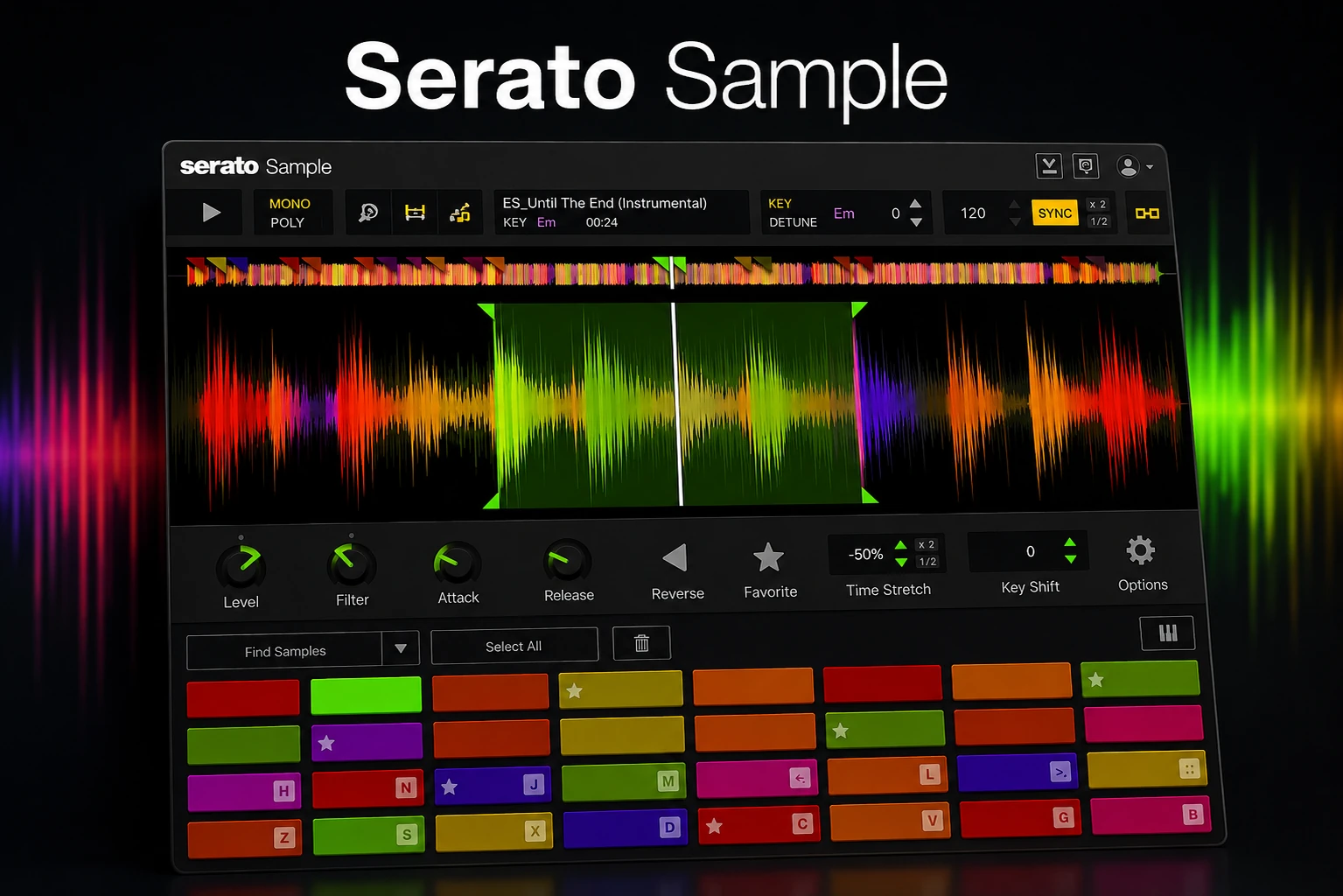

Sampling itself isn’t difficult. The time-consuming part is everything around it: finding the right chop, matching tempo and key, separating the part you actually want, and turning it into something that fits your track.
That is exactly where Serato Sample tries to earn its place in your plugin folder.
It brings chopping, automatic key and BPM detection, stem separation, pitch shifting and time stretching into one focused workflow designed to get you from a full audio file to a playable idea faster.
But there is an obvious question: is that convenience really worth paying for when Ableton, FL Studio, Logic and most other modern DAWs already include powerful sampling tools?
In this Serato Sample review, we’ll look at what it actually does better, where it falls short, and whether it offers enough value to justify buying it in 2026.
Quick Verdict
Serato Sample is worth it for producers who sample regularly and value speed over deep sampler programming.
Its biggest advantage is not that it introduces a completely new way to work with audio. It is that the tools you constantly need while sampling are brought together in one focused plugin, making it easier to move from an interesting piece of audio to something you can actually use in a track.
If you already love the sampling workflow inside your DAW, Serato Sample is much less essential. But if chopping and manipulating audio regularly feels more complicated than it should, this is exactly the kind of friction Serato Sample is designed to remove.
Check the Current Serato Sample Price →
See the latest price at Plugin Boutique and whether any extra offers are currently included.
Serato Sample: Quick Comparison
Before diving deeper, here’s the simplest way to understand where Serato Sample fits: it prioritizes a fast, purpose-built sampling workflow over the broader flexibility of a typical DAW sampler.
The key difference is focus. A DAW sampler may offer many of the same individual capabilities, but Serato Sample is built specifically around moving from source audio to a playable chop with as little friction as possible.
That does not automatically make it better — but for producers who spend a lot of time flipping samples, it can make the process noticeably more direct.
Why Serato Sample’s Workflow Is Its Biggest Strength
Serato Sample’s biggest strength becomes much clearer when you look at what an actual sampling session involves.
Load a full track into the plugin and Serato Sample can detect its BPM and key, sync it to your project and help identify usable sections with Find Samples. From there, you can place or adjust cue points, trigger chops from MIDI and start rearranging the source without first preparing a collection of separate audio files.
A typical workflow can look as simple as this:
Load a track → find a usable section → create a chop → match it to the project → repitch it → play it from MIDI.
Serato Sample gives you up to 32 playable cue points, so you can map different sections of the same source and quickly experiment with different arrangements instead of committing to one slice too early.
That speed matters more than it might seem.
When you are searching for an idea, most chops will not become part of the finished track. You might try one phrase, pitch it down, decide it does not work, move to another section and completely change direction within a minute. A workflow that makes those experiments easier means you can reject bad ideas faster and spend more time on the ones that actually work.
Find Samples also does not lock you into whatever the algorithm chooses. Cue points can still be placed and adjusted manually, which is important because automatic detection will not find the perfect chop in every source.
That combination of automation when you want speed and manual control when you need precision is what makes the workflow work so well.
Serato Sample is not trying to remove the creative decisions from sampling. It is trying to remove as much of the preparation around those decisions as possible.
And that becomes even more useful once you can separate the source into vocals, drums, bass and melody before you start chopping.
Stem Separation Is Where Serato Sample Gets Really Interesting
Serato Stems changes what counts as a usable sample.
Serato Sample can separate a piece of audio into vocals, drums, bass and melody, giving you control over parts of a finished mix that would normally be locked together.
That makes a much bigger difference than simply having four extra buttons.
Imagine finding the perfect vocal phrase, but the original drums clash with your beat. Instead of abandoning the sample, you can remove the drums and work with the vocal on its own.
Or maybe the melody is exactly what you want, but the original bassline limits where you can take it. Remove the bass, write your own underneath it and suddenly the same recording can fit a completely different track.
You can use the same idea in reverse:
keep the drums and remove the melody, isolate a bass phrase, strip a track back to its melodic content or create different chops from different stem combinations.
This is where Serato Sample becomes much more than a traditional slicing tool. You are not only deciding where to chop the source anymore — you can also decide which parts of the source should exist in the chop at all.
Stem separation is not perfect in every situation. Complex mixes can be harder to separate cleanly, and Serato notes that Stems can be demanding on the CPU, particularly when multiple instances are running in the same project.
But even with those limitations, the creative advantage is substantial. A sample that would previously have been unusable because of one unwanted element can suddenly become workable.
For producers who sample complete songs, mixed loops or vocals regularly, that can dramatically increase the amount of material worth experimenting with.
Once the right material is isolated, the next challenge is making it fit the key, tempo and character of your own track.
Pitch Shifting and Time Stretching Feel Built for Sampling
Once you have isolated the part you want, the next challenge is making it fit your track without destroying what made the sample interesting in the first place.
That is where Serato’s Pitch ’n Time technology becomes important.
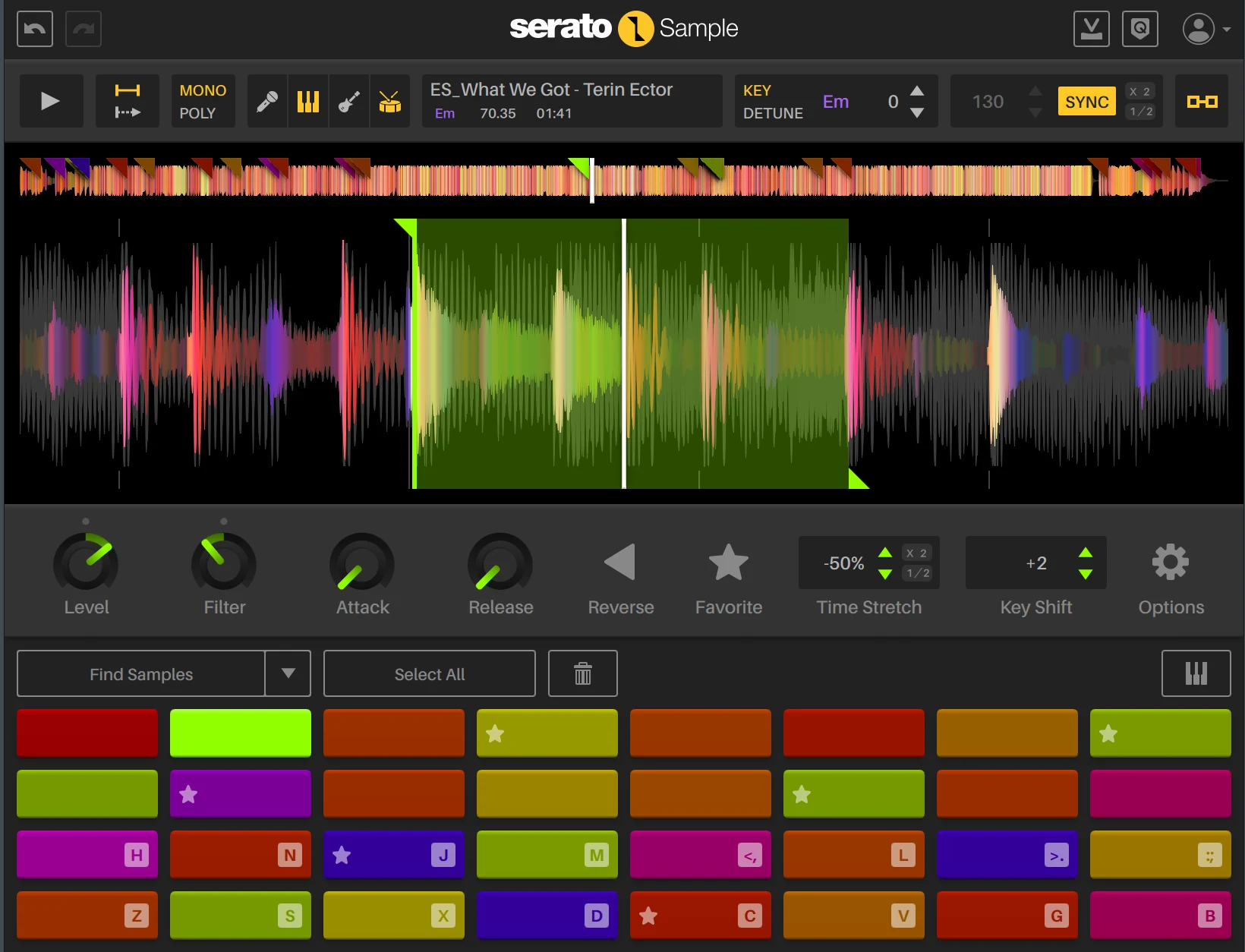
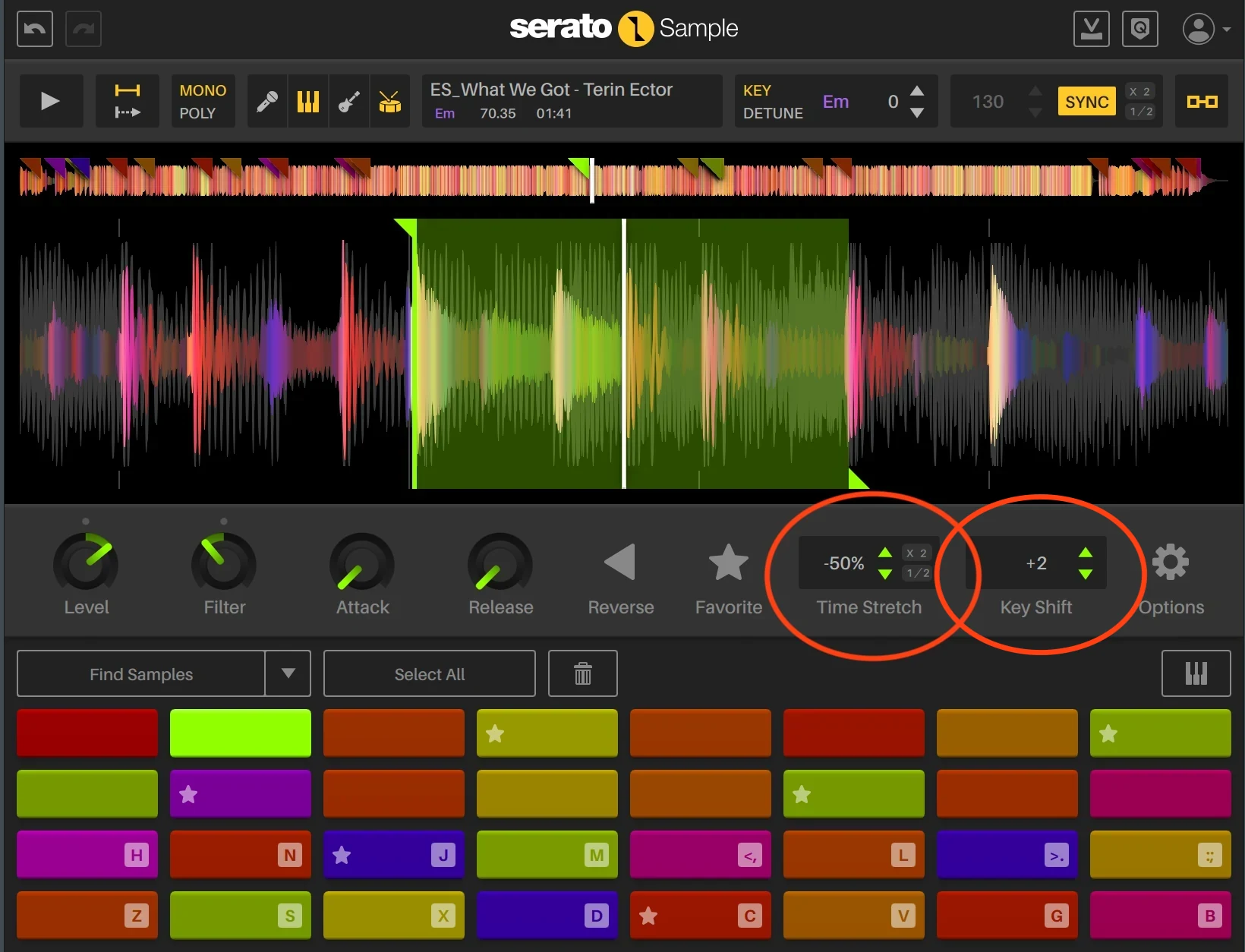
Serato Sample lets you change pitch and timing independently, so you can move a vocal, melody or full chop into a different key while still keeping it locked to your project tempo.
In practice, that opens up a lot of creative room.
You might find a vocal phrase that works perfectly rhythmically but sits in the wrong key. Instead of searching for another sample, you can shift it until it fits the harmony of your track.
A melodic loop can be slowed down dramatically without automatically dropping several semitones. Or you can do the opposite and deliberately link pitch and playback speed when you want the more traditional pitched-sampler sound.
The real test is how far you can push a sample before the processing becomes distracting.
Vocals and exposed melodic material are especially unforgiving here. Poor time stretching can quickly create metallic artifacts, unnatural transients or a smeared sound that makes the sample harder to use rather than easier.
Serato’s approach gives you enough flexibility to experiment with large tempo changes, transpositions and different moods without immediately committing to destructive edits.
That makes Pitch ’n Time particularly useful when the sample you found is creatively right but technically wrong for the track.
Instead of treating the original tempo and key as fixed limitations, they become another part of the sound you can reshape.
That flexibility is one of Serato Sample’s strongest creative tools — but the plugin is still deliberately focused, and that means there are areas where more advanced samplers go much deeper.
Where Serato Sample Falls Short
Serato Sample’s focused design comes with a clear trade-off: it is not a deep sampling workstation.
If your goal is to build detailed playable instruments from large collections of samples, you will eventually run into its limits. Serato Sample is not designed around complex multisample mapping, round robins, scripting or extensive modulation in the way a platform such as Kontakt is.
That also means there is less room for detailed sound design after the sample has been chopped.
You can do a lot to the source creatively, but the plugin is built around transforming and replaying existing audio rather than constructing elaborate instruments from the ground up.
The 32-cue workflow is excellent for quickly exploring different chops, but producers who want extremely detailed editing or highly programmable sampler behaviour may find the streamlined design restrictive.
There is another limitation that matters just as much: some producers simply will not need it.
Modern DAWs already include strong tools for slicing, stretching and manipulating audio. If your current sampling setup already feels fast and intuitive, Serato Sample may improve convenience without fundamentally changing what you can achieve.
That is the important distinction.
Serato Sample is strongest when it removes friction from a workflow you use constantly. It is much less compelling when you are looking for maximum depth, advanced instrument building or a replacement for a full sampling workstation.
So if your priority is deep control, look elsewhere. If your priority is getting creative with existing audio quickly, its limitations are much easier to accept.
Serato Sample vs Your DAW’s Built-In Sampler
This is probably the most important question before buying Serato Sample: do you actually need it if your DAW already has a sampler?
The answer depends heavily on which DAW you use. FL Studio, Ableton Live and Logic Pro all offer capable tools for slicing, stretching and manipulating audio, and their built-in sampling workflows have become increasingly powerful.
Serato Sample does not automatically beat these DAWs on raw functionality. In some areas, your DAW may actually give you more control without requiring another purchase.
What Serato Sample offers instead is a dedicated environment built specifically around flipping existing audio.
Rather than learning several different tools for slicing, stems, pitch and timing, you can handle the core sampling process inside one plugin. That can be a meaningful advantage if sampling is a major part of how you produce.
But if Simpler, Slicex, Quick Sampler or your existing DAW workflow already feels effortless, Serato Sample becomes much harder to call essential.
The best reason to buy it is not that your DAW cannot sample — it is that you prefer the way Serato Sample lets you do it.
Who Is Serato Sample Best For?
Serato Sample is best suited to producers who regularly build ideas from existing audio.
That includes beatmakers who flip records, producers who chop vocals or loops, and anyone who often wants to turn a full track into smaller playable parts without spending too much time preparing the source first.
It is particularly useful in workflows where experimentation matters. If you often try multiple chops, pitch variations or stem combinations before finding the version that works, Serato Sample makes that process easier to repeat quickly.
Genre matters less than workflow, but it naturally fits well with hip-hop, house, lo-fi, R&B and other sample-heavy styles.
If sampling only plays a small role in your productions, however, the value becomes much harder to justify. In that case, the tools already inside your DAW may be more than enough.
In short: Serato Sample is most valuable when sampling is part of your creative process, not just an occasional task.
Is Serato Sample Worth the Price?
At $129, Serato Sample is expensive enough that the buying decision should come down to more than the feature list.
The key question is simple: will it save you enough time and make sampling easier often enough to justify the cost?
If sampling is a regular part of your production process, the value proposition is strong. You are paying for a dedicated workflow that combines chopping, key and BPM detection, stem separation, pitch processing and playable cue points in one place.
That can be especially valuable when you are constantly working with full tracks, vocals and mixed loops, because the plugin reduces the amount of setup between finding a sample and actually using it.
If you only sample occasionally, the price becomes much harder to defend. Your DAW may already cover the basic jobs well enough, and paying $129 for convenience you rarely use does not make much sense.
It is also worth checking where you buy Serato Sample, because the total value can differ between retailers even when the license price is the same.
Plugin Boutique can include additional purchase bonuses and rewards alongside the full Serato Sample license, which can make it the more attractive place to buy.
For a full breakdown of the current price, available deals and the best place to buy, see our Serato Sample Price guide.
Our view: the price makes sense for producers who sample often enough to benefit from the faster workflow. For everyone else, it is a premium convenience rather than an essential purchase.
Serato Sample Pros and Cons
Serato Sample’s strengths and weaknesses are fairly clear once you look at the full workflow.
The main trade-off is simple: Serato Sample gives you a faster, more focused way to work with existing audio, but it does not offer the depth of a full sampling workstation.
If speed and creative experimentation matter more to you than advanced instrument building, that trade-off works strongly in its favor.
Final Verdict: Is Serato Sample Worth It?
Yes — for producers who genuinely spend a lot of time working with samples.
Serato Sample’s strongest selling point is not raw power. It is how naturally chopping, stem separation, pitch manipulation and timing fit together when you want to turn existing audio into something new.
That makes it especially easy to recommend to producers who regularly flip tracks, vocals and loops and want a dedicated tool that keeps that process moving quickly.
If your DAW already gives you a sampling workflow you love, Serato Sample is not essential. And if you only sample occasionally, we would save the money.
But for the right producer, Serato Sample solves a real workflow problem rather than simply adding another plugin to the collection.
If that sounds like the way you produce, Serato Sample is an easy recommendation.
![[background image] image of recording equipment (for a musician & band)](https://cdn.prod.website-files.com/68efa70811edd8e5af30a90d/6acd43b8998701bbde84e11a_Best%20Export%20Settings%20for%20FL%20Studio.png)
![[background image] image of recording equipment (for a musician & band)](https://cdn.prod.website-files.com/68efa70811edd8e5af30a90d/6acd3f9347bd0dd62b202621_ShaperBox%203%20vs%20Infiltrator%202.png)
![[background image] image of recording equipment (for a musician & band)](https://cdn.prod.website-files.com/68efa70811edd8e5af30a90d/6acd3d99fa68785e0f58960e_Kontakt%208%20vs%20Decent%20Sampler.png)