
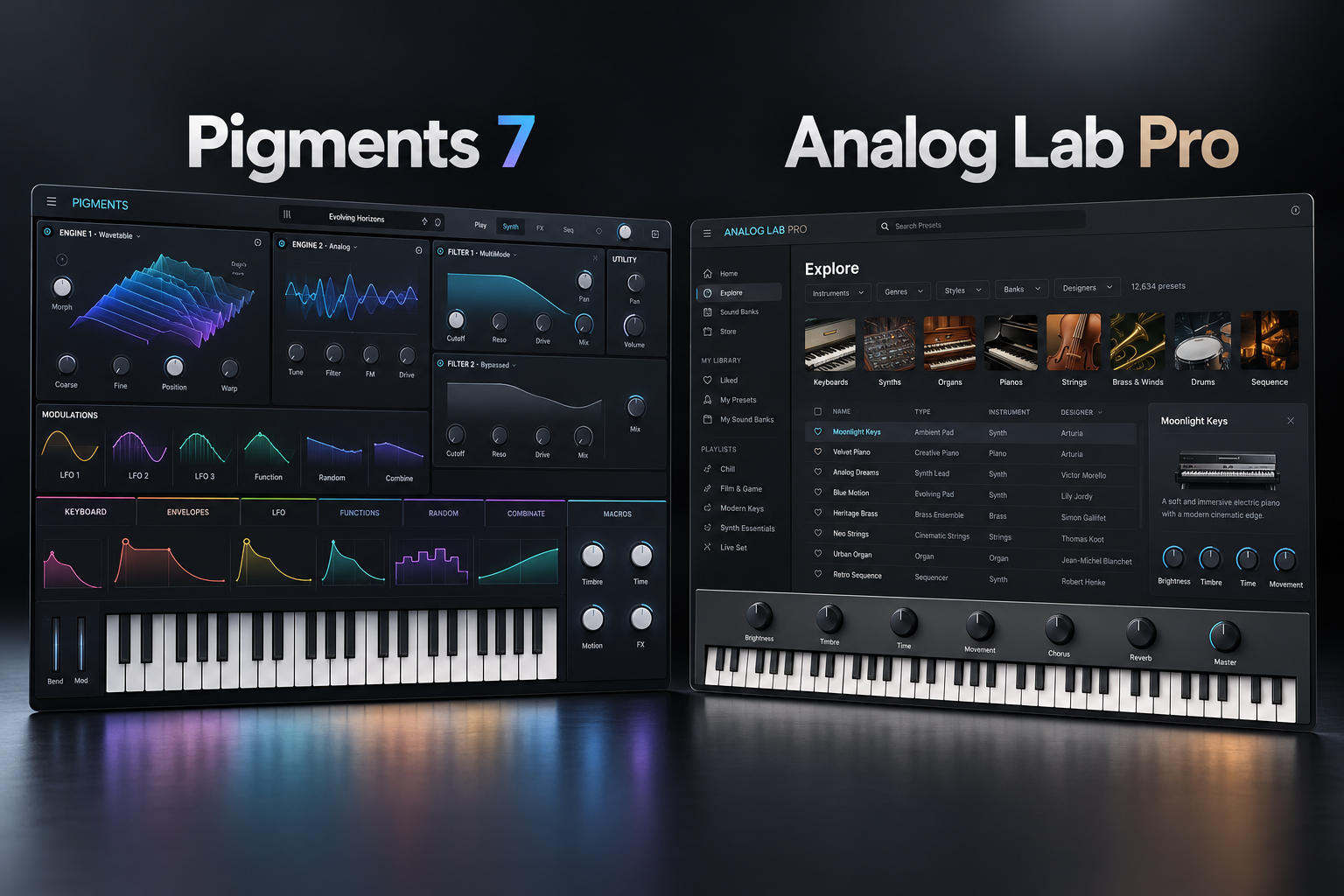

Arturia Pigments 7 and Analog Lab Pro both give producers inspiring synth sounds, but they fit very different workflows. Pigments is a complete synthesizer for creating detailed patches, whereas Analog Lab Pro is built around finding and playing sounds from a broad collection of Arturia instruments. We would pick Pigments for sound design and Analog Lab Pro for fast preset-based production. The deciding factor is whether you enjoy building sounds or want to focus on playing them.
Pigments 7 vs Analog Lab Pro: quick comparison
| Feature | Pigments 7 | Analog Lab Pro |
|---|---|---|
| Main job | Design synth sounds from scratch | Browse and perform ready-made sounds |
| Editing depth | Complete synthesis, modulation and effects | Macros and preset controls; owning the underlying instrument is needed for deep editing |
| Sound library | Pigments presets | 2,000+ Arturia keyboard and synth presets |
| Best for | EDM, evolving pads, modern bass | Hip-hop, songwriting, keyboard parts, live sets |
| Free alternative | Pigments Play or Vital for limited workflows | Analog Lab Play, including 100 sounds |
What is Pigments 7?
Pigments is Arturia's hybrid synthesizer. It lets you build a patch with synthesis engines, filters, envelopes, LFOs, modulation and effects. Pigments 7 adds the Rage, Ripple and Reverb filters, the Corroder effect, improvements to the engine and CPU behavior, and in-app tutorials. These changes are useful if you enjoy shaping a sound far beyond its starting preset.
For example, you can make a bass gradually brighten during a verse, or design a pad whose modulation changes across several bars. If that kind of creative control is your goal, the full synth makes sense. If you only need a collection of keyboard presets, you may never touch much of this functionality.
SoundShaper advice: trial Pigments for a specific sound-design task. If the workflow is enjoyable and you need the advanced controls regularly, it is a sensible investment.
What is Analog Lab Pro?
Analog Lab Pro is Arturia's preset-oriented keyboard anthology. It gives you more than 2,000 sounds, fast browsing, performance controls, multis and splits, playlists and a Stage view. You can move quickly between vintage keys, organs, pads and synth leads without opening individual instruments.
The important limitation: Analog Lab Pro is not a license for the complete underlying V Collection instruments. It provides selected controls for presets. To access deep synth parameters you must own the corresponding instrument.
SoundShaper advice: buy Analog Lab Pro when finding playable sounds quickly is more valuable to your sessions than creating patches from the ground up.
Which is better for your music?
EDM and bass music
We would choose Pigments when a custom moving bass, animated synth lead or evolving texture is central to the track. Its modulation tools are the reason to buy it.
Hip-hop and R&B
For producers building chord progressions and melodies from vintage keys, Analog Lab Pro is a natural first choice. Pigments is still useful when original synth textures are more important than a broad keyboard library.
Ambient and cinematic music
Both can be valuable. Pigments makes it easier to construct a changing texture deliberately. Analog Lab Pro makes it easier to discover a playable sound that inspires a composition. Think about whether you start by designing or browsing.
Live performance
Analog Lab Pro's preset organization, splits and Stage view are particularly relevant when changing sounds on stage. Pigments can be a strong performance instrument for one customized synth patch.
Can you fully edit Pigments presets in Analog Lab Pro?
No. Macro adjustments are not equivalent to owning Pigments' complete editing interface. Arturia's edition guide explicitly distinguishes these workflows. If you want to rebuild patches or edit individual synthesis engines, choose Pigments.
What should beginners buy?
Beginners who want playable keyboard sounds should try the free Analog Lab Play before spending money. Arturia lists 100 included sounds in that edition. If learning synthesis is your priority, use Pigments Play for an introduction to Pigments or a free synth such as Vital. Paying for features you have not yet learned is rarely necessary.
Quick buying test
- Open an actual project rather than testing isolated presets.
- Identify a missing sound: a vintage electric piano, a moving bass or a pad.
- Try browsing presets in Analog Lab Play or Pro.
- Try designing a comparable sound in Pigments or Pigments Play.
- Choose the workflow that helps you finish the musical idea with less friction.
Price, compatibility and current versions
Arturia's official Analog Lab Pro page shows a standard price of $199, with version 5.12.6.6914 listed on 1 October 2026. The downloads page lists Windows 10+ and macOS 11+. Pigments 7 is the current major product version documented by Arturia. We do not quote an unverified Pigments checkout price: prices and offers vary by region and promotion. Check the latest system requirements and current retailer checkout before buying.
More from SoundShaper
Read our Pigments 7 review, Pigments Play vs Pigments 7, and Analog Lab vs UVI Workstation for further buying context.
SoundShaper opinion
Our pick for sound designers is Pigments 7. Its complete synth engines and detailed modulation are meaningful advantages when you build complex basses and evolving textures.
Our pick for preset-focused producers is Analog Lab Pro. Its broad library and performance layout let you spend more time playing and writing.
These recommendations are based on official feature specifications and editorial workflow analysis, not fabricated hands-on tests.
Frequently asked questions
Is Analog Lab Pro the same as Pigments?
No. Analog Lab Pro is a preset and performance environment; Pigments is a full synthesizer.
Does Analog Lab Pro include every Arturia instrument?
No. Its preset access does not include full deep-editing licenses for the underlying instruments.
Which is better for FL Studio?
Both can fit an FL Studio production workflow with supported versions and formats. Pick according to sound-design depth versus fast preset access.
Do I need both?
Not necessarily. Buy one first and add the other only if you repeatedly need the workflow you are missing.
Final verdict
Buy Pigments 7 for sound design. Buy Analog Lab Pro for fast access to a broad palette of keyboard and synth sounds. Start with the free Play editions when budget matters. Your workflow—not the number of advertised presets—is the deciding factor.
![[background image] image of recording equipment (for a musician & band)](https://cdn.prod.website-files.com/68efa70811edd8e5af30a90d/6ad525ca541f84cd109a4180_Repro-5%20vs%20Prophet-5%20V.png)
![[background image] image of recording equipment (for a musician & band)](https://cdn.prod.website-files.com/68efa70811edd8e5af30a90d/6ad5249509c44abef3dec403_Diva%20vs%20Pigments%207.png)
![[background image] image of recording equipment (for a musician & band)](https://cdn.prod.website-files.com/68efa70811edd8e5af30a90d/6ad5234388e811ebd04ea1f7_Battery%204%20vs%20XO.png)