
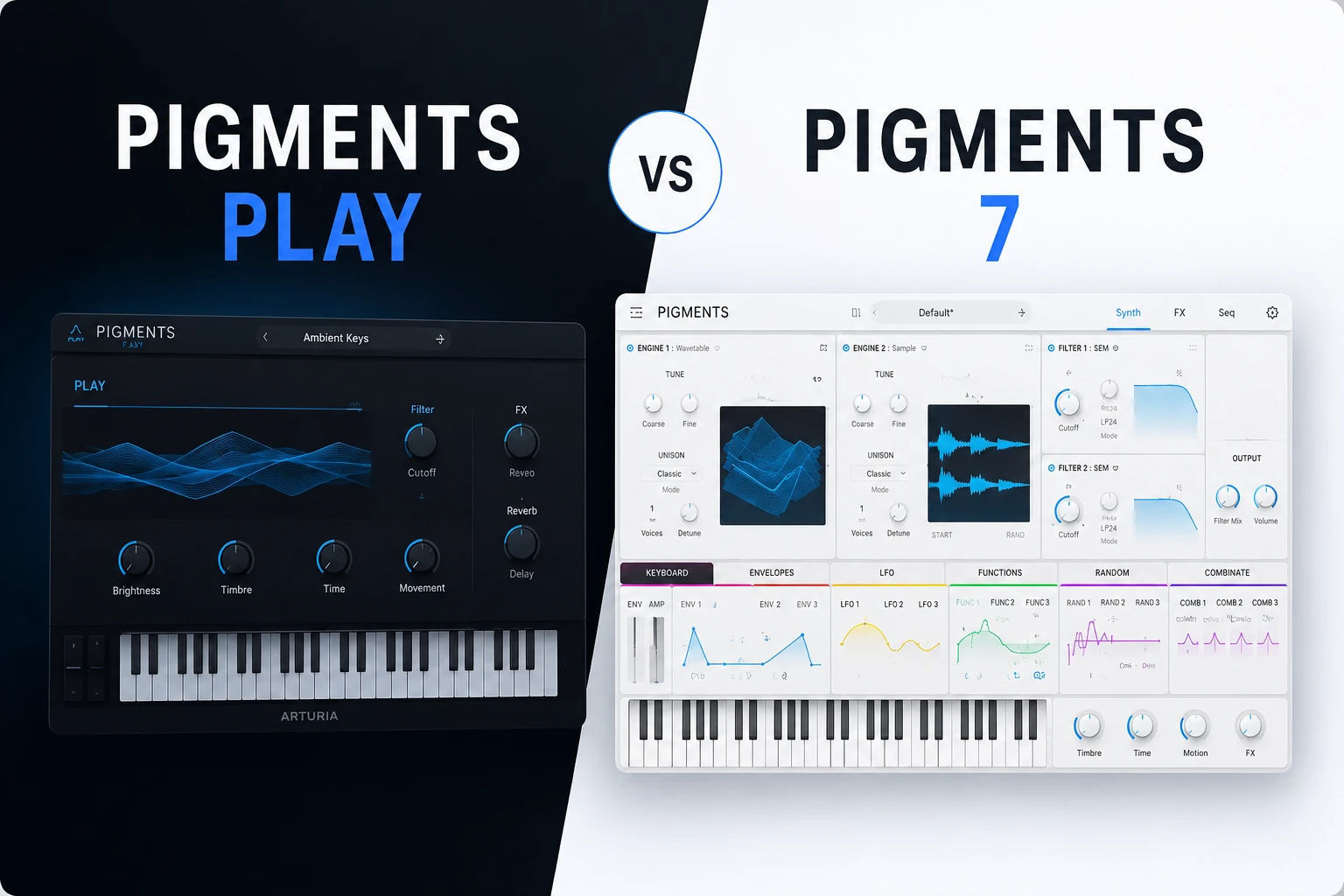

Pigments Play gives you a surprisingly big taste of Arturia’s full synth without spending anything. You get the Pigments sound, a curated preset library, and enough control to start making music right away.
So why would you pay for Pigments 7?
That’s where the comparison gets interesting. The free version is great at playing and tweaking sounds, while Pigments 7 gives you the deeper control to actually design them.
In this comparison, I’ll break down exactly what you gain by upgrading, where Pigments Play starts to feel limited, and whether Pigments 7 is actually worth paying for.
Pigments Play vs Pigments 7: Quick Verdict
Pigments Play is the better choice if you mainly want to browse presets, make a few quick adjustments and get back to producing. It gives you a surprisingly capable version of the Pigments experience without forcing you into the deeper parts of synthesis and modulation.
Pigments 7 makes much more sense if you want to build your own sounds, shape patches in detail or use Pigments as one of your main synths. The full version opens up the deeper sound-design tools that make Pigments interesting in the first place.
My pick: Pigments Play is an excellent free starting point, but if you want the full Pigments experience rather than just access to its sounds, Pigments 7 is the version worth owning.
The Real Difference Isn’t the Sound — It’s the Control
At first, Pigments Play looks almost too generous. You’re not getting a completely different synth with weaker sound engines underneath it. You’re getting access to the same core Pigments sound, just through a much smaller window.
And that’s really where the difference between the two versions starts.
Pigments Play is built around choosing a sound and shaping it with the controls Arturia gives you. Pigments 7 lets you go underneath that sound and decide how it is actually built. Instead of only changing the character of a preset, you can start changing the synthesis, movement, modulation and processing that created it in the first place.
That difference might not matter much if your workflow is mostly finding a preset that fits and making a few adjustments. But the moment you hear a sound you like and want to change how it evolves, behaves or reacts, the limitations of Pigments Play become much more noticeable.
That’s why I wouldn’t look at Pigments Play as a worse-sounding version of Pigments 7. It’s better described as a simplified way into the same world. The full version becomes worth considering when you no longer just want access to the sounds — you want control over them.
If you want a deeper look at the full version before deciding, you can read my complete Pigments 7 review.
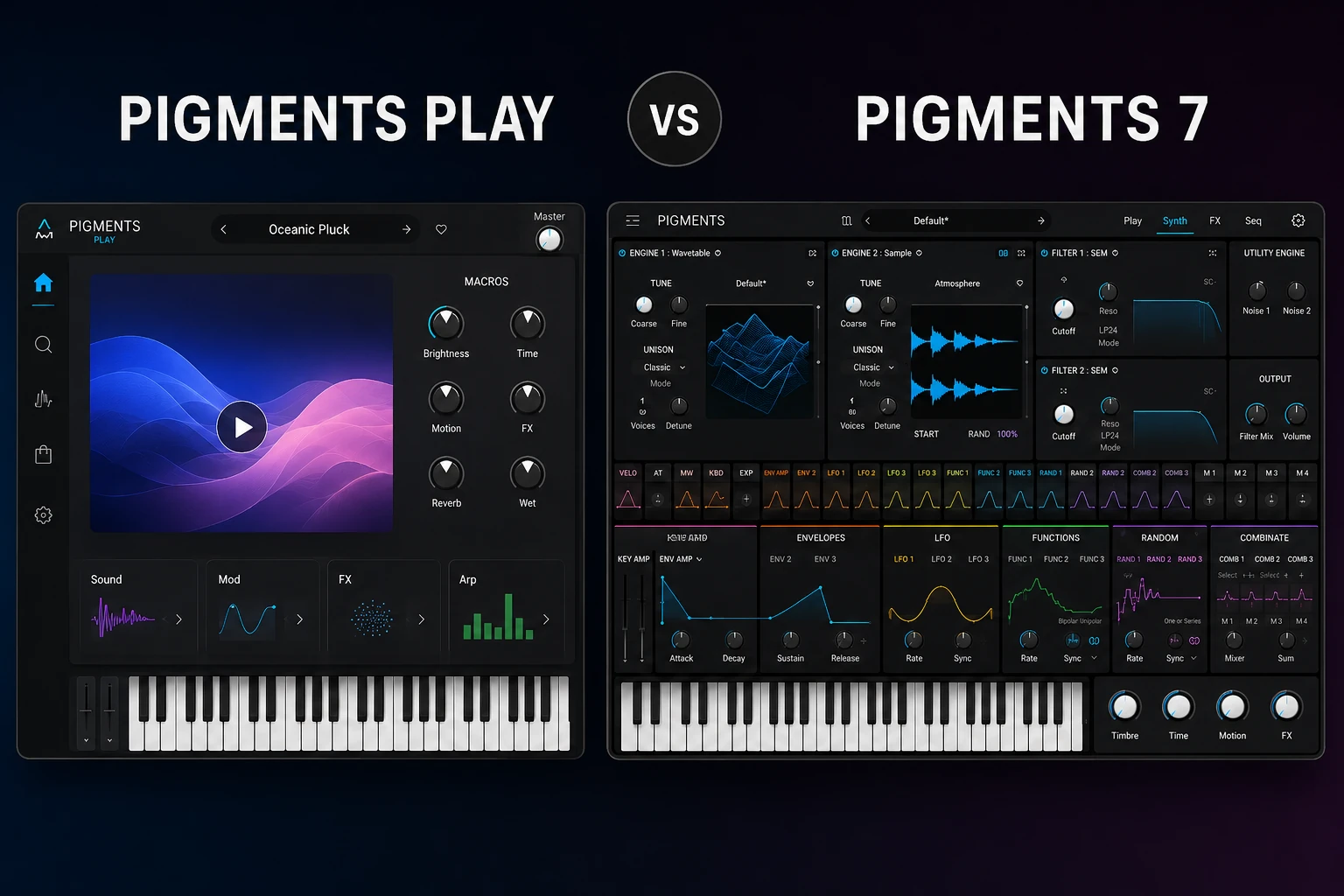
What You Can Actually Do With Pigments Play
Calling Pigments Play a free demo would undersell it. You can genuinely use it as a synth in finished productions without ever upgrading to Pigments 7.
The workflow is deliberately simple. You start with one of the included presets and shape the sound through a smaller set of musical controls rather than opening up the entire synth architecture. That makes it especially useful when you want to find a pad, bass, lead or texture quickly and keep moving instead of disappearing into sound design.
And because Pigments Play is built around the same Pigments sound world, the free version doesn’t feel like a cheap substitute. If a preset already sits close to what your track needs, the controls Play gives you may genuinely be enough.
For producers who mainly use synths as a source of strong starting sounds rather than something they want to build from the ground up, Pigments Play can go surprisingly far.
Where Pigments Play Starts to Feel Limited
The simplicity of Pigments Play is one of its biggest strengths, but it eventually becomes its biggest limitation too.
Imagine finding a pad that is almost perfect for your track. You like the tone and texture, but you want it to open more slowly, change the movement inside the sound or completely reshape how the synth develops over time. With Pigments Play, you can tweak what Arturia has chosen to expose, but you can’t simply dive into every part of the patch and rebuild it around your track.
The same thing happens with basses, leads and more experimental sounds. A preset can get you 80% of the way there, but that final 20% is often where sound design starts to matter. Maybe you want to change the wavetable movement, create a different modulation route, rebuild the filtering or make the sound react in a completely different way.
That’s the point where Pigments Play can start to feel less like a streamlined workflow and more like a boundary.
If you rarely find yourself wanting to go beyond the controls in front of you, that boundary probably won’t bother you. But if you regularly hear a preset and immediately start thinking about how you could make it your own, you’re exactly the kind of producer who will benefit much more from Pigments 7.
Pigments Play lets you work with the sound you’re given. Pigments 7 lets you decide where that sound goes next.
What Pigments 7 Actually Unlocks
Upgrading to Pigments 7 doesn’t give you a completely different sound. It gives you control over everything that Pigments Play keeps underneath the surface.
Instead of working through a focused set of controls, the full version opens up the actual architecture behind each patch. You can get into the synthesis engines themselves, change how the sound is generated and shape details that simply aren’t exposed in Pigments Play.
Modulation is one of the biggest differences. In Pigments 7, you can build your own relationships between envelopes, LFOs and other modulation sources rather than being limited to the movement already designed into a preset. That matters when you want a sound to evolve around your track instead of simply accepting how it was originally programmed.
You also gain access to the deeper sequencing and effects environments, giving you much more control over rhythmic movement, processing and the way a patch develops over time. And if you prefer working from presets, the full version also opens up a much larger library of starting points.
But the important part isn’t simply that Pigments 7 has more features. It’s that Arturia gives the sound-design decisions back to you.
If you normally find a preset, make a few adjustments and move on, you may not need that extra depth. But if you regularly want to change what is happening underneath a sound, Pigments 7 becomes a much easier upgrade to justify.
That is ultimately what you are paying for: not necessarily better sounds, but much more freedom over how those sounds are created.
Is Pigments 7 Worth the Money?
Pigments 7 becomes a slightly unusual purchase decision because Pigments Play already gives you so much for free. If you mainly browse presets and make small adjustments, paying for the full version simply doesn’t make much sense. You’d be spending money on depth you probably won’t use.
But the value changes quickly if Pigments is going to become one of your main synths.
Instead of buying into one specific type of synthesis, Pigments 7 gives you a much broader sound-design environment in one instrument. You can move between virtual analog, wavetable, granular, sampling and more experimental synthesis, then tie everything together with the same modulation, sequencing and effects workflow.
That versatility matters. If you’re the kind of producer who would otherwise end up buying several different synths to cover those jobs, Pigments 7 starts to look much easier to justify.
At the time of writing, Arturia lists Pigments at $129, down from its regular $199 price. At that price, I think the full version offers strong value if you already know you’ll use the deeper sound-design tools. Deals can change, though, so it’s worth checking the current price before buying.
The important thing is not to upgrade simply because Pigments Play is the “free version.” Upgrade when you start running into limitations that actually affect the way you produce. If that’s already happening, Pigments 7 is much more than a larger preset library — it gives you a synth you can keep growing into rather than eventually growing out of.
Who Should Stay With Pigments Play?
Pigments Play makes the most sense if you primarily use synths to find inspiring sounds quickly rather than build them from scratch. If your usual workflow is opening a preset, adjusting a few obvious controls and moving on with the track, the free version already covers a surprising amount of what you actually need.
It can also be the smarter choice if you already own another deep synth for serious sound design. If Serum, Phase Plant, Vital or something similar already handles the moments when you want complete control, Pigments Play can simply become another source of useful sounds without adding another paid synth to your collection.
And if you’re still figuring out whether you even like the Pigments workflow, there’s no reason to rush into the full version. Use Play in real projects first. If you keep reaching for it and eventually start wishing you could go deeper, the case for upgrading becomes much clearer.
That’s why staying with Pigments Play isn’t really a compromise if the limitations never get in your way. For the right producer, it may genuinely be all the Pigments they need.
Who Should Upgrade to Pigments 7?
Pigments 7 is the better choice if you regularly want to go beyond the sound a preset gives you. The moment you start changing modulation, rebuilding movement, reshaping synthesis or designing patches around the track instead of around the preset, the full version becomes much easier to justify.
It also makes more sense if you want Pigments to become one of your main synths rather than something you open occasionally. The deeper you go into its sound engines, modulation and sequencing, the more value you get from having access to the complete environment instead of the simplified Play workflow.
For producers who enjoy creating evolving pads, detailed basses, complex textures or more experimental sounds, Pigments 7 is where the instrument really opens up. You’re no longer working inside someone else’s decisions — you’re making those decisions yourself.
And that is probably the simplest way to judge the upgrade. If Pigments Play already feels like enough, keep using it. If you keep reaching a point where you know what you want to change but the controls simply aren’t there, you’ve probably outgrown the free version.
At that point, Pigments 7 isn’t just an upgrade with more features. It becomes the version that actually matches the way you want to produce.
Pigments Play vs Pigments 7: Final Verdict
Pigments Play is much better than a typical free version. It gives you enough of the Pigments experience to make real music with it, and for producers who mainly work with presets and quick adjustments, there may be no reason to pay for more.
Pigments 7 becomes worth it when you want control rather than access.
If you want to build sounds from scratch, shape modulation in detail, create evolving patches and use Pigments as one of your main synths, the full version gives you the freedom that Play deliberately leaves out.
That’s why I wouldn’t recommend upgrading just because Pigments 7 is the “complete” version. Start with Pigments Play, see how far it takes you, and pay attention to the moments where you feel restricted.
If those moments keep happening, the upgrade becomes an easy decision.
My verdict: Pigments Play is the smarter choice for casual and preset-focused users. Pigments 7 is the better long-term investment for producers who want to make the synth their own.
![[background image] image of recording equipment (for a musician & band)](https://cdn.prod.website-files.com/68efa70811edd8e5af30a90d/6acd43b8998701bbde84e11a_Best%20Export%20Settings%20for%20FL%20Studio.png)
![[background image] image of recording equipment (for a musician & band)](https://cdn.prod.website-files.com/68efa70811edd8e5af30a90d/6acd3f9347bd0dd62b202621_ShaperBox%203%20vs%20Infiltrator%202.png)
![[background image] image of recording equipment (for a musician & band)](https://cdn.prod.website-files.com/68efa70811edd8e5af30a90d/6acd3d99fa68785e0f58960e_Kontakt%208%20vs%20Decent%20Sampler.png)