
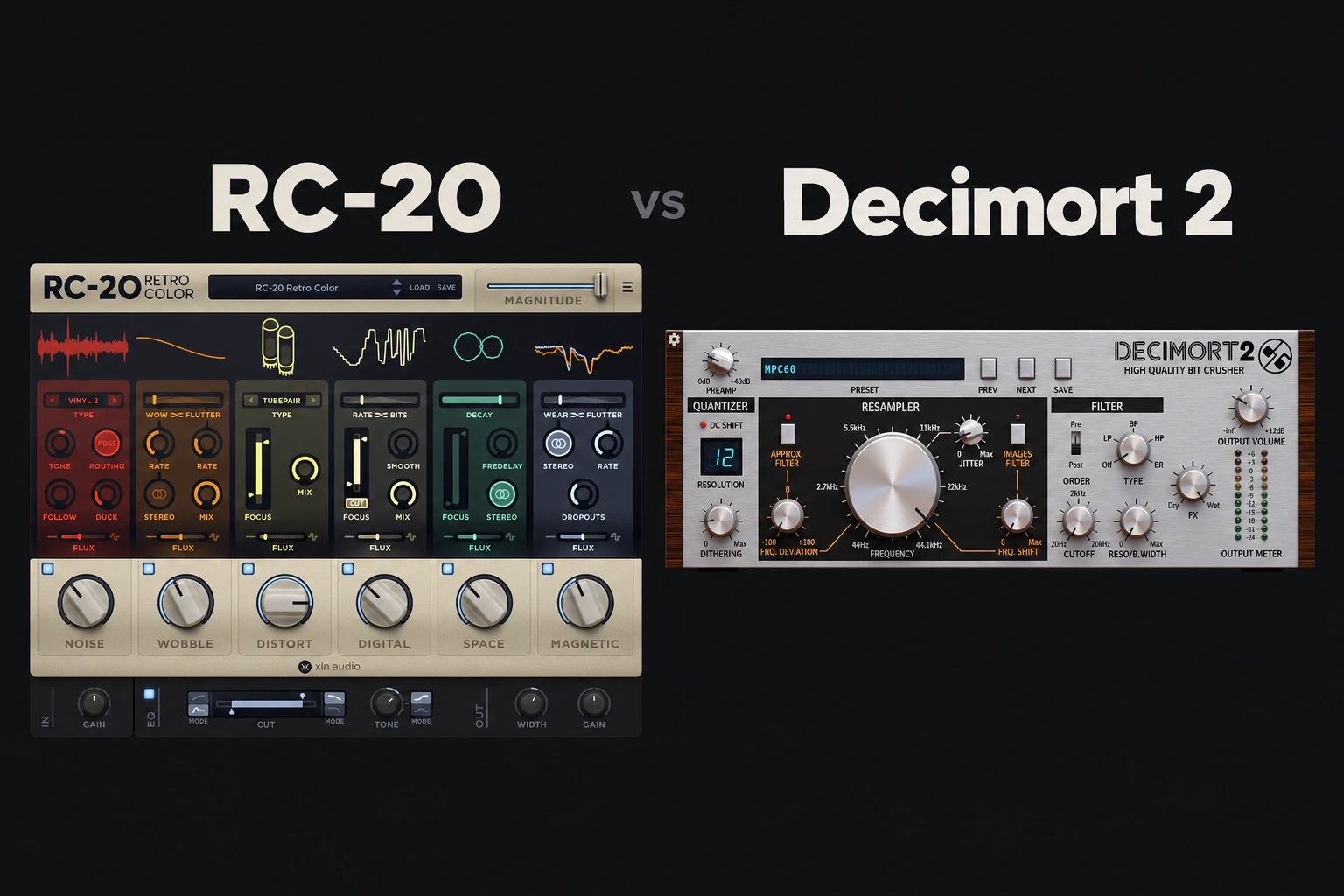

Choose RC-20 Retro Color if you want several types of lo-fi character in one plugin: noise, pitch wobble, distortion, digital degradation and space. Choose Decimort 2 if your main goal is detailed control over reduced-resolution, vintage-sampler-style processing.
Our first demo recommendation for a general lo-fi toolkit is RC-20. For producers who already have tape, noise and reverb tools but want to shape digital grit more deliberately, Decimort 2 is the more focused candidate.
This is an editorial buying comparison based on XLN Audio and D16 documentation. It does not claim a hands-on listening comparison or measured performance results. Product information was checked on 29 October 2026.
RC-20 vs Decimort 2: Quick Comparision
What RC-20 adds to a track
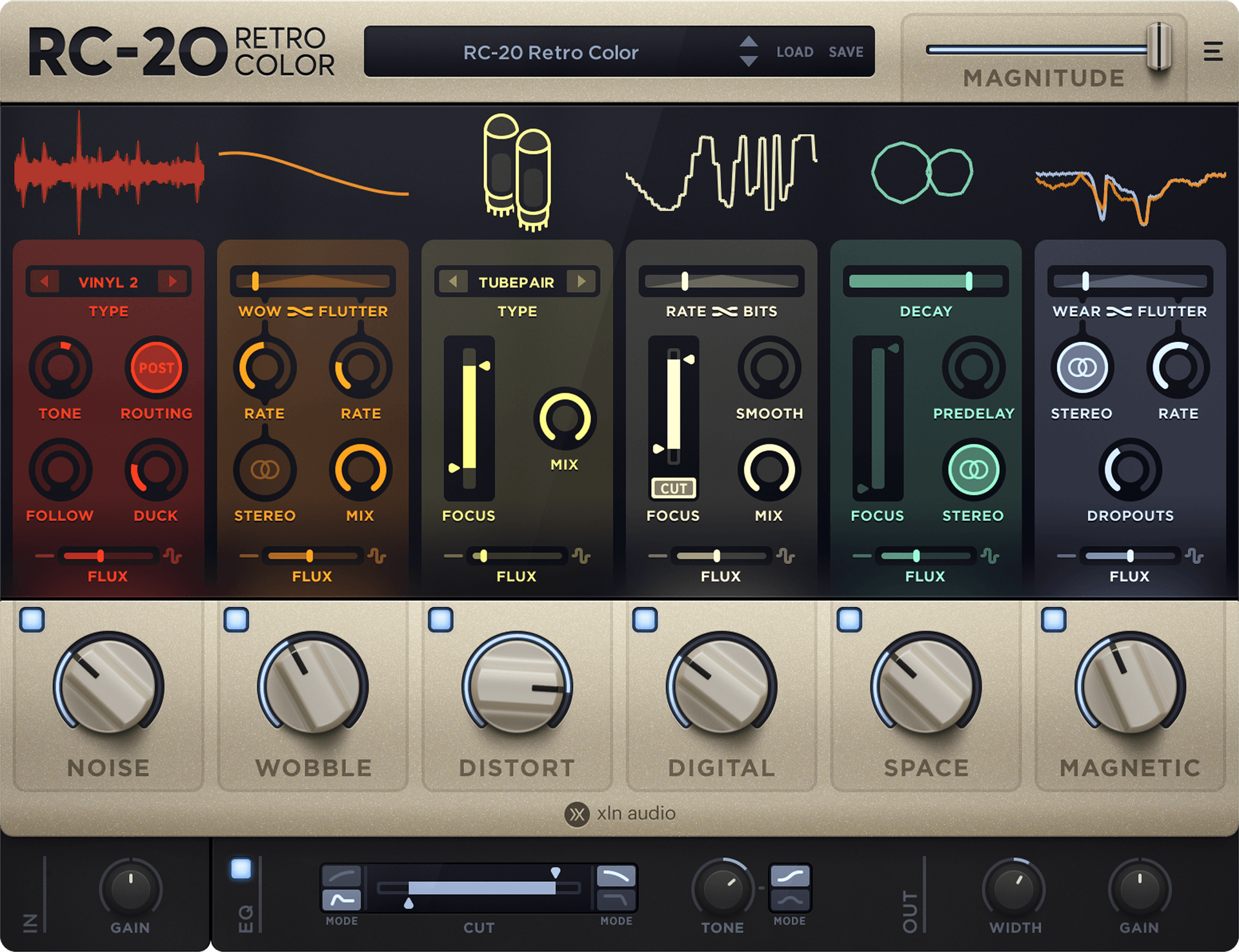
RC-20 has six modules: Noise, Wobble, Distort, Digital, Space and Magnetic. These cover noise layers, pitch instability, distortion, digital reduction, reverb and tape-style volume irregularities. Modules can work individually or together.
Its Flux controls add variation, while the Magnitude slider scales the effect controls. This makes RC-20 a useful candidate when you want one texture to become more or less prominent across a section.
Start by choosing the imperfection you actually want. A piano may need a little movement without audible crackle. A drum loop may need a rougher edge without pitch wobble. You do not have to enable every module to justify using the plugin.
Read our RC-20 review for the individual buying guide.
What Decimort 2 does differently
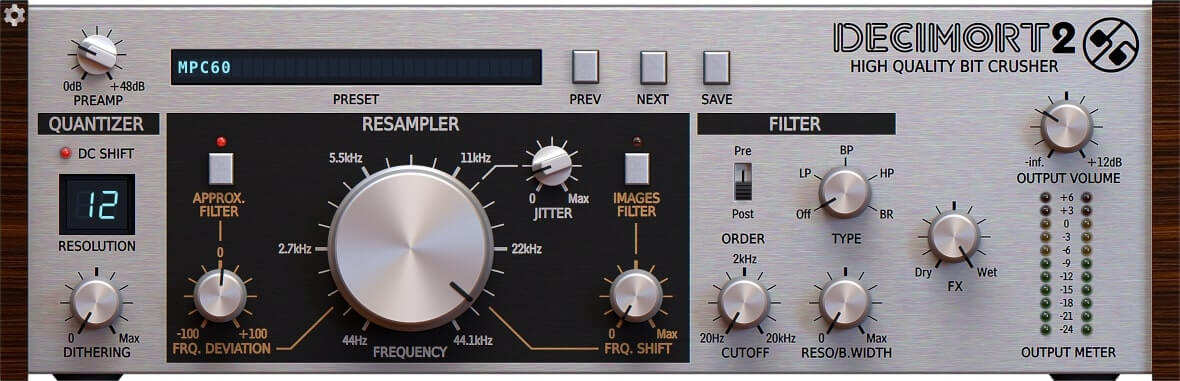
Decimort 2 focuses on the sampling and conversion process. Its controls include bit resolution, resampling frequency, jitter, dithering, two quantization methods and filters around the resampling stage. A separate multimode filter can run before or after processing.
Reducing bit depth and reducing sample rate are different changes. Bit-depth reduction makes amplitude representation coarser; sample-rate reduction limits how frequently the signal is represented. Filtering affects which frequencies reach or leave that process. In practice, adjust these separately so you know which change produces the texture you want.
The appeal is focused control. If “more lo-fi” is too vague and you want to compare the character of different digital reductions, Decimort gives you a clear set of parameters to investigate.
That is not proof that it recreates a particular hardware sampler perfectly. Judge the processed sound in your track, rather than buying on the promise of an exact historical match.
Our Decimort 2 review looks at that workflow in more detail.
For drum loops: separate grit from missing detail
A useful drum treatment adds character while preserving the groove. If a loop becomes dull, quieter or less punchy, do not assume that is the price of a vintage sound.
For a broad texture, try RC-20 with most modules off. Add one process at a time and listen to what it contributes. Leave noise off if the arrangement already contains plenty of hiss or bright percussion.
For digital coloration, compare RC-20’s Digital module directly with Decimort. In Decimort, first explore resampling with a relatively restrained resolution setting, then investigate bit depth separately. Keep enough of the original loop available to check the attack of the kick and snare.
If the processing works on the snare but damages the hats, consider treating the snare separately. A targeted edit may achieve more than an elaborate setting across the full bus.
For keys, melodies and sampled phrases
If the goal is a worn, moving keyboard texture, RC-20 is the first plugin we would demo. Its combination of effects addresses several possible ingredients in that description. Keep the movement subtle enough that sustained notes still support the harmony.
If the goal is a more limited-bandwidth, digitally rough sample, Decimort is the first candidate to investigate. Check how the treatment behaves when the phrase plays at a different pitch or against a busy vocal.
Also inspect the source before adding anything. A sample recorded from an old record may already contain noise, distortion and pitch movement. More processing can obscure what made it appealing.
Use the unprocessed version as a reference, not as an opponent that has to lose. The right result may be a small amount of one effect.
Already own RC-20: do you need Decimort?
Not automatically. If RC-20’s Digital module gives you the texture you want quickly, Decimort needs another reason to enter the project.
Try the Decimort demo when you repeatedly want finer control over the resampling process, its filters or quantization behavior. Use the same source and aim for a finished sound. Extra parameters are valuable only when they let you solve a problem you can actually hear.
Already own Decimort? RC-20 becomes relevant if you want several other imperfections together in one interface. If your existing plugins already supply those parts conveniently, the overlap may be enough to wait.
Which one is better value?
Compare current prices, account offers and bundle ownership. A cheaper focused tool can be better value than a broader product if it covers the one task you need. Equally, buying several separate effects may cost more than choosing a toolkit you will use regularly.
Do not compare a historical sale price for one plugin with a current full price for the other. Use the checkout totals available to you today.
For a tape-oriented alternative to RC-20, read RC-20 vs SketchCassette II. If the actual goal is saturation rather than degradation, our Decapitator vs Saturn 2 comparison addresses a different decision.
A useful demo test
Choose one drum loop and one melodic phrase from an unfinished track. Make a restrained version and a stronger variation with each plugin. Match the output levels as closely as practical and listen inside the full arrangement.
Check whether the quieter version still has character, whether the stronger version leaves space for the next part, and whether the processing remains useful after a short break. Test project recall and playback in your own DAW too; we have not measured comparative CPU use.
SoundShaper opinion
RC-20 is our broader recommendation for producers building their first lo-fi toolkit. Its value is having several kinds of imperfection available together, with a common way to adjust the overall contribution.
Decimort 2 is our more specific recommendation for producers who want to work on digital grit and sampler-style coloration in detail. We would try it for a clear processing need, not simply because it appears next to RC-20 in a comparison.
Conclusion
Choose RC-20 for a combination of textures. Choose Decimort 2 for a focused digital-degradation workflow. If you already own one, test its overlap with the other before spending again. The best purchase is the one that improves a recurring task in your own tracks.
Sources
XLN Audio: RC-20 features and official image; XLN Audio: RC-20 user guide overview; D16 Group: Decimort 2 features and demo. Checked 29 October 2026.
![[background image] image of recording equipment (for a musician & band)](https://cdn.prod.website-files.com/68efa70811edd8e5af30a90d/6ae28f3ffeabaf5b76db2580_6ae28f255000f820b159a320_crystalline-review-cover.webp)
![[background image] image of recording equipment (for a musician & band)](https://cdn.prod.website-files.com/68efa70811edd8e5af30a90d/6ae28e7e5d1572089570ac87_6ae28e5eead33b2db2a18b5f_transit-2-review-cover.webp)
![[background image] image of recording equipment (for a musician & band)](https://cdn.prod.website-files.com/68efa70811edd8e5af30a90d/6ae28d603a57759da71022d6_6ae28d41f6af13c91dee9c76_drumazon-2-review-cover.webp)