
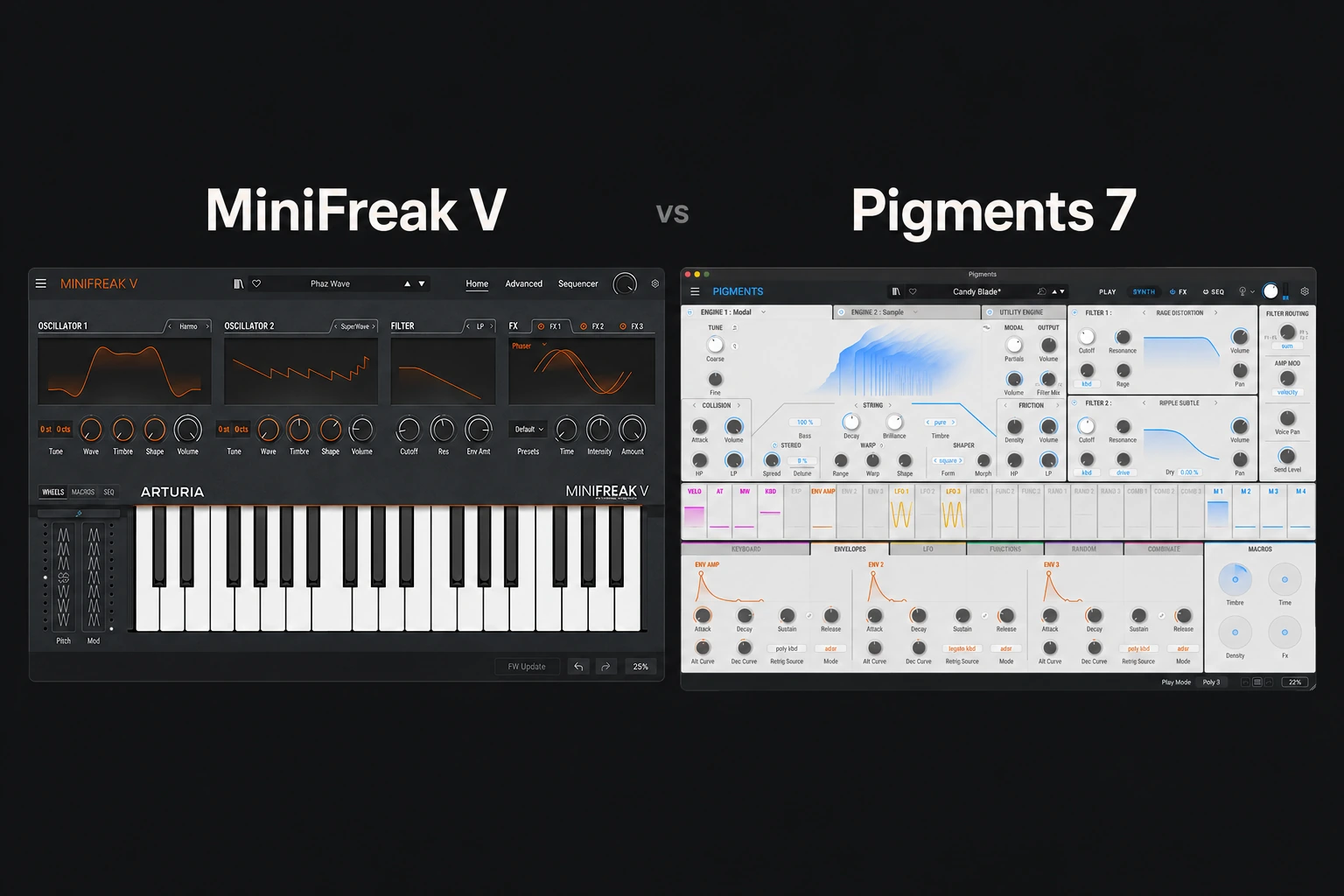

Choose MiniFreak V if you want a focused hybrid-synth workflow built around two sound engines, modeled filters and playful sequencing. Choose Pigments 7 if you want a broader sound-design environment with several synthesis approaches and detailed visual modulation.
For one main synth to explore a wide range of production tasks, Pigments is our first demo recommendation. MiniFreak V is the more specific candidate when its instrument-like layout and sequencing approach are what make you want to play.
This is an editorial comparison based on current Arturia documentation, not a hands-on listening or performance test. Product information was checked on 29 October 2026.
The practical buying difference
| Your priority | First demo to try |
|---|---|
| A focused hybrid instrument with a hardware-style layout | MiniFreak V |
| A broad platform for learning and combining synthesis methods | Pigments 7 |
| Working alongside MiniFreak hardware | MiniFreak V; check your included licence |
| Detailed visual modulation and layered textures | Pigments 7 |
| Choosing sounds quickly | Compare both preset browsers in your own project |
The distinction is about workflow. MiniFreak V can produce complex textures, and Pigments can make straightforward basses and leads. Neither has to become the complicated option.
MiniFreak V: a focused hybrid instrument
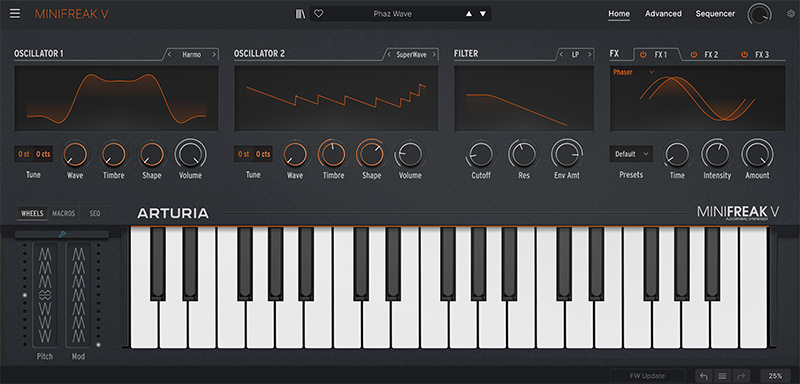
MiniFreak V combines two digital sound engines with modeled analog-style filtering, a modulation matrix, effects and a sequencer/arpeggiator. It works as a software instrument without requiring MiniFreak hardware.
The appeal is a defined instrument architecture. You choose engine types, shape their interaction and build movement around the result. A smaller set of visible decisions can help when an open-ended synth leaves you browsing rather than playing.
Try it for a repeating phrase, an expressive lead or a bass that changes character across a section. Start from a useful basic tone, then add one movement you can hear in the arrangement. The goal is an instrument part, not a patch that demonstrates every feature.
Read our MiniFreak V review for the individual buying guide.
Pigments 7: a broader sound-design workspace
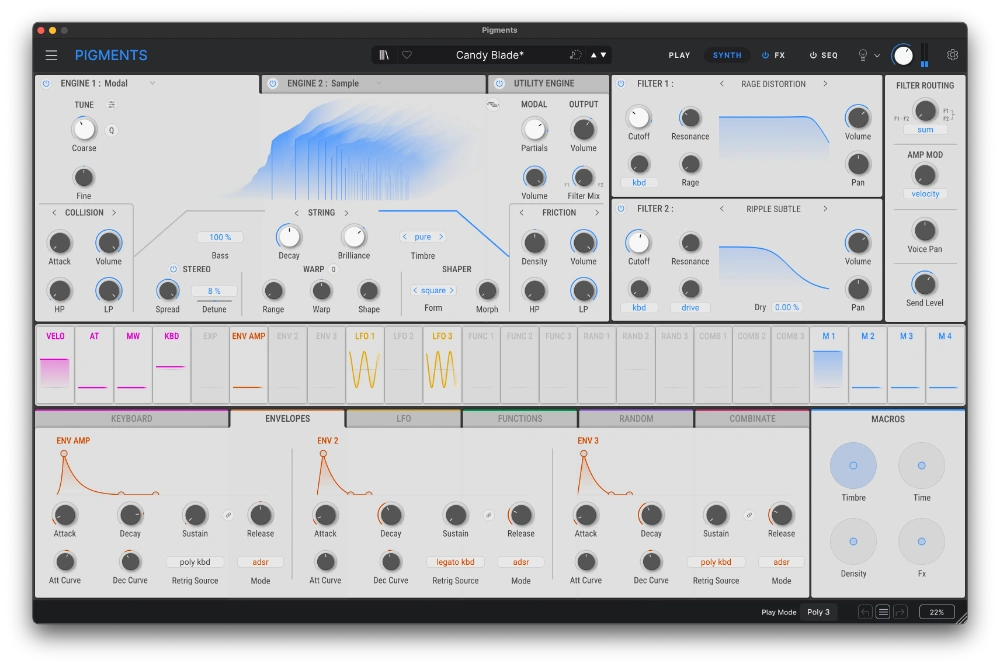
Pigments offers parallel engine slots with options including virtual analog, wavetable, sample/granular and harmonic synthesis. Its color-coded modulation system, filters, effects and generative sequencer provide several ways to develop a sound.
Version 7 adds a redesigned Play view, Rage, Ripple and Reverb filters, Corroder FX, modulation feedback improvements and sound-design tutorials. Those additions expand an existing toolkit rather than defining a single musical genre.
Our reason to shortlist it as a main synth is the range of approaches available in one environment. If you want to compare a wavetable movement with a sample-based texture, you have a clear reason to explore its depth.
The trade-off is attention. More routes to a result can mean more decisions before you commit. Learn one engine and a small set of modulation moves before trying to understand the entire instrument.
See our Pigments 7 review for more detail.
For basses and leads: compare the part, not the preset loudness
Either synth is worth auditioning for these roles. Use the same MIDI phrase and keep the output at a comparable listening level. Check the notes against your kick and vocal rather than judging a sustained note in isolation.
Start with a restrained patch. A large stereo effect, long delay or heavy distortion can make a preset exciting while hiding whether the underlying tone fits the track.
We would try MiniFreak V first when its layout makes it easier to find a playable character. We would try Pigments first when the task involves several possible synthesis methods or a detailed modulation plan. That is a workflow recommendation, not a measured ranking of sound quality.
For low-end placement, our kick and 808 guide covers the mix around the instrument.
For pads and evolving textures
Pigments is our first demo choice when the brief is an evolving layered texture and you want to inspect how different modulation sources contribute. Give the patch a musical timescale: movement over one beat, one bar and eight bars creates different results.
MiniFreak V remains worth trying when you prefer to discover a texture through its engine choices and modulation matrix. A more focused instrument can still produce an unexpected sound.
In either case, check the transition between chords. A beautiful tail can become a problem if it masks the next harmony or leaves no room for the lead line. Reduce effects before adding another layer.
Important: MiniFreak 49 mode is a separate ownership detail
Arturia’s current documentation describes a MiniFreak 49 mode in MiniFreak V. It requires an activated MiniFreak 49 hardware licence. Features specific to that mode include Filter FM and Stereo Spread.
Do not assume that buying the ordinary standalone MiniFreak V licence unlocks every feature shown in a MiniFreak 49 demonstration. Check the mode and licence behind the demo when comparing features.
If you own MiniFreak hardware, check your account before purchasing the software separately. Arturia includes a MiniFreak V licence with its MiniFreak hardware devices.
Which one is easier to learn?
MiniFreak V is the first candidate we would try if a bounded instrument layout helps you connect a control to an audible result. Pigments is the first candidate if visual modulation and exploring several synthesis methods are part of the learning goal.
Use the same exercise in both: start with a simple sound, change its brightness over time, add a controllable movement and save the finished patch. The better learning tool is the one in which you can explain what you changed.
If you mainly need presets, audition the actual libraries. A theoretically deeper instrument is not automatically a better preset source for your taste. Our Pigments 7 vs Analog Lab Pro comparison covers that different buying decision.
Price, bundles and performance
Compare current checkout totals and account offers. Check your existing Arturia licences and bundle contents; ownership can change the most sensible purchase substantially.
Test both in your own DAW with the polyphony, effects and number of instances you expect to use. We have not measured comparative CPU consumption. Arturia reports optimizations in Pigments 7, but that does not establish that every Pigments patch is lighter than every MiniFreak patch.
Follow current manufacturer requirements and try project recall as part of the demo. Retailer pages and older reviews can show specifications from earlier versions.
SoundShaper opinion
Pigments 7 is our broader recommendation when you want one synth for varied sound-design work. Its range is useful if you are willing to learn the workflow.
MiniFreak V is our more focused recommendation when its hybrid architecture and performance approach make writing a part feel more immediate. Choose it for that working relationship rather than assuming a smaller layout means less musical potential.
Conclusion
Try Pigments first for breadth. Try MiniFreak V first for a defined hybrid-synth workflow or integration with hardware you already own. Build one finished part in each demo and buy the instrument that helps you make decisions you want to keep.
Sources
Arturia: MiniFreak V overview; Arturia: MiniFreak 49 mode and licence requirements; Arturia: included MiniFreak V licence; Arturia: Pigments synthesis features; Arturia: new in Pigments 7. Checked 29 October 2026.
![[background image] image of recording equipment (for a musician & band)](https://cdn.prod.website-files.com/68efa70811edd8e5af30a90d/6ae28f3ffeabaf5b76db2580_6ae28f255000f820b159a320_crystalline-review-cover.webp)
![[background image] image of recording equipment (for a musician & band)](https://cdn.prod.website-files.com/68efa70811edd8e5af30a90d/6ae28e7e5d1572089570ac87_6ae28e5eead33b2db2a18b5f_transit-2-review-cover.webp)
![[background image] image of recording equipment (for a musician & band)](https://cdn.prod.website-files.com/68efa70811edd8e5af30a90d/6ae28d603a57759da71022d6_6ae28d41f6af13c91dee9c76_drumazon-2-review-cover.webp)