
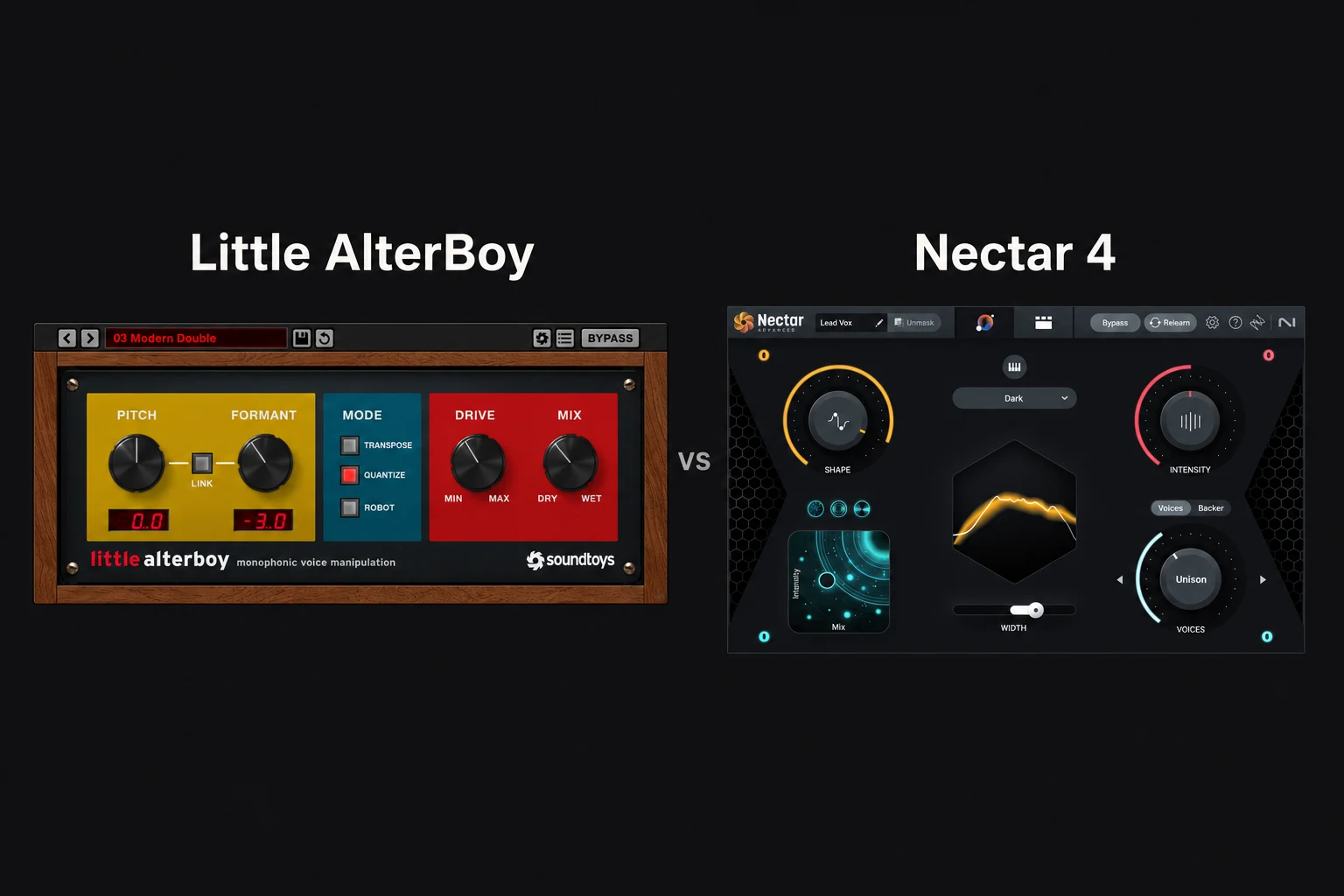

Choose Little AlterBoy if you want to transform a vocal's character. Choose Nectar 4 if you need a broader vocal-mixing workflow. Little AlterBoy focuses on pitch, formants and creative effects. Nectar covers jobs such as tone, dynamics, de-essing, tuning and ambience.
If your vocal already sits well in the mix and you want a deep backing voice or a robotic phrase, Little AlterBoy is the more focused purchase. If the lead is still uneven, harsh or difficult to place, we would investigate Nectar first.
We use Nectar 4 Standard as the baseline for its editable mixing chain and identify Advanced-only additions separately. This comparison is based on documentation and suggested workflows, not a hands-on listening or performance test.
Which one solves your problem?
| Your main goal | Our recommendation | Why |
|---|---|---|
| A low, high, robotic or distorted vocal effect | Little AlterBoy | Try its pitch, formant and Drive controls. |
| EQ, compression, de-essing and vocal ambience in one workflow | Nectar 4 Standard or Advanced | Evaluate the processing chain against your recording. |
| Fast assistance with an unfinished vocal mix | Nectar 4 | Treat Vocal Assistant as a starting point. |
| An existing vocal chain that already works | Little AlterBoy, if you need its effect | Avoid buying a suite simply to add one creative layer. |
| Automatic tuning to a chosen musical key | Investigate Nectar's pitch workflow | Little AlterBoy's Quantize mode uses chromatic semitones. |
There is creative overlap. Nectar includes vocal layering and pitch-related tools, while Little AlterBoy can be blended with the dry voice. The buying question is whether you need a specific transformation or a collection of mixing tools.
Little AlterBoy: make the voice a different instrument
Little AlterBoy provides independent pitch and formant shifting, a Link option, Transpose, Quantize and Robot modes, Drive and a dry/wet Mix. It is designed for monophonic material: a single melodic line, rather than a stack of singers at different pitches.
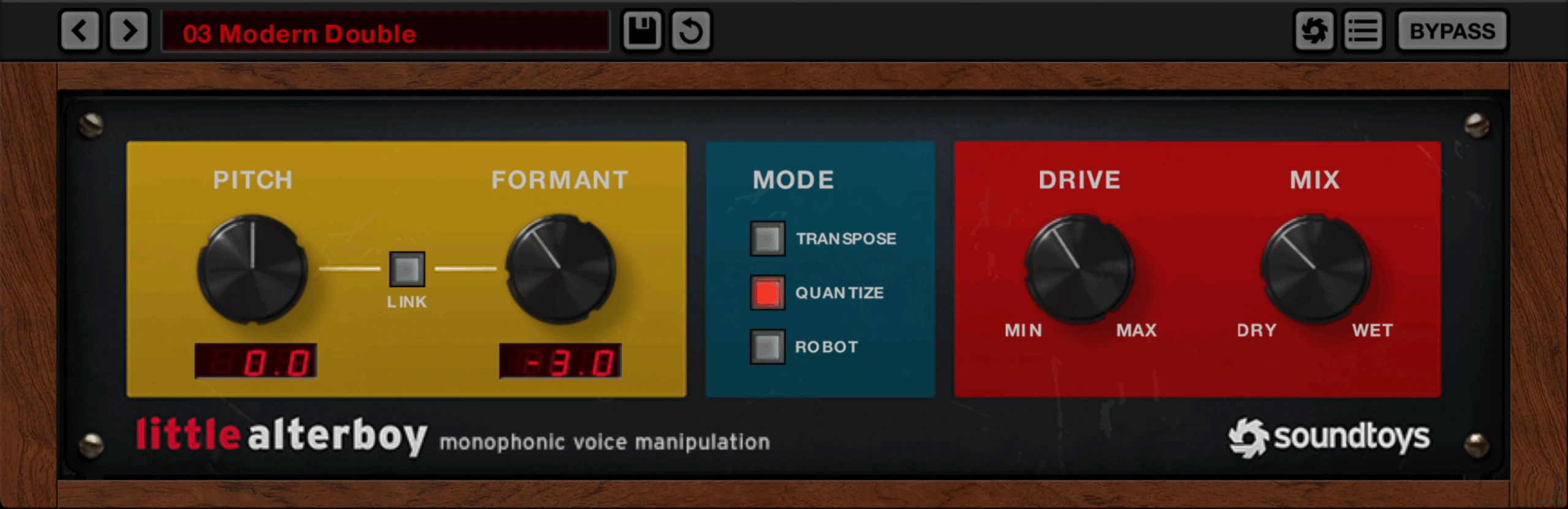
Pitch changes the note. Formant shifting changes the apparent vocal character. That distinction is useful when you want a backing layer to feel darker or smaller without automatically moving the melody by the same amount.
We would try it on selected phrases first. Duplicate a clean vocal, create a contrasting character and listen under the original lead. Keep the layer only if it contributes a clear texture or response.
Drive can make that layer more obvious. Before adding more, check whether consonants are becoming distracting and whether the effect competes with the singer. A supporting character should have a place in the arrangement.
Read our Little AlterBoy review for more on its role and limitations.
Nectar 4: work on the whole vocal chain
Nectar 4 Standard combines editable modules including EQ, compression, de-essing, pitch, saturation, reverb and delay. Vocal Assistant offers a starting point, while Voices and Backer provide ways to build vocal layers. It therefore addresses more stages of production than one pitch/formant effect.
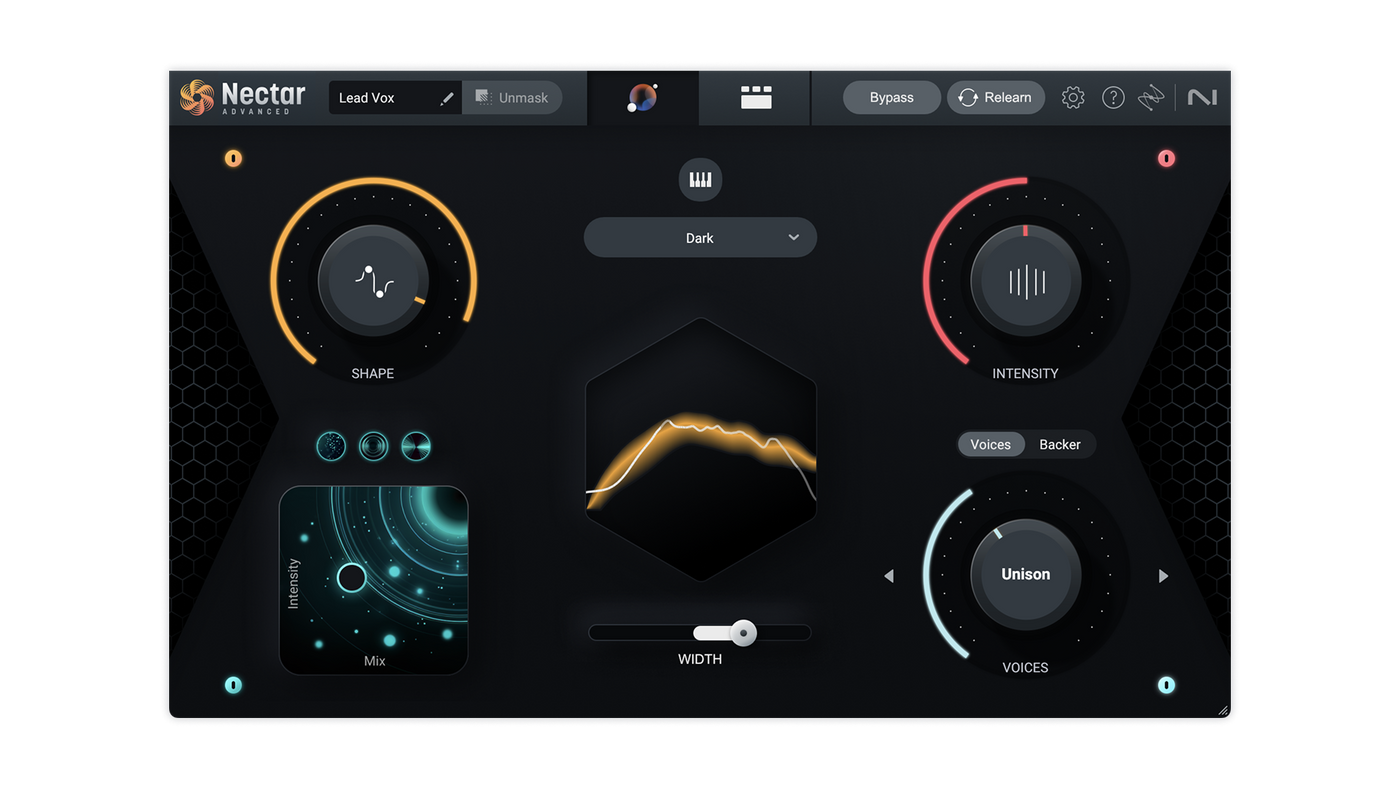
We would start by deciding what is wrong with the recording. If the quiet words disappear, the priority is different from a recording with sharp sibilance or a boxy tone. An assistant can suggest processing, but you still need to judge those problems in the track.
After the initial suggestion, compare the vocal with the backing playing. Reduce any effect that distracts from the words. A chain that sounds polished in solo can still be too bright or too wet in the song.
For someone who wants a quick starting point and the ability to make revisions, Nectar is the more relevant first trial. It does not remove the need for a suitable recording, sensible levels and listening decisions.
Is Little AlterBoy an Auto-Tune alternative?
It can make a hard-tuned effect, but the important detail is how. Soundtoys' manual describes Quantize as snapping to the nearest chromatic semitone. That is different from selecting a song key and constraining correction to its scale.
Robot mode locks the voice to a single note, set by the Pitch control. That is a deliberate effect, not a way to keep a natural lead melody intact.
If your purchase is mainly about correcting a performance, evaluate the tuning workflow directly. Do not assume that “has pitch controls” means every vocal plugin solves the same tuning problem.
Our AutoTune vs Melodyne comparison explores another tuning decision, while Nectar 4 vs AutoTune Pro 11 compares vocal-chain and tuning priorities.
Do you need Nectar Standard or Advanced?
Standard is the starting edition we would investigate for a hands-on, editable vocal chain. Advanced adds capabilities such as Auto-Level and separate component plugins. Those additions can matter, but we would not choose the most expensive edition automatically.
If you want to assemble the core processing and revise its modules, start by evaluating Standard. If automatic level management or using Nectar components separately is a recurring need, compare Advanced.
Elements is a different purchase decision. Do not assume the least expensive Nectar licence gives you the same module access as Standard. Check our Nectar 4 edition comparison and the current feature chart before buying.
Can you use Little AlterBoy and Nectar together?
Yes. One possible workflow is to mix the clear lead with Nectar and use Little AlterBoy on a separate effect layer. That keeps the main words available while you experiment with a different character.
We would build that layer with a specific purpose: a low response at the end of a line, a brief robotic phrase or a contrasting ad-lib. Avoid leaving it equally prominent through the whole song unless that is the intended arrangement.
Processing order is another creative decision. Cleaning up a source before transformation and compressing the transformed result can lead to different behaviour. Compare the two approaches at similar levels and keep the one that fits.
You do not need both to make good vocals. If your current chain already handles the lead, test whether the additional character is useful before replacing the whole setup.
A practical buying test
For Little AlterBoy: take one exposed phrase and create a supporting version without losing its rhythm or intelligibility. Check whether you can dial back an exaggerated effect into something the song needs.
For Nectar: use a verse and a louder chorus. Build a starting chain, then make one deliberate correction to tone, level consistency or sibilance. Check that the change helps both sections.
For either: compare with your existing tools. A new plugin earns its place when it produces a useful result or makes a recurring task easier to revise.
Use the developers' current demo options to test compatibility and workflow. We have not measured CPU use, so evaluate your own project if you expect to stack several instances.
Price and buying the correct licence
Compare current Plugin Boutique prices and any qualifying account offers. Little AlterBoy is sold individually and is also part of Soundtoys bundles. Check what you own before purchasing it again.
For Nectar, confirm the edition and whether the listing is a full licence, upgrade or crossgrade. A lower price can have ownership requirements that do not apply to a new customer.
Verify current operating-system and plugin-format support with the developer. Install the version intended for your host, then confirm it appears as an audio effect before beginning the comparison.
SoundShaper opinion
Little AlterBoy makes the clearer buying case when your vocal mix works and you want a particular creative identity. Its focused controls give you a direct way to explore that effect.
Nectar 4 makes the clearer buying case when you need to develop the lead vocal itself. We would try Standard first for the core editable chain and investigate Advanced when its extra functions solve a specific problem.
Our recommendation is to name the task before shopping. “Make this ad-lib sound like a different character” points in a different direction from “make this lead sit consistently over the beat.”
Conclusion
Choose Little AlterBoy for creative pitch and formant manipulation. Choose Nectar 4 for a wider vocal-production workflow, with the right edition for the controls you need.
If you eventually use both, give each a clear role. A distinctive effect and a convincing lead mix are separate decisions, and they deserve separate evaluation.
Sources
Checked on 27 October 2026 against Soundtoys' product page, the Little AlterBoy manual, iZotope's Nectar Standard information and edition chart, its Advanced page and the linked Plugin Boutique listings. Images: Soundtoys and iZotope. Buying recommendations and evaluation tasks are SoundShaper's editorial advice.
![[background image] image of recording equipment (for a musician & band)](https://cdn.prod.website-files.com/68efa70811edd8e5af30a90d/6ae28f3ffeabaf5b76db2580_6ae28f255000f820b159a320_crystalline-review-cover.webp)
![[background image] image of recording equipment (for a musician & band)](https://cdn.prod.website-files.com/68efa70811edd8e5af30a90d/6ae28e7e5d1572089570ac87_6ae28e5eead33b2db2a18b5f_transit-2-review-cover.webp)
![[background image] image of recording equipment (for a musician & band)](https://cdn.prod.website-files.com/68efa70811edd8e5af30a90d/6ae28d603a57759da71022d6_6ae28d41f6af13c91dee9c76_drumazon-2-review-cover.webp)