
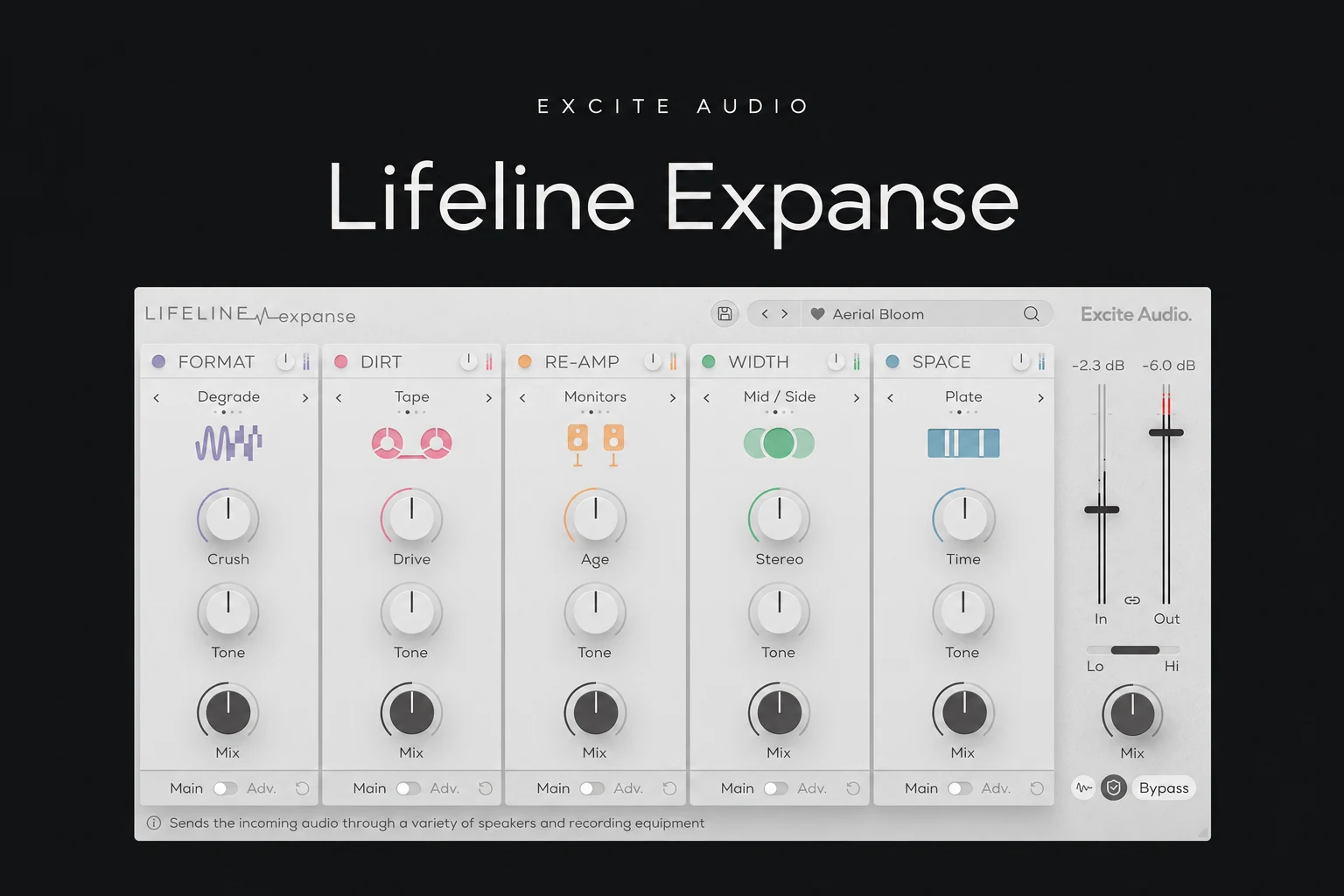

Lifeline Expanse is worth a look if you want to reshape a clean sound with colour, texture and space in one plugin. We would consider it for drums that feel too tidy, a synth that needs a different character or a vocal effect that should sound like it came through another device.
Its attraction is the combined workflow. If you already enjoy building the same effects chain with tools you own, the buying case is smaller. Expanse makes most sense when bringing those processes together helps you reach a useful sound more directly.
This review is based on the documented features and buying options. We have not conducted a hands-on listening or CPU test.
What does Lifeline Expanse do?
Excite Audio combines five modules: Re-amp, Dirt, Format, Width and Space. They cover speaker-style colour, saturation, digital degradation, stereo shaping and ambience. You can rearrange the chain, bypass modules and blend the processing. The full version adds multiband and advanced controls.
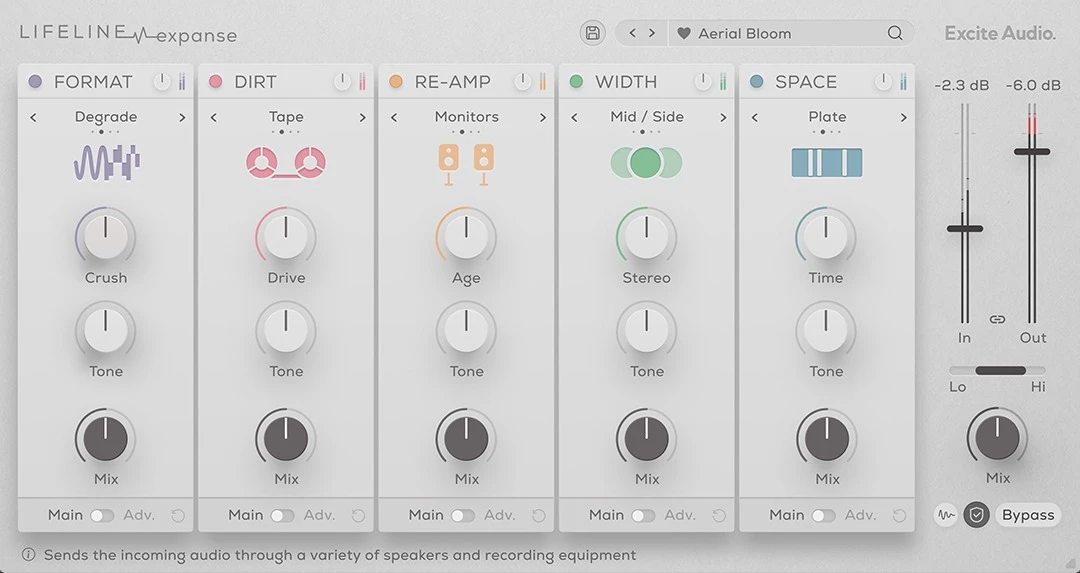
That combination suits creative processing rather than a single corrective job. Before opening it, decide what the part is missing. “Less pristine and a little further back” is a useful brief. “Better” gives you too many directions at once.
We would begin with one module and introduce another only when the arrangement calls for it. Having five available does not mean every track needs five effects.
The five modules, and where we would start
Re-amp: change the apparent playback source
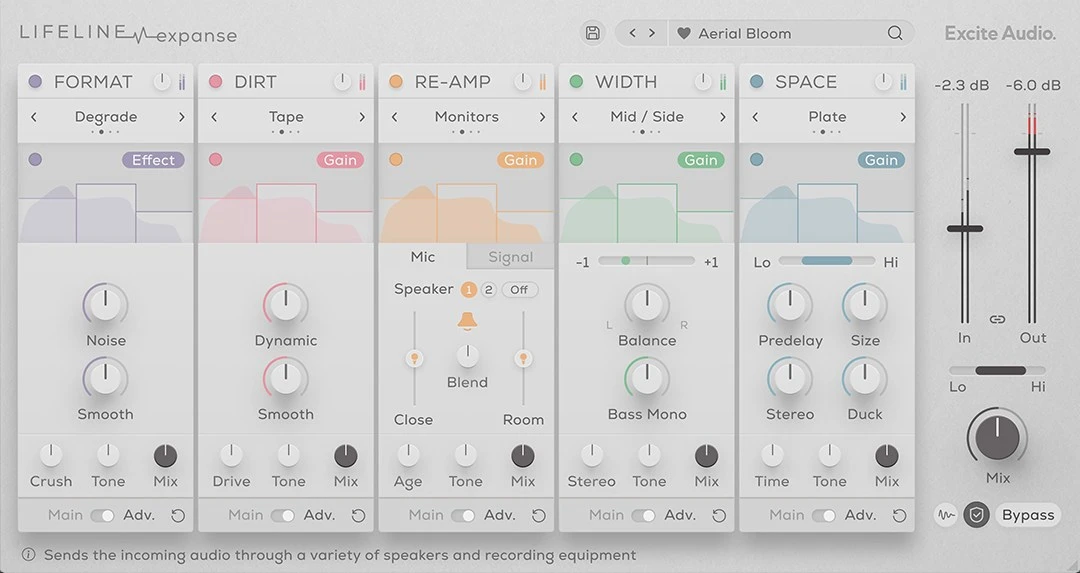
Re-amp offers device, cabinet, monitor and vintage flavours. Its advanced controls include microphone positioning and blending. This is the section we would investigate when a sound needs to feel as though it has passed through a speaker or another recording path.
For a vocal transition, try a deliberately restricted tone on the last phrase before a chorus. Compare it with the dry phrase in the full track. The effect should create contrast without hiding the words that lead into the next section.
Dirt: add harmonics without losing the part's job
Dirt supplies saturation and distortion choices. The manual describes a Dynamic control that helps preserve dynamics as distortion compresses the sound.
For drums, our priority would be the relationship between the initial hit and its body. Increase processing gradually, then match the output level before comparing. If the groove loses its impact, reduce the effect instead of assuming more drive means more energy.
Format: make digital damage a musical choice
Format includes bit-depth and sample-rate reduction, plus more unusual degradation modes. Its Noise and Smooth controls provide further shaping.
We would try it on a repeated percussion layer or a secondary synth rather than immediately across the entire mix. A small rough element can add contrast while leaving the main drum transients clear.
For a more focused take on this kind of processing, read our Decimort 2 review.
Width: check the centre as well as the sides
Width offers Haas, mid/side, detune and mono approaches. Bass Mono and a phase display are available in the advanced controls.
We would audition widening with the rest of the arrangement playing, then check mono. Listen for changes to the lead, snare and bass relationship. A wider solo sound is not automatically a stronger part of the mix.
Keep essential low-end elements stable and use width where it creates separation or contrast. Make the decision by listening to the whole section.
Space: use ambience to place the effect
Space includes Hall, Plate, Spring and Slap. Predelay, size and ducking controls help shape how the wet signal surrounds the source.
For a short vocal effect, we would begin with a restrained tail. Listen to the next word and the next drum hit. If either becomes less clear, shorten the ambience or lower its contribution before adding another processor.
A useful trial task: turn a clean loop into a supporting texture
This is a suggested exercise for evaluating the workflow, not a preset recipe or a report of our listening results.
1. Choose a loop with a clear role. Use a simple percussion or synth part that already works rhythmically. Keep the rest of the arrangement available for comparison.
2. Set one target. For example, make the loop feel smaller and rougher behind the lead. Save the original so you can return to it.
3. Add colour first. Try Re-amp or Dirt alone. Find a useful direction before enabling other modules.
4. Compare the order. Move the relevant modules and listen to how the texture changes. Distorting an already coloured signal can produce a different result from colouring a distorted signal.
5. Add only the space you need. Keep the loop behind the lead without washing away its timing. Check the effect at a modest listening level.
6. Match levels and bypass. Adjust output so the processed version does not win merely by being louder. Mute the layer entirely as well: it should contribute something the section needs.
Should you upgrade from Expanse Lite?
The upgrade listing identifies multiband processing and advanced pages as reasons to move to the full version, alongside extra presets. That is a more useful distinction than simply calling one edition “better.”
We would upgrade when a specific limit keeps interrupting a session. Perhaps you want more detailed control over microphone placement, or to treat different frequency ranges differently within a module.
If you mainly use the main controls and already get the sound you want, keep using Lite. A larger preset library alone would not be our strongest reason to buy again.
Price, compatibility and licence options
On 27 October 2026, Plugin Boutique displayed the full licence at €38.68, reduced from €78.34, with the offer marked through 1 November. Check the current checkout price because currency, tax and promotions can change.
The listing provides a trial option and lists FL Studio among supported hosts. Current requirements include macOS 10.15 or later with Intel and Apple Silicon support, or Windows 7 or later. Confirm your format and operating system against the latest installer before buying.
The developer's FAQ lists version 1.2.0. Use current installation information rather than judging compatibility from an older review. If you choose Rent to Own or access through a membership, check that plan's activation and ongoing validation requirements separately from a one-time purchase.
Do you need it if you already own saturation and reverb?
Start by building a similar chain with your existing tools. Use a distortion or saturation effect, a way to colour the frequency response and a short ambience. Compare the amount of work involved in getting a useful result.
Expanse's purchase case is the way these processes sit together, especially when experimenting with the order. We would not assume it replaces every dedicated effect or sounds better because it is packaged as one plugin.
For alternatives focused on particular jobs, see our Decapitator review and TAIP review. Our RC-20 vs SketchCassette II comparison covers another buying decision for producers looking for character.
SoundShaper opinion
The most convincing reason to try Lifeline Expanse is a recurring creative task: taking a clean part and giving it a distinct place or texture. The combination of re-amping, degradation and space gives us a clear direction for evaluating it.
We would keep the processing purposeful. A rougher drum layer, a smaller vocal effect or a less pristine synth can help an arrangement. Applying the same character to everything can also remove useful contrast.
Buy it if the trial makes that work easier and you keep preferring the results at matched levels. If your existing chain already feels quick and familiar, there is less reason to add another tool.
Conclusion
Lifeline Expanse is worth considering for creative colour, speaker-style processing and combined effects workflows. Start with one source, one target and one module, then add complexity when the sound calls for it.
Choose the full version or a qualifying Lite upgrade based on the controls you need. Let the result inside your track decide the purchase.
Sources
Details checked on 27 October 2026 against Excite Audio's product page, its user manual, the developer FAQ and the linked Plugin Boutique listings. Screenshots: Excite Audio. Suggested workflows and buying advice are SoundShaper's editorial recommendations.
![[background image] image of recording equipment (for a musician & band)](https://cdn.prod.website-files.com/68efa70811edd8e5af30a90d/6ae28f3ffeabaf5b76db2580_6ae28f255000f820b159a320_crystalline-review-cover.webp)
![[background image] image of recording equipment (for a musician & band)](https://cdn.prod.website-files.com/68efa70811edd8e5af30a90d/6ae28e7e5d1572089570ac87_6ae28e5eead33b2db2a18b5f_transit-2-review-cover.webp)
![[background image] image of recording equipment (for a musician & band)](https://cdn.prod.website-files.com/68efa70811edd8e5af30a90d/6ae28d603a57759da71022d6_6ae28d41f6af13c91dee9c76_drumazon-2-review-cover.webp)