
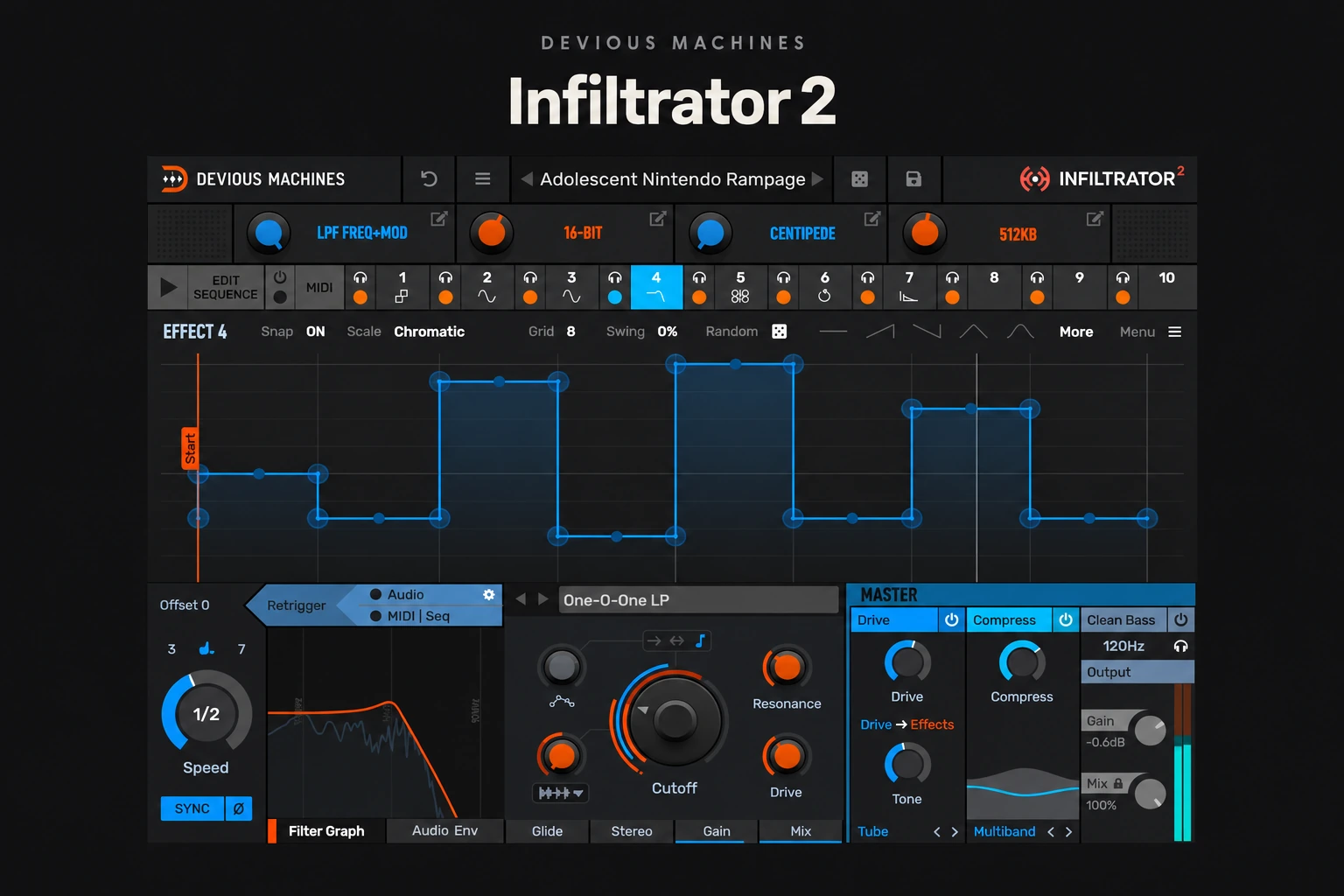

Infiltrator 2 is worth considering if you want to turn ordinary loops into rhythmic variations, glitch fills and evolving textures. Its strongest buying argument is combining several effects with a pattern that controls when they happen.
It is less convincing as a purchase for someone who only needs a clean delay, a simple filter or occasional sidechain ducking. Buy it for creative changes you can hear in the arrangement.
This is an editorial buying review based on Devious Machines’ documentation and current product information. It does not claim hands-on listening tests or measured performance. Information checked on 29 October 2026.
What does Infiltrator 2 do?
Infiltrator 2 is a multi-effect from Devious Machines. It offers 54 effect modules, with up to ten loaded in a chain. The selection includes filtering, distortion, delay, reverb, pitch processing and spectral effects.
Each effect has two tempo-synced multi-segment envelopes. A 32-step sequencer can switch the effect slots on and off, while eight assignable macros provide broader control. That combination is the reason to look beyond the number of included processors.
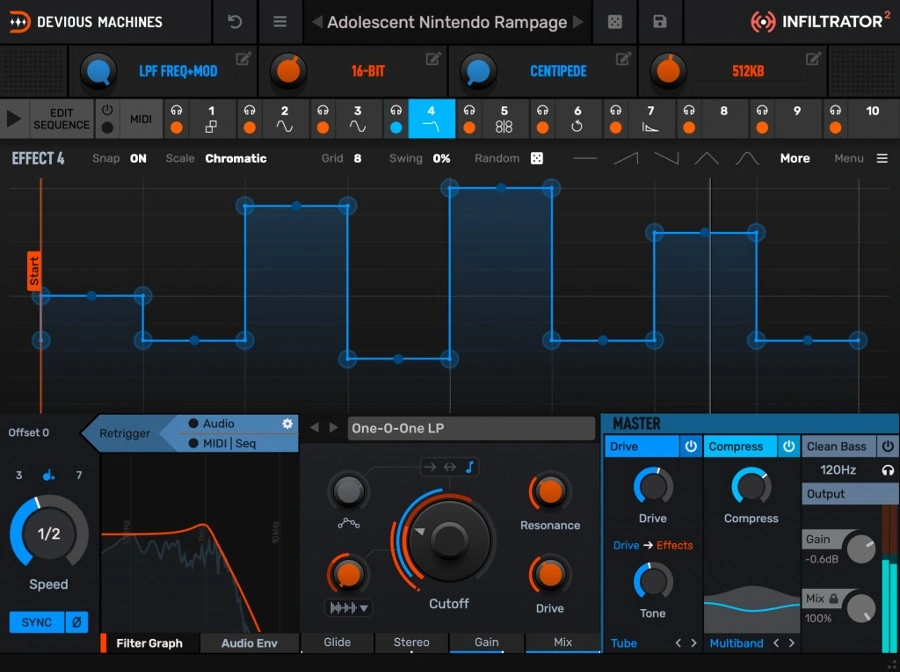
Imagine a drum loop that stays familiar for most of a bar, briefly changes character before the snare and ends with a different texture. You could build that with several plugins and automation lanes. Infiltrator puts the effects and their rhythmic control in one place.
The useful distinction: envelopes versus the sequencer
An envelope describes how a parameter moves. The sequencer decides when an effect is active. Those are separate musical decisions: a slowly opening filter and a filter that only appears on selected steps serve different purposes.
For your first patch, keep that distinction clear. Choose one processor and make its movement work. Then decide whether it should run throughout the phrase or appear briefly. Adding more slots before the first idea works tends to make troubleshooting harder.
This is where Infiltrator may suit producers who enjoy building effects patterns. If drawing movement and arranging effect changes sounds like a chore, the depth could become a reason you avoid opening it.
A practical use: make one fill from a drum loop
Rather than transforming the entire drum bus, start with a duplicate of a loop. Keep the main kick and snare available so the groove does not depend on the effect.
- Choose a short destination. Work on the last beat or bar before a new section.
- Pick one audible change. Try a filter movement, a rougher texture or a brief pitch gesture.
- Leave space around the change. Keep enough of the original rhythm for the listener to recognise the pulse.
- Render a version to audio. Trim it to the exact length and place it where the arrangement needs a lift.
- Compare in the full mix. Keep the fill only if the next section feels better when it arrives.
This is a suggested workflow, not a tested preset recipe. The source material decides how much processing is useful. A busy break may need a tiny change; a sparse percussion loop gives you more room.
Presets: useful starting points, with a stopping rule
Devious Machines supplies more than 1,500 presets. The factory library includes assigned macro controls, so a preset can be a starting point for adjustment rather than a fixed result.
Set a purpose before browsing: “a one-beat interruption” is more useful than “something interesting.” Audition against the same short section, keep a few candidates and stop when one supports the track.
Listen for what the preset removes as well as what it adds. A dramatic transformation may hide the timing or tone that made the original loop work. Reduce its contribution, simplify the active effects or use it on a separate layer.
A preset that impresses in solo does not automatically deserve a permanent place in the chorus. Check it at a similar perceived level and with the vocal playing.
Where it can earn its place beyond drums
For a sustained synth, think about contrast over a phrase. Leave the opening simple, introduce a change near the end and return to a stable sound when the next part begins. Constant motion can make an otherwise clear hook harder to follow.
For vocals, start with an ad-lib, a repeated word or a duplicate chop. Keep the lead understandable while the processed layer supplies a response. Check whether the effect tail overlaps the next important lyric.
For sound design, save the original and record several short alternatives. The useful outcome is a small set of sounds you can arrange, rather than a session full of patches you have not committed to.
Infiltrator 2 or ShaperBox 3?
Both deserve consideration when rhythmic effects are the goal. Our buying distinction is about the job: Infiltrator’s effect-slot sequencing makes it an appealing candidate for switching between transformations inside a pattern. ShaperBox is another option to investigate when drawing specific volume or other effect movements is your starting point.
That is an editorial workflow distinction, not a claim that either plugin is limited to one style. If you already own one, try building your actual task before buying the other. Overlap matters more than collecting different feature lists.
Read the full ShaperBox 3 vs Infiltrator 2 comparison or our ShaperBox 3 review for the other side of the decision.
When stock effects are enough
If the idea is simply a delay throw on one word, automate a delay you already own. If it is a filter sweep before the drop, try your stock filter. A dedicated multi-effect becomes easier to justify when combining and sequencing those changes is a recurring part of your work.
In FL Studio, you can also investigate the tools you already have for time and volume patterns. Our HalfTime vs Gross Beat comparison explores a more focused decision.
For a specifically granular direction, see Portal vs Efx FRAGMENTS. Decide which type of change is missing before choosing another creative plugin.
What to check in the demo
A demo is available from Devious Machines. The plugin is offered in VST2, VST3 and AAX formats, with AU on Mac. Check the current installer requirements for your operating system and DAW before buying.
We have not measured CPU use or latency. Try the kind of chain you would actually use, then open a realistic project and check playback. One light patch tells you little about several complex instances.
Also test the workflow: can you change the pattern, simplify a preset and return to the useful version without losing momentum? If you spend the entire trial browsing, you have not yet answered whether it helps you finish tracks.
SoundShaper opinion
Infiltrator 2 has a clear role for producers who want to compose effect changes as part of the music. Our strongest reason to shortlist it is the ability to build a repeatable sequence of transformations around an existing part.
The main caution is attention. A large creative toolkit can turn a quick arrangement decision into a long sound-design session. Set a small goal, print the useful result and move on.
We would prioritise the demo if electronic drums, bass variations, vocal chops or experimental textures are already part of your work. We would wait if you mainly need basic mixing tools or have an unused multi-effect that covers the same tasks.
Conclusion
Infiltrator 2 makes the most sense when you want rhythmic effect changes that become part of the arrangement. Try it on one unfinished track and aim for a finished fill or alternate loop. That is a more useful buying test than the most dramatic preset you can find.
Sources
Sources: Devious Machines: Infiltrator 2 features and demo and Plugin Boutique: product listing, formats and official image. Checked 29 October 2026.
![[background image] image of recording equipment (for a musician & band)](https://cdn.prod.website-files.com/68efa70811edd8e5af30a90d/6ae28f3ffeabaf5b76db2580_6ae28f255000f820b159a320_crystalline-review-cover.webp)
![[background image] image of recording equipment (for a musician & band)](https://cdn.prod.website-files.com/68efa70811edd8e5af30a90d/6ae28e7e5d1572089570ac87_6ae28e5eead33b2db2a18b5f_transit-2-review-cover.webp)
![[background image] image of recording equipment (for a musician & band)](https://cdn.prod.website-files.com/68efa70811edd8e5af30a90d/6ae28d603a57759da71022d6_6ae28d41f6af13c91dee9c76_drumazon-2-review-cover.webp)