
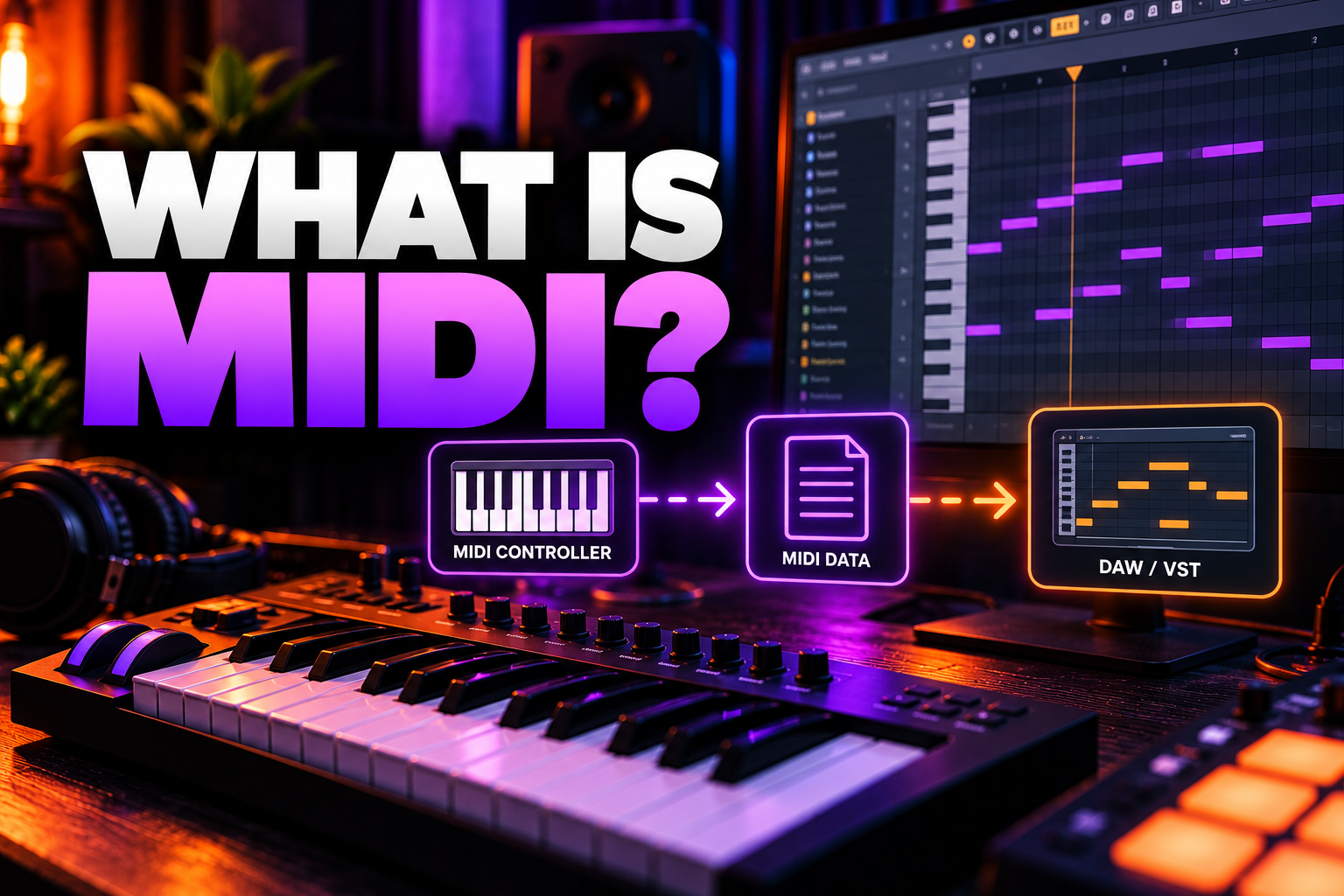

MIDI is a way for musical devices and software to send instructions to each other. It does not normally carry the actual sound. Instead, it sends information such as which note was played, how hard it was played, when it started and stopped, and how controls moved.
Simple example: when you press middle C on a MIDI keyboard, the keyboard can send a “play middle C” message to a synth plugin. The synth creates the sound. The MIDI message itself is not the sound.
What does MIDI stand for?
MIDI stands for Musical Instrument Digital Interface.
The original MIDI 1.0 specification was introduced in 1983 so instruments from different manufacturers could communicate using the same musical language. More than four decades later, MIDI is still built into DAWs, keyboards, synthesizers, drum machines, controllers and live-performance systems.
MIDI 2.0 expands the standard with higher-resolution data and more advanced communication, but it is designed to remain compatible with existing MIDI 1.0 workflows.
MIDI does not contain audio
This is the most important concept to understand.
An audio recording contains the actual waveform. A MIDI performance contains instructions that another instrument can interpret.
| MIDI | Audio |
|---|---|
| Stores performance instructions | Stores the actual recorded sound |
| Notes can be moved after recording | Pitch/timing edits are less direct |
| Can trigger any compatible instrument | Already has a specific sound |
| Very small file sizes | Much larger file sizes |
| No sound by itself | Plays back as sound directly |
If you record a piano performance as MIDI, you can later change the piano plugin into a synth, bass or orchestral instrument without replaying the notes. If you record the piano as audio, the piano sound is already part of the recording.
What information can MIDI send?
MIDI can send much more than note names.
| MIDI data | What it controls |
|---|---|
| Note On | Starts a note |
| Note Off | Stops a note |
| Velocity | How strongly a note was played |
| Pitch Bend | Bends pitch up or down |
| Control Change (CC) | Knobs, sliders, pedals and other parameters |
| Program Change | Can switch presets or sounds on compatible devices |
| Aftertouch / pressure | Adds expression after a key is pressed |
| Clock / timing | Can synchronize compatible devices |
Exactly which messages are used depends on the keyboard, controller, synth and software.
What happens when you play a MIDI keyboard?
Imagine you connect a MIDI keyboard to your computer with USB and open a synth in FL Studio, Ableton Live or Logic Pro.
When you press a key, the keyboard sends a note message to the DAW. The DAW routes that message to the selected software instrument. The synth then generates the sound, which travels through your audio system to your speakers or headphones.
The basic path is:
MIDI keyboard → DAW → software instrument → audio output
This explains why a MIDI keyboard can control thousands of completely different sounds without containing those sounds itself.
Does a MIDI keyboard make sound by itself?
Usually, a MIDI controller does not.
A dedicated MIDI controller is mainly an input device. It sends note and control information to another sound source.
A digital piano, workstation or hardware synthesizer may contain its own sounds and send MIDI. In that case, the same keyboard can work both as an instrument and as a controller.
What is a MIDI note?
A MIDI note is a message that identifies a musical pitch and usually includes performance information such as velocity.
When you press a key, the receiving synth gets a Note On message. When you release it, the synth receives Note Off.
The receiving instrument decides what that note sounds like. The same MIDI note could trigger a piano, snare drum, bass synth or sampled vocal depending on the loaded instrument.
What is MIDI velocity?
Velocity describes the value sent when a note is triggered. On a velocity-sensitive keyboard, playing harder normally sends a higher velocity value.
The instrument decides how to respond. A piano may become louder and brighter at higher velocities. A drum plugin may trigger a harder snare sample. A synth may use velocity to control filter cutoff instead of volume.
So velocity is not automatically “volume.” It is performance information that the receiving instrument can map to different parameters.
What is MIDI CC?
CC stands for Control Change.
MIDI CC messages are commonly used for continuous controls such as modulation wheels, expression pedals, knobs and sliders.
For example, a controller knob could send a CC message that changes:
filter cutoff, volume, modulation depth, reverb amount or any parameter your software lets you map.
This is why a simple MIDI controller can control much more than notes.
What are MIDI channels?
MIDI 1.0 traditionally provides 16 MIDI channels per MIDI port.
Channels let several instruments share one MIDI connection while still receiving separate data. A hardware setup might use channel 1 for a synth, channel 2 for a bass module and channel 10 for drums.
In modern DAWs, much of this routing is handled visually, so beginners often use MIDI for a long time without thinking about channel numbers.
What is a MIDI file?
A MIDI file stores musical performance data instead of recorded audio.
A MIDI file can contain notes, timing, velocity, tempo changes and other MIDI events. Because it does not contain the actual instrument recording, the same file can sound completely different depending on the software or hardware used to play it.
This is why downloading a “piano MIDI file” does not guarantee one exact piano sound. The notes may be piano-style, but your chosen instrument determines the final tone.
Why are MIDI files so small?
Because they store instructions rather than waveforms.
A several-minute stereo WAV file can take tens or hundreds of megabytes. A MIDI performance covering the same amount of time may only need a tiny fraction of that because it only stores events such as note numbers, velocities and timing.
That makes MIDI efficient for editing, composition and transferring performances between instruments.
Can you edit MIDI after recording?
Yes, and this is one of MIDI's biggest advantages.
After recording, you can change:
note pitch, note length, timing, velocity, chords, quantization, controller data and sometimes articulation information.
You can also change the instrument completely without changing the performance.
This flexibility is why MIDI is central to modern music production.
What is quantization?
Quantization moves MIDI notes closer to a timing grid.
If a kick was played slightly early or a chord landed slightly late, quantization can move those MIDI events toward the intended beat division.
It can make performances tighter, but too much quantization can remove natural timing variation. Many producers use partial quantization, swing or manual edits instead of forcing every note perfectly onto the grid.
USB MIDI vs 5-pin MIDI
Traditional hardware MIDI uses round 5-pin DIN connectors. Modern controllers often send MIDI directly over USB.
| Connection | Typical use |
|---|---|
| USB MIDI | Controllers connected directly to computers and mobile devices |
| 5-pin DIN MIDI | Hardware synths, drum machines and standalone setups |
| Bluetooth MIDI | Wireless controllers and mobile setups where supported |
The musical idea is the same: devices exchange MIDI messages. The transport method is different.
Do I need a MIDI cable?
Not necessarily.
If your controller supports USB MIDI, a USB cable may be all you need. A traditional MIDI cable is mainly needed when connecting devices through 5-pin MIDI ports.
Some audio interfaces also include MIDI IN and MIDI OUT ports, allowing older hardware instruments to communicate with a computer.
What is MIDI IN, OUT and THRU?
MIDI IN receives messages.
MIDI OUT sends messages generated by the device.
MIDI THRU passes incoming MIDI data onward to another device.
THRU was especially useful in chains of hardware instruments. Modern USB and DAW routing often makes physical MIDI chains less necessary, but the concept is still relevant in hardware setups.
What is MIDI used for in a DAW?
Inside a DAW, MIDI is commonly used to:
play software instruments, program drums, write chords, control synths, automate mapped parameters, edit performances, trigger samples and control external hardware.
A producer can record a MIDI keyboard performance, fix a few wrong notes, change the sound and then render the result to audio.
MIDI vs audio: which should you use?
For the full side-by-side breakdown, read our MIDI vs Audio guide.
Use MIDI while you still want easy control over the performance or instrument.
Use audio when you want to commit to the sound, record a microphone or guitar, reduce CPU load, perform detailed waveform editing or prepare final stems.
Most productions use both.
A common workflow is:
write with MIDI → edit the performance → choose the sound → render or record to audio → mix.
Why does my MIDI keyboard have delay?
MIDI data itself is often only one small part of the delay you feel.
After the MIDI note reaches the computer, the software instrument still has to generate audio and send it through the audio buffer. High buffer settings or latency-heavy plugins can make the keyboard feel slow.
If this is happening in FL Studio, see our guide to reducing latency in FL Studio and our FL Studio buffer-size guide.
Does MIDI work without an audio interface?
Yes.
A USB MIDI controller can connect directly to a computer without an audio interface. The computer can then play a software instrument through its built-in audio output.
An audio interface is useful for better audio I/O, lower-latency drivers, microphones, instruments and studio monitors, but it is not required simply to send MIDI notes.
Does MIDI record sound from my keyboard?
No, not by itself.
If your hardware keyboard contains a sound you want to record, MIDI can record the performance data, but you still need to record the keyboard's audio output if you want that exact hardware sound as audio.
This distinction matters when working with hardware synths: MIDI can tell the synth what to play, while the audio cables carry the resulting sound back into the computer.
What is MIDI 2.0?
MIDI 2.0 is an extension of MIDI 1.0 rather than a replacement.
The MIDI Association designed it to provide higher-resolution data, richer expression and better two-way communication between compatible devices. MIDI Capability Inquiry allows devices to discover supported capabilities and configure compatible features while preserving backward compatibility with MIDI 1.0 equipment.
For most beginners, you do not need to understand MIDI 2.0 before using MIDI. Standard MIDI workflows remain extremely common, and MIDI 2.0-capable systems are designed to work alongside existing equipment.
Is MIDI outdated?
No.
MIDI 1.0 dates back to 1983, but it remains deeply embedded in modern music production because the core idea is extremely useful: send musical instructions between devices in a standardized way.
MIDI 2.0 expands that system rather than discarding it.
Do MIDI files sound the same everywhere?
No.
The file contains the performance data, but the receiving sound source determines the result. The same chord progression may sound like a grand piano on one computer and an analog synth on another.
That is one reason MIDI is so flexible and also why sharing a MIDI file is different from sharing a finished WAV or MP3.
Can MIDI control hardware synths?
Yes.
A DAW can send MIDI notes, clock, program changes and controller data to compatible hardware. You can sequence a hardware synth from your computer while recording its audio output back into the DAW.
MIDI can also synchronize drum machines, sequencers and other devices.
Can MIDI control more than music software?
Yes. MIDI has been used for live-performance systems, lighting, show control and other applications where standardized control messages are useful.
For music producers, though, the main use remains connecting controllers, DAWs, software instruments and hardware.
MIDI beginner cheat sheet
| Term | Simple meaning |
|---|---|
| MIDI | Instructions sent between musical devices/software |
| Note | Tells an instrument which pitch to play |
| Velocity | How strongly the note was triggered |
| CC | Control data from knobs, sliders, pedals and automation |
| MIDI channel | One logical channel for routing MIDI data |
| MIDI file | A file containing performance instructions, not recorded audio |
| MIDI controller | A device that sends MIDI messages |
| MIDI OUT | Sends MIDI |
| MIDI IN | Receives MIDI |
| MIDI 2.0 | Newer extension with higher resolution and richer communication |
Frequently asked questions
What is MIDI in simple terms?
MIDI is a digital language that lets music hardware and software send performance instructions such as notes, velocity and control movements.
Is MIDI audio?
No. MIDI normally contains instructions, while audio contains the actual sound waveform.
What does a MIDI keyboard do?
It sends note and controller information to another device or software instrument. Many MIDI controllers do not produce sound on their own.
Can I make music without MIDI?
Yes. You can work entirely with recorded audio, samples and other tools. MIDI simply makes composition, editing and software-instrument control much easier.
Can MIDI control any VST instrument?
Most software instruments accept MIDI note input, although specific controller features depend on the plugin and DAW.
Why is MIDI useful?
Because performances remain editable. You can change notes, timing, velocity and even the instrument after recording.
Is MIDI 2.0 replacing MIDI 1.0?
No. The MIDI Association describes MIDI 2.0 as an extension that preserves backward compatibility with MIDI 1.0.
Final answer
MIDI is not sound. It is the information that tells an instrument what to do.
Once you understand that distinction, most MIDI concepts become much easier: keyboards send instructions, software instruments create the sound, MIDI files store performances, and DAWs let you edit those performances before committing them to audio.
Official references
For the technical standard and current MIDI 2.0 information, see the MIDI Association specifications, MIDI 2.0 overview and MIDI 2.0 guide for musicians.
![[background image] image of recording equipment (for a musician & band)](https://cdn.prod.website-files.com/68efa70811edd8e5af30a90d/6acd43b8998701bbde84e11a_Best%20Export%20Settings%20for%20FL%20Studio.png)
![[background image] image of recording equipment (for a musician & band)](https://cdn.prod.website-files.com/68efa70811edd8e5af30a90d/6acd3f9347bd0dd62b202621_ShaperBox%203%20vs%20Infiltrator%202.png)
![[background image] image of recording equipment (for a musician & band)](https://cdn.prod.website-files.com/68efa70811edd8e5af30a90d/6acd3d99fa68785e0f58960e_Kontakt%208%20vs%20Decent%20Sampler.png)