
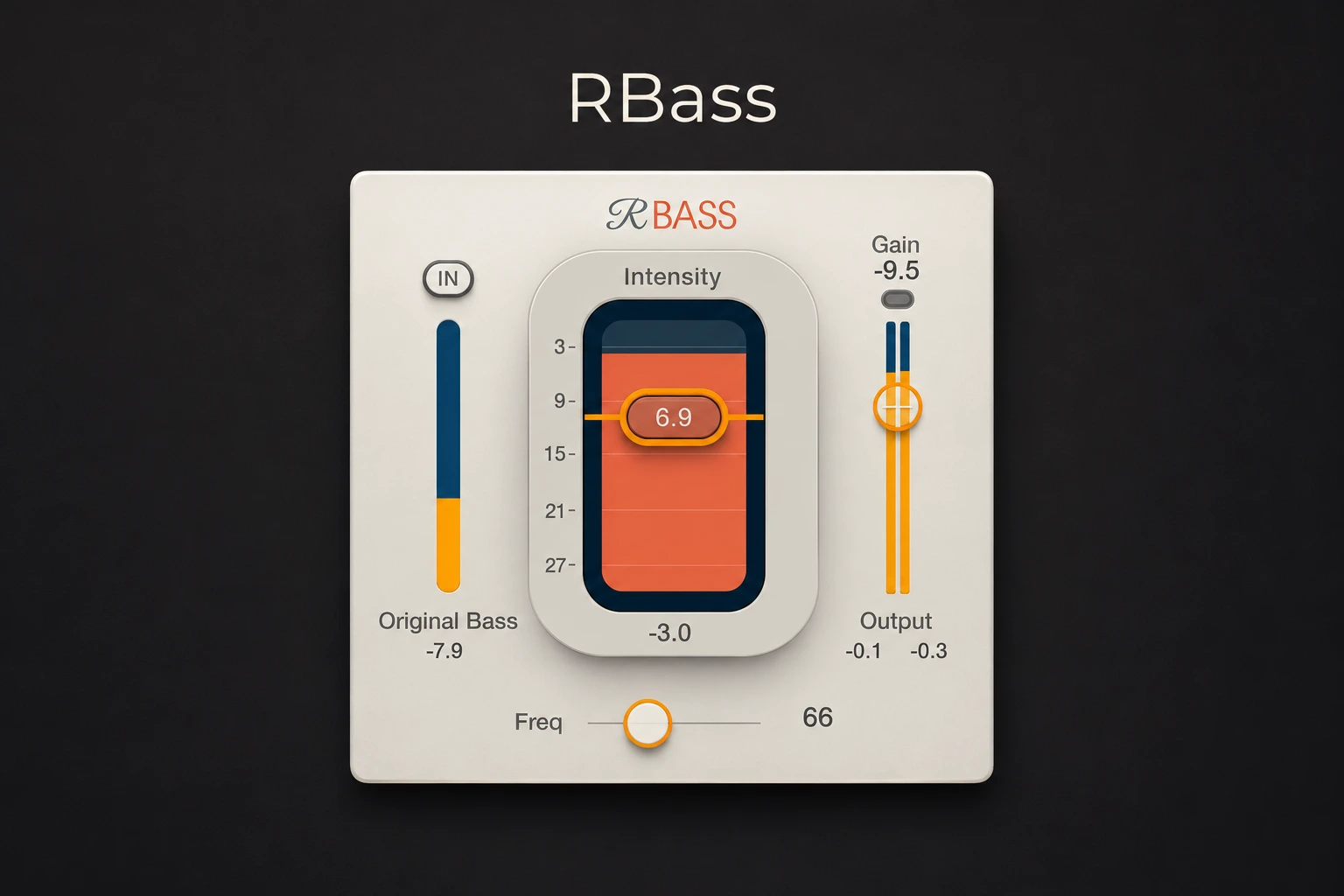

A bass line can feel powerful on headphones and almost disappear when the song plays through a phone. Turning it up may make the full-range mix too heavy without making the notes much easier to follow on the smaller speaker. Waves Renaissance Bass, usually called RBass, gives you another route by adding harmonics related to the low-frequency material. It is most useful when bass translation is the specific problem and you want a short, focused set of controls.
What RBass actually changes
RBass uses generated harmonics to strengthen the perception of bass on systems that cannot reproduce its lowest content. That does not make a small speaker physically reproduce the same deep fundamental as a subwoofer. The useful outcome is being able to follow the instrument's pitch and rhythm across more playback systems.
That distinction matters when choosing a processing goal. If the bass already has plenty of upper detail but the low end is badly balanced, another layer of harmonics may not help. If it is a very pure low tone whose musical line vanishes on a small speaker, harmonic enhancement is a more relevant experiment.
This review uses Waves' documented controls to build exercises for your own bass recordings. The proposed settings are starting points, not results from a controlled listening test or guarantees for a particular speaker.
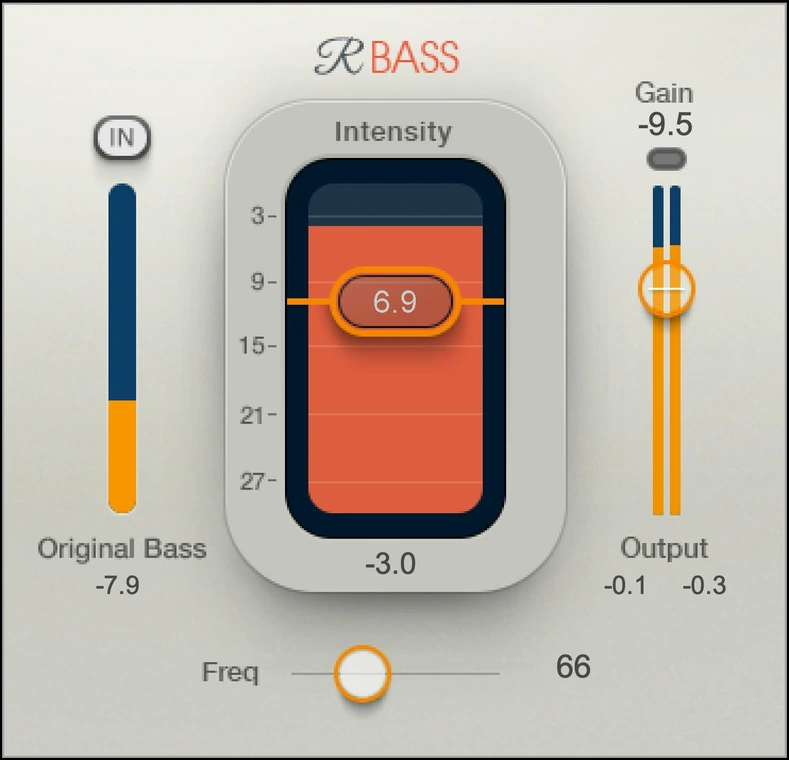
Freq, Intensity and Gain do different jobs
Freq sets the frequency used for harmonic generation. Intensity controls how much generated harmonic signal is added. Gain sets the output level. Original Bass In/Out determines whether the original material below Freq is retained alongside the processed signal.
Start by separating tone from volume. Move Intensity to hear the character, then use Gain to keep the processed version close in loudness to bypass. If you only compare the two at their unadjusted output levels, the louder version can seem fuller even when its balance is less useful.
Harmonic enhancement is not an ordinary low-shelf boost. EQ changes the level of frequencies already present; this process adds a different harmonic contribution. Compare both when the target is unclear. A small EQ adjustment may be enough on a richly recorded bass, while a very pure sub can present a different translation problem.
Do not assume the effect gives you free headroom. Adding harmonics while retaining the original low end can raise the output and change how the next compressor or limiter responds. Watch that next stage as well as RBass, and lower Gain when needed. A louder processed signal should not be allowed to decide the comparison for you.
Freq is not a tuning control for the 808 sample and it does not replace choosing the correct note. Establish the bass line's pitch first. Then find the processing region that adds useful definition without making the instrument sound like an unrelated layer above the beat.
There is no single Freq value for an entire genre. The source's lowest notes, existing overtones and relationship with the kick matter more than whether the track is labelled trap, house or pop.
Original Bass: keep the sub unless removal serves the job
For a general music mix, begin with Original Bass In. This preserves the original low-frequency material while you assess the added harmonics. Switching it Out removes the original region below Freq; it does not simply reduce the intensity of the enhancement.
Try the switch while monitoring on a system that can reproduce the bass properly. A phone may reveal the difference in note definition while hiding how much deep weight you have removed. A choice made only on that phone can leave the full-range version thinner than intended.
Removing low content can be appropriate for a deliberately restricted playback system or a particular effect layer. That is a different goal from preparing one music master for many listeners. Keep a full-range reference and name the version clearly if you are making a separate playback-specific mix.
Do not interpret the generated-harmonics meter as a recommendation to raise the effect until it looks busy. The balance should come from the arrangement and the playback comparison. A restrained setting can be the useful one even if the visual change is modest.
An 808 translation exercise
Choose a passage with the lowest 808 note, a higher note and a slide or quick fill. Include the kick and main melody. An isolated sustained sub can make almost any added harmonic sound impressive, while the actual beat reveals whether it helps.
- Insert RBass on the 808 track and leave Original Bass In.
- Start with Intensity low, for example around −12 dB. Set Freq around the low region you want to work on; 60–90 Hz is a reasonable area to audition for this exercise, not a fixed 808 preset.
- Raise Intensity gradually until the line is easier to identify, then reduce Gain for an approximately level-matched bypass comparison.
- Compare a familiar full-range playback system with a small speaker. Listen for the rhythm and pitch of the line rather than expecting identical physical weight.
- Replay the slide and higher notes. Back off if the added tone becomes distracting or changes the character more than the track needs.
If the low note improves but the higher notes become too buzzy, reduce Intensity and try a different Freq value. If the entire line already contains heavy distortion, the problem may be its level or masking rather than missing harmonics. More enhancement is not always the next useful step.
Return to the lowest note with the kick present. A clearer upper bass layer is helpful only if the low-end relationship still works. Our kick and 808 guide covers tuning, timing and separation when those are the real obstacles.
Find a frequency that works across the whole line
Use a short musical phrase rather than one repeated note. Start at a modest Intensity and move Freq in small steps. After each meaningful change, compare the lowest and highest notes in the phrase. Choose a compromise that keeps the line recognisable rather than maximising one impressive note.
Next, listen to the same phrase at a lower monitoring level. Can you still follow where the bass enters and leaves? Does it support the groove, or has the added midrange become the most obvious element? This is particularly useful when a bass has a long tail beneath a fast drum pattern.
If no setting works across the phrase, inspect the source before building a complex workaround. Uneven sample levels, an overly long release or an unsuitable sound may need attention first. Correct those issues, then reassess whether RBass still contributes something useful.
An analyser can help locate the fundamental and check what is happening in the low region. It cannot choose the most musical setting or predict every speaker. Use it to support a listening decision, especially if room acoustics make the lowest notes hard to judge.
Bass guitar: keep the performance intact
For a bass guitar, choose a line containing a sustained low note and a busier phrase. Try Freq near 80–120 Hz and begin with a quiet harmonic level. These suggested values are simply a starting experiment; adjust for the instrument's register and recorded tone.
Listen to the note body separately from the finger or pick sound. If the body becomes easier to follow but the attack stays natural, the processing may be doing a useful job. If the bass starts to compete with guitars and the singer, lower Intensity before trying to carve space around an unnecessarily strong effect.
Check quiet notes as well as loud ones. Harmonic enhancement is not a substitute for repairing a performance with large level inconsistencies. Use editing, automation or suitable compression for that problem, then decide how much additional tone the bass needs.
For a very dense arrangement, compare the processed bass with a simpler alternative: a small level change or a different balance of existing amp and DI tracks. RBass is most convincing when it solves something those adjustments cannot handle as easily.
Place it around compression and distortion deliberately
Try RBass after the processor that establishes the basic bass tone, then compare another placement if necessary. Keep the final level similar in each version. A compressor after the enhancer can react to the modified signal, while heavy distortion after it can reshape the added character again.
Use the same line for both comparisons and leave the settings of the other processor alone initially. If one order makes the groove less stable, identify whether the bass level, transient or tone has changed before adjusting everything at once.
If the source already has a strong distorted upper layer, RBass may be redundant. For a more general tape or saturation treatment, our TAIP vs Satin comparison looks at a different kind of workflow. Choose according to the sound you need rather than adding every available form of harmonic processing.
Kick drums and full mixes need a narrower brief
On a kick, decide whether the missing element is low weight, a readable pitched body or the initial click. These are different problems. Audition a restrained RBass setting only if the kick's body needs more presence across speakers, and keep the bass line playing during the decision.
Check that the tail does not become the dominant part of the groove. If the kick is already too long, shortening its envelope or selecting another sample is more direct than enhancing it. If only the click is missing, a different processing choice may reach the target with fewer changes below it.
On a full mix, RBass has less ability to distinguish which instrument needs help. A bass-focused adjustment can also change the perceived balance of the kick and low percussion. Start with a very low Intensity, keep Original Bass In and compare both a sparse section and the busiest chorus.
Whenever the individual bass track is available, compare track-level processing first. It is easier to understand the result when only the intended instrument changes. Our muddy-mix guide helps when the actual problem is excess low-mid energy rather than insufficient bass audibility.
How to make a useful small-speaker comparison
Prepare a short passage at a sensible playback level and keep the device's position consistent. Compare the bypassed and processed versions closely enough in loudness that you can judge tone. Use more than one phrase if the bass changes register.
Listen for whether the bass line remains musically understandable under the vocal. A phone may still omit the deepest sensation; that alone does not mean the enhancer has failed. Equally, a louder midrange buzz is not automatically better translation.
Return to your main playback system after every major change. Confirm that the sub has not vanished, the kick still has a role and the vocal remains clear. A narrow-band monitoring check in the DAW can be useful, but it is not an exact model of the phone's speaker, processing or playback level.
Finally, compare at the same comfortable loudness the next day or after a short break. Keep the milder version if the more dramatic one only sounded better during adjustment. Translation is an arrangement and monitoring decision as much as a plugin setting.
Price, MaxxBass and who should buy
Waves listed Renaissance Bass at $29.99 on November 22, 2026, against a listed MSRP of $129. This promotional USD price excludes applicable taxes and can change. Check your bundles before buying separately, and confirm current compatibility in the Waves requirements.
RBass suits a producer who wants a quick harmonic-enhancement workflow with few decisions. MaxxBass is relevant if you want more detailed control over the original and generated components. Our RBass vs MaxxBass comparison explains that choice without assuming you need both.
Skip the purchase if your current bass sound already translates well, or if another tool you own creates the needed upper detail. RBass does not fix note choice, phase cancellation, poor kick-and-bass timing or a room that misrepresents the low end. Identify one repeated translation problem before treating the plugin as a default insert.
Conclusion
RBass is useful when the bass line needs a clearer presence beyond its deepest frequencies. Keep the original low end while you learn the effect, choose Freq across the whole phrase and raise Intensity only as far as the arrangement benefits. The right amount helps the musical line survive a small speaker without making the full-range mix heavier or harsher than intended.
Technical reference: the Waves Renaissance Bass user guide. Product information and USD price checked November 22, 2026. Suggested settings are exercises for the reader's own recordings.


