
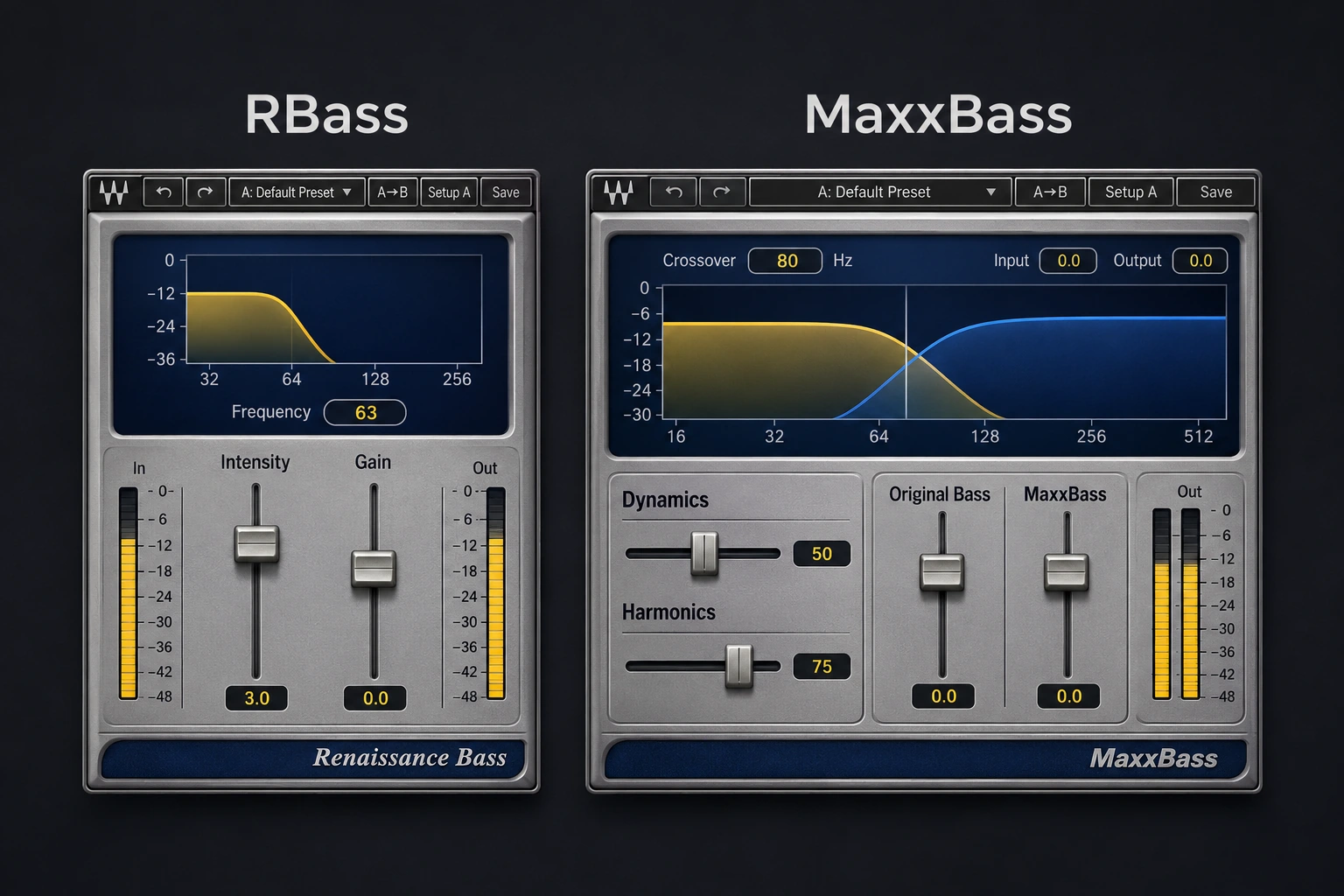

You can feel the 808 under the kick on headphones, but play the chorus on your phone and the bass line loses its tune. Both Waves Renaissance Bass (RBass) and MaxxBass can give the speaker something higher up to reproduce. Start with RBass if you want to bring out the notes on one track and move on. Pick MaxxBass if turning up the harmonics helps the phone mix but leaves you wanting to pull just a little sub out of the full-range version.
Why the same 808 needs two different fixes
Take an 808 with a sustained A at 55 Hz. Its second and third harmonics sit at 110 and 165 Hz. A phone that struggles with the fundamental may still reproduce enough of those upper frequencies for you to follow the tune. Boosting 55 Hz with an EQ leaves the phone with much the same problem and uses more headroom on the full-range mix.
Here is where the two plugins part ways. Suppose you like the new definition, but the kick now loses its impact on the monitors. In RBass, lowering Intensity takes away some of the harmonics you just liked. Switching Original Bass out removes the low band below Freq. In MaxxBass you can keep the harmonic fader in place and try taking just 2 dB off Original Bass. If you regularly need that middle setting, it is a concrete reason to choose MaxxBass.
Try singing the bass line back after playing the chorus quietly on a small speaker. If you can follow the rhythm of the kick but lose the change of bass note underneath it, a harmonic enhancer is worth an audition. If you can already sing every note and the chorus still feels weak on your monitors, check the relative kick and bass levels first. Our guide to mixing kick and 808 walks through that decision.
RBass and MaxxBass controls compared
| Mix decision | Renaissance Bass (RBass) | MaxxBass |
|---|---|---|
| Keep some of the original sub | An in/out switch includes or removes bass below Freq. | A fader lets you choose how much original low end to retain. |
| Shape the added layer | Set Freq and adjust Intensity, then level-match with Gain. | Set the crossover and balance the harmonics. Decay, Ratio and Response offer extra shaping. |
| Best first audition | A clean 808 that needs an audible tune with minimal adjustment. | A bass part where the added harmonics and original low end need different levels. |
Set up RBass on a clean 808
Choose a loop containing the lowest sustained note, a higher note and at least one kick that lands on top of the bass. Insert RBass on the 808 channel. That way the kick stays the same while you decide how much extra pitch information the 808 needs.
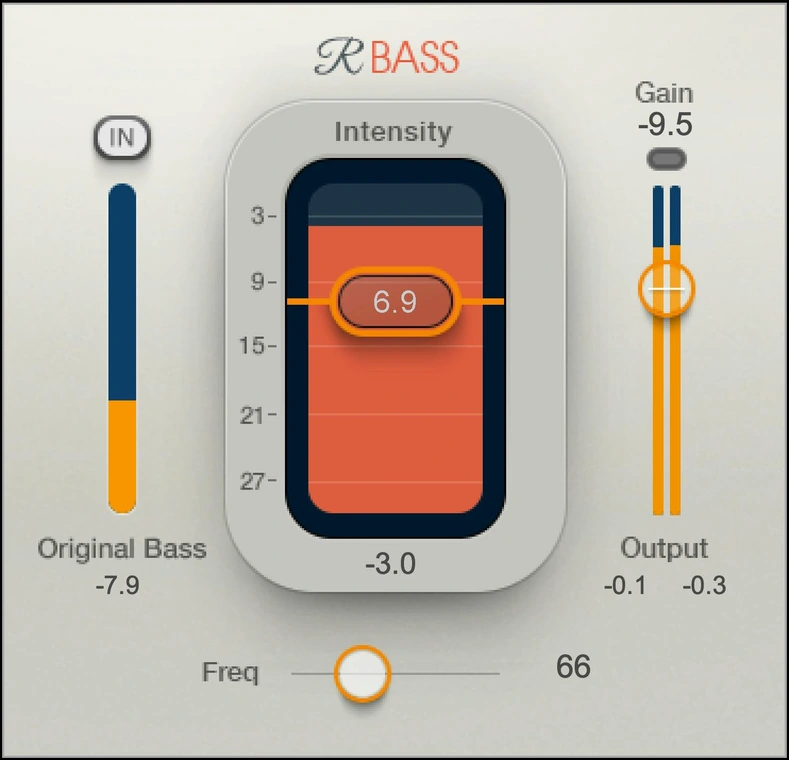
- Find the body of the note. On an 808 with a pitch drop, read the sustained tail in your analyzer. For a tail near 55 Hz, try a Freq setting around 60 Hz. Check the second note before treating that number as settled.
- Leave Original Bass in. Start with Intensity low, around −18 dB as an exercise, and raise it slowly while the kick plays. Stop as soon as the note change is easier to follow. If the bass starts to sound like a second instrument buzzing above the sub, back it down.
- Match the output with Gain. Toggle bypass at the same perceived level. Then try Original Bass out for one pass on full-range playback. If the pitch remains clear but the downbeat loses the weight you wanted, switch it back in.
RBass earns its place when one setting survives the verse and chorus. If only the very lowest note disappears, try automating Intensity for that note or adjusting the source. A setting chosen around a single low hit can leave every higher note too thick.
Use MaxxBass when the phone and the monitors disagree
Suppose the bass guitar has a good, round bottom on the monitors. Adding harmonics makes the verse readable on a laptop, but now the low notes hang over the next kick in the room. MaxxBass gives you separate level faders for the original low band and the generated harmonics. You can keep the pitch cue while easing back the part that takes up space.
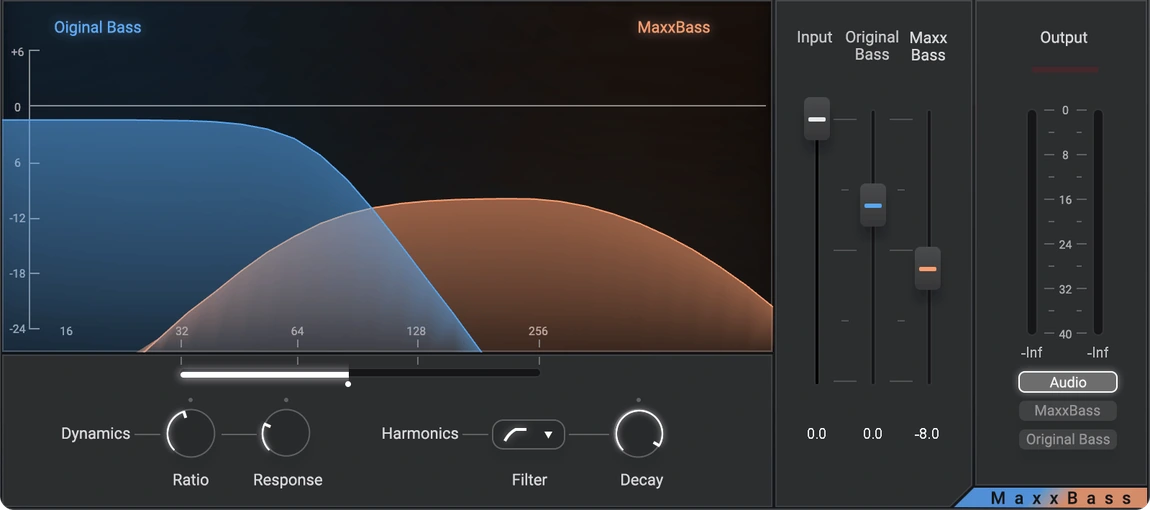
Start with Ratio at 1:1 so the harmonic layer follows the playing dynamics. Set the Frequency crossover just above the low note you want to treat, switch the monitor to MaxxBass and listen to what the plugin adds. Return to Audio for the actual mix decision. Raise the Harmonics fader from low down until the quietest note reads, then try reducing Original Bass by 1 or 2 dB. Use a clean trim after the plugin to compare at equal loudness.
If the added layer sounds buzzy even at a useful level, try a more negative Decay setting. Here Decay changes the level of successive harmonics in the series. The length of the bass note stays a separate decision. For uneven fingerstyle playing, try raising Ratio a little and lowering the Harmonics fader again. Listen for the quiet fill emerging without every finger noise calling attention to the processing.
Make the purchase decision on two playback systems
Print the same eight bars three times with identical master processing. Keep one untreated, one with RBass and one with MaxxBass. Match their playback loudness, give them neutral names and play them in an order you did not memorize. Use the same phone position and volume for all three.
On the phone, mark the exact beat where the pitch becomes hard to follow. On headphones or monitors with low-end extension, listen to how the first kick lands and whether the last note stops cleanly before the next bar. The pass that makes the melody readable and keeps that downbeat intact is the one worth pursuing. If your limiter works much harder on that pass, lower the processor output and check again before committing.
Also try the saturation you already own. On a near-sine 808, a stock saturator with a little drive can give the upper bass all the texture it needs. On a picked bass with plenty of harmonic detail already, adjusting the level or clearing a competing guitar may do more. The muddy mix guide helps locate that overlap before you spend anything.
Conclusion
Waves listed both plugins at $29.99 each on November 20, 2026. Its U.S. regular prices were $129 for Renaissance Bass and $99 for MaxxBass. At the same offer price, start with RBass for a single 808 that only needs a little more definition. Choose MaxxBass if adjusting the original low end independently made the difference in your comparison. If the untreated pass already tells the melody on the phone, keep your money.
Waves documents the controls in the Renaissance Bass user guide and MaxxBass user guide. Interface images are from Waves. The starting settings and playback exercise are SoundShaper suggestions.


