
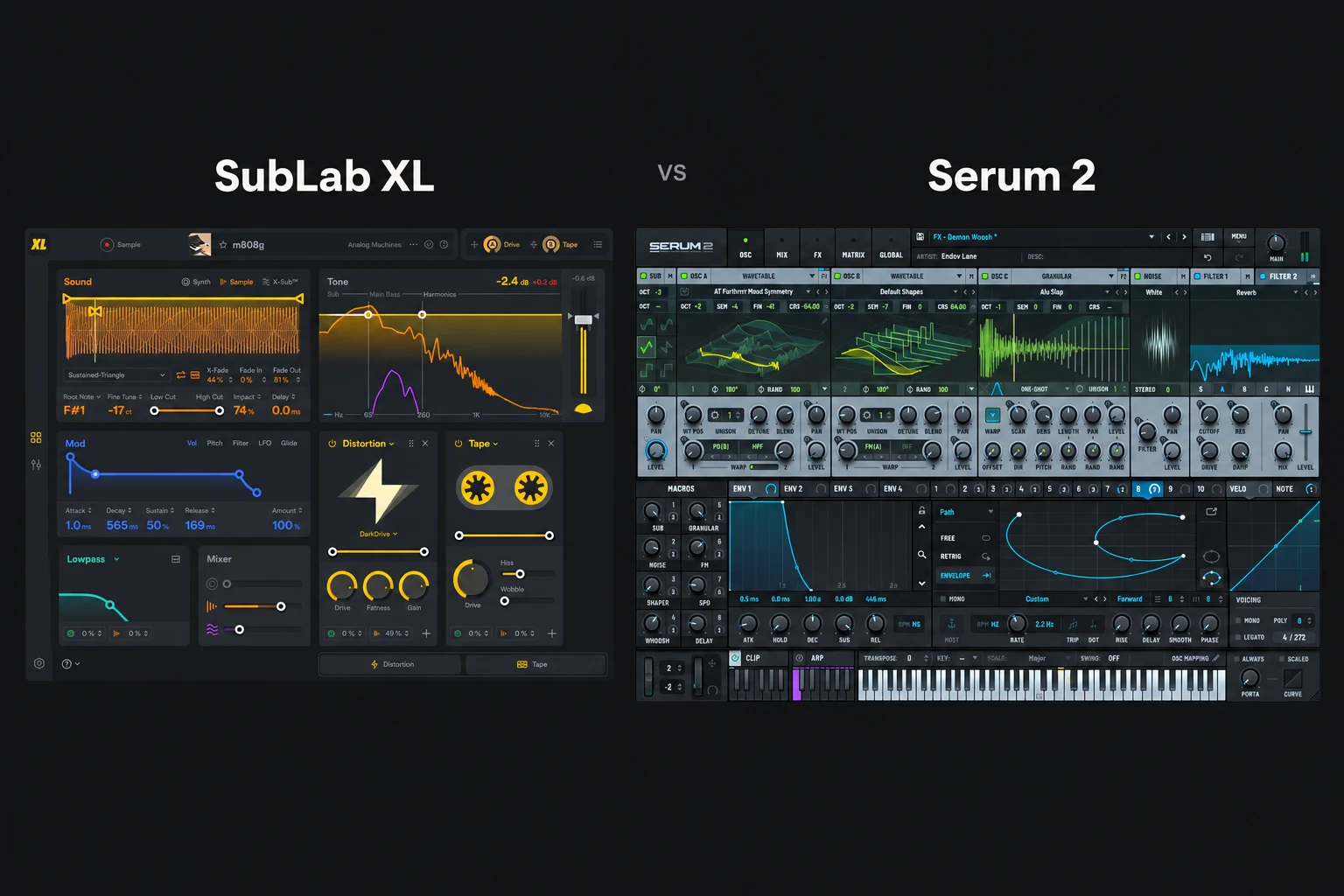

SubLab XL is the more focused choice for building 808s and sub bass. Serum 2 is the broader choice if you also want to design leads, pads and many other sounds. If you already own Serum 2, you do not need SubLab XL simply to make an 808. Its buying case is whether a bass-focused workflow helps you finish the sound more easily.
For this comparison, “808” means the pitched, sustained bass sound common in trap and related production, rather than a complete recreation of the original drum machine.
We compare documented capabilities and practical buying scenarios. We have not performed a controlled listening or CPU test.
Which one should you buy?
| Your situation | Our starting advice | Why |
|---|---|---|
| You mainly want to build or reshape 808s and subs. | SubLab XL | Its interface and sound layers centre on that job. |
| You need basses, leads, pads and broader sound design. | Serum 2 | You are buying a general-purpose hybrid synth. |
| You already own Serum 2 and need a straightforward 808. | Use Serum first | A dedicated plugin is optional. |
| You want to combine an 808 sample with a dedicated sub layer. | Investigate SubLab XL | Compare its layered workflow with your current setup. |
| You already have an 808 sample that fits the beat. | Try your DAW sampler first | Neither purchase is essential for that task. |
Choose according to the job you repeat most. A specialist can be worth owning alongside a larger synth, but the extra purchase should save you a real step or give you a workflow you prefer.
SubLab XL: build the bass from connected layers
SubLab XL combines a synth, sampler and X-Sub engine. Its sampler includes root-note and fine-tuning controls, pitch detection, looping and sample-start shaping. It also provides editable glide curves, effects and a bass-oriented frequency display.
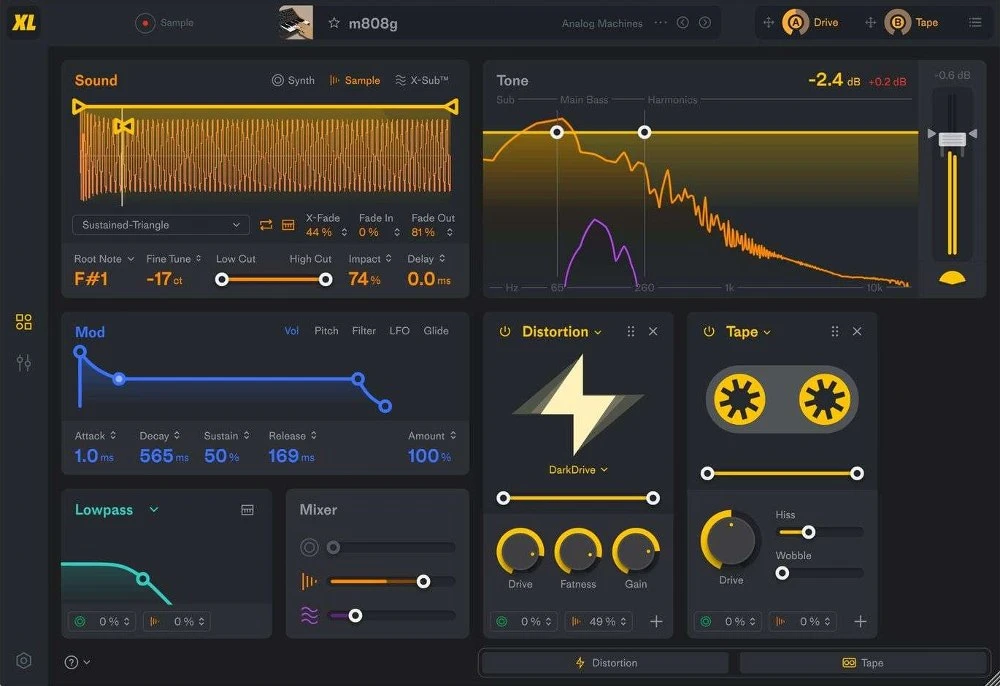
The appeal is having several decisions about one bass sound close together. You can evaluate a sample's attack, the sustained body and a supporting sub layer within the same instrument.
We would begin with one layer. If the sample already has enough low end, adding more may make the result harder to control. Introduce a second layer only when you can describe what is missing: a clearer attack, a more stable body or useful upper harmonics.
The X-Sub engine is a dedicated part of FAW's bass design. We would evaluate it on a phrase containing your lowest and highest notes. Do not assume that an additional sub layer will automatically sit well with every kick.
SubLab XL's effects can also shape the audible edge of the sound. Compare the processed version at a similar output level. A louder, more distorted bass may initially seem stronger while leaving less space for the rest of the beat.
Our SubLab XL review covers the instrument in more detail.
Serum 2: design the bass inside a wider instrument
Serum 2 has three main oscillators with wavetable, sample, multisample, granular and spectral modes, alongside a dedicated sub oscillator. Its envelopes, modulation and effects routing give you several ways to construct and reshape a bass.
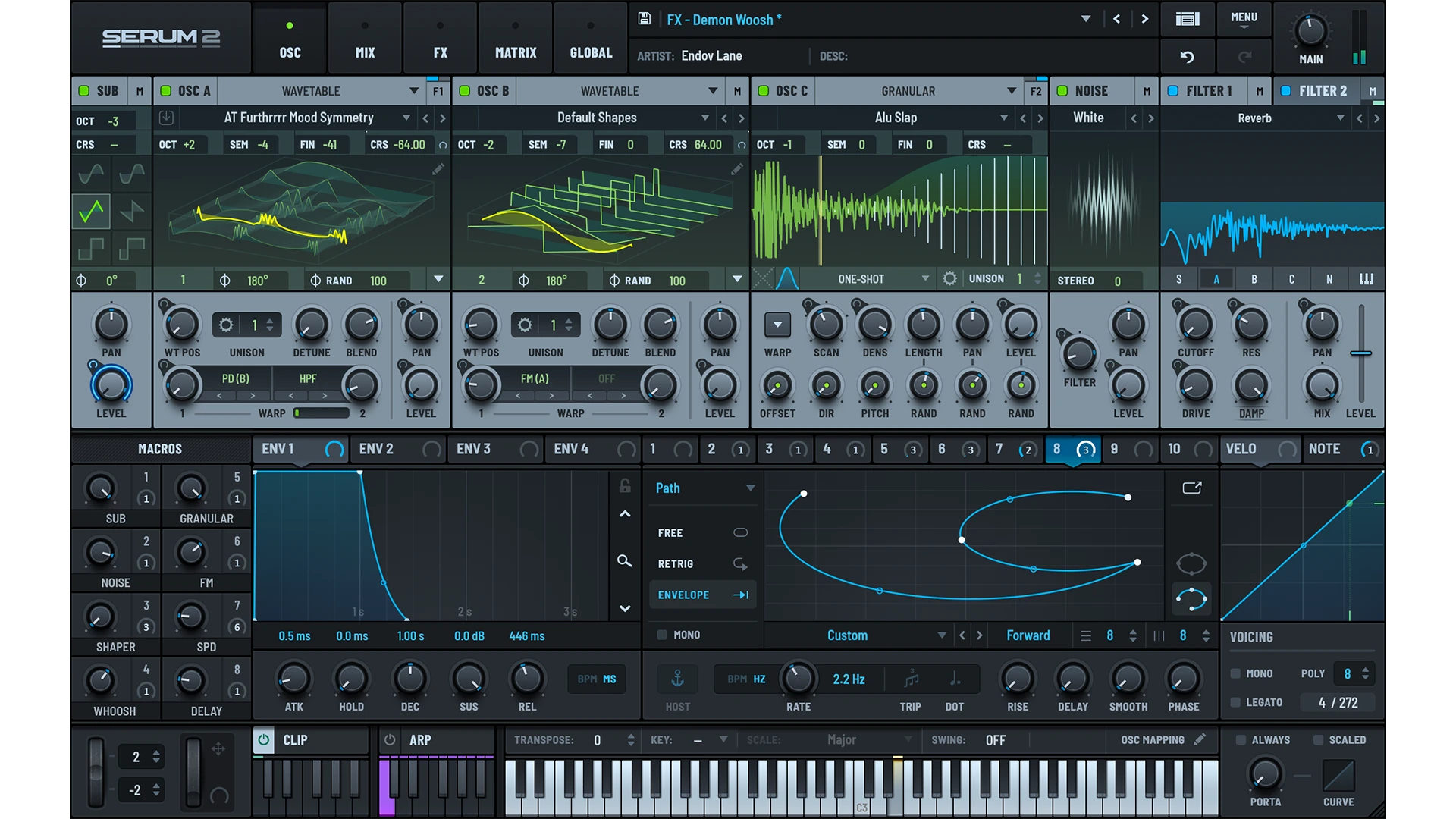
For a clean sustained bass, we would keep the starting patch simple. Focus on pitch, the volume shape and the length of the note before exploring complex modulation. More oscillator types do not mean a basic 808 needs all of them.
Serum 2's sample capability matters to this comparison. It would be inaccurate to describe it as a synth-only alternative to SubLab's sampler. You can work with sampled material as well as synthesised sources.
We would favour Serum when the same session includes an 808, a moving bass, a lead and a pad. Learning one instrument across those tasks can be valuable. That broader range is less relevant if you only want to reshape a few 808 samples.
Read our Serum 2 review for the wider sound-design picture.
Glides: compare the phrase, not just one note
Both instruments provide ways to control transitions between notes. SubLab XL highlights editable glide curves and tempo-synced glide times; Serum 2 includes voicing controls for legato and portamento.
Make a short test phrase with a repeated note, a small interval and a larger jump. Listen to where the transition begins and where it arrives. The right setting depends on the rhythm of the line.
In FL Studio, test the receiving instrument's own glide behaviour with ordinary MIDI notes and the note overlaps it requires. Do not assume a Piano roll slide-note gesture behaves identically in every third-party plugin.
For either instrument, check the full phrase against the drums. An impressive long slide can obscure the next kick or leave the bass between intended pitches at the wrong moment.
Three checks that matter more than the plugin name
1. Does the lowest note still work?
Write the bassline before judging the patch only on its favourite note. A sound that feels powerful in one register can become less defined when played lower.
We would compare the lowest note with the rest of the phrase and adjust the sound or arrangement if it stops communicating the line clearly. Raising one note may serve the track better than adding another processor.
2. Can you hear the line without relying entirely on sub?
Check the bass at a modest level on more than one playback system. If the line disappears on smaller speakers, evaluate its upper harmonics and its relationship with the other instruments.
Distortion can help create an audible edge, but it can also crowd the vocal and snare. Increase it gradually and listen to the whole section.
3. Do the kick and bass leave room for each other?
Listen to where the kick lands and how long the bass continues beneath it. Shorter notes, a different kick or fewer overlapping hits may solve more than replacing the bass instrument.
Our kick and 808 guide goes into that arrangement and mixing decision.
Already own Serum 2? Try this before buying SubLab XL
Pick one existing 808 patch or sample and make three usable versions: short and controlled, long and smooth, and more harmonically aggressive. Keep them in the same beat.
Notice where you get stuck. If you can make and revise all three comfortably, SubLab XL is optional. If you repeatedly wish the sample, low-end layer and bass controls were organised around one task, investigate its workflow.
That is a more concrete reason to add it than assuming a dedicated bass plugin must produce better 808s. We would not claim a universal sound-quality winner without an appropriate comparison.
Price, ownership and trials
Xfer lists Serum 2 at $249 USD as a direct purchase and provides a free upgrade for eligible Serum 1 owners. Check your existing account before buying another full licence.
Splice lists Serum 2 at $9.99 per month for 25 months through Rent-to-Own, with a three-day trial. That plan is separate from a Splice sample subscription; review the current payment and authorisation terms before starting.
For SubLab XL, compare the current full licence with any original-SubLab upgrade you qualify for. Confirm that the listing is XL rather than the original product or an expansion pack.
Prices and offers were checked on 27 October 2026 and can change. Use the latest developer requirements for your operating system and host. We have not measured performance, so evaluate a representative project if you plan to use complex patches or several instances.
SoundShaper opinion
We would investigate SubLab XL first for someone whose recurring task is making 808s from samples and layers. The focused layout gives you a specific workflow to evaluate.
We would investigate Serum 2 first for someone building a wider sound-design toolkit. Its value extends beyond the bassline, which matters if you also produce your own melodic and atmospheric sounds.
If you already own Serum, start there. If you already have an 808 sample that fits, try your DAW sampler. Buy SubLab XL when its particular organisation of the task earns a place in your sessions.
Conclusion
SubLab XL is the specialist; Serum 2 is the broader instrument. Both can contribute to 808 production, and neither removes the need to check tuning, note lengths, translation and the kick relationship.
Choose the workflow that helps you revise the bass inside a finished beat, rather than the one that makes the loudest isolated note.
Sources
Checked on 27 October 2026 against FAW's SubLab XL information, Xfer's Serum 2 page, the Serum 2 feature guide, Splice's Serum 2 FAQ and the linked store listings. Product images: Future Audio Workshop and Xfer Records. Suggested evaluation tasks and buying advice are SoundShaper's editorial recommendations.
![[background image] image of recording equipment (for a musician & band)](https://cdn.prod.website-files.com/68efa70811edd8e5af30a90d/6ae28f3ffeabaf5b76db2580_6ae28f255000f820b159a320_crystalline-review-cover.webp)
![[background image] image of recording equipment (for a musician & band)](https://cdn.prod.website-files.com/68efa70811edd8e5af30a90d/6ae28e7e5d1572089570ac87_6ae28e5eead33b2db2a18b5f_transit-2-review-cover.webp)
![[background image] image of recording equipment (for a musician & band)](https://cdn.prod.website-files.com/68efa70811edd8e5af30a90d/6ae28d603a57759da71022d6_6ae28d41f6af13c91dee9c76_drumazon-2-review-cover.webp)