
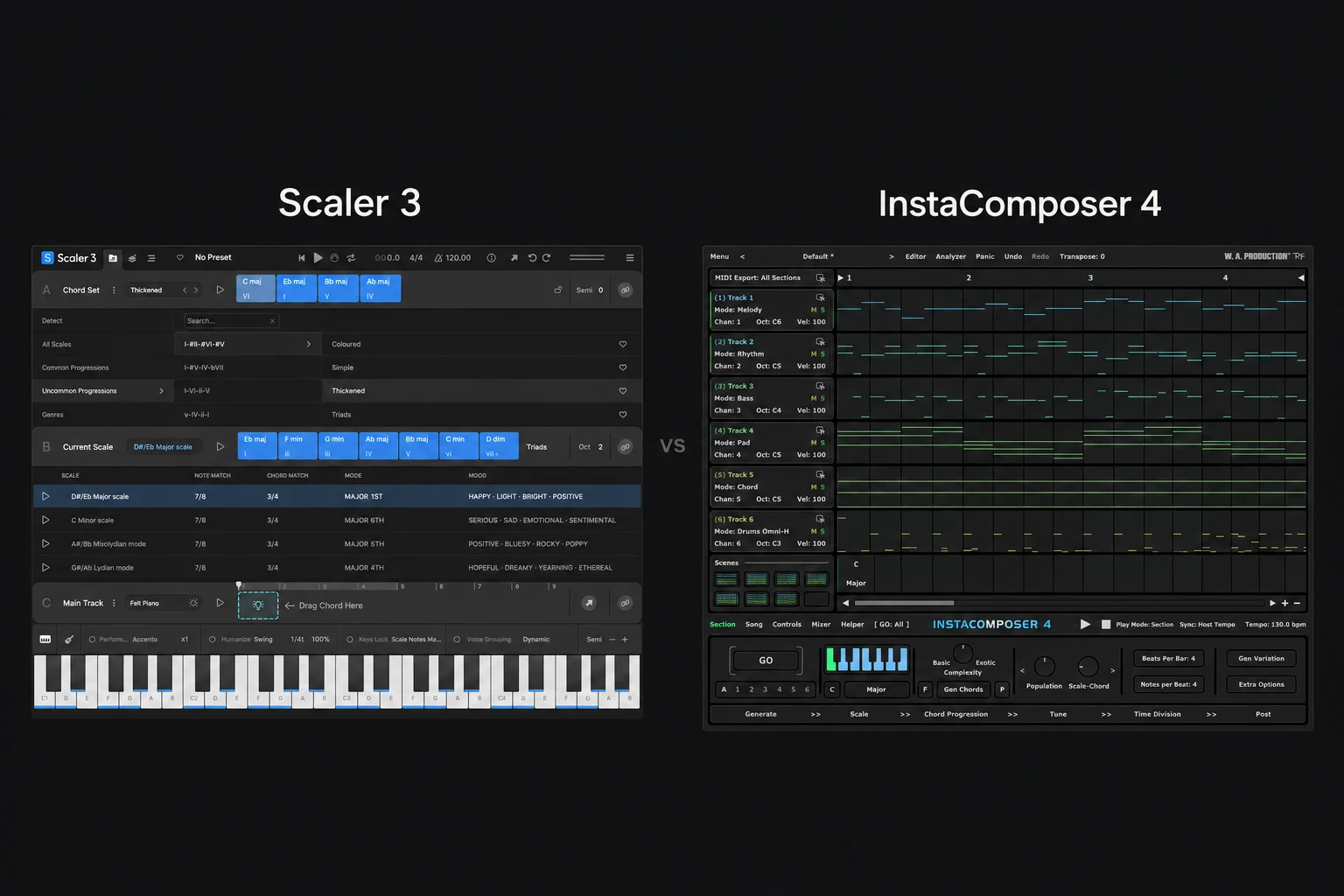

We would choose Scaler 3 for developing harmony deliberately, and InstaComposer 4 for generating musical parts to reshape. Scaler is our first recommendation when you want to explore why chords work together. InstaComposer is the first one we would try when the empty Piano roll is the main obstacle.
There is plenty of overlap: both offer chords, melodic material and ways to build an arrangement. The difference that matters is which workflow helps you make your next musical decision.
This is a comparison of documented features and suggested workflows. We have not performed a controlled listening, speed or CPU test.
Which one fits your writing problem?
| Your main need | Our first choice | Why |
|---|---|---|
| You want to understand and improve a chord progression. | Scaler 3 | Its harmony tools are the reason we would try it first. |
| You want candidate melodies and backing parts to reshape. | InstaComposer 4 | Try a generation-led session, then edit the useful material. |
| You want to explore changing key between sections. | Scaler 3 | Investigate its modulation workflow. |
| You prefer starting from several generated parts. | InstaComposer 4 | Check whether that gets you arranging sooner. |
| You already own one and rarely finish its ideas. | Use what you own first | A second writing tool may add choices without solving the problem. |
These are our starting recommendations, rather than exclusive feature claims. Scaler can generate performances and InstaComposer includes chord and scale analysis. We would choose a trial based on your main difficulty, then judge the result in a real project.
Scaler 3: start with the harmonic question
Scaler 3 brings together chord sets, suggestions, an Explore page and modulation tools. Its musician-made Motions cover melodies, basslines and other performances. The Arrange page lets you develop parts in separate lanes, and desktop plugin hosting lets you use supported instruments and effects inside it.
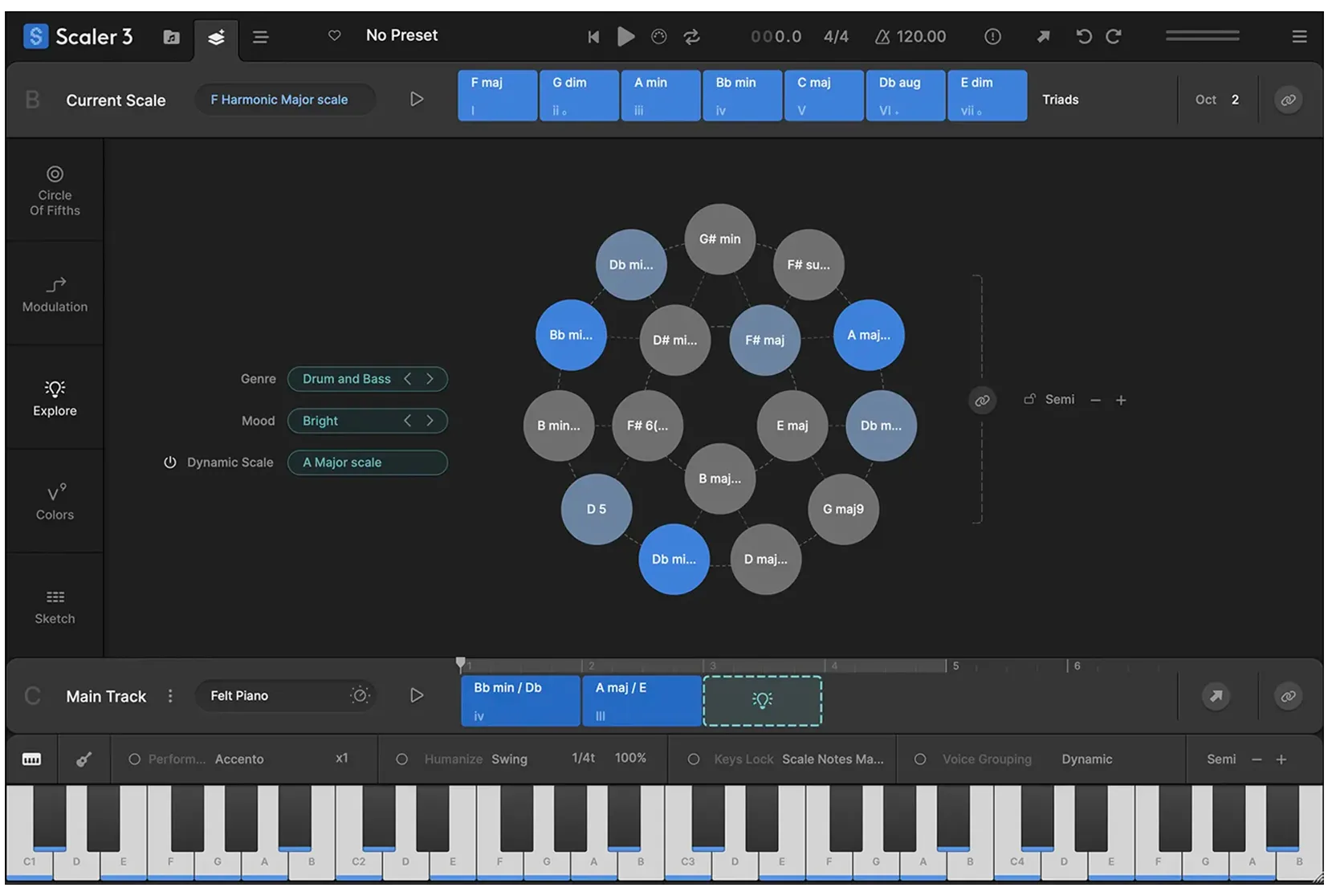
That makes Scaler our first trial choice for a specific problem: you like your opening chords but the next section feels predictable. We would keep the first section and compare different ways to move away from it.
For example, begin with a progression you can already play. Change one chord and ask whether the change makes the chorus feel more open, more tense or simply disconnected. Next, keep the chord names but change the voicing: the register and spacing of their notes.
That exercise is useful because a track does not always need more complicated harmony. A smoother top line or a different bass note can be enough. We would use the visual information to understand a choice we like, then try to recognise it by ear.
Choose Scaler first if: you enjoy comparing harmonic possibilities and want the plugin to help you develop an existing idea. Our Scaler 3 review goes deeper into that workflow.
InstaComposer 4: start with material you can edit
InstaComposer 4 generates MIDI across six tracks with eight scenes per section. Version 4 includes internal instruments, an integrated mixer, groove controls and a rebuilt generation engine. You can edit the notes and export the useful parts to your DAW.
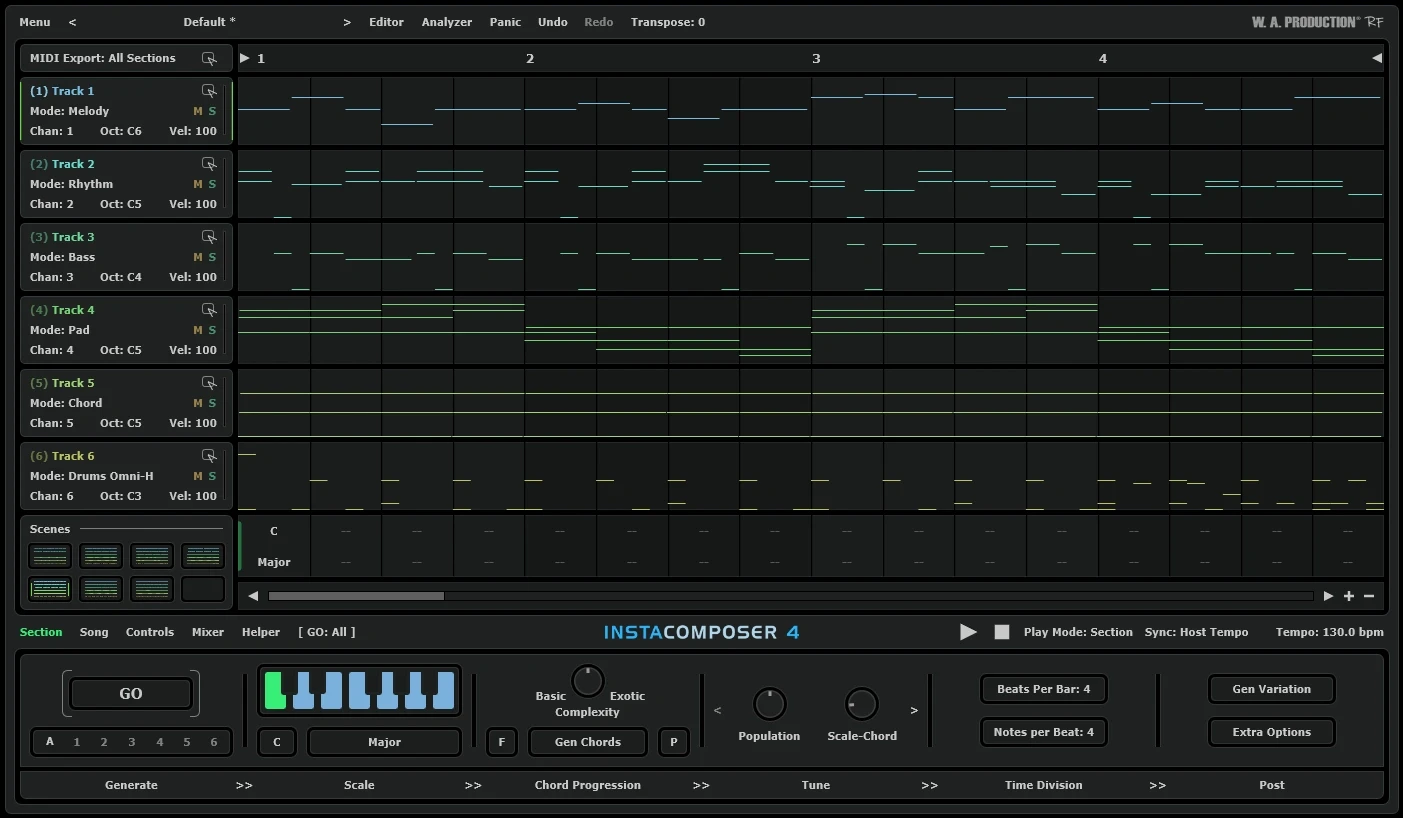
We would reach for this approach when we have a drum loop and a clear mood, but no melodic starting point. Give the session a narrow brief: a short phrase with room for a vocal, or a backing pattern that supports a simple bassline.
After generating a candidate, we would mute everything except the part that catches our attention. Then change the ending, shorten a run or remove a repeated note. Keeping only one useful detail can be more productive than accepting every generated layer.
Internal playback is useful for evaluating the notes before choosing final sounds. Our preference would be a plain audition sound. If the phrase only interests you with a huge preset, check whether the musical idea itself is strong enough.
Choose InstaComposer first if: you prefer reacting to candidate phrases and reshaping them. Read our InstaComposer 4 review for upgrade advice and a focused writing exercise.
Which is better for beginners?
We would base the choice on how you like learning. If you want to connect the notes you hear with chord names and harmonic choices, start by exploring Scaler. Keep the first session limited to one progression and a few alternatives.
If you are more comfortable editing an example than building one from nothing, try InstaComposer. Take one phrase, change something you can clearly hear and compare the result. That gives the session a manageable goal.
Neither approach removes the need to listen. Notes can belong to a scale and still make an unmemorable phrase. Repetition, rhythm, register and empty space all affect whether the part belongs in your track.
Our practical rule for a beginner would be to learn one process well enough to repeat it tomorrow. Exploring every page is less useful than knowing how to turn one idea into a finished section.
Melodies, basslines and full arrangements
Both products can take you beyond block chords. We would not buy one on the assumption that Scaler only handles harmony or that InstaComposer only supplies random melodies.
To compare them fairly, use the same musical brief. Choose a tempo, a basic drum pattern and a target length. Aim for a short verse with a contrasting second section. Keep your instruments similar so the sound design does not decide the result for you.
Ask three questions after each session:
Did I keep a recognisable idea? A favourite rhythm or phrase is a better result than twenty alternatives you cannot remember.
Could I make a deliberate revision? You should be able to explain why you changed a chord, removed notes or moved a bass part down.
Did I continue arranging? The useful writing tool is the one that helps you leave the sketching stage. A generated song structure still needs decisions about sounds, transitions and space for the lead part.
Using them with FL Studio and your own sounds
Both are listed for FL Studio. Scaler also offers standalone use. For InstaComposer 4, the official manual starts with loading its internal instrument; it also illustrates Patcher and VFX Color Mapper for routing separate MIDI channels.
For a first comparison, we would move useful MIDI into the receiving instrument's Piano roll rather than build a complex live setup. Check the octave, note lengths and timing after transfer.
MIDI contains performance instructions, not the instrument sound. Changing the receiving preset can completely alter the feel of a phrase. Our MIDI vs audio guide explains the difference.
Once you prefer a writing workflow, test the routing you actually need before purchasing. In particular, do not assume an old InstaComposer tutorial describes version 4 correctly.
Price, upgrades and trying before buying
Compare the current full licences and the upgrade paths you qualify for. Both products have separate upgrade options for existing owners. A full licence is not automatically the right purchase just because it appears first in the search results.
We would avoid choosing solely by the discount percentage. A cheaper tool you stop opening is poor value; a more expensive tool is also poor value if it duplicates a workflow you already enjoy.
InstaComposer's version 4 manual lists a restricted demo: C major only, limited melody generation and no restoration of saved settings with a project. That means a small evaluation task is more suitable than a production project.
Use Scaler's current trial information to check its terms, then test the same writing brief in both. Compare final checkout prices in the same currency and check compatibility for your particular operating system and host.
Do you need both?
There is a possible reason to own both: you may like generating candidate phrases in one and exploring harmonic development in the other. But we would only add the second after discovering a repeatable gap in the first.
Write down that gap. “I need another source of inspiration” is broad. “I keep this melody, but need help finding a convincing bridge progression” is specific enough to evaluate.
If your current plugin already gives you more material than you finish, buying the other one would not be our next step. Finish a short arrangement with what you have, then decide what the process was missing.
SoundShaper opinion
Scaler 3 would be our first trial for a producer who wants to become more deliberate with harmony. Its combination of harmonic exploration and performance tools gives us a clear reason to investigate it for chord-led writing.
InstaComposer 4 would be our first trial for someone who wants candidate parts and enjoys editing them. We would keep the session focused on finding and reshaping one useful idea.
Our preference would change with the project. A chorus that needs a better harmonic turn presents a different problem from a beat with no melodic material. Choose the tool for the recurring problem you actually have.
Conclusion
Choose Scaler 3 first for exploring chords and building connected harmonic ideas. Choose InstaComposer 4 first for a generation-led workflow that gives you editable parts to develop.
Try one short writing task in each. The best purchase is the one that helps you commit to an idea and continue the track.
Sources
Product features and buying options checked on 27 October 2026 against Scaler Music's official product page, the official InstaComposer 4 manual and the linked Plugin Boutique listings. Screenshots: Scaler Music and W. A. Production. The choice scenarios and trial exercise are SoundShaper's editorial recommendations.
![[background image] image of recording equipment (for a musician & band)](https://cdn.prod.website-files.com/68efa70811edd8e5af30a90d/6ae28f3ffeabaf5b76db2580_6ae28f255000f820b159a320_crystalline-review-cover.webp)
![[background image] image of recording equipment (for a musician & band)](https://cdn.prod.website-files.com/68efa70811edd8e5af30a90d/6ae28e7e5d1572089570ac87_6ae28e5eead33b2db2a18b5f_transit-2-review-cover.webp)
![[background image] image of recording equipment (for a musician & band)](https://cdn.prod.website-files.com/68efa70811edd8e5af30a90d/6ae28d603a57759da71022d6_6ae28d41f6af13c91dee9c76_drumazon-2-review-cover.webp)