
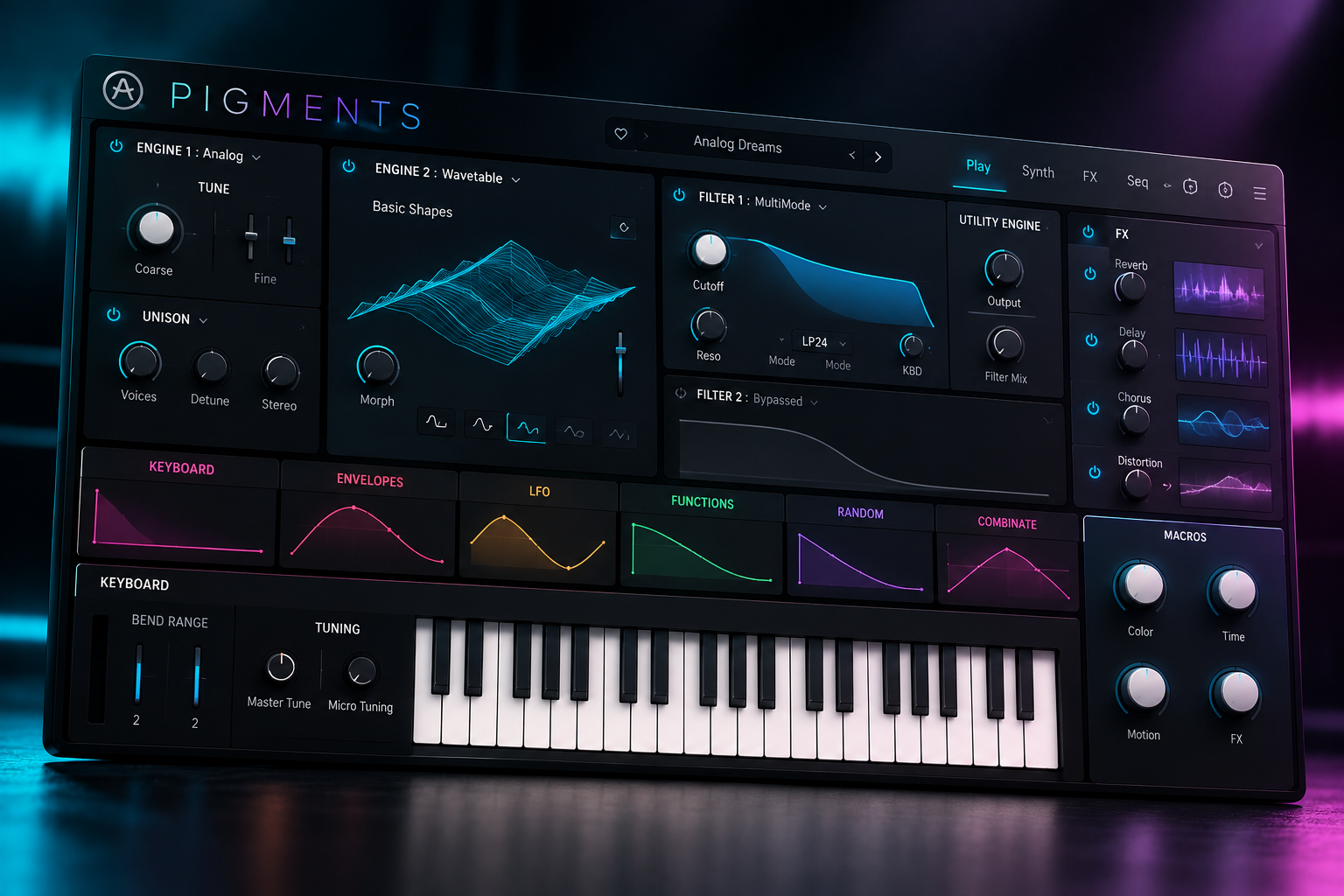

Pigments Play and the full version of Pigments share the same Arturia sound world, but they are designed for very different levels of control. Pigments Play is a good fit if you mainly want ready-made sounds with simple macro controls. Full Pigments is for producers who want to build patches, edit modulation and design sequences from the ground up. The difference is less about sound quality and more about how deeply you want to shape the sound yourself.
This Pigments vs Pigments Play guide helps you decide whether the paid synth belongs in your setup. We cover the editing differences, current price, practical buying checks and SoundShaper’s advice for beginners and existing synth owners.
Disclosure: SoundShaper may earn a commission from purchases through the affiliate links in this article, at no extra cost to you. Our recommendations are editorial buying advice based on current documentation, rather than claimed hands-on testing.
What Is Arturia Pigments?
Arturia Pigments is a software synthesizer for building and playing electronic sounds. It combines different synthesis methods with a visual modulation system, filters, effects and sequencing tools.
The current paid version is Pigments 7. This guide focuses on whether you need the full synth. For the new filters, Corroder effect and other version-specific changes, read our Pigments 7 review.
SoundShaper view: Pigments belongs on your shortlist if you want to understand and reshape a patch. If finding a usable preset is the main goal, start with Play and see whether its controls already do enough.
Pigments vs Pigments Play: The Main Differences
Arturia’s comparison and manual show that both versions share the same synthesis foundations. Play offers limited parameter control, while the paid version opens up full editing and the Main, FX and Sequencer views.
| Feature | Pigments Play | Full Pigments |
|---|---|---|
| Price | Free | Paid licence |
| Included presets | 100 | 1,700+ |
| Play view | Included | Included |
| Parameter editing | Limited main controls | Full control |
| Modulation editing | Unavailable | Available |
| Main, FX and Sequencer views | Unavailable | Available |
| Save presets | Yes | Yes |
| Our suggested role | Playing and adapting ready-made sounds | Designing and rebuilding patches |
The engine types inside a preset do not mean you can edit every part in Play. That distinction matters if you want to change the source of a sound, rework its effects or create your own movement.
When Pigments Play Is Enough
You want useful sounds without another purchase
Pigments Play is free to download from Arturia. Its focused interface gives you four macro controls and accessible effect controls for adapting presets.
We would use it to answer a practical question: can you find sounds that fit the music you already make? Choose a few favourites and write with them before thinking about the full library.
You mainly write music from presets
There is nothing wrong with using a preset as the finished sound. A strong musical part does not become less valuable because you did not build the patch.
SoundShaper view: If changing brightness, movement or the available effects gets the part into the arrangement, we would keep using Play. Pay for full Pigments when a specific editing limit starts getting in your way.
You are still learning your DAW
A smaller set of controls can keep an early session manageable. Learn to record a part, balance its level and arrange it with the drums before trying to master several synthesis methods.
Our recommendation is to make one short track with Play. The things you struggle with will show whether your next step should be sound design, arrangement practice or another tool.
When Full Pigments Is Worth Buying
You want to change how a patch is built
Pigments offers two main engines in parallel, with synthesis choices including virtual analog, wavetable, sample/granular, harmonic and modal, plus a utility section. You choose the architecture of the patch instead of relying only on its exposed controls.
For a pad, you could start with a clear tonal layer and add a separate texture. Our advice is to give each layer a job. If both are filling the same space, mute one and check whether you actually miss it.
Pigments 7 becomes a more convincing purchase when this kind of patch building is something you want to do regularly.
You want to design your own movement
The full synth has colour-coded, drag-and-drop modulation. That gives you access to the relationships between a modulation source and the parameters it controls.
We would learn it with one envelope or LFO assignment at a time. First choose the musical purpose: a softer attack, a pulsing texture or a change that grows across a phrase. Then build the movement around that purpose.
SoundShaper view: Full editing is useful when you can explain what you want to change. “I want this pad to open more slowly” is a better buying reason than “I want more features.”
You want to edit patterns inside the synth
The paid version includes the sequencer and arpeggiator editing environment. Pigments Play does not give you the Sequencer view.
We would explore an internal sequence if it helps create the part you have in mind. You can still write MIDI in your DAW with Play, so the lack of a sequencer editor does not stop you making melodies.
Is Pigments Good for Beginners?
We would recommend Play as the first step for a beginner who is unsure about spending. The full version can also be a useful learning tool, provided you start with a small part of it.
Our suggested learning path is simple:
- Load a preset and use the available macro controls.
- In the full demo, identify the engine, filter and amplitude envelope.
- Make one deliberate change, then compare it with the original.
- Save a variation and use it in a short musical part.
Do not make learning every engine the condition for finishing your next track. Pigments is worth considering when you enjoy this process and want to keep exploring it.
Should You Buy Pigments If You Already Own Serum or Massive X?
We would first check the overlap. If you already have a synth that handles your basses, leads and pads comfortably, another large library may add less value than expected.
Try reproducing one useful sound from your current workflow in the Pigments demo. Then try one idea your existing tool makes difficult. The second test gives you a better reason to buy.
For Serum owners, our Serum 2 review can help you compare priorities. For producers considering Massive X, read our Massive X buying guide.
SoundShaper view: We would choose Pigments when its visual editing and synthesis choices make a particular task easier to understand. We would keep using an existing synth when switching mainly creates more browsing and fewer finished parts.
Pigments Price: Should You Wait for a Sale?
On 9 October 2026, Plugin Boutique displayed €197.34 for Pigments 7. This was a current listing price, not a discounted offer. Currency, region, tax and promotions can change the total.
Check the current Pigments price at Plugin Boutique before buying. We would wait if the full demo has not yet shown a useful advantage for your music. An offer improves the price; it does not create a need for the synth.
Check your Arturia account as well, especially if you already own Arturia products. Compare any available account offer with the retailer total and make sure you are looking at the correct licence.
We would buy the synth on its own before adding soundbanks unless a particular pack already solves a clear need. Explore the factory presets first.
Free Play vs the Full Pigments Demo
Play is the free version with its own editing limits. The full demo is the better way to evaluate the paid editing environment. Arturia Software Center provides access to product demos; check the current demo restrictions before relying on it for a project.
Our suggested test is to take one sound you liked in Play and identify a change you could not make there. Use the full demo to investigate that change. If the result improves the part, you have a concrete reason to consider the full licence.
Compatibility and Performance Checks
Arturia currently lists 64-bit Windows 10 or later and macOS 11 or later, with 4 GB RAM and an OpenGL 2.0-compatible GPU. Windows ARM processors are listed as unsupported. Pigments runs standalone and in supported plugin formats.
Check the current Arturia requirements for your computer and DAW. Test a patch in a normal session, with your usual buffer setting and other instruments playing.
We have not benchmarked CPU performance. A useful test is whether your intended patches play reliably in your actual projects.
SoundShaper Verdict: Which Version Should You Choose?
Our advice is to start with Pigments Play when you want presets and simple control, and buy full Pigments when you want to design the patch underneath.
Play is a sensible choice for trying the sounds, writing quickly or keeping costs down. Full Pigments is the option we would consider for custom layers, modulation and sequence editing.
Full Pigments earns its place when the extra control helps you create something useful. Make that decision with a real part from your own music, rather than preset counts alone.
Frequently Asked Questions
Is Arturia Pigments free?
Pigments Play is free. Full Pigments is paid and gives you deeper editing access and a larger included library.
Can you save presets in Pigments Play?
Yes. Arturia’s manual lists preset saving for both versions, even though Play has limited editing controls.
Does Pigments Play sound worse than full Pigments?
Arturia describes shared synthesis foundations. We would base the purchase on editing access and content, rather than assuming the free version uses a lower-quality engine.
Can you write melodies with Pigments Play?
Yes, you can play it and write MIDI parts in your DAW. Play does not include access to the internal Sequencer editing view.
Sources checked on 9 October 2026: Arturia’s product comparison, Pigments Play information, Pigments 7 manual, installation and demo guidance and the linked retailer listing.
![[background image] image of recording equipment (for a musician & band)](https://cdn.prod.website-files.com/68efa70811edd8e5af30a90d/6ad51b453ad0e932c58d82a6_Vintage%20Audio%20Plugins%20Comparison.png)
![[background image] image of recording equipment (for a musician & band)](https://cdn.prod.website-files.com/68efa70811edd8e5af30a90d/6ad51aedbbd6c56e894f3b7b_Kickstart%202%20vs%20Duck%202%20Plugins.png)
![[background image] image of recording equipment (for a musician & band)](https://cdn.prod.website-files.com/68efa70811edd8e5af30a90d/6ad51a8539eac7580cac832c_Dual%20Audio%20Plugin%20Comparison.png)