
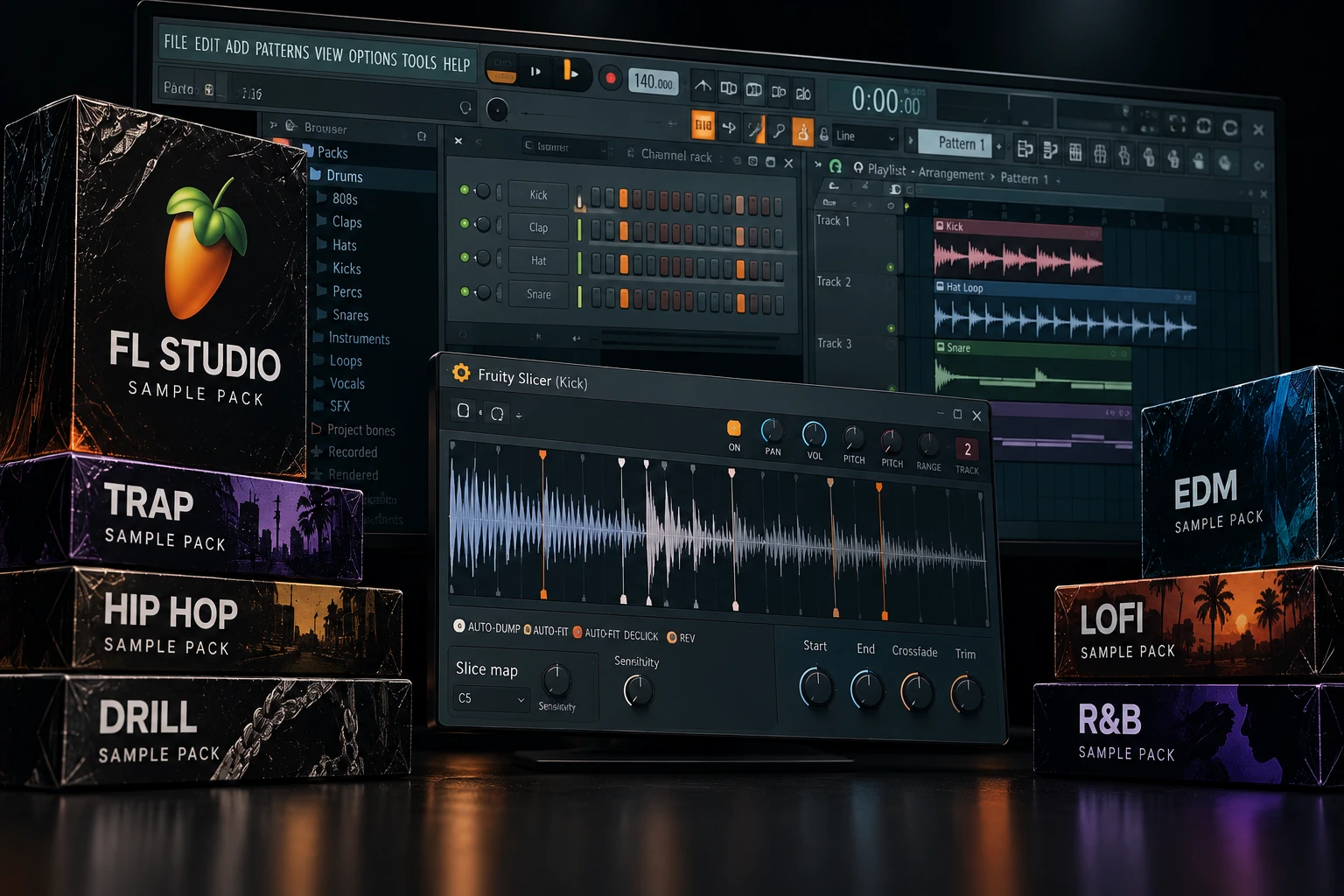

You do not need a special “Fruity Loops” format to use sample packs in FL Studio. For most packs, choose the WAV download, extract it, add the folder to FL Studio's Browser and start working. The more useful choice is whether you need drum hits, melodic loops, MIDI ideas or a complete construction kit.
Our starting recommendation is simple: try the sounds you already have, then FL Cloud Free or a focused free download. Pay when you can describe a missing sound or a browsing problem that is slowing down your sessions.
Below, we compare practical sample sources and specific packs, explain who we would choose them for, and show how to import and use the files. “Fruity Loops” is the older name many producers still search for; this guide covers FL Studio.
Best sample packs and sources for FL Studio: quick choices
| Your goal | Our starting choice | What to know |
|---|---|---|
| Learn with what you already have | Your installed Packs and sample folders | No extra purchase; explore before replacing everything. |
| Browse sounds inside FL Studio | FL Cloud | Free access plus optional paid plans. |
| Get a free mix of loops, drums and textures | Ghosthack's 2021 Starter Pack | A named download with an email signup. |
| Start a hip-hop idea for free | Cymatics Cobra | Drums, melodic recordings, loops and MIDI. |
| Buy an atmospheric R&B toolkit | ModeAudio Sleepless City | A focused paid pack with an FL Studio project format. |
| Find individual sounds across many styles | Splice Sounds | A subscription service, rather than one downloadable pack. |
SoundShaper opinion: A pack should help you make a musical decision. If you already have a workable kick and snare, the next purchase may be less useful than writing a better pattern. If you repeatedly need guitar phrases, textures or percussion your current library lacks, a focused pack has a clearer role.
1. Start with the sample library already in FL Studio
Before opening a shop, inspect the installed sample folders in FL Studio's Browser. The content available on your computer depends on what you have installed, so start by listening rather than assuming you need to replace it.
For a useful first session, choose one kick, one snare or clap, two hats and a percussion sound. Write an eight-bar pattern and build around it. Keep the selection small enough that you can finish something.
Best for: Beginners learning programming, producers starting a new project and anyone whose main problem is endless browsing.
The limitation: Your installed library may not cover a particular instrument, texture or production style. Identify that gap after trying a short arrangement.
SoundShaper opinion: We would not reject a sound because it came with the DAW. A well-chosen stock sample is still useful. Rhythm, note length and the relationship with the bass matter more than the folder's brand name.
2. FL Cloud: our first stop for browsing inside FL Studio
FL Cloud is Image-Line's optional service integrated into FL Studio. Open the Browser's Sounds tab and sign in to your Image-Line account if prompted. Free access provides a starter selection; paid plans expand access to the sample library.
We would try it when moving between a website, a download folder and the DAW interrupts your writing. The practical advantage is finding sounds while the project is already open.
Best for: FL Studio producers who want an integrated browsing workflow and regularly look for new loops or one-shots.
The limitation: An ongoing plan is harder to justify if you only need one small kit. Compare the current free selection and paid features before subscribing.
SoundShaper opinion: Try the free route in a real project first. Subscribe only if the broader library helps with recurring needs. Image-Line says downloaded sounds remain usable after cancellation; bundled plugins and other services have separate terms.
3. Ghosthack's free Starter Pack: loops, textures and drums
Ghosthack's Free 2021 Starter Pack is still listed on its official site. Its contents include drum loops with stems, percussion loops, vocal loops, atmospheric pads, drum one-shots, foley and sound effects.
The year is part of the pack's name, not a reason to dismiss the files. We would choose it to try different kinds of audio material before buying a more specific collection.
Best for: Building a free starter folder and experimenting with ambience, percussion and loop-based writing.
The limitation: A mixed selection is less focused than a dedicated genre pack. The download form asks for your name and email and includes promotional newsletters with an unsubscribe option.
SoundShaper opinion: Start with one texture or percussion loop. Write your own main rhythm around it, then check whether it adds something the track was missing. Do not use a vocal, pad and full drum loop together simply because they arrived in the same download.
4. Cymatics Cobra: a free starting point for hip-hop
Cobra includes drum loops, drum one-shots, melody loops, guitar and flute recordings, MIDI and other material. Cymatics lists it as a free download through its form.
We would try it when you want to start from a musical phrase rather than program everything from an empty project. Keep the parts that support your idea and write around them.
Best for: Hip-hop producers who want drums and melodic ideas in one download.
The limitation: It is broader than a drum kit. If you only want individual hits, see our drum sample pack recommendations for a more focused choice.
SoundShaper opinion: Use MIDI when you want control over the instrument and notes. Use the audio when the recorded tone is the attraction. Neither is automatically the more creative choice; choose the format that lets you make the part your track needs.
5. ModeAudio Sleepless City: a focused paid R&B option
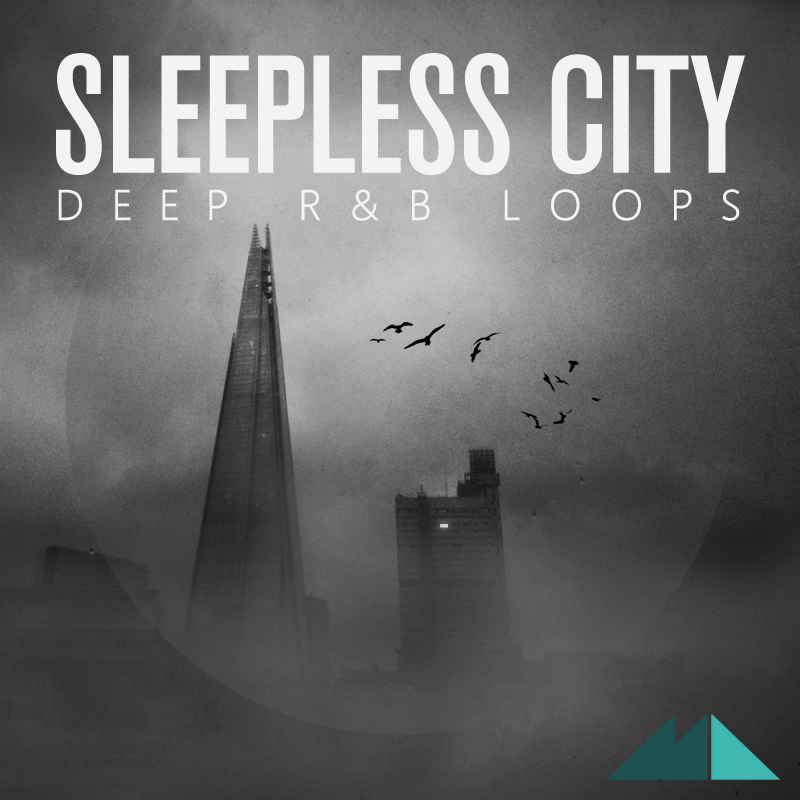
Sleepless City – Deep R&B Loops is a concrete example of a paid pack with FL Studio content. Its FL Studio format lists 120 WAV loops, 63 WAV drum hits, 110 MIDI loops and seven FL Studio project sessions.
We would shortlist it for atmospheric R&B, slower pop or downtempo writing, particularly if you want to explore how the supplied parts form arrangements.
The limitation: A project file may depend on a particular FL Studio version, plugins or other content. Confirm those requirements with ModeAudio. The WAV and MIDI files are separate from the convenience of opening a complete session.
SoundShaper opinion: We would buy a focused collection like this when its musical direction matches the next few tracks. Study a session's structure, then build your own arrangement. Check the demos and current price rather than buying only for the number of projects.
6. Splice Sounds: an alternative for individual sample searches
Splice Sounds is worth considering when you want specific sounds from different creators instead of buying full packs. It is a service with plans and credits, so compare that recurring cost with a one-time download.
We would use a clear search brief: a dry clap, a guitar phrase at a suitable tempo, or a short percussion loop. Find a few candidates and return to the arrangement before searching again.
Best for: Producers who work across genres or regularly need a different sound for each project.
The limitation: Broad access can encourage browsing without finishing. Set a musical goal before opening the catalogue.
SoundShaper opinion: Compare Splice with FL Cloud on the actual sound you need and the workflow you enjoy. You do not need both automatically. Splice says purchased samples remain yours after cancellation; new content and unused credits follow separate plan rules.
The Splice link below is an affiliate link. SoundShaper may earn a commission at no extra cost to you.
How to add sample packs to FL Studio
For an ordinary ZIP of audio files, you do not need a plugin installer.
1. Extract the ZIP. Put the files in a stable local sample folder you can keep organised.
2. Open Options → File settings. Find Browser extra search folders.
3. Add your sample folder using the folder icon in an empty row. Alternatively, drag the folder from your operating system's file browser into FL Studio's Browser.
4. Open the folder in the Browser and preview a sample. Refresh the Browser if newly added files do not appear.
5. Load the file where you need it. Use a Sampler channel for an individual hit or an Audio Clip in the Playlist for arranging a loop.
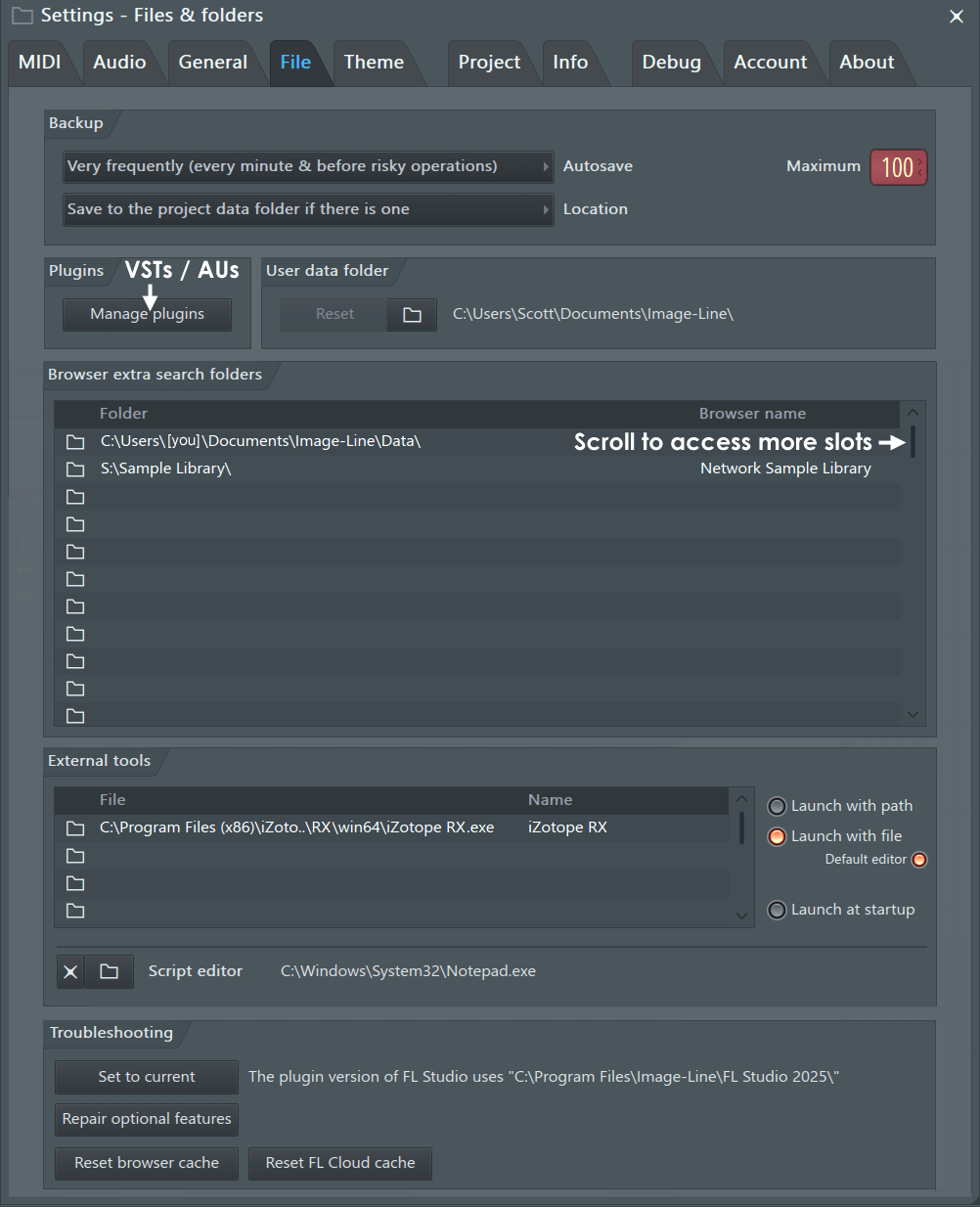
Your sample library can stay outside FL Studio's installation folder. Pick a location you will maintain, then avoid moving files after projects depend on them. The official File settings guide explains the search-folder setup.
WAV, MIDI, presets and FLP files: what are you downloading?
| File type | What it contains | How we would use it |
|---|---|---|
| WAV | Recorded audio, such as a drum hit, loop or phrase. | Load in a compatible sampler or arrange as audio. |
| MIDI | Note and performance instructions, without an instrument sound. | Use with an instrument, then change the notes or sound. |
| Synth preset | Settings for a particular synth or plugin. | Check the exact plugin and version required. |
| FLP | An FL Studio project. | Check its version, plugins and referenced files. |
| Stems / construction-kit audio | Separate audio parts from a related idea. | Arrange or process the supplied parts individually. |
You do not need a pack labelled “FL Studio” for normal WAV playback. That label becomes more useful when a purchase includes project sessions or mappings for a specific instrument. Do not assume another DAW's project file will open in FL Studio simply because the same pack also contains WAV files.
For a fuller explanation of note data and recordings, see MIDI vs audio.
How to use loops without fighting the tempo or key
Begin with one loop that is close to your track's tempo. Check its filename or supplied metadata, then listen against the metronome. If it drifts, confirm the original tempo and phrase length before changing processing.
FL Studio's Audio Clip and Sampler settings provide time-stretching and pitch controls. Resample links playback speed and pitch; a mode such as Stretch lets you change timing while maintaining pitch. Listen for softened drum attacks or unnatural vocal textures after a large change.
For melodic material, check the notes against your chords and bass. A key label is helpful, but the phrase still has to fit the harmony. For a drum loop, check groove and timing first.
SoundShaper opinion: If a loop needs an extreme tempo change and still feels awkward, try a closer source or chop the useful section. You do not have to force every download into the song. Our Serato Sample vs Slicex comparison explains two chopping approaches.
Match the pack to your style and budget
Trap and hip-hop: Start with a small set of drums and one strong melodic idea. Cobra is a free starting point; use the drum pack guide when isolated hits are the priority.
House and techno: Look for the part the arrangement lacks: a top loop, percussion, a chord stab or a different kick. Search FL Cloud or Splice for that job instead of buying a general bundle without a plan.
R&B and downtempo: A focused toolkit such as Sleepless City makes sense if the demos fit your music. Leave room for the vocal; several attractive melodic loops can still compete with each other.
Ambient and cinematic ideas: Explore the pads, foley and effects in a free collection first. Decide whether you need a background texture, a rhythmic detail or a featured sound before adding layers.
Zero budget: Use installed content, free FL Cloud sounds and one free pack. A limited budget: Buy one collection for a clear need. Frequent varied projects: Compare a subscription with how often you actually use it.
Common sample-pack problems in FL Studio
| Problem | First check |
|---|---|
| The pack is invisible in the Browser | Extract the ZIP, add its folder in File settings, and refresh. |
| A preset will not open | Confirm the required synth, version and preset format. |
| An FLP opens with missing plugins | Check the project requirements; use the included audio separately if suitable. |
| The loop gets higher when sped up | Review the stretch mode; Resample couples speed and pitch. |
| Old projects report missing samples | Reconnect the original folder or collect the project's audio before moving it. |
| Every new pack makes choosing harder | Build a small favourites selection from sounds you actually use. |
For portability, keep the audio your song needs with the project. FL Studio's Zipped loop package collects the project with audio used by Sampler channels and Audio Clips. It does not generally collect samples loaded inside third-party samplers, and plugins still need their own installation. If a required plugin is missing from the DAW, use our plugin detection guide.
SoundShaper verdict: what should you download first?
Start with the sounds already available in your FL Studio setup. Add a free pack when it gives you a clear new role: Ghosthack for a mixed set of textures and loops, or Cobra for hip-hop writing material.
Try FL Cloud first if you want integrated browsing. Compare Splice if searching across its catalogue suits you better. Buy a focused paid pack such as Sleepless City when its sound and included files match a recurring need.
Our recommendation is to build one eight-bar idea before downloading anything else. Keep the useful files easy to find and let the arrangement decide what you need next.
Frequently asked questions
Are Fruity Loops sample packs different from FL Studio sample packs?
In most searches, both terms refer to samples for FL Studio. For ordinary audio packs, the important detail is the file format, rather than which DAW appears in the title.
Where can I get free sample packs for FL Studio?
Try FL Cloud's free selection, Ghosthack's official free downloads or Cymatics Cobra. Check the exact download contents and terms, then add the audio folder to your Browser.
Do I need FL Cloud to use external sample packs?
No. FL Cloud is optional. You can work with compatible local audio files without a cloud subscription.
Does a MIDI pack include the sounds in its demo?
Not necessarily. MIDI contains performance instructions. You need an instrument to play them, and the demo may use sounds sold separately.
Can I release music made with sample packs?
Check the licence for the exact download and the type of content you use. Keep it with your files. Permission for samples does not automatically cover a promotional demo track.
Checked on 18 October 2026 using the official product pages linked above and Image-Line's Browser, File settings and Sampler documentation. Recommendations are editorial workflow advice; no matched sample-pack listening test is claimed. Prices, download terms and available plans can change.
![[background image] image of recording equipment (for a musician & band)](https://cdn.prod.website-files.com/68efa70811edd8e5af30a90d/6ae28f3ffeabaf5b76db2580_6ae28f255000f820b159a320_crystalline-review-cover.webp)
![[background image] image of recording equipment (for a musician & band)](https://cdn.prod.website-files.com/68efa70811edd8e5af30a90d/6ae28e7e5d1572089570ac87_6ae28e5eead33b2db2a18b5f_transit-2-review-cover.webp)
![[background image] image of recording equipment (for a musician & band)](https://cdn.prod.website-files.com/68efa70811edd8e5af30a90d/6ae28d603a57759da71022d6_6ae28d41f6af13c91dee9c76_drumazon-2-review-cover.webp)