
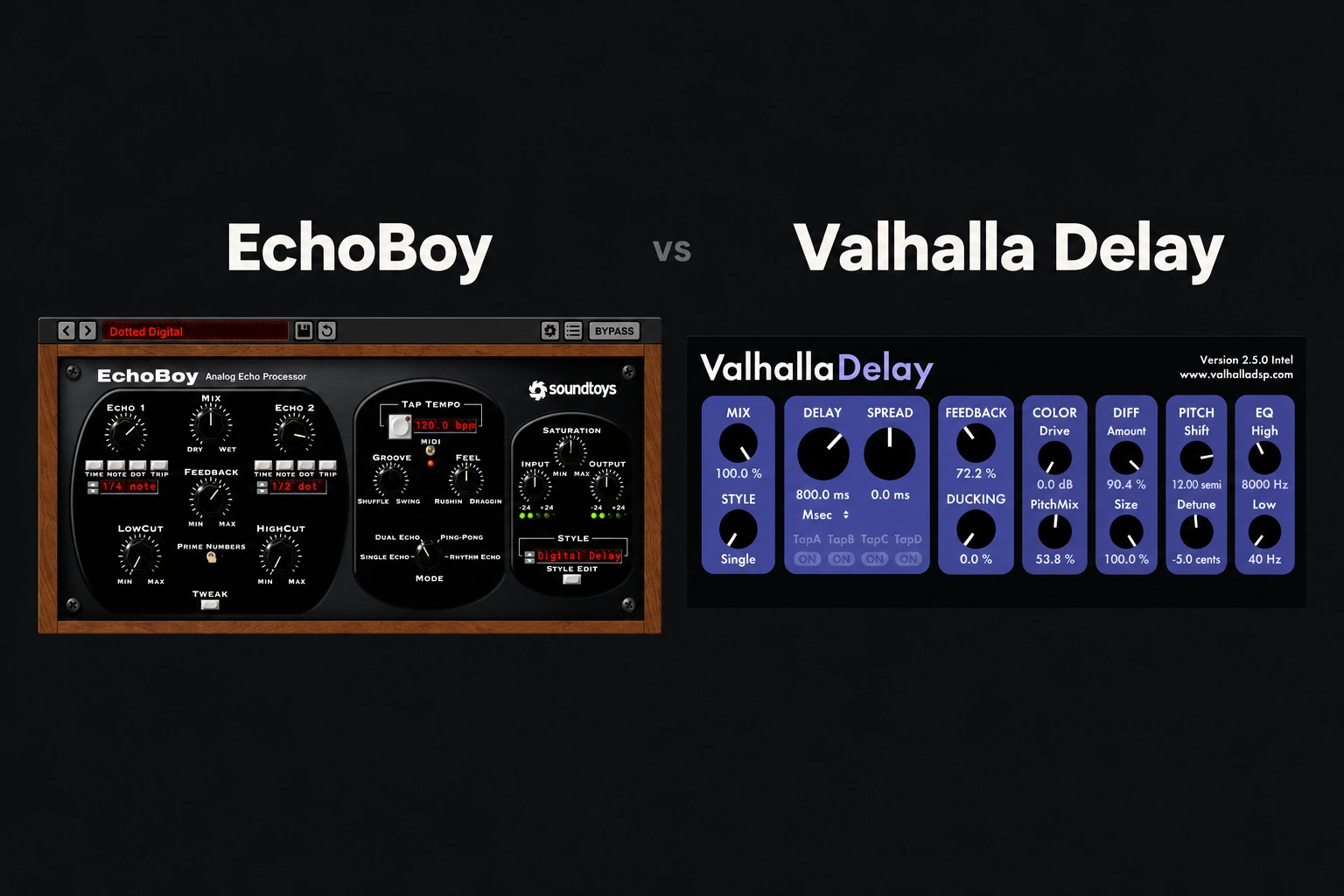

Choose EchoBoy if you want detailed control over the rhythm and character of your repeats. Choose Valhalla Delay if you want a lower-cost delay that also covers pitch effects and diffuse, ambient textures. Both can handle ordinary echoes. The better buy depends on what your current delay cannot do.
Our default recommendation for a first paid delay is to try Valhalla Delay first. EchoBoy becomes easier to justify when its groove controls or Rhythm Echo workflow solve a specific problem in your music.
This is an editorial comparison based on the manufacturers’ documentation, rather than a controlled listening test. We have not measured CPU use or latency. Product details and listed prices were checked on 29 October 2026.
EchoBoy vs Valhalla Delay: Quick Comparision
These are listed USD prices, not guaranteed checkout totals. Promotions, regional pricing and tax can change the comparison. Check the current price before deciding.
Why choose EchoBoy?

EchoBoy includes 30 echo styles, Single, Dual and Ping-Pong modes, plus Rhythm Echo for up to 16 taps. Its Groove and Feel controls adjust the relationship between the repeats and the beat. The Style Editor adds control over saturation, wobble and diffusion.
The practical attraction is being able to work on the echo as a rhythmic part. If a delay lands in the right note division but still feels too rigid, timing and emphasis deserve attention before you change the entire sound.
For a vocal response, start by deciding which gaps should contain repeats. For percussion, decide whether the echo should reinforce the groove or answer it. Those are good reasons to investigate EchoBoy’s workflow in a demo.
That does not make EchoBoy automatically better for vocals or guitars. It means its controls deserve a trial if timing and echo character are the details you regularly adjust. If you mostly load a quarter-note preset and lower the mix, the extra cost may not buy much you will use.
For more detail, read our EchoBoy review.
Why choose Valhalla Delay?
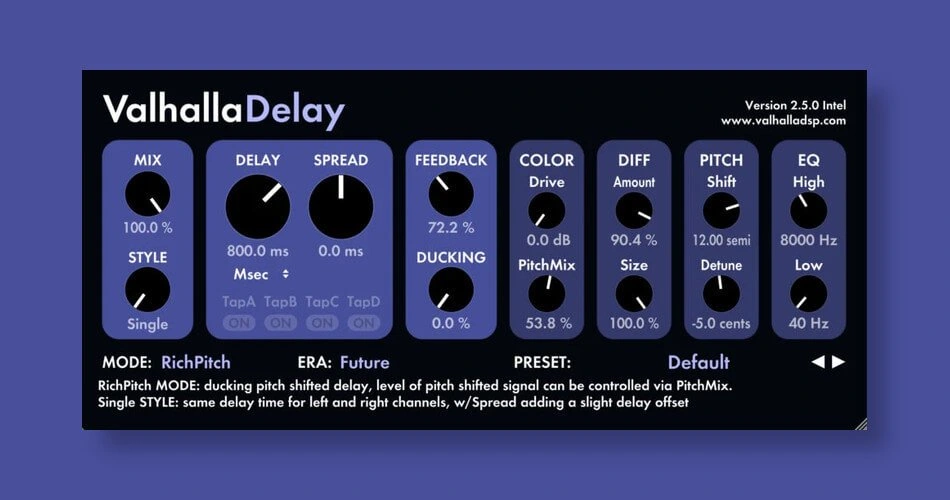
Valhalla Delay covers tape, BBD and digital echoes, with creative modes including Ghost, Pitch, Reverse Pitch and RichPitch. Its diffusion section can blur repeats into reverb-like textures. Selected modes also include ducking.
Our reason to try it first is the combination of price and range. If you want one delay for a straightforward vocal echo today and an atmospheric synth part tomorrow, the $50 listing makes it an accessible candidate.
The important point is that Valhalla Delay is not restricted to ambient production. Start with a simple repeat, then add movement or diffusion only if the arrangement needs it. A large texture is an option, not a requirement.
The current release also includes Chrome Tape and Analog modes, added in version 3.0. Older reviews showing fewer modes do not describe the complete current selection.
For vocals: choose the space before the plugin
A vocal delay works when the repeats support the words. A more expensive processor cannot fix an echo that fills every gap or masks the next line.
Try both on the same phrase using a send. Set the effect fully wet on the return, keep feedback modest and feed only enough vocal into it to hear the response. Then listen with the instrumental playing.
Shortlist EchoBoy when you want to shape the feel of that response. Try a ducking-capable Valhalla mode when you want the echo to move around the incoming vocal. You can also build ducking with a compressor after a delay in your DAW; it does not require buying a particular plugin.
For a delay throw, automate the send on one word and let the tail play out. Listen through the following line before deciding the setting is finished. Our guide on making vocals sit in the mix covers the broader balance.
For synths, guitars and ambient parts
For an exposed guitar or keyboard part, begin with the rhythm. A repeat that complements the performance can be more useful than a dramatic texture. EchoBoy’s repeat-design tools make it a candidate when that interaction is the main task.
For a sustained synth, ask whether you want audible repeats or a continuous layer behind the notes. Valhalla’s pitch and diffusion features give you specific tools to investigate for the second direction. Check the result across chord changes: a tail that works on one chord may clutter the next.
This is a workflow recommendation, not a blind-test verdict about which plugin sounds better. Both have enough overlap that your preferred controls and the source material may decide the purchase.
If you mainly need reverb, compare a dedicated option too. Our VintageVerb vs Pro-R 2 comparison addresses a different buying decision.
Price, bundles and buying twice
At the listed prices, Valhalla Delay costs substantially less. EchoBoy needs a specific justification in your workflow, especially if your DAW already handles ordinary delay well.
If you are considering several Soundtoys products, compare the current bundle and upgrade offers with the standalone price. Check what you already own before buying another licence. A discount is useful only if the product itself has a job.
Already own one of these delays? Recreate a real task in it before buying the other. A different interface may be enough reason for some producers, but the overlap means you should not assume you need both.
Compatibility and a fair demo comparison
Both products offer 64-bit VST2, VST3 and AAX, with AU on Mac. Soundtoys currently lists macOS 10.15 or later and Windows 10 or later for EchoBoy, and excludes ARM-based Windows machines. Follow the current manufacturer requirements rather than older retailer specifications.
Compare them on three short tasks: a vocal throw, a rhythmic instrument echo and a longer texture. Keep repeat timing, feedback and return level reasonably similar before exploring the features that differ. Save the examples and return to the track later.
Also check activation, project recall and playback in your own DAW. We cannot promise identical performance across systems without testing those systems.
SoundShaper opinion
Valhalla Delay is our first demo recommendation for a producer buying one versatile delay on a limited budget. Its lower listed price leaves less to justify, provided you like working with it.
EchoBoy is the more targeted recommendation when its groove and tap-design controls are what you want. It should earn its place through a repeatable improvement in how you work, rather than its reputation alone.
Conclusion
Start with the missing job: ordinary echoes, detailed rhythmic repeats or a more atmospheric layer. Try Valhalla Delay first for value and its creative range. Put EchoBoy alongside it when repeat timing and echo-style editing are priorities. If your stock delay already produces the result quickly, there is no urgency to replace it.
Sources
Soundtoys: EchoBoy features, price and requirements; Plugin Boutique: EchoBoy listing and product image; Valhalla DSP: Valhalla Delay features and price; Valhalla DSP: version 3.0 modes; Rekkerd: RichPitch product image. Checked 29 October 2026.
![[background image] image of recording equipment (for a musician & band)](https://cdn.prod.website-files.com/68efa70811edd8e5af30a90d/6ae28f3ffeabaf5b76db2580_6ae28f255000f820b159a320_crystalline-review-cover.webp)
![[background image] image of recording equipment (for a musician & band)](https://cdn.prod.website-files.com/68efa70811edd8e5af30a90d/6ae28e7e5d1572089570ac87_6ae28e5eead33b2db2a18b5f_transit-2-review-cover.webp)
![[background image] image of recording equipment (for a musician & band)](https://cdn.prod.website-files.com/68efa70811edd8e5af30a90d/6ae28d603a57759da71022d6_6ae28d41f6af13c91dee9c76_drumazon-2-review-cover.webp)