
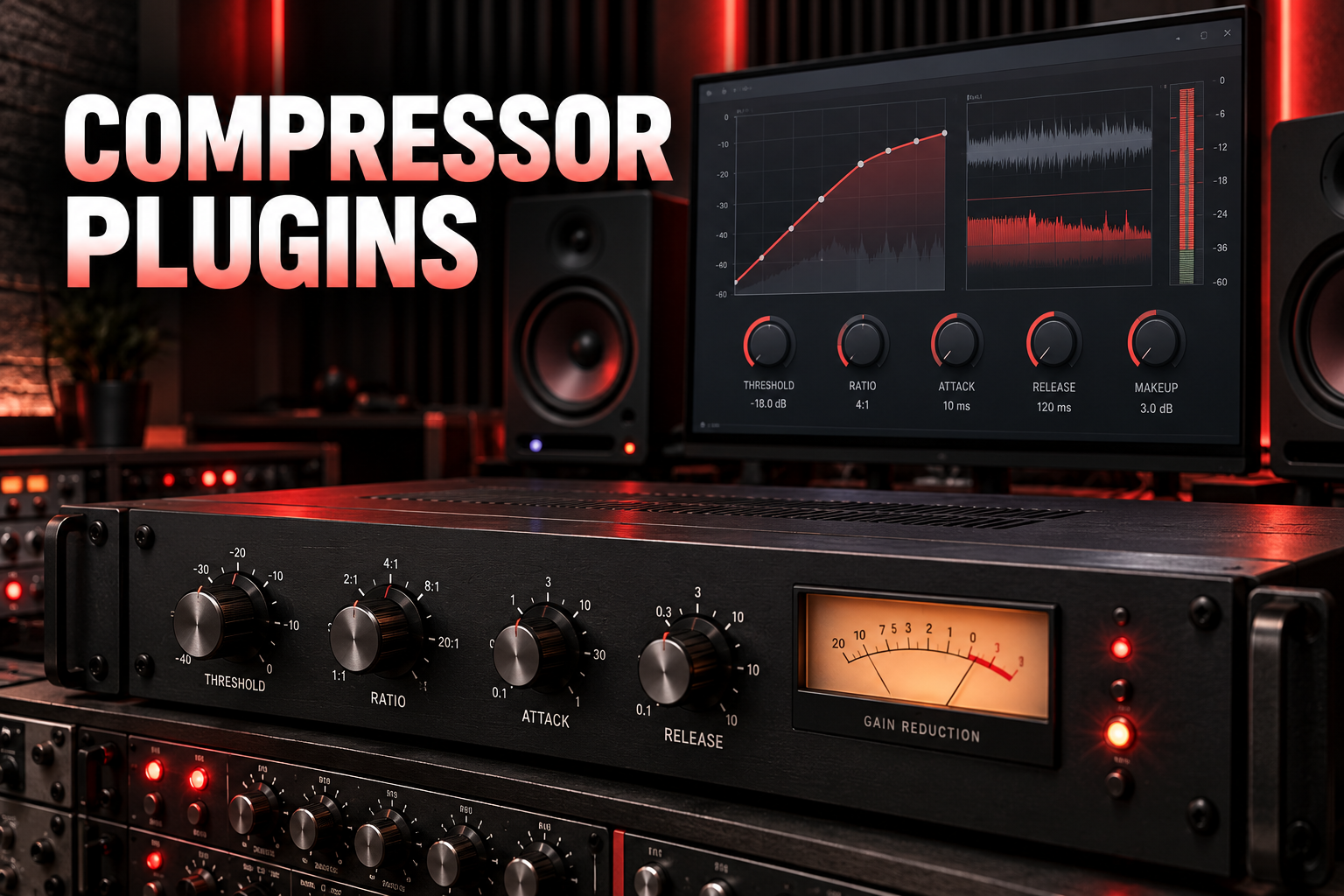

The best compressor plugin is the one that solves the dynamics problem in front of you. A vocal with sharp peaks, a drum bus that needs more cohesion and a master that needs subtle level control are three different jobs. Buying the most expensive compressor does not make them the same.
My shortlist starts with FabFilter Pro-C 3 for flexible everyday mixing, SSL Native Bus Compressor 2 for bus glue and TDR Kotelnikov for free, transparent compression. For fast vocal control and more attitude, I would look at the UA 1176 Classic Limiter Collection. Below, each recommendation includes what I would use it for, where it falls short and a practical way to get started.
Updated October 6, 2026. Written by Melvin. Product links and current versions checked against developer documentation and retailer listings.
Best compressor plugins at a glance
This is a selection by use case, rather than a claim that one compressor wins every mix. Prices and offers change, so the buttons lead to the current product listings.
Jump to practical compressor settings, how to choose or the FAQ. If threshold and ratio are still unfamiliar, start with our guide to what a compressor does in music production.
1. FabFilter Pro-C 3: my pick for a flexible everyday compressor
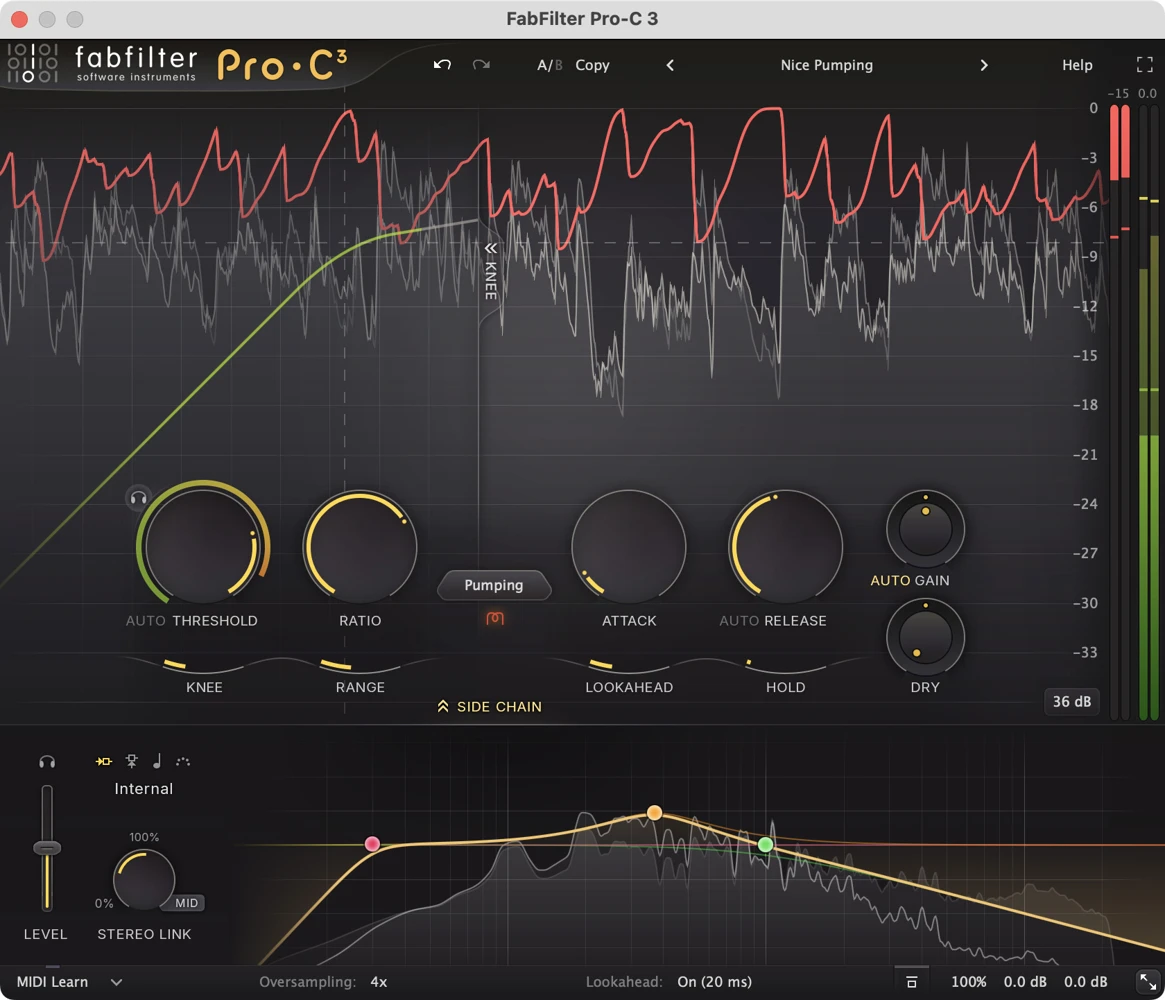
Best for: producers who want one compressor for vocals, individual instruments, buses and detailed sidechain work.
Pro-C 3 is the current generation of FabFilter's compressor, replacing Pro-C 2 as the version I would shortlist for a new purchase. Its 14 compression styles cover different responses, while the visual display makes it easier to connect a setting with the resulting gain reduction. The six-band sidechain EQ, lookahead, Range control and character options give it room to handle both controlled dynamics and more deliberate coloration.
My take: this would be my first paid choice if I wanted to learn one interface thoroughly and reuse it throughout a mix. The useful part is seeing why the compressor reacts: does a kick trigger too much reduction, does a vocal peak slip through, or does the release hold the next phrase down? That feedback is more valuable to me than collecting another vintage faceplate.
I would still begin with a clean style and leave character processing off until the dynamics feel right. Fourteen styles can encourage endless auditioning, and Pro-C 3 is an expensive way to discover that your stock compressor already meets your needs. Buy the flexibility when you actually need it.
Try this: on a reasonably consistent vocal, start around 3:1, a moderate attack and an adjustable release. Lower the threshold until louder phrases show roughly 2–4 dB of reduction, then listen for dull consonants or a release that drags into the next word. Match the output level before judging the result. These are starting points, not targets every vocal must hit.
2. SSL Native Bus Compressor 2: my pick for bus glue
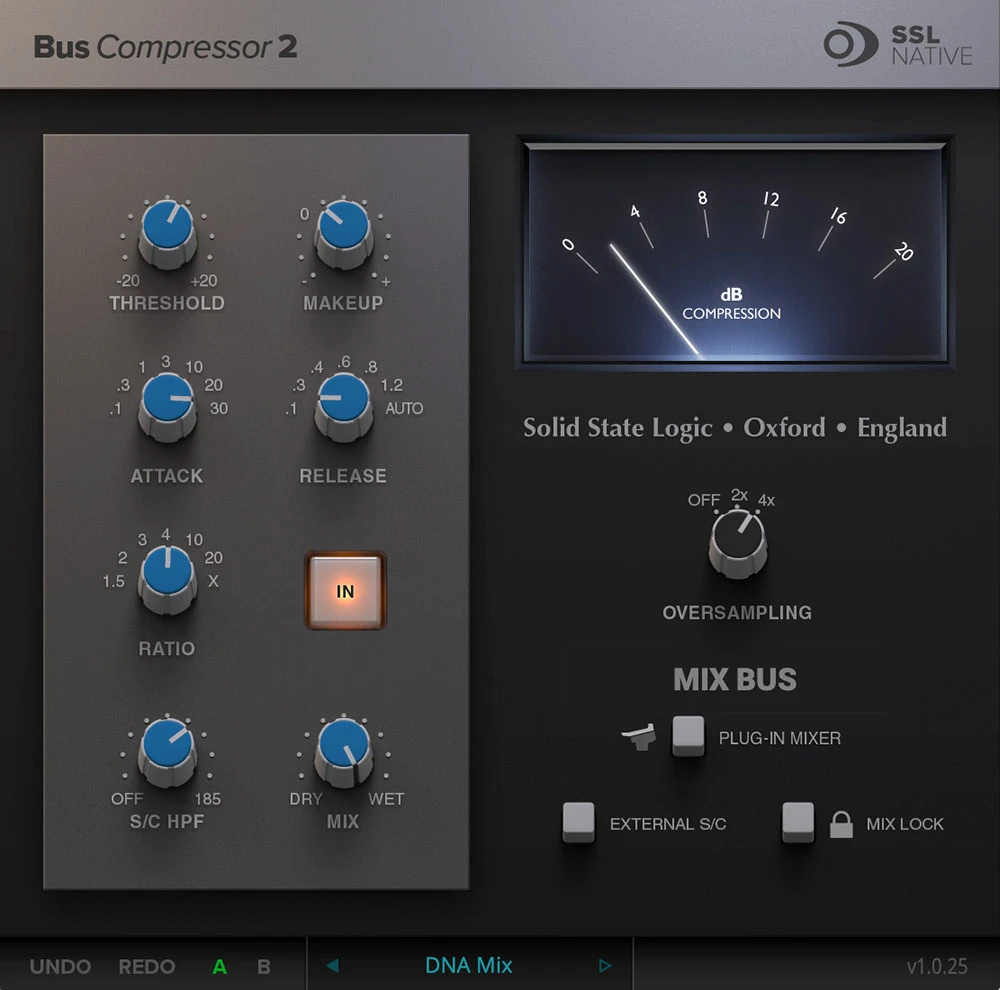
Best for: bringing a drum group or an already balanced mix together with a shared dynamic response.
This is SSL's own native bus compressor plugin, rather than the Waves SSL G-Master Buss Compressor. It builds on the familiar console bus-compression approach with expanded timing and ratio options, a dry/wet Mix control, a sidechain high-pass filter and optional oversampling. The filter lets you reduce how strongly low frequencies trigger compression.
My take: I would choose it when the individual sounds already work but the group needs to move together. On a drum bus, I want the snare and room sound to feel connected without losing the initial hit. On a full mix, I want a small amount of shared motion, not a rescue operation for a bass part that is too loud.
The limitation is that “glue” can become a vague excuse to compress everything. If the chorus gets smaller or the kick loses its impact, the settings are working against the song. A clean compressor with more detector control can be a better choice when the problem is highly specific.
Try this: start at 2:1 with a 10 or 30 ms attack and Auto release, using a threshold that produces about 1–2 dB of reduction on louder sections. If the bass drives the whole mix down, raise the sidechain high-pass filter gradually. Listen to the bottom end while doing it: filtering the detector should preserve movement, not allow the low end to become uncontrolled.
3. UA 1176 Classic Limiter Collection: my pick for fast vocals and drums

Best for: quick peak control, a more forward vocal sound and characterful drum compression.
The collection includes Rev A, Rev E and AE models of the FET compressor. Its Input control drives the signal into compression; Output compensates for the resulting level change. Modern additions include wet/dry blending, headroom adjustment and sidechain filtering. Native UADx versions run on your computer without requiring an Apollo interface or UAD-2 DSP hardware.
My take: I would reach for an 1176 when a sound needs urgency and control together. A vocal that keeps jumping out of the track is a more convincing reason to try it than “every professional uses one.” On drums, it can make room ambience or a parallel signal feel more excited, but that excitement needs a job in the arrangement.
The catch is its speed. A normal 1176 attack is extremely fast even at the slower end, so treating it like a compressor with a 30 ms attack will lead to confusion. The AE model has a special slower attack option, but that does not change the behavior of the standard models. Also, turning the Attack and Release knobs clockwise makes them faster.
Try this: choose 4:1 on a vocal, begin toward the slower end of the normal attack range, and raise Input until peaks are controlled. Adjust release while listening for the spaces between syllables. Match Output to bypass. If consonants disappear, ease off the compression or try another compressor; if you want crushed drum attitude, audition a more aggressive setting on a parallel return and blend it underneath.
4. UA Fairchild Tube Limiter Collection: my pick for tube character
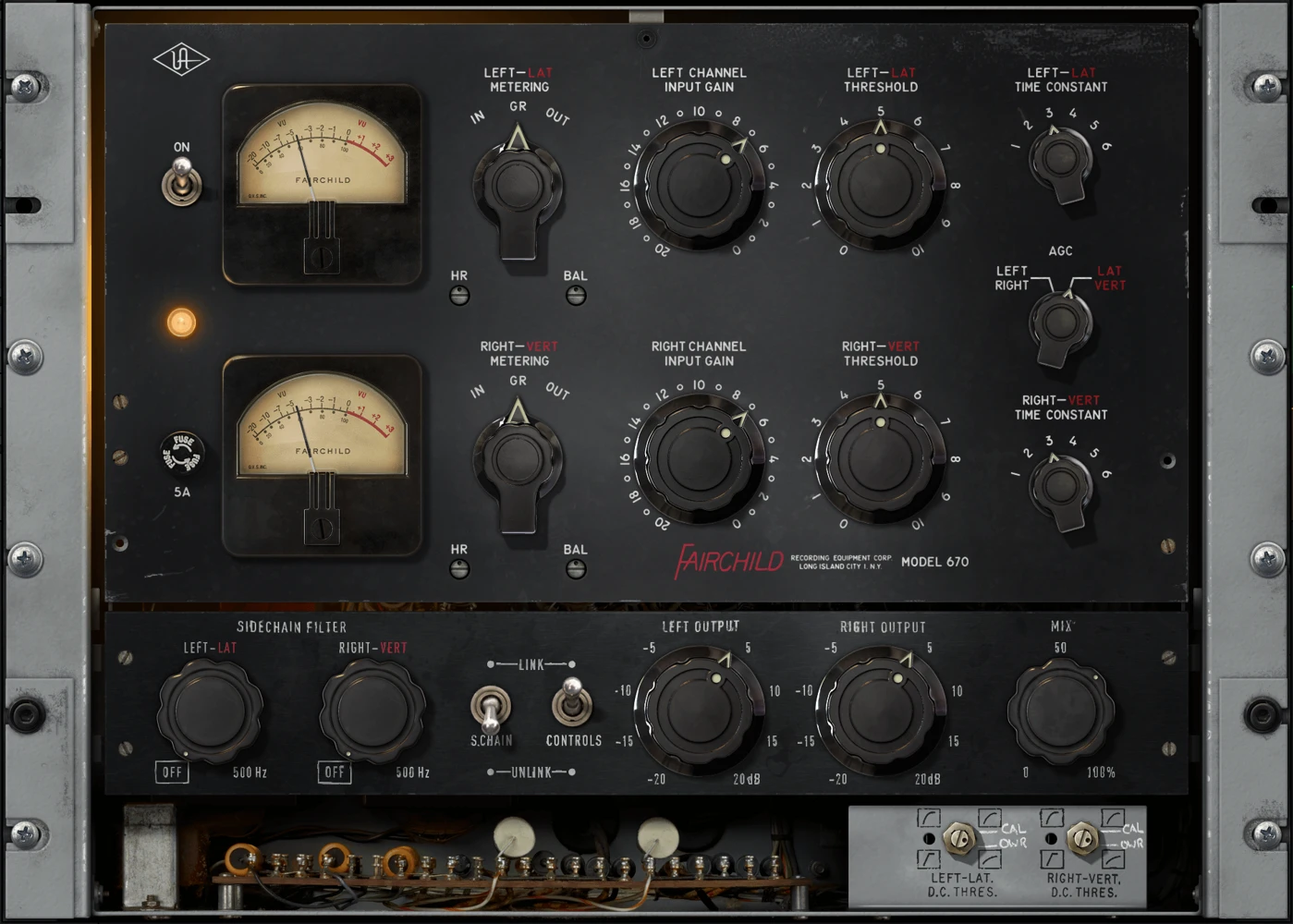
Best for: adding tube-style coloration and a distinctive dynamic response to instruments, groups or a mix.
The native collection includes Fairchild 660 and 670 models. These emulate tube-driven compression and include practical additions such as Mix, a sidechain filter and Headroom controls. The 670 also offers linked stereo and lateral/vertical, or mid/side, operation. The UAD-2 DSP collection additionally includes a Legacy model; that Legacy version is not a native UADx plugin.
My take: I would audition a Fairchild when an instrument feels dynamically correct but emotionally flat, and I want the processing to contribute some texture. Piano, bass and a restrained mix-bus experiment are more interesting starting points than automatically putting it on every vocal. Its value is the combination of movement and color, not a promise to make any source “warm.”
It is also a mistake to assume that a tube compressor must have a slow attack. The Fairchild family can respond quickly, and its time-constant settings change the attack/release behavior. A setting that works beautifully on a sustained instrument can interfere with a transient-heavy part. If transparency is the aim, I would start with Kotelnikov instead.
Try this: keep compression modest, compare several time constants and use the output control to match loudness. Listen to the note's initial impact, the sustain and the space before the next note. Increase the amount only when those changes help the part. On stereo material, begin with linked left/right operation before experimenting with separate mid/side processing.
Hardware clarification: the native UADx 660 and 670 run without Apollo hardware. UAD-2 DSP versions require compatible UAD hardware. Check the listing's native compatibility and activation requirements before purchasing.
5. TDR Kotelnikov: my pick for free, transparent compression
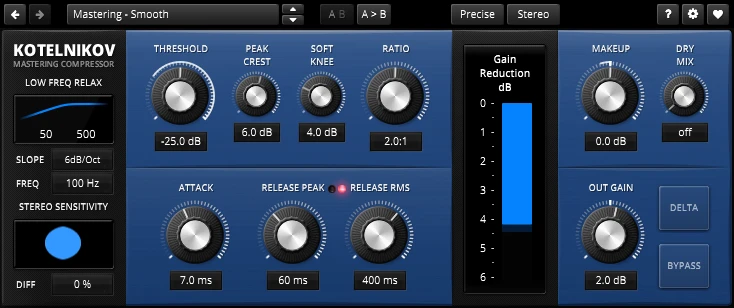
Best for: clean bus compression, subtle mastering dynamics and producers who want a serious free option.
The standard TDR Kotelnikov is free; Kotelnikov GE is a separate paid edition. The core design aims at transparent wideband dynamics rather than recreating a vintage hardware circuit. Separate peak and RMS release controls, Peak Crest and a Delta listening function help you examine how the compressor responds and what the processing changes.
My take: this is where I would start if a mix needed a little dynamic control and I wanted to preserve its existing tone. It also makes a strong case against buying a compressor simply because mastering sounds like a premium task. Learning to hear small changes with a capable free tool is a better investment than expecting a price tag to create judgment.
The trade-off is equally clear: it is not my first choice for deliberate vintage grit or an obviously crushed room sound. Its more technical controls also deserve some patience. If I only wanted to turn two knobs on a bass part, DC1A would be quicker.
Try this: start with a low ratio and a threshold that produces only occasional gentle reduction on the loudest sections. Adjust the attack while checking whether the kick and snare keep their shape. Use Delta listening as a diagnostic aid, then return to the full mix: the removed signal being audible does not automatically mean the compression is wrong.
When is the paid Kotelnikov GE worth it?
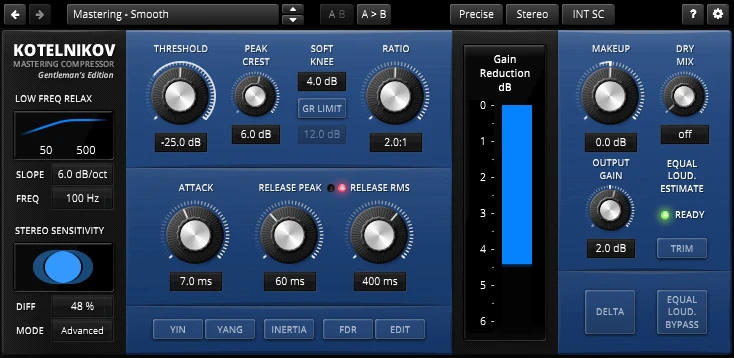
GE stands for Gentleman’s Edition. It adds tools including frequency-dependent ratio behavior, external sidechain support and equal-loudness workflow features. I would consider it when the free edition already suits my work and I can identify a specific limitation those additions solve. The free version remains a valid finished-mix tool; upgrading is optional.
6. u-he Presswerk: my pick for detailed compression with character
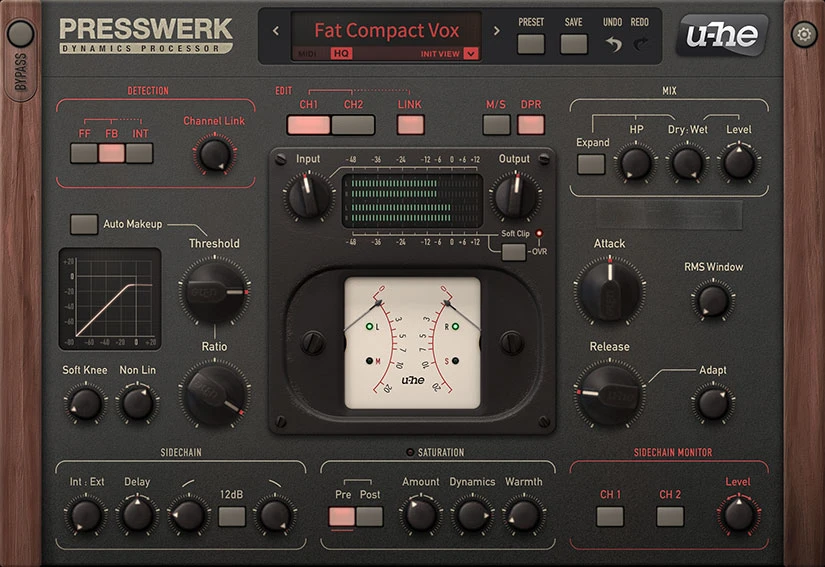
Best for: producers who want flexible compression, saturation and deeper control over the response.
Presswerk combines detailed dynamics controls with saturation, sidechain options and different working views, including bus, drum and vocal layouts. These views simplify the interface around a task; they are not a switch between four literal FET, VCA, optical and diode-bridge hardware models. Its feed-forward/feedback options and stereo or mid/side processing give you more ways to shape how the compression behaves.
My take: I would choose Presswerk for a session where compression is part of sound design. A drum group might need firmer control and extra density, or a bass part might benefit from dynamics and coloration handled together. Its appeal is that you can go deeper when a simpler compressor's response is almost right but not quite.
That depth is also the drawback. If you change detection behavior, timing and saturation together, it becomes difficult to know which choice improved the sound. I would not recommend it as a first purchase to someone who still struggles to hear attack and release. Start with one of the focused views and make one meaningful change at a time.
Try this: shape a drum bus with saturation initially kept low, then compare the transient and sustain at matched output level. Once the dynamic response works, introduce saturation separately and listen to the cymbals as well as the shells. If the cymbals get harsh or the bus feels smaller, reduce the drive rather than compensating with more compression.
7. Klanghelm DC1A: my pick for quick, simple free compression
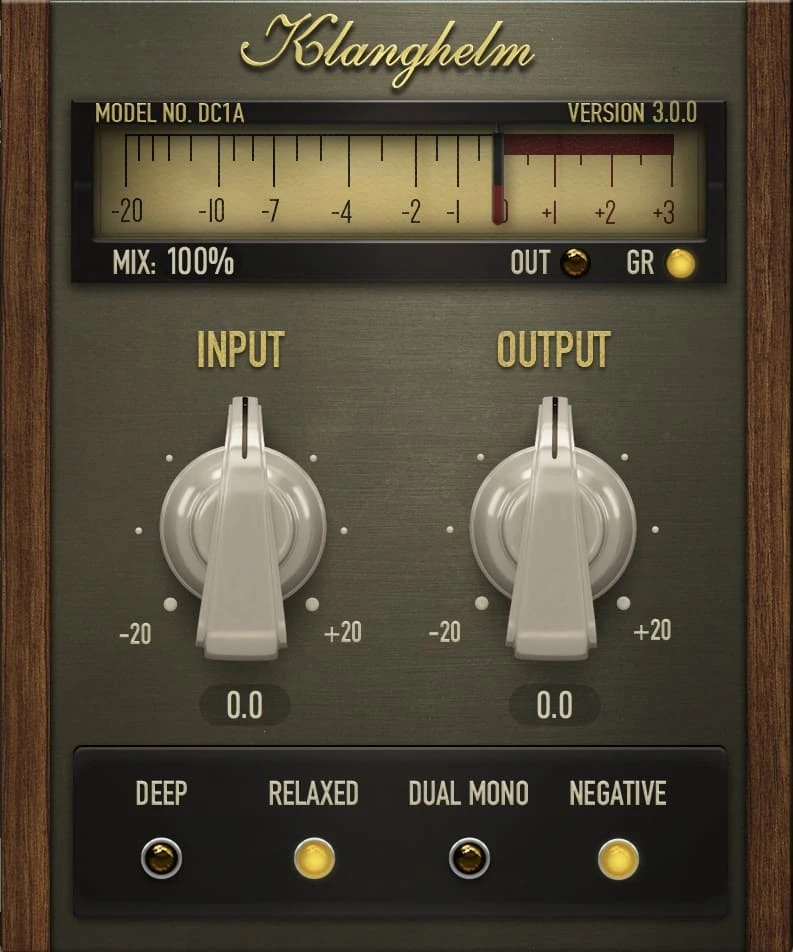
Best for: quickly trying compression on vocals, bass and individual instruments without a complex interface.
DC1A is freeware with two main knobs: Input and Output. Its additional switches are Deep, Relaxed, Dual Mono and Negative. Deep changes the sidechain response to reduce low-frequency-driven pumping, while the other modes change the compression behavior or channel handling. It does not provide separate attack, release or ratio knobs.
My take: I like the decision it forces: does this part feel better when I drive the compressor more, and does it still feel better at the same loudness? That is a useful listening exercise for beginners and a quick audition for experienced producers. A simple interface can keep the focus on the musical result.
The simplicity has a real limit. If the attack needs to land at a specific point or the release has to follow a busy phrase, I would use a compressor with independent timing controls. DC1A is a good quick option, not a replacement for every dynamics tool on this list.
Try this: raise Input gradually on a bass or vocal, then lower Output to match the unprocessed level. Compare normal and Relaxed behavior. Try Deep if low notes cause excessive pumping. Keep listening in the full arrangement; the setting that makes a soloed bass sound impressive may make its rhythm less clear against the kick.
Compressor settings: a practical way to start
A preset is a starting point, but its threshold cannot know the level of your recording. Before adjusting anything, decide what should change: fewer vocal peaks, more drum sustain, a steadier bass or subtle movement across the mix.
For parallel drum compression, blend a more heavily compressed signal with the original and check the complete bus at matched loudness. For mastering, begin with smaller changes and listen across the whole song, including the busiest chorus and the quietest transition. A compressor does not replace a true-peak limiter when you need dependable peak-ceiling control; our compressor vs limiter guide explains the distinction.
Which compressor plugin should you choose?
If you want one paid workhorse, I would choose Pro-C 3. Its clear feedback and range of responses make it the strongest general starting point here. If the specific problem is bus cohesion, SSL Native Bus Compressor 2 is a more focused choice. For a forward vocal or an energized parallel drum return, I would audition the 1176 collection.
If your budget is zero, start with Kotelnikov and DC1A. They cover two useful directions: detailed clean control and quick compression by ear. Your DAW's stock compressor also deserves a fair comparison. A new plugin is worthwhile when it offers a response, workflow or feature you cannot conveniently get from the tools you already understand.
For a mix that needs deliberate color, compare Fairchild and Presswerk on the actual source at matched levels. If the compressed result loses expression, choose a lighter setting or leave it out. For broader processing choices around vocals, see our vocal plugin guide.
Frequently asked questions about compressor plugins
What is the best compressor plugin for beginners?
Start with your DAW's stock compressor or the free Klanghelm DC1A if you want a simple listening exercise. Pro-C 3 is my paid recommendation when you want a clear visual interface and more room to grow. A simple tool you understand will be more useful than an advanced one you set blindly.
What is the best free compressor plugin?
TDR Kotelnikov is my pick for clean, detailed bus compression and subtle mastering work. Klanghelm DC1A is my pick for quick compression with fewer controls. Both are free; neither requires purchasing the paid Kotelnikov GE edition.
Is TDR Kotelnikov GE free?
No. Standard TDR Kotelnikov is free, while Kotelnikov GE, the Gentleman’s Edition, is paid. GE adds advanced features, but the standard edition remains a useful compressor in its own right.
Do UA 1176 and Fairchild plugins require an Apollo interface?
The native UADx versions discussed here run on your computer without an Apollo interface or UAD-2 DSP hardware. UAD-2 versions require compatible DSP hardware. Native products still have software, licensing and activation requirements, so check the retailer's requirements for your computer and DAW.
Should I put a compressor on every track?
No. Use compression when the dynamics or envelope need changing. Clip gain or automation can be a better solution for an isolated loud word or a phrase that needs lifting. Compressing every track by habit can remove contrast and make the arrangement feel smaller.
Is a compressor the same as a limiter?
They are related dynamics processors, but a mixing compressor usually shapes the envelope and reduces level differences. A limiter is commonly used for stronger peak control. A vintage plugin with “limiter” in its name should not be assumed to provide a modern true-peak output ceiling.
Do I need multiband compression for mastering?
Not automatically. A wideband compressor affects the full signal together; a multiband compressor can treat frequency ranges separately. Start with the simplest processing that solves the problem. A small EQ move or an adjustment in the original mix may be more appropriate than adding several bands of dynamic processing.
How this shortlist was researched
Product versions, key features, free-versus-paid status and native hardware requirements were checked against developer documentation. The recommendations and starting settings are editorial judgments about workflow and use cases; they are not claims of a controlled hands-on comparison or identical performance across every DAW. Images show real plugin interfaces from developers or product listings.
Developer references: FabFilter Pro-C 3, SSL Bus Compressor 2 user guide, UA 1176 manual, UA Fairchild manual, TDR Kotelnikov, Kotelnikov GE, u-he Presswerk and Klanghelm DC1A.
![[background image] image of recording equipment (for a musician & band)](https://cdn.prod.website-files.com/68efa70811edd8e5af30a90d/6acd43b8998701bbde84e11a_Best%20Export%20Settings%20for%20FL%20Studio.png)
![[background image] image of recording equipment (for a musician & band)](https://cdn.prod.website-files.com/68efa70811edd8e5af30a90d/6acd3f9347bd0dd62b202621_ShaperBox%203%20vs%20Infiltrator%202.png)
![[background image] image of recording equipment (for a musician & band)](https://cdn.prod.website-files.com/68efa70811edd8e5af30a90d/6acd3d99fa68785e0f58960e_Kontakt%208%20vs%20Decent%20Sampler.png)