
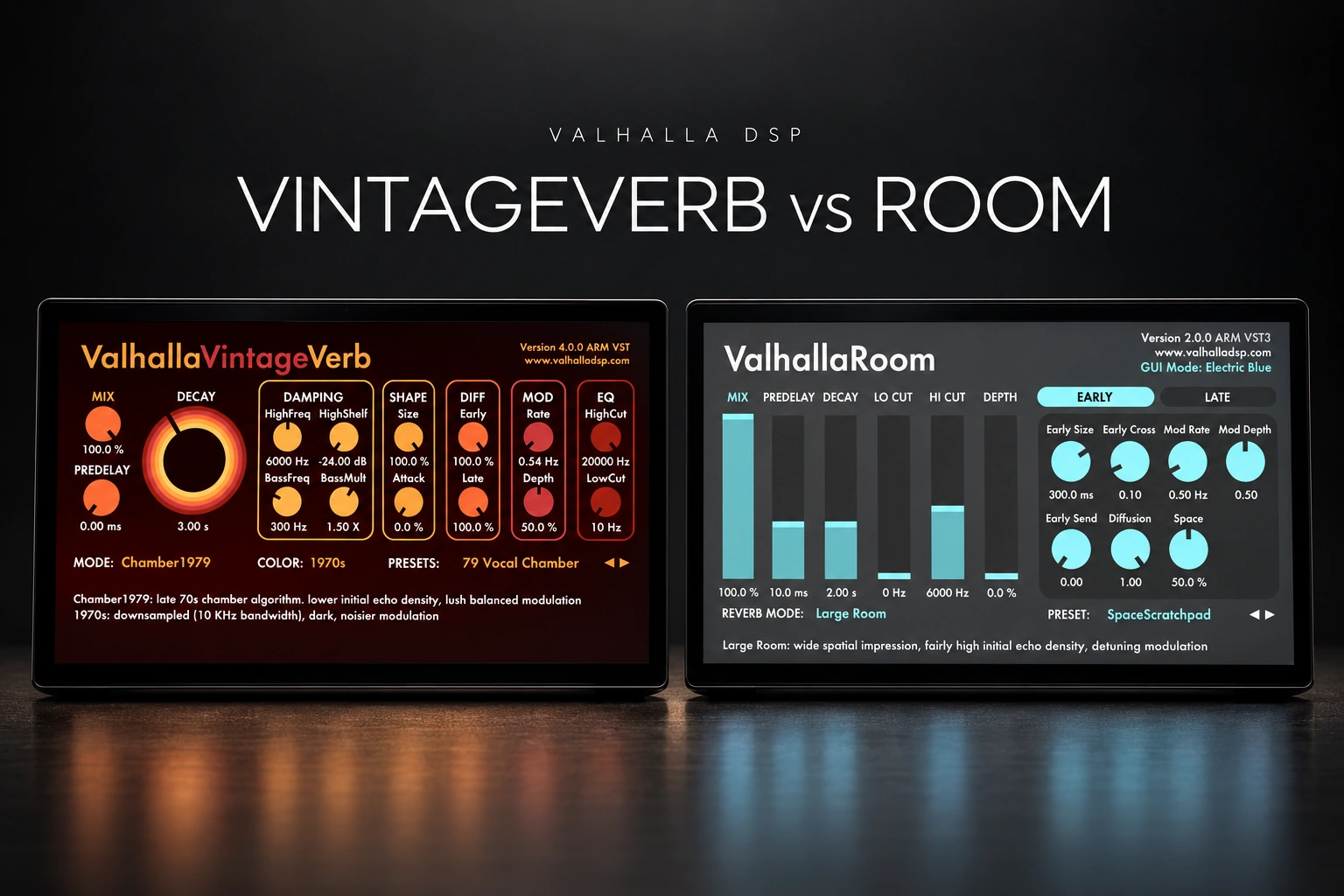

We would choose Valhalla VintageVerb first for exploring different reverb characters, and Valhalla Room first for shaping how a sound sits inside a space. VintageVerb makes its different algorithms and era colours central to the workflow. Room gives you separate Early and Late sections, with a Depth control to balance them.
Those are starting preferences, not limits. VintageVerb can make restrained rooms, and Room can create huge, animated effects. The useful question is which approach helps you finish the sound you need.
This comparison gives buying advice from the documented features and suggested workflows. It does not claim a controlled listening test or measured CPU results.
VintageVerb vs Room: the practical differences
| Question | VintageVerb | Room |
|---|---|---|
| Main approach | Switch modes and Color to explore character. | Shape Early and Late energy separately. |
| Algorithms listed | 22 modes. | 12 modes. |
| Distinctive controls | 1970s, 1980s and Now Colors. | Depth, Early Send and Space. |
| Our first audition | An audible vocal tail, snare effect or synth atmosphere. | Drum ambience, instrument placement or a shared space. |
| Listed price when checked | $50 USD. | $50 USD. |
Mode counts describe the available choices, not a quality score. We would rather have one useful setting in a mix than ten impressive presets that do not fit it.
Why we would start with VintageVerb
VintageVerb offers halls, plates, rooms, chambers and less conventional spaces. Alongside Mode, its Color control changes the sound's era-related behaviour. The darker 1970s option, brighter 1980s option and cleaner Now option give you another way to explore the same basic idea.
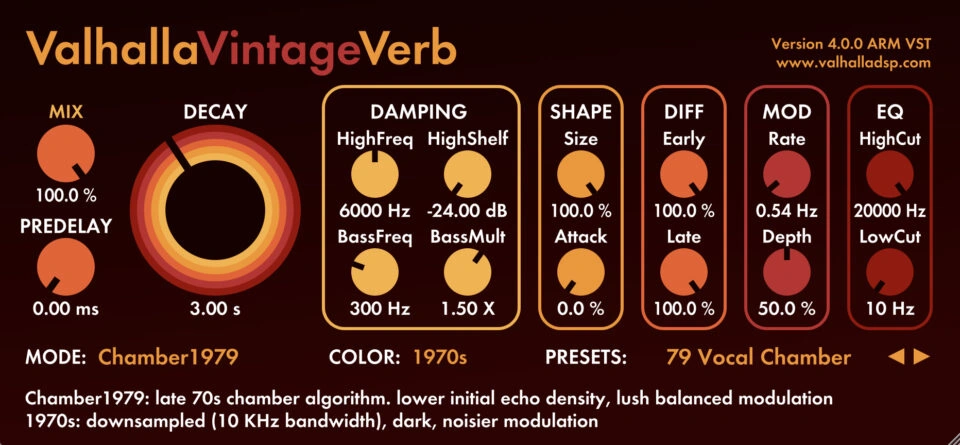
Our suggested use is a vocal that needs a noticeable atmosphere. Try two or three modes before spending time on fine adjustments. You may find that a different algorithm gets closer to the idea faster than repeatedly changing the decay of the first preset.
For a cleaner starting point, try Now with Smooth Room or Smooth Plate. For a more obvious effect, compare that with a different Color or a mode such as Dirty Plate. Keep the return level comparable while listening.
That is the attraction for us: it encourages decisions about character early in the process. Once the basic space suits the track, adjust the timing and tone around the performance.
Why we would start with Room
Room's Early section shapes the initial spatial energy; the Late section handles the longer decay. Depth balances those sections. That distinction is helpful when you want an instrument to feel less isolated without automatically adding a large trailing wash.
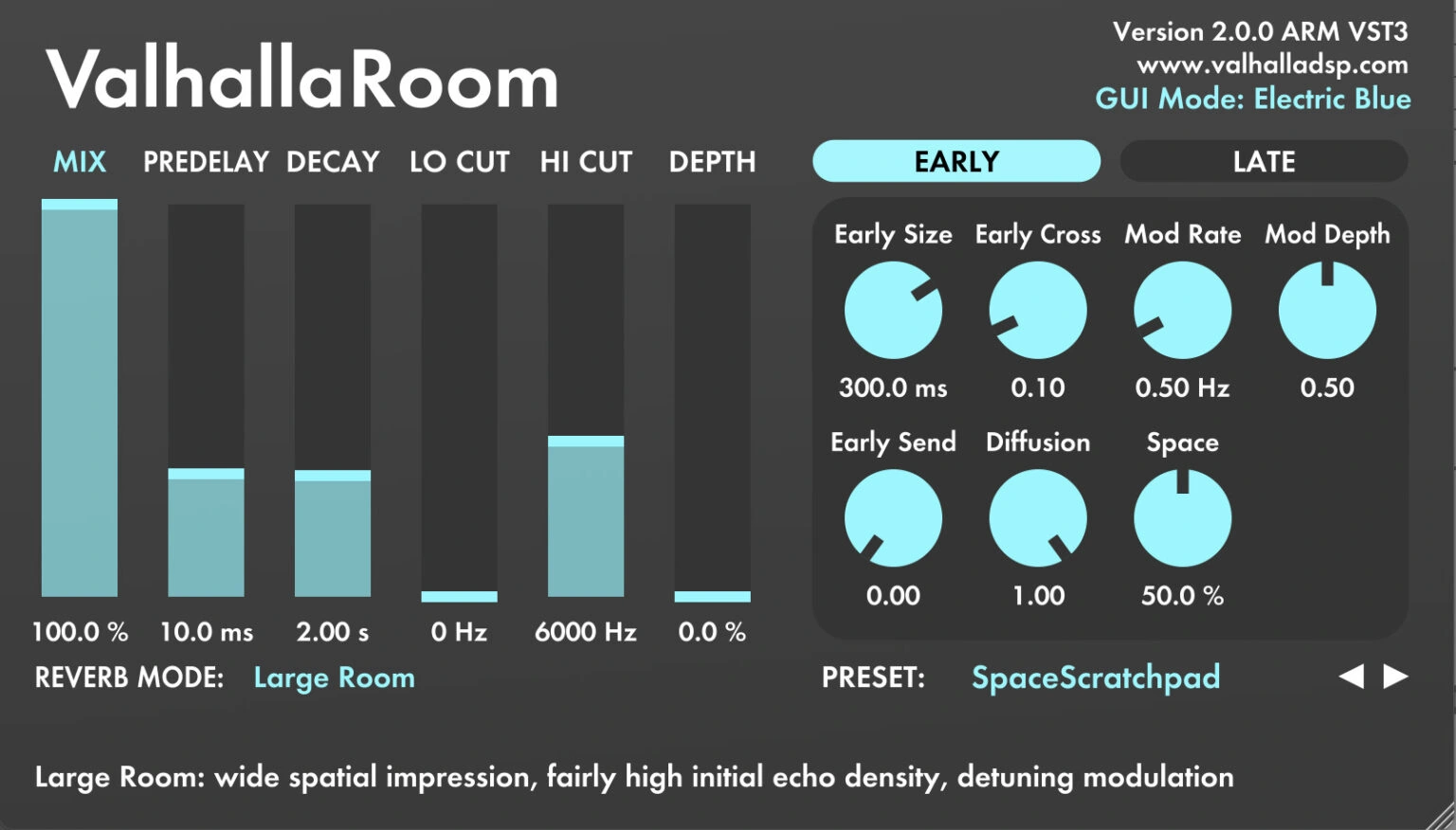
For a first experiment, turn Depth towards Early and listen to the sense of placement. Then bring in Late energy until the sustain supports the part. You are deciding how the sound joins the space as well as how long the tail lasts.
The Space control adds feedback around the predelay and early reflections. It expands the Early section beyond a simple short burst, allowing more sustained and unusual textures. Room also includes dark modes and modulation, so it is worth exploring beyond natural ambience.
We would favour this workflow for producers who often think, “The instrument sounds too close, but a long reverb is too much.” The separate sections provide a clear way to investigate that problem.
Which would we choose for vocals?
For a reverb you want listeners to notice, we would audition VintageVerb first. A chorus vocal, an ad-lib or the end of a phrase can benefit from treating the tail as part of the arrangement.
As a starting experiment, try a plate or chamber with roughly 1.5–2.5 seconds of decay and 20–40 ms of predelay. These are our trial ranges, not a vocal preset. Shorten the decay if it overlaps the next line; change predelay if the effect feels detached from the words.
For a close vocal that needs a little shared space, we would audition Room first. Start with a shorter sound and add only enough late energy to make the vocal belong with the instruments.
Listen to the words with the beat playing. If the tail sounds beautiful alone but makes the lyric harder to follow, lower the send or simplify the space. Our vocal balance guide covers the wider placement decision.
Which would we choose for drums?
Room would be our first test for bringing a dry kit together. Valhalla's drum-room guide suggests Large Room or Large Chamber, short decay times and control over the early-to-late balance. That gives you a focused place to begin.
Try approximately 0.3–0.8 seconds of decay, then listen to the gaps between hits. Keep the kick and snare attack clear. If cymbals make the return too bright, reduce its high-frequency content rather than darkening the entire drum bus.
VintageVerb would be our first test for a more obvious snare effect. Try a plate, or explore Nonlin when you want a different envelope rather than a conventional fading tail.
Do not judge the effect from a single hit. Loop the actual groove and check whether the reverb improves its movement. A slightly shorter, quieter effect can feel bigger in a busy beat because the next hit stays defined.
What about synths, piano and ambient music?
VintageVerb is an appealing starting point when you want to browse contrasting textures for a synth part. Try a hall or a spacious mode on a held chord, then listen to whether the movement suits the harmony.
Room also covers large spaces. Its Late Size and modulation controls make it relevant to atmospheric music, not just small-room simulation. Try it when you want to shape the transition from the original note into the surrounding space.
For piano, judge the attack and the pedal-heavy passages separately. A setting that flatters a short chord may blur a fast phrase. We would compare both with the same performance before treating either as the automatic piano choice.
Our practical rule is to choose by the part's job: does it need to stay articulate, blend with other instruments, or become a background texture? The answer is more useful than the genre label alone.
A fair demo comparison in FL Studio
1. Use two separate returns. Put VintageVerb on one Mixer insert and Room on another. Keep the original source on its dry route and set both reverbs to 100% wet on the returns.
2. Send the same source to each. Audition one return at a time. Make sure you have not accidentally added a second dry signal or left both reverbs playing.
3. Begin with similar timing. Choose roughly comparable decay and predelay settings. They will not produce identical spaces, but this reduces the chance that you simply prefer the longer preset.
4. Compare useful effect levels. Adjust each return until it has a similar role in the mix. Equal send-knob positions do not guarantee equal perceived reverb level.
5. Test three jobs. Use one vocal line, one drum groove and one instrument phrase. Write down which plugin was easier to shape for each job.
6. Return to the arrangement. Keep the plugin that helps the song, even if another sounds more spectacular in isolation. Close the interface for the final listen.
Price, demos and compatibility
Valhalla listed both plugins at $50 USD each when checked on 25 October 2026. Check the current checkout total and any applicable taxes before purchasing.
Both have Mac and Windows versions, with 64-bit VST formats suitable for a compatible FL Studio installation. Use the demos on your own system to confirm operation before buying; we have not measured their CPU use.
The official demo FAQ says audio fades out and back in every 45 seconds, and demo builds cannot save presets. The paid version uses a separate full installer. Allow for those demo limitations while comparing.
Should you own both?
We would buy one first. Complete a few tracks with it and identify what still feels difficult. If you keep wanting another way to shape the early space or browse reverb characters, the second plugin has a clearer purpose.
If you already own VintageVerb, try its Room and Smooth Room modes before assuming you need Room for every subtle task. If you own Room, explore its darker and more animated settings before buying VintageVerb solely for large effects.
For an alternative centred on detailed tail EQ and integrated ducking, see our VintageVerb vs FabFilter Pro-R 2 comparison.
SoundShaper opinion
For someone buying a first creative reverb for vocals, beats and synths, VintageVerb would be our initial recommendation to demo. The quick changes of algorithm and Color give you several directions to try without building separate chains.
Room would move ahead on our shortlist when subtle placement and the balance between early space and sustain are recurring mixing tasks. We like that its controls let you break that decision into smaller steps.
Neither purchase is necessary if your existing reverb already does the job comfortably. We would spend the money when the demo solves a real problem in your sessions, not simply because both are affordable.
Conclusion
Start with VintageVerb for exploring character and Room for shaping spatial placement. Treat that as a demo plan, then let your own vocal, drums and instruments decide.
Choose the one that gives you a useful result with less second-guessing. You can make a finished mix with either.
Sources
Checked against the official VintageVerb and Room product pages, VintageVerb mode descriptions, Room's Early controls, Late controls, Space update, drum-room guide and demo FAQ. Screenshots: Valhalla DSP. Buying preferences and suggested experiments are SoundShaper's editorial recommendations.
![[background image] image of recording equipment (for a musician & band)](https://cdn.prod.website-files.com/68efa70811edd8e5af30a90d/6ae28f3ffeabaf5b76db2580_6ae28f255000f820b159a320_crystalline-review-cover.webp)
![[background image] image of recording equipment (for a musician & band)](https://cdn.prod.website-files.com/68efa70811edd8e5af30a90d/6ae28e7e5d1572089570ac87_6ae28e5eead33b2db2a18b5f_transit-2-review-cover.webp)
![[background image] image of recording equipment (for a musician & band)](https://cdn.prod.website-files.com/68efa70811edd8e5af30a90d/6ae28d603a57759da71022d6_6ae28d41f6af13c91dee9c76_drumazon-2-review-cover.webp)