
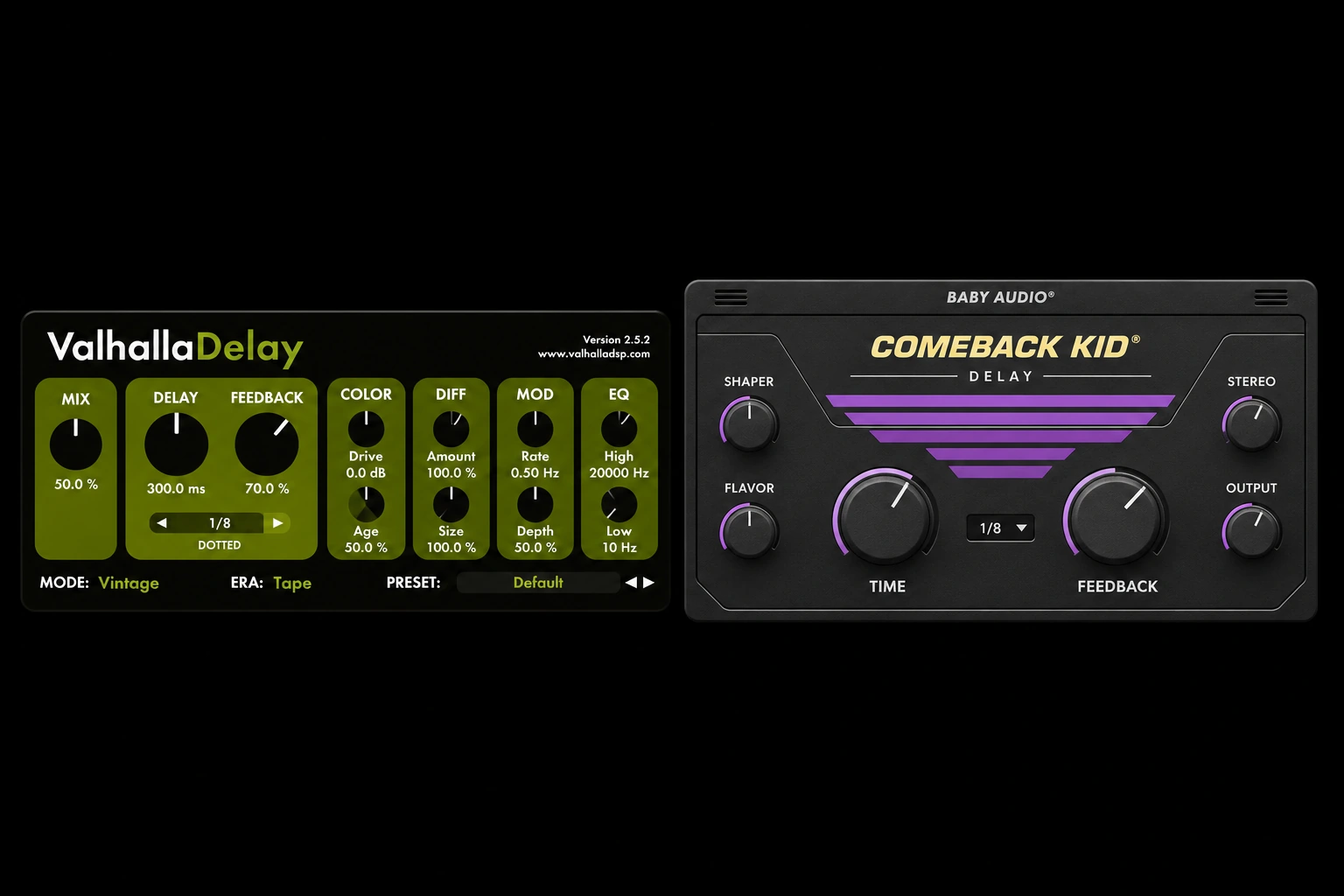

A delay that makes a synth part move can be awkward to fit behind a busy vocal. If you want one plugin for tape echoes, uneven stereo rhythms and diffuse synth trails, we’d start with Valhalla Delay at $50. If you mostly work on vocal throws, Comeback Kid puts the filters, transient controls and Ducker around the same timing panel. Both can keep echoes behind a lead, and the difference becomes clearer when you try them on the same vocal, guitar and synth.
Features and regular U.S. prices were checked on November 10, 2026. The settings are starting points based on the developers’ documentation.
Valhalla Delay vs Comeback Kid Quick Comparison
| Decision | Valhalla Delay | Comeback Kid |
|---|---|---|
| Regular U.S. price | $50 direct from Valhalla DSP | $69 U.S. reference price at Avid |
| What you shape first | Delay mode and repeat pattern | Tone, transients and stereo placement of the wet signal |
| Keeping a lead clear | Ducking in selected modes, including DuckTape and Clarity | Dedicated Ducker in the Output section |
| Building a rhythm | Single, Dual, Ratio, PingPong and Quad styles | Straight, dotted, triplet and free timing with a Ping-Pong switch |
| Turning an echo into space | Diffusion Amount and Size shape how the echo spreads in time | Sauce adds reverb, with Swirl for phasing and Stereo controls for width |
| Best reason to buy | One plugin for contrasting echoes, stereo rhythms and diffuse trails | A quick vocal or instrument return with the shaping controls in reach |
Valhalla Delay gives you control over the repeat pattern
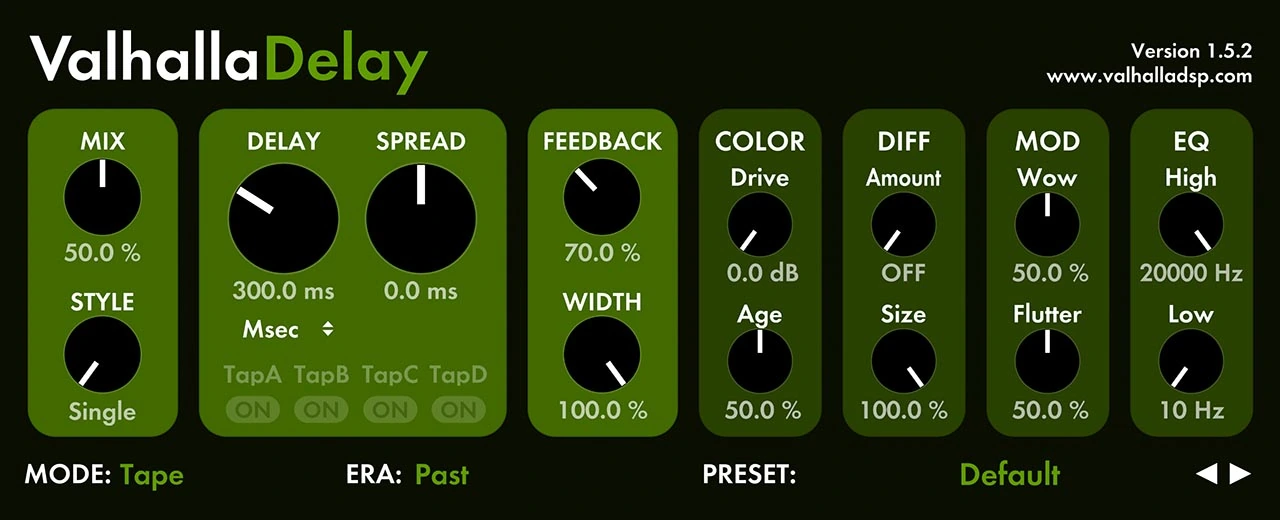
Think of Mode as choosing the kind of echo and Style as arranging when and where the repeats happen. Start with Tape for pitch movement and saturation, BBD for a darker bucket-brigade direction, or Digital when you want the rhythm to read clearly before you add color. Keep the time and return level as close as you can while switching modes. A darker echo may sit farther back at the same level, so decide whether you like that change in the full mix before raising the return.
When Single, Dual, Ratio and Quad matter
Single is the easy starting point when one echo should follow a source. Dual gives you separate times for the left and right channels. Ratio ties the right delay to a percentage of the left, so you can move the spacing without dialing in a second note value. Quad gives you four taps. Use it when one hit needs to produce a pattern you can hear even with low Feedback. PingPong is there when you want the familiar back-and-forth movement.
These choices matter on a simple synth or guitar phrase with space around it. If a dotted-eighth preset hits at the wrong moment, switch the timing first. If the rhythm works and the repeats are too obvious, try lowering the return or darkening the echo. Leave the style alone until you know whether timing is the actual problem.
Diffusion controls the shape of each echo
With Diff Amount off, a short pluck comes back as a distinct repeat. Raise Amount until the edge softens, then adjust Size to change how far the sound spreads. A small Size can take the click off a pluck while retaining its rhythm. A larger Size moves the effect toward a wash. If the next note loses its attack, reduce Size or the send level. If the previous note is still hanging over a chord change, reduce Feedback and check the length again.
Trade-off. Some controls change with the mode and style. When you switch from Tape to DuckTape for ducking, you also change the echo model. That flexibility helps when designing sounds. It adds a choice when all you need is to tuck the existing repeat under a new lyric.
Comeback Kid gives you control over where the repeat sits

On Comeback Kid, dial in Time and Feedback in the middle, then move outward. Shaper has Lo-Cut, Hi-Cut, Attack and Sustain. Flavor includes Tape saturation, Cheap digital grit, Swirl phasing and Sauce reverb. Output has Ducker and separate Dry/Out and Wet/Out levels. The layout lets you work from the same tempo setting while you change the envelope, color or level of the repeat.
Attack and Sustain are worth trying before more EQ
Imagine an echo that sounds about right after the vowel but repeats the T or K too clearly. Bring Attack down a little and listen to the front of the word. If the echo sounds too bright throughout, use Hi-Cut instead. If the attack is fine but the body of the repeat carries too far, compare the effect of lowering Sustain with lowering Feedback. Sustain changes the envelope of the delayed sound. Feedback changes how much signal comes back through the delay loop.
Separate stereo movement from stereo width
Ping-Pong alternates echoes between the sides. Wider adds left/right time variation, while Richer adds left/right pitch variation. Try Ping-Pong on its own for a bar before adding width. If the lyric already has doubles and panned ad-libs, one movement can be enough. Flip the mix to mono after adding width so you can hear whether the repeat still supports the line.
Try both plugins on the same three tracks
Put the plugins on separate stereo aux returns fed by the same dry track. On Valhalla, set Mix to 100%. On Comeback Kid, turn Dry/Out all the way down and use Wet/Out or the aux fader to set the return level. Listen to one return at a time and match the loudness of the first repeat as closely as you can. Get the timing right before adding modulation, saturation or ducking.
1. A busy lead vocal with a gap at the end
Loop two lines with different gaps after them. Feed the whole vocal to the return for this exercise so the ducking responds to both lines. At 120 BPM a dotted eighth lands 375 ms after the input. Start there, then try a straight eighth if the first repeat lands on the next consonant.
Comeback Kid
Choose 1/8 and Dotted. Leave Ping-Pong off at first and bring Feedback up until you hear a second repeat behind the first. In Shaper, use Lo-Cut to remove low-mid buildup and Hi-Cut to tuck the sibilance back. Now bring up Ducker under Output until the delay recedes while the next line is being sung. Listen to the end of the longer gap. If the reply feels too small, ease off the Ducker or add a little Wet/Out and compare again.
Valhalla Delay
Select DuckTape in the Mode selector. Use Single and set the Delay sync to dotted notes with 1/8 selected. Keep Diff Amount off so the syllables stay easy to compare. Match the tone approximately with High and Low in EQ, then raise Ducking under Feedback. The developer describes this control as affecting both the output and the feedback loop. Listen separately for how loud the repeat is under the singer and how many repeats remain after the phrase.
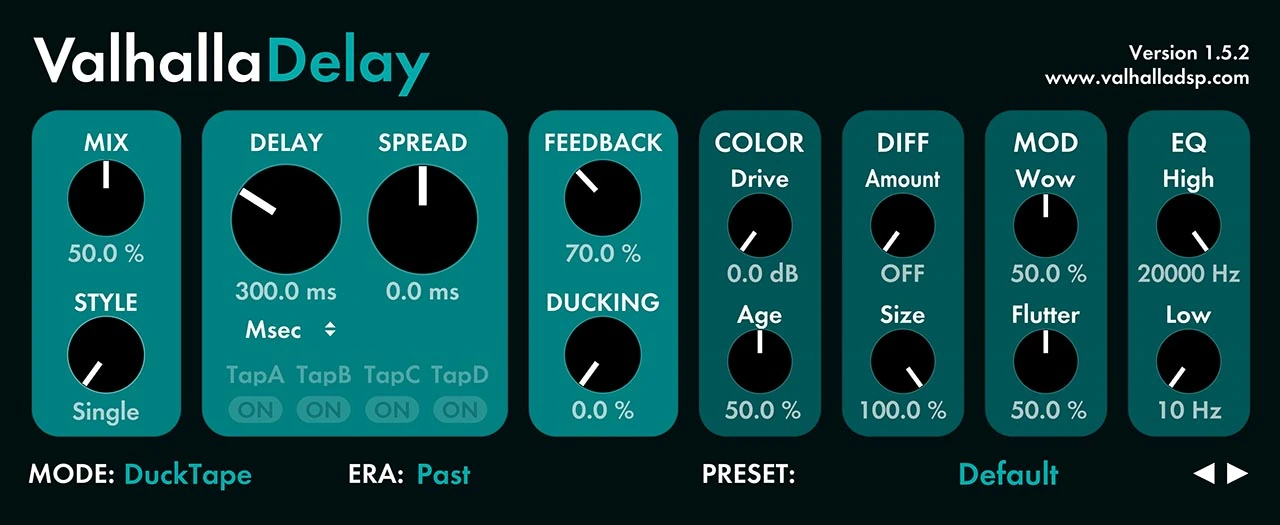
How to choose. Pick Comeback Kid for this job if you keep reaching for Attack or Sustain after you have matched the timing and return level. Pick Valhalla if DuckTape already gives you the vocal return you want and you also use the other modes on different tracks.
When you automate a one-word throw
Both built-in duckers react to the signal that actually reaches their plugin. If you automate the send up for one word and then close it, the next line may never reach that delay instance. To make the throw dip under the next lyric, automate the return or put a compressor after the delay and feed its sidechain from the full lead. Keep the send automation for selecting the word and the return processing for controlling the tail.
2. A short slap on a clean guitar
Set the delay to 95 ms in both plugins. Use low Feedback and no Ping-Pong, so you hear one main echo. Loop a part that includes a picked note and a held chord. On Valhalla, select Tape and Single, then try a small amount of Wow. The held chord makes it easier to tell whether the pitch movement helps or starts to pull against the original. On Comeback Kid, select Free and try Tape in Flavor. If the second pick sounds like a distinct extra hit, try reducing Attack slightly before lowering the wet level.
Bring the band back in and compare the picked attack with the sustained chord. If you only need a restrained slap, a stock delay and return EQ may already cover it; buy the extra controls when they solve a repeated shaping task.
3. A sparse synth that needs a moving stereo tail
Start with a mono pluck and a clear chord change. In Valhalla, try Digital with the Ratio style, a quarter-note base time and Ratio around 62%. At 120 BPM that is about 500 ms on the left and 310 ms on the right. Start with modest Feedback, then increase Diff Amount and Size until the echoes soften into the gap between notes. Listen through the chord change. A shorter feedback trail helps if the old harmony spills into the new one.
In Comeback Kid, start from a straight eighth or dotted eighth and switch on Ping-Pong. Add a little Swirl if the repeat needs movement and a small amount of Sauce if it needs to hang in the background. Use Wider only if the Ping-Pong pattern is still too narrow. You can get a sense of space with both plugins here. The Valhalla setup builds unequal arrivals and spreads the individual echoes, while Comeback Kid starts from a regular timing grid and adds movement and reverb to the wet signal.
Conclusion
Buy Valhalla Delay if this will be your main delay across vocals, guitars, keys and sound design. You get the stronger range of repeat patterns at the lower regular price. We’d also start here if you already have a compressor and EQ for vocal returns and want to spend the budget on a different kind of echo.
Buy Comeback Kid if shaping the attack and sustain of a vocal echo is a recurring task. Its $69 regular reference is $19 above Valhalla’s $50, but promotions can reverse that comparison. Choose by the actual checkout prices and the controls you use, rather than treating the regular-price gap as permanent.
Already own one? Keep it if your current return does the job quickly. The second purchase makes sense when you can point to a repeatable gap in your workflow, such as shaping the attack of a vocal echo or building uneven stereo patterns with their own character. If you need finer per-side tone control, our delay plugins under $100 guide also covers D16 Repeater and HY-Delay4. Our Valhalla Delay review goes deeper into its modes.
Product documentation and U.S. price references
- Timing styles, controls and saturation. Valhalla DSP’s control guide
- Ducking modes and how the control works. Valhalla DSP’s ducking notes
- Comeback Kid’s controls and wet signal path. Baby Audio’s official manual
- Comeback Kid’s $69 regular U.S. reference price was checked on Avid’s U.S. listing.
Editorial review: November 17, 2026. Prices are dated references; check the current regional checkout.


