
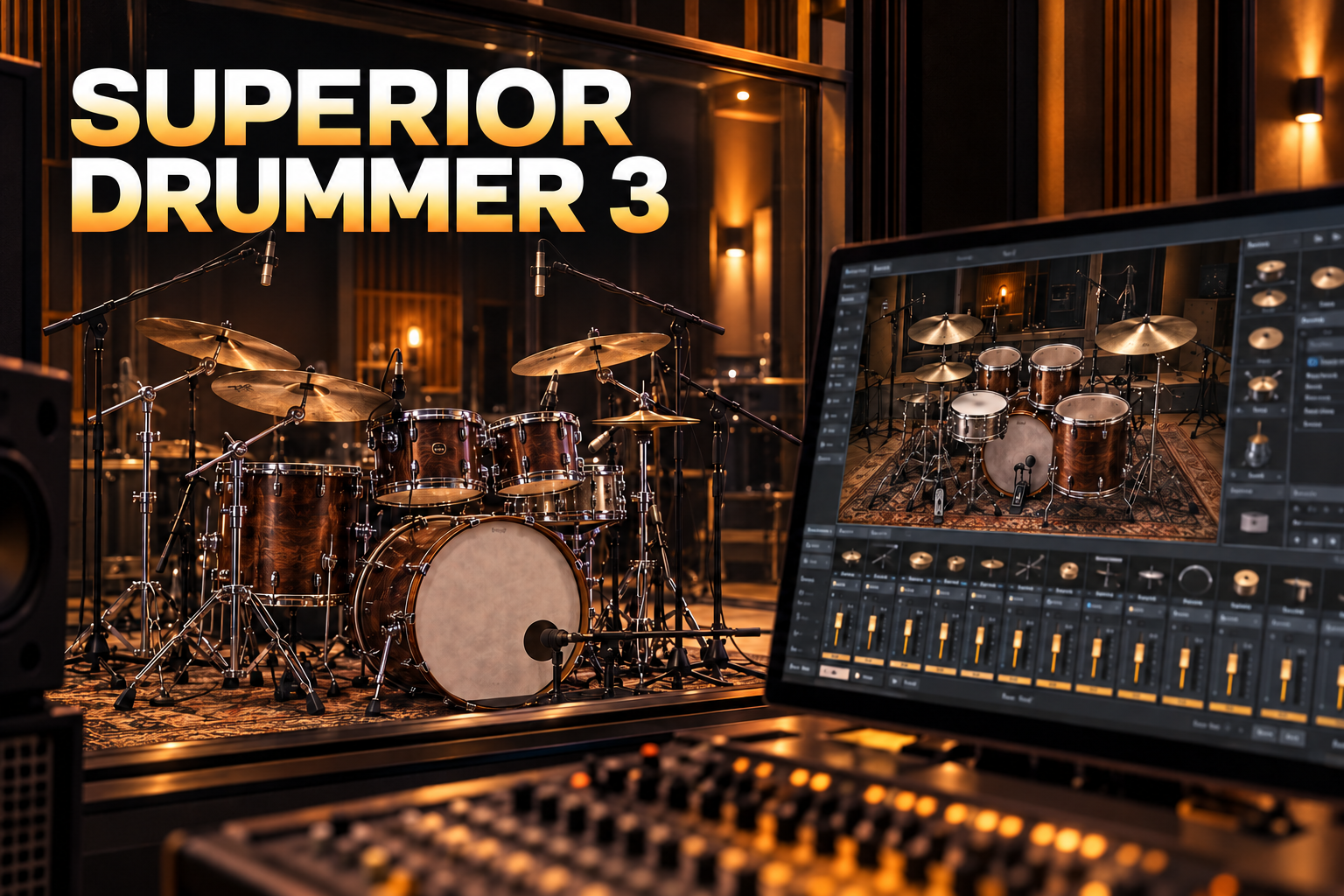

Superior Drummer 3 is worth considering when you want to shape acoustic drums like a multitrack recording. Its strongest argument is control: choosing the kit, balancing microphones, deciding how much room you hear and refining the performance. If you mainly need a convincing groove quickly, that depth can be more work than your song requires.
My recommendation: choose Superior Drummer 3 for detailed drum production, choose EZdrummer 3 for a more direct songwriting workflow, and compare Addictive Drums 2 if you want a middle ground. The expensive option is only the better purchase when its extra tools solve a problem you actually have.
Updated 6 October 2026. This is a research-based editorial review using current manufacturer information, not a claim of a new hands-on benchmark. Prices and availability can change.
Jump to: What it is · Sound and mixing · Tracker · EZdrummer comparison · Price and installation · Alternatives · FAQ
What is Superior Drummer 3?
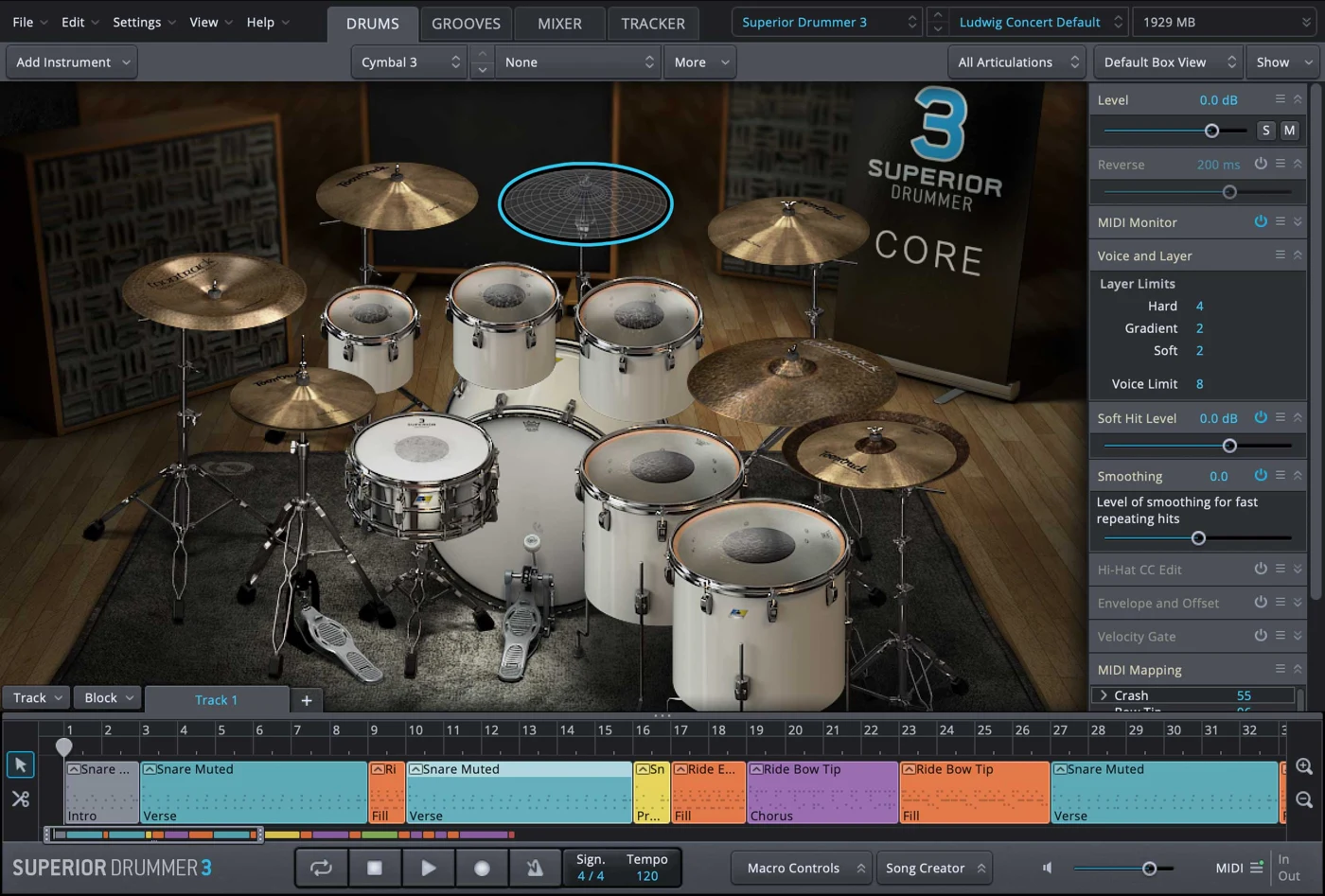
Superior Drummer 3 is Toontrack’s sampled acoustic drum instrument and production environment. MIDI notes trigger recorded drum performances; you can build a part, customise its response and mix the resulting microphone channels. It works inside a compatible DAW and also has a standalone application.
The core library was recorded by George Massenburg at Galaxy Studios in Belgium. Toontrack currently lists seven kits, 25 snares, 16 kicks and 35 built-in effects. These are useful reference points, but I would not buy it by counting drums. The more important question is whether its approach to recording and mixing fits your music.
It is a different tool from a drum synthesizer that creates kicks and percussion through oscillators and noise. If your priority is designing electronic drums, our drum synthesizer plugin guide is a better starting point. Superior makes most sense when an acoustic performance is central to the arrangement, or when you want to layer acoustic detail into an electronic production.
Who should buy it?
- Producers who mix drums in detail: the ability to revisit microphone balances and ambience is the main reason to move beyond a simpler instrument.
- Writers arranging expressive drum parts: editing the performance can matter more than adding another kit.
- Engineers working with recorded drums: Tracker adds an audio-to-MIDI workflow for replacement or reinforcement.
- E-drummers who want to tailor their response: mapping and velocity adjustments give you a way to match the software to your playing.
I would hesitate if you normally pick a preset, drag in a loop and move on. That is a valid workflow, and paying for deeper control does not automatically make it better. Finish a few songs with the tools you already own before deciding that the instrument is the limitation.
The sound and mixer: why the extra control matters
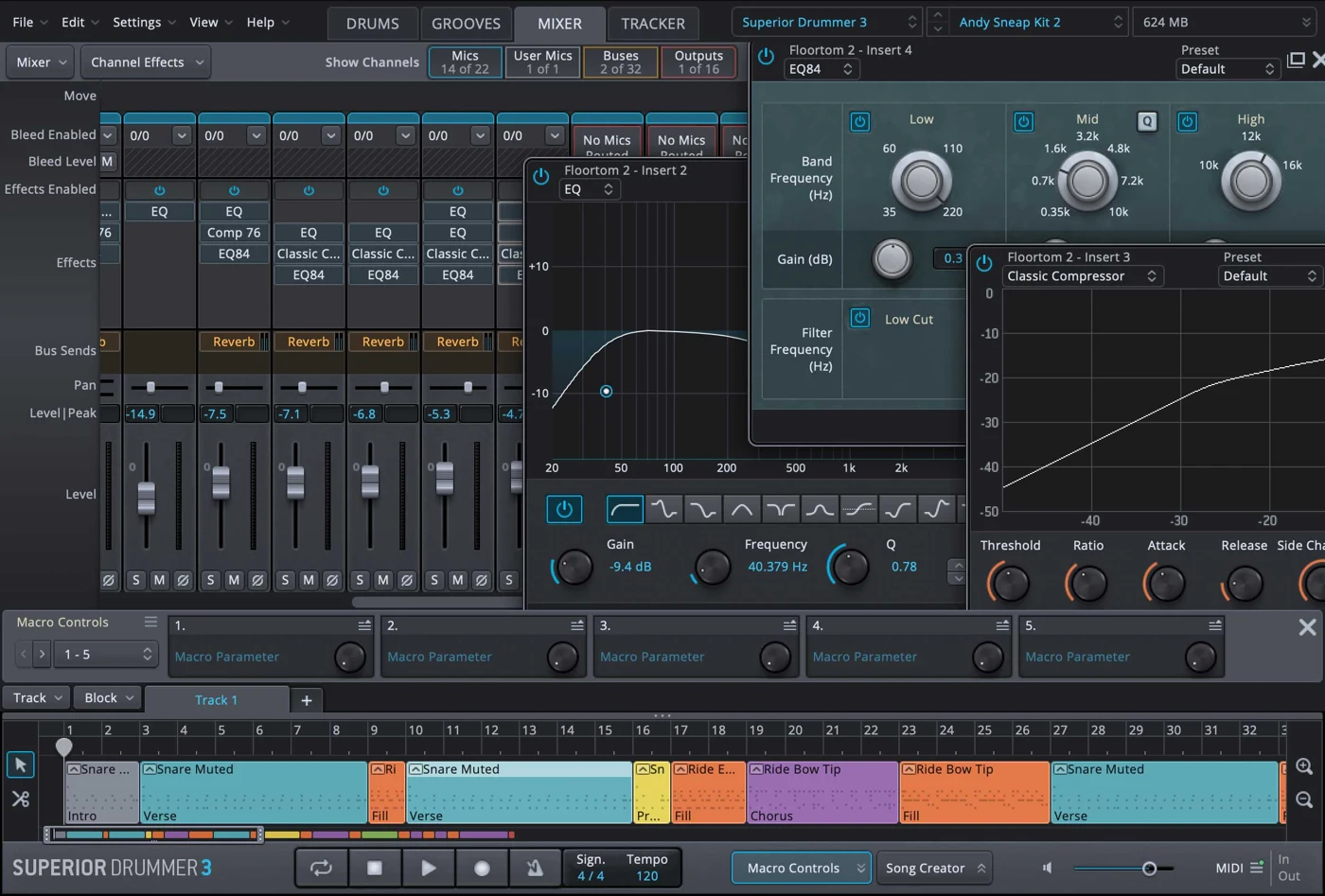
The useful distinction is between the drum itself and the way you hear it. Close microphones bring the attack forward. Overheads contribute cymbals and a picture of the kit. Room microphones add distance and decay. Moving those relationships can change how a drum part sits behind a vocal or competes with guitars before you reach for another effect.
My take: this is the feature that justifies Superior most convincingly. A large room can be exciting in isolation and completely wrong for a sparse verse. Being able to reshape the balance is more valuable than auditioning dozens of presets that all feel slightly too big.
Microphone bleed is another important part of the picture: a microphone aimed at one drum can also capture other parts of the kit. Superior exposes detailed control over that recorded spill. Treat it as a musical decision. More separation can help a dense arrangement, while a little spill can make the kit feel more connected. Neither direction is automatically more realistic or more professional.
A practical starting point for pop, rock and metal
- Build a short section with bass, guitars or keys and the lead vocal present. Make drum decisions in that context.
- Start with the close microphones and add overheads until the cymbals and kit balance make sense.
- Bring up the room channels gradually. Stop when the room adds energy without swallowing the groove.
- Compare with the room muted at a similar listening level. Keep the version that supports the song.
- Only then add compression, EQ or parallel processing where there is a clear need.
For tight pop, I would begin with a restrained room balance and protect the space around the vocal. For rock, I would audition more room contribution while checking the snare decay against the tempo. For a dense metal arrangement, I would prioritise kick definition and cymbal balance before trying to make every drum huge.
You can mix inside Superior or route outputs into your DAW. I would choose one main place for drum processing initially. Splitting the same job across two mixers too early makes it harder to understand which change improved the sound.
Grooves and editing: make the drummer serve the arrangement
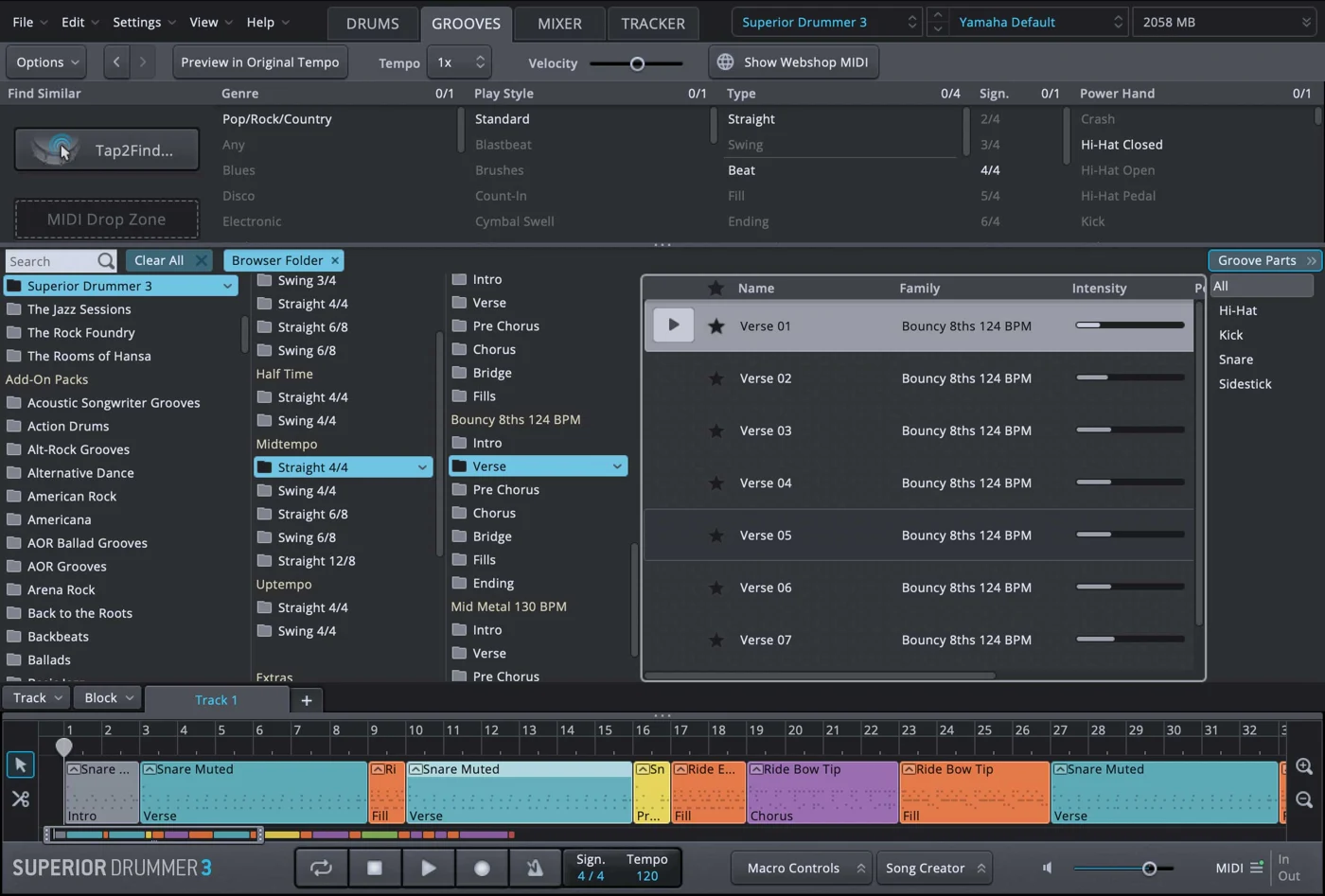
Superior includes MIDI grooves, a Song Track, a Grid Editor and performance editing tools. You can start from an existing performance rather than programming every hit, then refine where the drummer leaves space or builds intensity.
My opinion: realistic drums depend heavily on believable choices. Random timing and velocity changes cannot rescue a part that plays fills over every vocal phrase or asks one drummer to hit too many things at once. Arrangement comes first; humanisation is the finishing work.
Try making the verse and chorus feel different with the same kit. Keep the verse pattern simpler, change the cymbal choice for the chorus and reserve a distinctive fill for the transition. That often gives a song more movement than swapping to a completely different drum sound halfway through.
When editing velocities, think in phrases. Strong backbeats, softer ghost notes and a consistent hi-hat pattern have a relationship. Do not raise every note just because the samples sound bigger at higher velocities. Check whether the drum performance feels like one player making intentional decisions.
Tracker: audio-to-MIDI for drum replacement
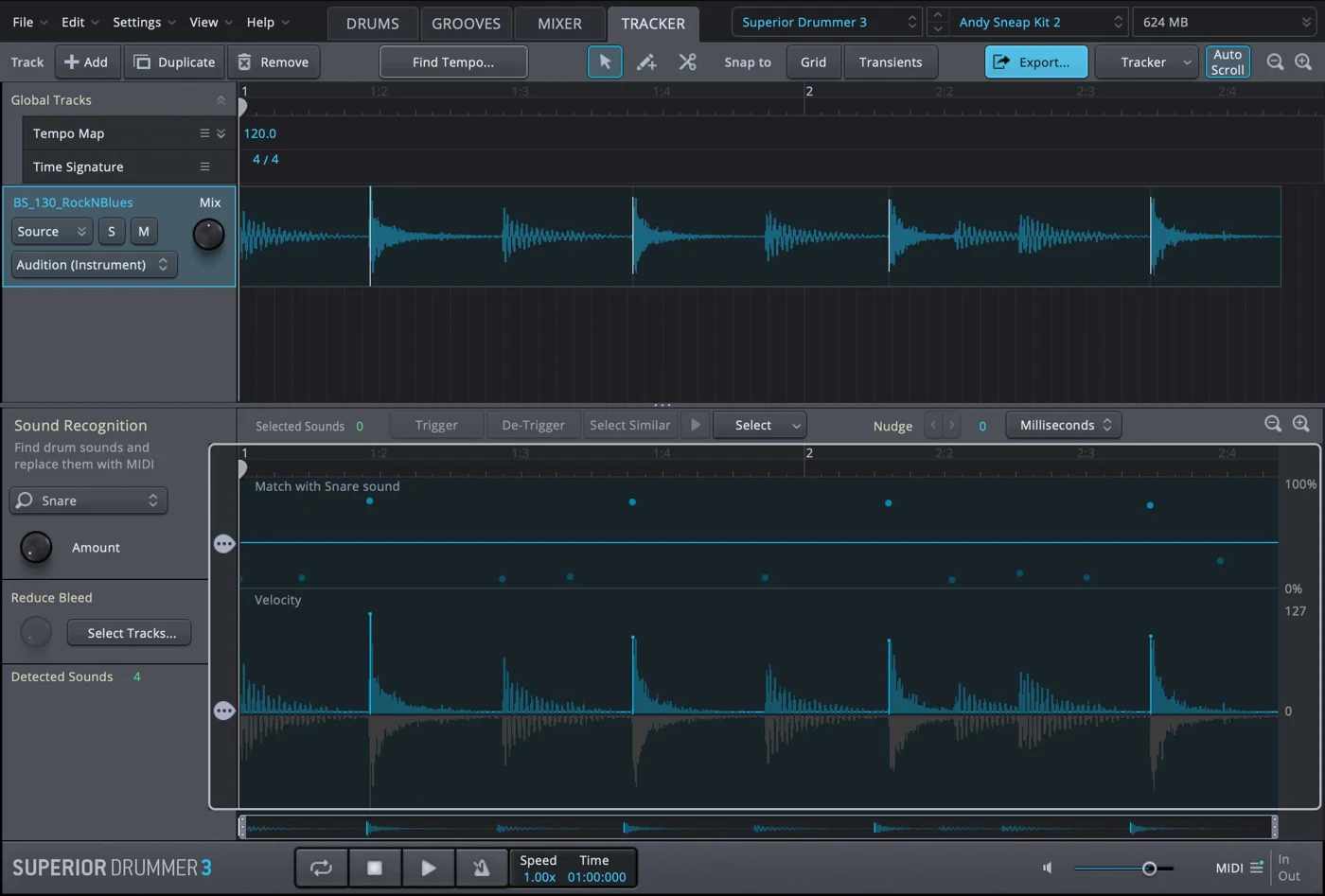
Tracker turns drum audio into MIDI that can drive the instrument. That creates a useful route for reinforcing a weak kick, replacing a problematic snare or rebuilding part of a recorded performance.
I see it as an editing tool, not a promise that any recording becomes a finished drum track automatically. A clean close-mic recording is a different job from a crowded stereo recording with cymbals, room sound and other instruments. Detection results need listening and review, especially around quiet notes, fast passages and overlapping hits.
A sensible workflow: work on a short section first, inspect missing and false triggers, check timing and velocity, then compare the result against the original performance. If you are reinforcing rather than replacing, check the combined attack and phase relationship by ear. More impact is useful; a smeared transient is not.
This is also where I would keep expectations specific. Tracker helps recover a performance from audio. It does not remove the need to choose a suitable replacement sound, preserve the player’s dynamics or fit the drums into the mix.
Superior Drummer 3 with an electronic drum kit
The software offers e-drum mapping and response settings. Start by matching your module’s MIDI notes and articulations, then work on the velocity response and hi-hat behaviour. A sound that feels impressive when clicked with a mouse may respond very differently to your sticks.
My advice is to test soft strokes, normal playing and hard accents separately. If every hit lands near the top of the velocity range, changing samples will not solve the underlying response problem. Likewise, check hi-hat transitions before recording a full take.
Playing latency depends on the whole system: module, connection, audio interface, driver, buffer size and processing load. Superior cannot guarantee a particular latency by itself. Make the setup comfortable to play first, then add more elaborate processing.
Superior Drummer 3 vs EZdrummer 3
I would choose EZdrummer 3 when finishing the song quickly matters most, and Superior when I want more responsibility for the drum production. This is a workflow choice. Both can be used in finished releases.
EZdrummer’s Bandmate and Superior’s Tracker do different jobs. A suggested accompaniment for a guitar riff is not the same as extracting drum hits from a recording. Do not choose between them just because both mention working with audio.
If you already own EZdrummer, identify the actual friction before crossgrading. Wanting finer microphone and bleed control is a strong reason. Wanting “more professional drums” without a specific limitation is a weak one. You may get further by improving the MIDI performance or using the mixer you already have.
SDX vs EZX: what do you need?
An SDX is a sound expansion for Superior Drummer; an EZX belongs to the EZdrummer expansion range. Superior can also use compatible EZX libraries, but you should check the individual expansion’s required software version before buying. EZdrummer does not load SDX libraries.
A MIDI pack is different again: it supplies performances rather than a new recorded drum library. Buying more grooves will not change the sound of your snare, and buying another kit will not automatically improve an awkward arrangement.
My recommendation is to learn the core library first. Buy an expansion when you can describe the missing sound or performance style. “I need a tighter room for this project” is a useful brief. “I need more drums” usually leads to more browsing.
Superior Drummer 3 price, system requirements and installation
Toontrack’s EU product page lists €399 for the regular version and €319 for the EZdrummer crossgrade at the time of this update. Crossgrade eligibility depends on an existing qualifying licence; log into your Toontrack account before choosing it. Check the final checkout price and current offers rather than treating these figures as permanent.
The basic library download is approximately 41 GB; the complete library is approximately 236 GB. You do not need the complete download to begin. The basic installation includes the instruments and articulations, while additional packages provide more microphone material. Toontrack specifies temporary installation space too: about 41 GB extra for the basic installation or 55 GB extra for the complete download.
The current product page lists Windows 10 or later, macOS 10.13 or later, 64-bit operation, 4 GB RAM minimum and 8 GB or more recommended. These are stated requirements, not a promise about performance in a large session. Check current DAW and operating-system compatibility before purchasing.
Use Toontrack Product Manager to install the software and library packages. My preference would be to start with the basic library, confirm the workflow fits and add the extra microphone packages when a project needs them. Leave enough free disk space for installation rather than budgeting only for the final library size.
Two alternatives worth comparing
These recommendations solve different problems. Both links below are for complete instrument products, rather than an expansion or a training course presented as a plugin.
Addictive Drums 2 Custom Collection: my pick for a flexible middle ground
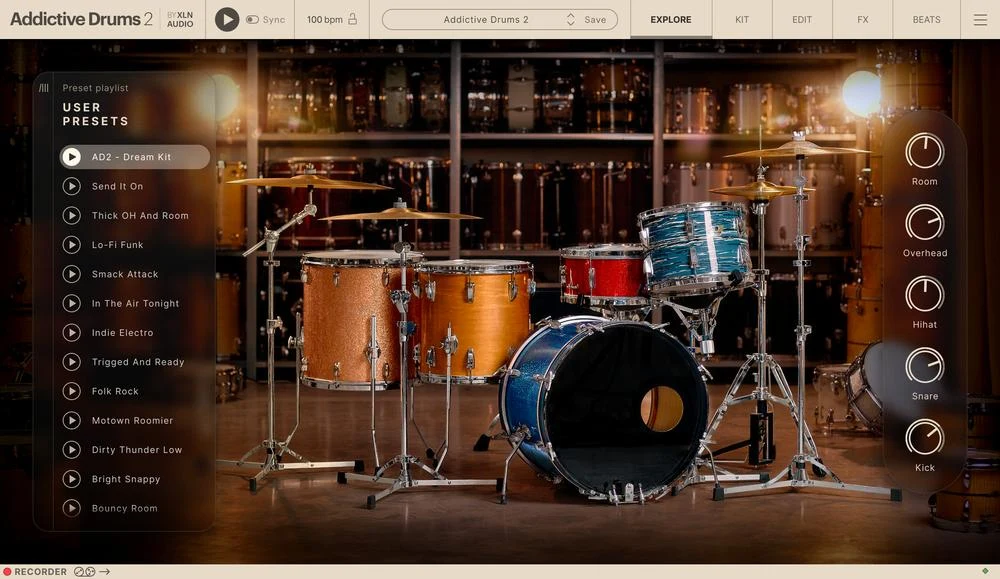
Custom Collection includes the Addictive Drums 2 engine and your choice of three ADpaks, three MIDIpaks and three Kitpiece Paks. The appeal is choosing a focused collection around the music you make instead of buying a large library simply because it is large.
My take: this is the alternative I would investigate when Superior feels too involved but I still want to shape the drum sound. Choose content around contrasting roles: one kit for your main style, one for a different room or era, and one that adds a character you cannot already cover. Three very similar kits may give you less useful range than expected.
Before selecting your packs, audition their demos with your own songs in mind. For a songwriter moving between intimate verses and larger choruses, I would compare how each kit’s room character supports those sections. The point is a useful palette, not collecting every possible drum.
UJAM SOLID 2: my pick for getting a backing groove down quickly
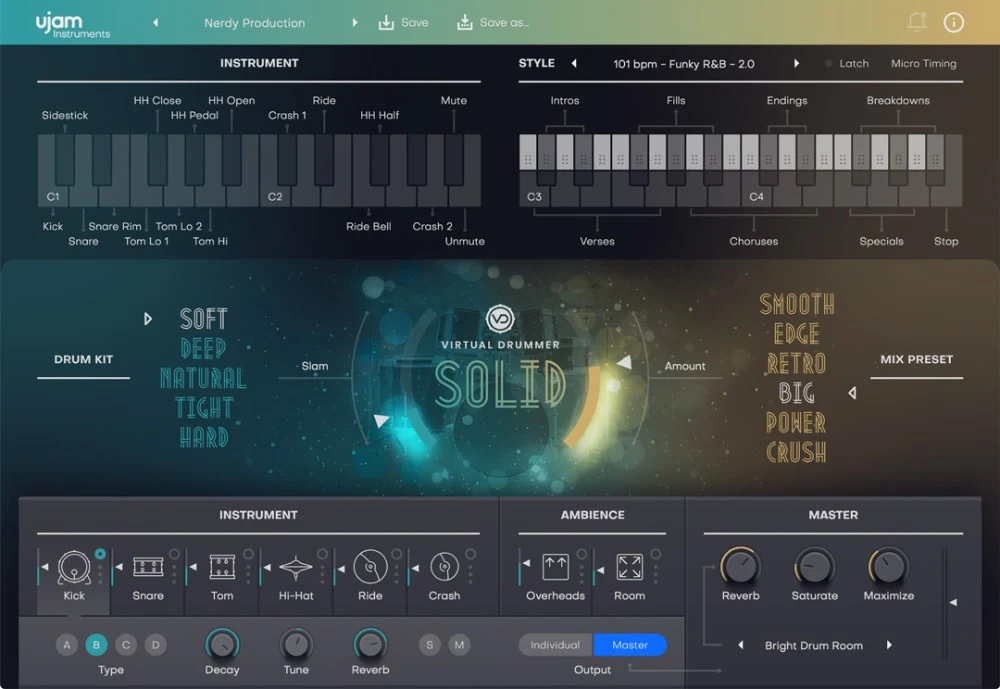
SOLID takes a more guided virtual-drummer approach with playable phrases and accessible sound controls. It is worth comparing when you want a backing part that follows the arrangement without starting from detailed microphone mixing.
My opinion: I would use this kind of instrument early in a writing session, when the chord progression and vocal are still changing. Its advantage is keeping the session moving. I would favour Superior instead when the drum production itself needs extensive decisions.
A useful audition is to build a verse, chorus and transition with one sound. Check whether the available phrases leave enough room for the vocal and whether the fills fit the harmonic changes. If the patterns fight your song, a simpler workflow is no longer saving you time.
Compare the final sound at a similar listening level to your other options. A louder preset can feel more exciting without being a better fit. Current retailer prices vary, so use the button for the live offer.
My verdict: buy Superior for control you will use
Superior Drummer 3 makes the most sense when you want to approach virtual drums as a recording to produce. Microphone balances, room sound, performance editing and Tracker give that approach substance. The cost is money, disk space and more decisions.
I would shortlist it for detailed acoustic drum work, especially when a preset is close but its ambience or performance needs reshaping. I would choose EZdrummer for faster songwriting, investigate Addictive Drums for a focused custom library, and audition SOLID for a guided backing-drummer workflow.
The buying question I would ask is simple: what specific problem will Superior solve in my next three projects? If the answer is clear, the depth is an asset. If the answer is only “better drums,” work on the part and the mix before spending more.
Superior Drummer 3 FAQ
Is Superior Drummer 3 worth it?
It is worth considering if you need detailed acoustic drum production, microphone control or Tracker. If you mainly want fast grooves and mix-ready sounds, compare a simpler instrument before paying for the extra depth.
Is Superior Drummer 3 better than EZdrummer 3?
Superior offers deeper production control; EZdrummer prioritises songwriting convenience. EZdrummer also has performance editing and a mixer. The better choice depends on how you want to work, rather than a blanket sound-quality ranking.
Do I have to install the entire Superior Drummer 3 library?
No. The basic package lets you begin without downloading the complete library. Additional packages add microphone material. Check the required installation sequence and temporary space in Toontrack Product Manager.
Does Superior Drummer 3 work without a DAW?
Yes, it includes a standalone application. For recording alongside the rest of a production, use it in a compatible DAW or follow an appropriate audio and MIDI routing workflow.
Can Tracker replace recorded drums automatically?
Tracker can create MIDI from drum audio for replacement or reinforcement. Review the detection, dynamics and timing; results depend on the recording and the edits you make.
Can I use an electronic drum kit?
Yes. Configure MIDI mapping, velocity response and hi-hat behaviour for your module. Playing latency also depends on your interface, driver, buffer and computer.
Is Superior Drummer 3 available through Plugin Boutique?
The former product link redirected to the Plugin Boutique homepage when checked for this update. The Superior buttons here therefore link to Toontrack.
Are SDX expansions included with the main plugin?
The main purchase includes its core library. Separate SDX expansions are additional products unless a specific bundle says otherwise. Check the bundle contents and required software version before buying.
Sources and related reading
Specifications, installation details and current price references were checked against Toontrack’s Superior Drummer 3 page. The comparison uses the EZdrummer 3 product information. Alternative product details were checked with XLN Audio and UJAM. The recommendations are editorial judgements based on those workflows; no measured performance results are claimed.
Explore our drum synthesizer plugin guide for electronic sound design, or our VST synth guide for melodic instruments to pair with your drum parts.
![[background image] image of recording equipment (for a musician & band)](https://cdn.prod.website-files.com/68efa70811edd8e5af30a90d/6acd43b8998701bbde84e11a_Best%20Export%20Settings%20for%20FL%20Studio.png)
![[background image] image of recording equipment (for a musician & band)](https://cdn.prod.website-files.com/68efa70811edd8e5af30a90d/6acd3f9347bd0dd62b202621_ShaperBox%203%20vs%20Infiltrator%202.png)
![[background image] image of recording equipment (for a musician & band)](https://cdn.prod.website-files.com/68efa70811edd8e5af30a90d/6acd3d99fa68785e0f58960e_Kontakt%208%20vs%20Decent%20Sampler.png)