


Start with Echo Sound Works Aura for melodic one-shots tuned to C. Choose Cymatics APEX Vol. 3 for another focused collection of synth and instrument hits, or KXDET DRAMA for a vintage-inspired palette. For individual drum hits, start with 99Sounds. You do not need a large plugin collection to turn these sounds into a playable part: an audio sampler and a MIDI pattern are enough.
This guide covers five free sample packs, followed by a separate multisampled-instrument alternative. It explains what each download contains, what to check before using it in a release, and how to set up a melodic one-shot in FL Studio. Creator pages and download options were checked on 6 November 2026.
Best free one-shot sample packs at a glance
| Pack | What it offers | Choose it for |
|---|---|---|
| Echo Sound Works Aura | C-tuned melodic WAV samples | A straightforward first melodic collection |
| Cymatics APEX Vol. 3 | 100 instrument and synth WAV one-shots | Keys, plucks, leads and bass sounds |
| KXDET DRAMA | 112 one-shots plus separate melody compositions | A vintage-inspired palette; licence exceptions apply |
| KXDET INVERSE Lite | 92 sounds across the listed categories | A free preview of a broader synth-focused library |
| 99 Drum Samples I and II | 209 drum one-shots across two collections | Building your own drum rack |
The buttons link to the original creators. Some packs use an email form or free checkout. A free download does not automatically mean every included file has the same commercial-use terms.
What is a one-shot sample?
A one-shot is a recording of an individual sound: a kick, a bell strike, a synth note or a vocal hit, for example. A loop already contains a phrase with timing. With a melodic one-shot, you supply the melody by loading the recording into a sampler and playing MIDI notes.
The recording still has a fixed character. You can alter its envelope, filter it and change its pitch, but you cannot reopen the original synth patch and change its oscillators. A single recorded note also responds differently across the keyboard from an instrument sampled at multiple pitches.
1. Echo Sound Works Aura: a simple melodic starting point

Aura includes bass and 808 sounds, keys, instruments, leads, pads, plucks and synths. Echo Sound Works describes the pack as 100 melodic one-shots, all tuned to C. The current official ZIP contained 101 WAV files when we inspected its file list. That small counting difference does not change the pack’s purpose: a compact selection for writing melodic parts.
We would begin with a key or pluck, write a four-bar phrase, then add one contrasting bass sound. Starting with C-labelled files makes the pitch relationship easier to establish, though you should still check the octave and tuning in your sampler. Use the sample that leaves room for the rest of the beat, rather than automatically choosing the longest or widest sound.
Download and use: the creator supplies WAV files and permits royalty-free commercial use. You do not need the synths used to create them. Our archive check verified the file count and filenames; it was not a listening test of every sound.
2. Cymatics APEX Vol. 3: a focused instrument collection
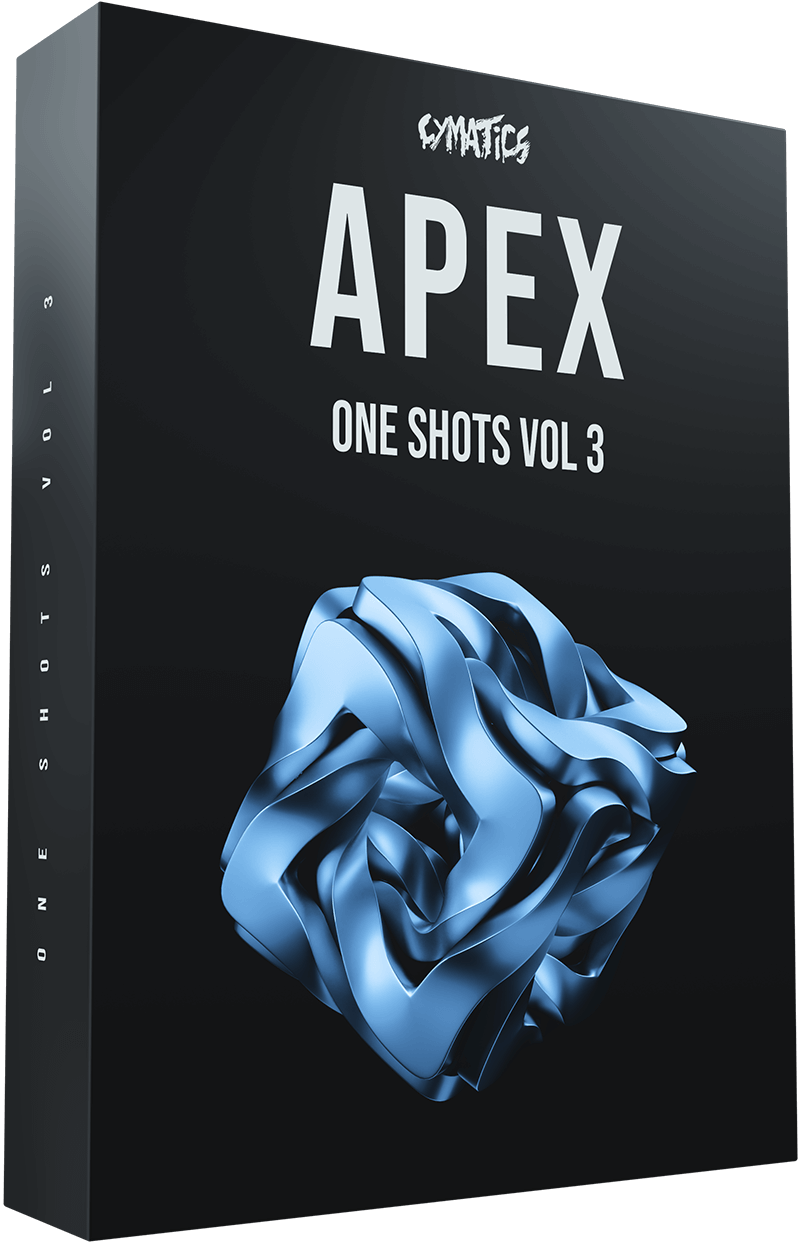
APEX One Shots Vol. 3 contains 100 WAV samples, with a listed download size of 91.3 MB. Its categories include bass, bells, keys, leads, pads and plucks. Cymatics identifies hardware including the Moog One and Prophet 6 among its sources and describes this volume as 100% royalty-free.
This is an alternative to Aura when you want another set of melodic colours. It is still a folder of recorded sounds, so owning the source hardware is unnecessary. Load one key sound and write the part before adding effects. If a recording already has a substantial tail, check how successive notes overlap before adding more reverb.
For a simple arrangement, try a short pluck playing the main rhythm and a quieter pad holding only the important chord tones. Keep both in the same register initially, then move one part if they mask each other.
Download: the product page directs you to Cymatics’ free-download vault, which uses an unlock form. Choose Vol. 3; the free offer does not apply automatically to every APEX volume.
3. KXDET DRAMA: vintage-inspired melodic material

DRAMA contains 112 one-shots, covering basses, bells, instruments, keys, leads, pads, synths and FX. Six melody compositions are included separately. The creator lists digital synth emulations, Serum and Pigments, followed by vinyl, console and EQ processing. The vintage character comes from software sound design and processing.
We would choose it for a melodic sketch where a deliberately processed palette is useful. Start with one sound carrying the motif, then leave space for a bass line and drums. If several layers have long tails, shorten the sampler envelopes before adding another texture; the collection’s aesthetic does not require every sound to play at once.
Important licence distinction: KXDET describes the sounds as royalty-free with an exception for samples and directs users to the text file inside. Read that file before using the bundled compositions or other excepted material. Do not treat the entire ZIP as having unrestricted, identical terms.
The original Payhip page offers a $0 starting price with a pay-what-you-want option. Use that creator page rather than an anonymous reupload.
4. KXDET INVERSE Lite: a synth-focused alternative
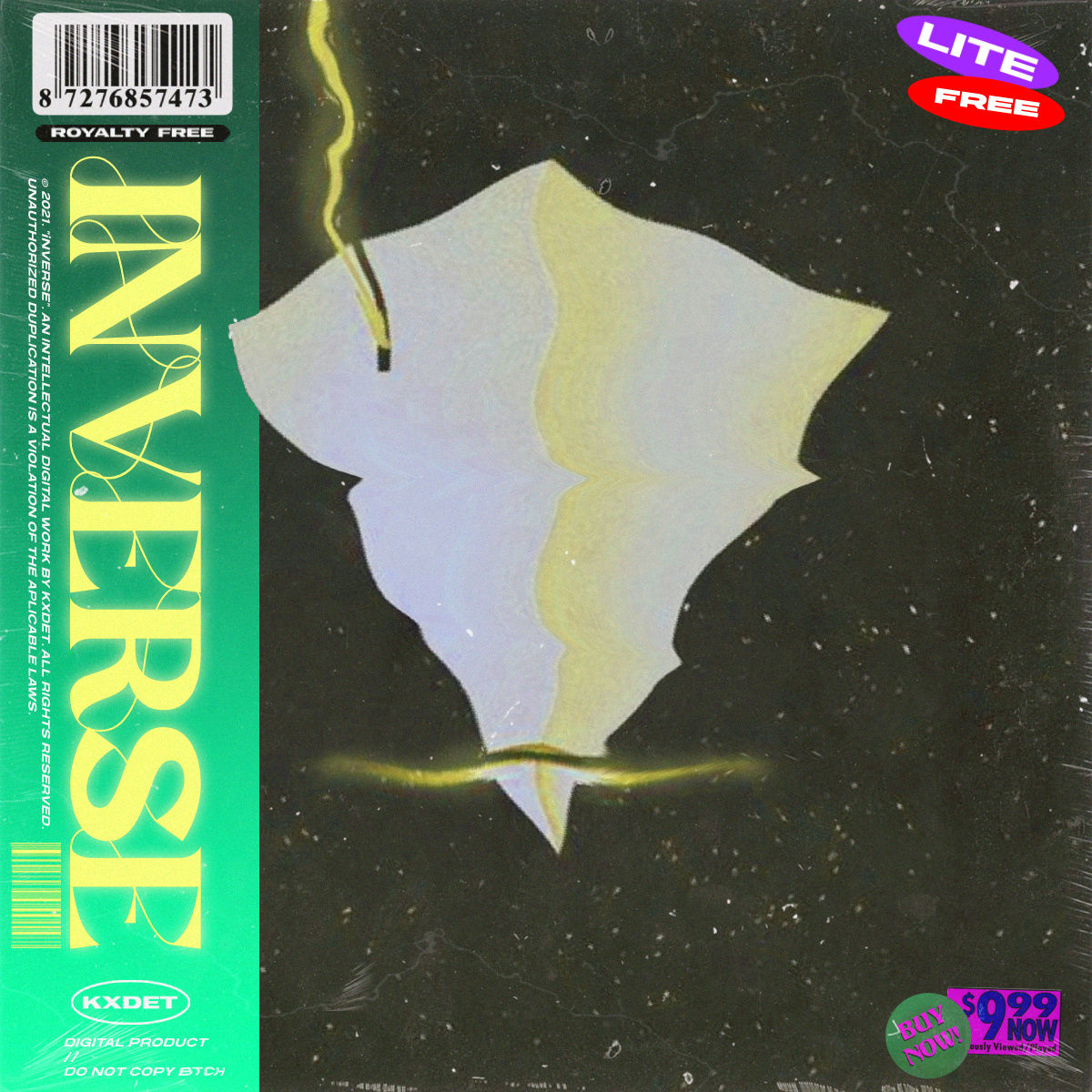
The free Lite edition lists 92 sounds: ten each of basses, bells, keys, leads, pads, strings, synths and woodwinds, plus five vocal sounds and seven FX or other sounds. The 893-sound figure describes the full collection, not this free download. Lite is listed as a 96 MB ZIP.
KXDET positions the library around synthesized melodies rather than realistic acoustic performance. It also includes guidance for using one-shots in Vital, but the audio is usable in a compatible sampler; this is not simply a Vital preset bank.
Choose it when you want to explore several melodic roles without downloading the full library. A useful exercise is to keep one MIDI phrase and audition a key, a bell and a synth against the same drums. Adjust the octave and note lengths for each sound before deciding which works. Swapping the file without changing the performance can hide an otherwise useful sound.
Licence: the public listing does not provide the same explicit blanket royalty-free statement as APEX. Check the supplied terms or contact KXDET before a commercial release if your intended use is unclear.
5. 99Sounds: free one-shots for your drum rack

For percussion, 99Sounds offers 99 Drum Samples I and II, containing 99 and 110 samples respectively. Together that gives you 209 drum one-shots in 24-bit WAV. These are individual hits to sequence, rather than a melodic instrument pack.
We would use this to assemble a small personal rack: one kick, one snare, a closed hat, an open hat and a percussion accent. Write a beat with those five sounds before expanding the rack. Pitching a hat or changing a snare’s decay can be more useful than loading another hundred alternatives.
The 99Sounds licence permits use in personal and commercial projects while prohibiting redistribution of the raw samples. For more genre-specific choices, see our free hip-hop drum kit guide.
A different option: Free Analog Tape Synths from Samples From Mars

This is a multisampled instrument collection, included as an alternative to the five one-shot packs above. Samples From Mars lists ten synth instruments recorded to quarter-inch reel-to-reel tape, with 24-bit WAV audio and an unzipped size of 737 MB. Formats are available for Ableton Live, Kontakt and Logic; the WAV files can be used in compatible samplers.
Multiple recorded pitches can make an instrument more consistent across a wider keyboard range than stretching a single note everywhere. You need to load the supplied mapping or build a suitable multisample map to get that benefit. Dropping only one WAV into a basic sampler does not load the whole instrument.
Choose this route when you want a playable synth instrument over a broader range. Choose a single one-shot when the recording’s fixed texture and quick setup are part of the appeal. Check the requirements for your chosen instrument format; the presence of Kontakt files does not establish free Kontakt Player compatibility. Delivery uses the creator’s email form.
How to play a melodic one-shot in FL Studio
Try this with a C-labelled Aura key or pluck. The goal is a playable short phrase, with predictable pitch and note endings.
- Create a Sampler channel. Drag the WAV from FL Studio’s Browser into the Channel Rack. Dropping it on the Playlist creates an Audio Clip instead, which is a different workflow.
- Check the original pitch. Use the filename as a starting point, then check it with a tuner or a reference instrument. C identifies a pitch class, not necessarily the octave. A recording containing a chord may not have one unambiguous tuning reading.
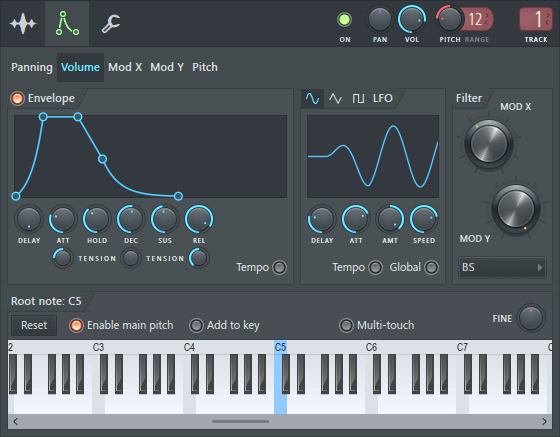
- Set the root note. On the channel’s preview keyboard, right-click the key that should reproduce the recording at its original pitch. Check the result against a reference. The root setting tells the sampler where the untransposed recording belongs; it does not repair an out-of-tune source.
- Enable the Volume envelope. Open the Envelope / Instrument tab, select Volume and turn its envelope on. Start with a short attack, high sustain and a short release. This lets note lengths shape playback. A small attack or release can help avoid abrupt edges; it cannot extend a recording beyond its available audio.
- Write a short phrase. Program C, E-flat, G and B-flat as separate notes, then vary their rhythm. If the reference C is mapped correctly, the intervals should form a C minor seventh outline. Compare the notes with a reference instrument before adding effects.
Listen for the pitch-and-length trade-off. With ordinary resampling, raising pitch also speeds up playback: an octave up takes roughly half as long, while an octave down takes roughly twice as long. A stretching mode can separate pitch from duration, but may introduce artifacts. Compare both approaches on the phrase you actually intend to use.
Save the channel settings once the root note and envelope work. Keep the sample in a permanent folder, or collect it with the project, so reopening the song does not depend on an old Downloads location.
Three common one-shot problems
The sample keeps ringing after the MIDI note ends
Check whether the sampler is using trigger-style playback or an enabled volume envelope. Shortening a MIDI note will not necessarily shorten audio in a mode that plays the whole recording. Reduce release as well if notes still overlap. A recorded reverb tail is part of the sample, so cutting it short also changes the texture.
A chord stab sounds wrong in the progression
Transposing an entire chord preserves its interval structure. Moving a minor chord up two semitones gives you another minor chord; it does not turn it into the major chord your progression may need. Use a single-note sample and play the chord yourself, or select separate stabs with the required chord qualities.
The melody sounds thin or unnatural in another octave
A single recording is being moved away from its original range. Try another source sound, write closer to the original pitch or use a multisampled instrument. More EQ will not restore the articulation of an instrument that was never recorded at that pitch. If an exaggerated, sped-up texture suits the beat, keep it deliberately.
FAQ
Do I need Serum, Kontakt or another paid plugin?
For compatible audio files, a sampler in your DAW is enough. A sample created with Serum is a recording, not a Serum preset. Instrument mappings supplied with some collections can have additional requirements, so check the specific format you want to load.
Can I use these free one-shots in released music?
Use the creator’s licence for the specific pack and file type. Aura, APEX and 99Sounds publish commercial-use permissions; DRAMA explicitly points out exceptions, while INVERSE Lite needs its supplied terms checked. Permission to use a sound in a song also does not automatically permit selling it as part of your own sample pack.
Which pack should I download first?
Choose Aura for a simple melodic starting point, or 99Sounds if the missing part is drums. Write a short part, set its pitch and envelope, and see what the arrangement needs next. A second library is most useful when it fills a specific gap.
SoundShaper Opinion
A useful one-shot becomes part of your instrument setup. Once you have checked the root note, shaped the envelope and found a comfortable playing range, a small folder can support many different ideas. Start with one melodic pack and a small drum rack. Learn how those sounds behave before collecting more.
Sources and checks
Specifications and availability were checked against the official pages linked above on 6 November 2026, plus the 99Sounds licence and Image-Line’s Sampler, envelope and root-note documentation. Aura’s official ZIP was inspected for file count and names. Other recommendations are based on creator documentation and workflow, rather than a claimed listening test of every download.


