
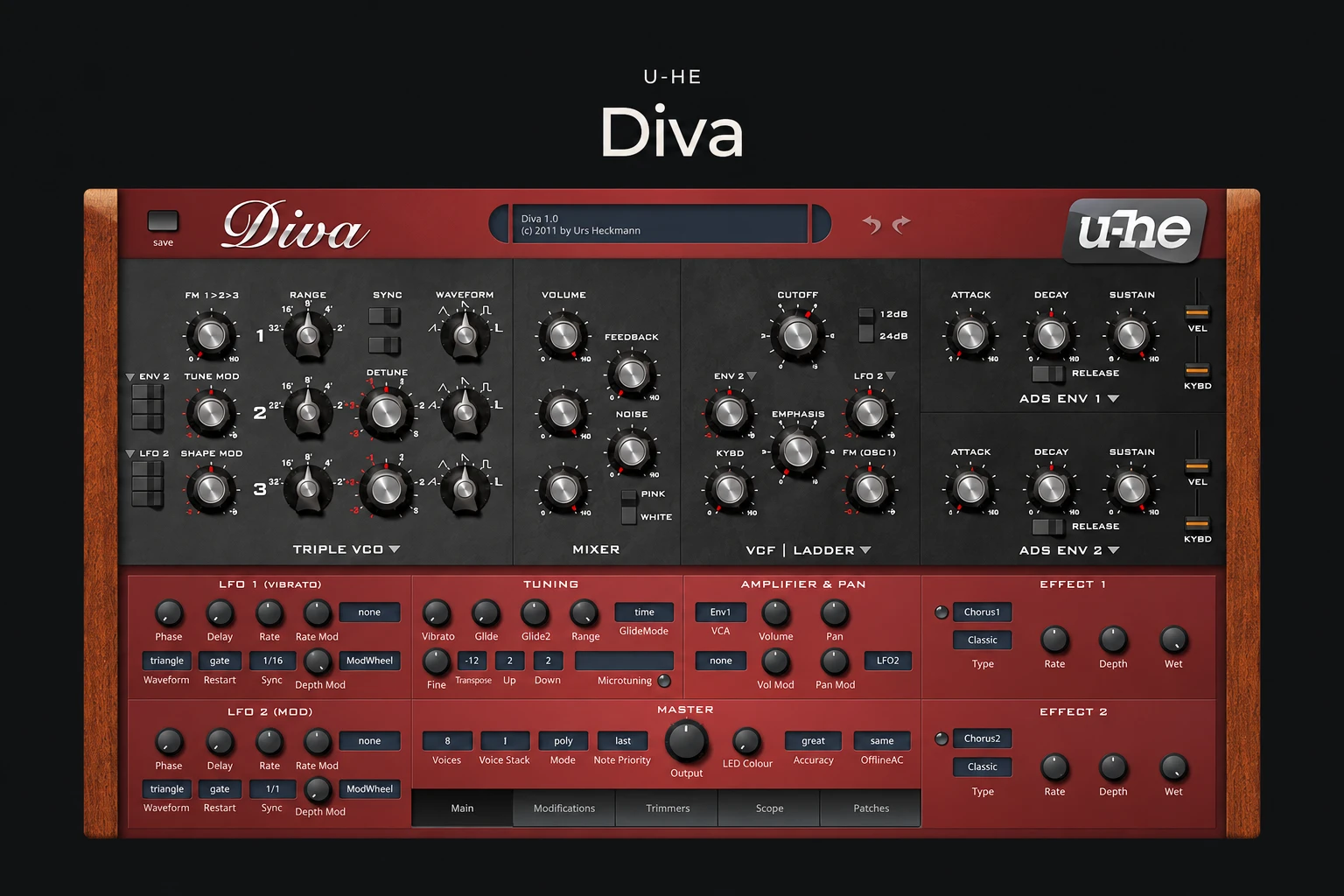

Diva is a software synth for producers who want classic analogue-style sounds and enjoy shaping a patch with a familiar set of controls. Its appeal is easy to understand: choose an oscillator section, pair it with a filter, then build the movement and response around the part you are writing.
The buying question is whether that focused approach fills a real gap in your setup. Diva makes more sense as a dedicated instrument for basses, leads, pads and keys than as your only source of every possible synth sound.
What is Diva?
Made by u-he, Diva combines modelled oscillator, filter and envelope sections inspired by classic synthesizers. You can mix those sections instead of committing to one fixed instrument layout. That is the important idea behind its design: a patch can combine different building blocks while keeping a recognisable subtractive signal path.
The factory library includes more than 1,200 presets. There are also two LFOs, an arpeggiator and two stereo effects slots. These give you starting points for complete sounds without immediately needing a chain of extra plugins.
Why the module choices matter
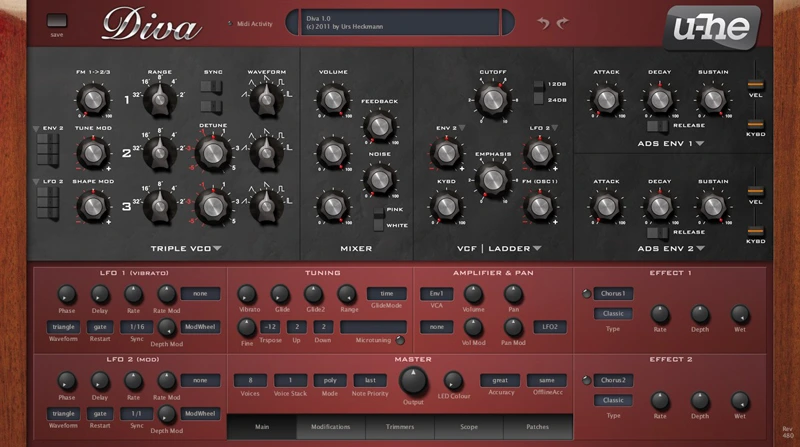
Diva offers five oscillator models, five main filter models and three envelope models to choose from. The envelope models are alternatives for the two envelope sections, rather than three independent envelopes running together.
For a buyer, the value is the ability to revisit the foundation of a sound without starting a completely different instrument. If a bass has the right rhythm but the wrong character, changing its filter model gives you another direction to explore. If a pad feels too polite, revisit the oscillator section before adding more processing.
This also creates a useful learning workflow. Make one change at a time, keep the notes the same and compare at a similar output level. Swapping several sections together may produce a more dramatic result, but it becomes harder to understand which decision helped.
What would you use it for?
Our recommendation is to demo Diva with three parts you regularly write: a simple bass, a sustained chord progression and a lead melody. Those examples reveal more about its usefulness in your music than scrolling through a long list of impressive presets.
For bass, start with a short phrase and pay attention to note length. Adjust the filter envelope and release until the part leaves room for the kick. A sound that feels huge on its own may need less low end or a shorter tail once the drums return.
For pads, try a smaller chord voicing before reaching for more voices or more effects. Listen for how the sound supports the melody and whether its movement stays useful through a full section. For leads, check expression across the actual pitch range of your track. One attractive note is not enough to judge a patch.
These are suggested demo exercises, not claims from a controlled listening test. The goal is to judge the instrument against your own arrangements.
Workflow: familiar controls with room to explore
The main panel follows a conventional synth layout, which should feel approachable if you already understand oscillators, filters and envelopes. Its challenge is deciding which combination suits the part, rather than learning an unfamiliar synthesis method from scratch.
We would start with presets close to the intended role and save a few personal variations. Name them around musical jobs such as short bass, soft chords or dry lead. A small set of reliable starting patches can be more useful than collecting another large folder you rarely revisit.
The manual explains that oscillator levels can influence the response of the filter. Treat those levels as part of the tone-shaping process and keep an ear on output loudness while comparing settings. Louder can appear more exciting even when it is less suitable for the mix.
The CPU trade-off
CPU demand is the clearest practical caution. u-he describes Diva as demanding at its highest accuracy setting. Quality options and a separate offline accuracy setting let you balance playback load and rendering quality, but they do not guarantee that a busy project will run comfortably on every machine.
The useful test is a real session at your normal buffer size. Play the chords you actually use, duplicate the part if your arrangements usually contain several synth layers, and check performance before buying. A single-note preset in an empty project tells you much less.
If playback becomes unreliable, reduce unnecessary voice stacking or long releases, try a lower playback accuracy setting, or freeze a finished part. Compare the rendered result before committing. We do not have a measured CPU benchmark to attach to this review.
Where Diva may feel limited
Diva is a focused purchase. If your main aim is wavetable editing, granular textures or a deeply animated modulation workflow, we would start the search elsewhere. Buying it because it appears on many producers' lists is weaker reasoning than hearing a useful difference in your own track.
There is also overlap to consider. A capable synth you already own may cover the basic bass, lead and pad roles you need. Diva becomes easier to justify when its particular approach makes those parts easier or more enjoyable to finish.
SoundShaper opinion
We see Diva as a strong shortlist option for producers who want a dedicated analogue-style instrument and are willing to spend time learning a few favourite module combinations. The focused design is the selling point. You can approach it as an instrument with a repeatable workflow rather than a feature collection to exhaust.
We would be more cautious if this is your first paid synth and your budget must cover many different synthesis styles. We would also put the demo first on a computer that already struggles with large projects.
This is an editorial assessment based on the published feature set and documentation. It does not claim a hands-on studio test or a measured comparison with hardware.
Conclusion
Diva is worth considering when you specifically want classic analogue-style synthesis, interchangeable sound-building sections and an instrument you can learn in depth. Its CPU demands and focused scope should be part of the buying decision.
Try it in one unfinished project. If it gives you a bass, pad or lead you want to keep and your session runs comfortably, you have a practical reason to buy. If it mostly duplicates sounds you already reach for, there is no need to rush.
Product information: u-he Diva and the official Diva user guide. Check current compatibility and demo details before purchase.
![[background image] image of recording equipment (for a musician & band)](https://cdn.prod.website-files.com/68efa70811edd8e5af30a90d/6ae28f3ffeabaf5b76db2580_6ae28f255000f820b159a320_crystalline-review-cover.webp)
![[background image] image of recording equipment (for a musician & band)](https://cdn.prod.website-files.com/68efa70811edd8e5af30a90d/6ae28e7e5d1572089570ac87_6ae28e5eead33b2db2a18b5f_transit-2-review-cover.webp)
![[background image] image of recording equipment (for a musician & band)](https://cdn.prod.website-files.com/68efa70811edd8e5af30a90d/6ae28d603a57759da71022d6_6ae28d41f6af13c91dee9c76_drumazon-2-review-cover.webp)