
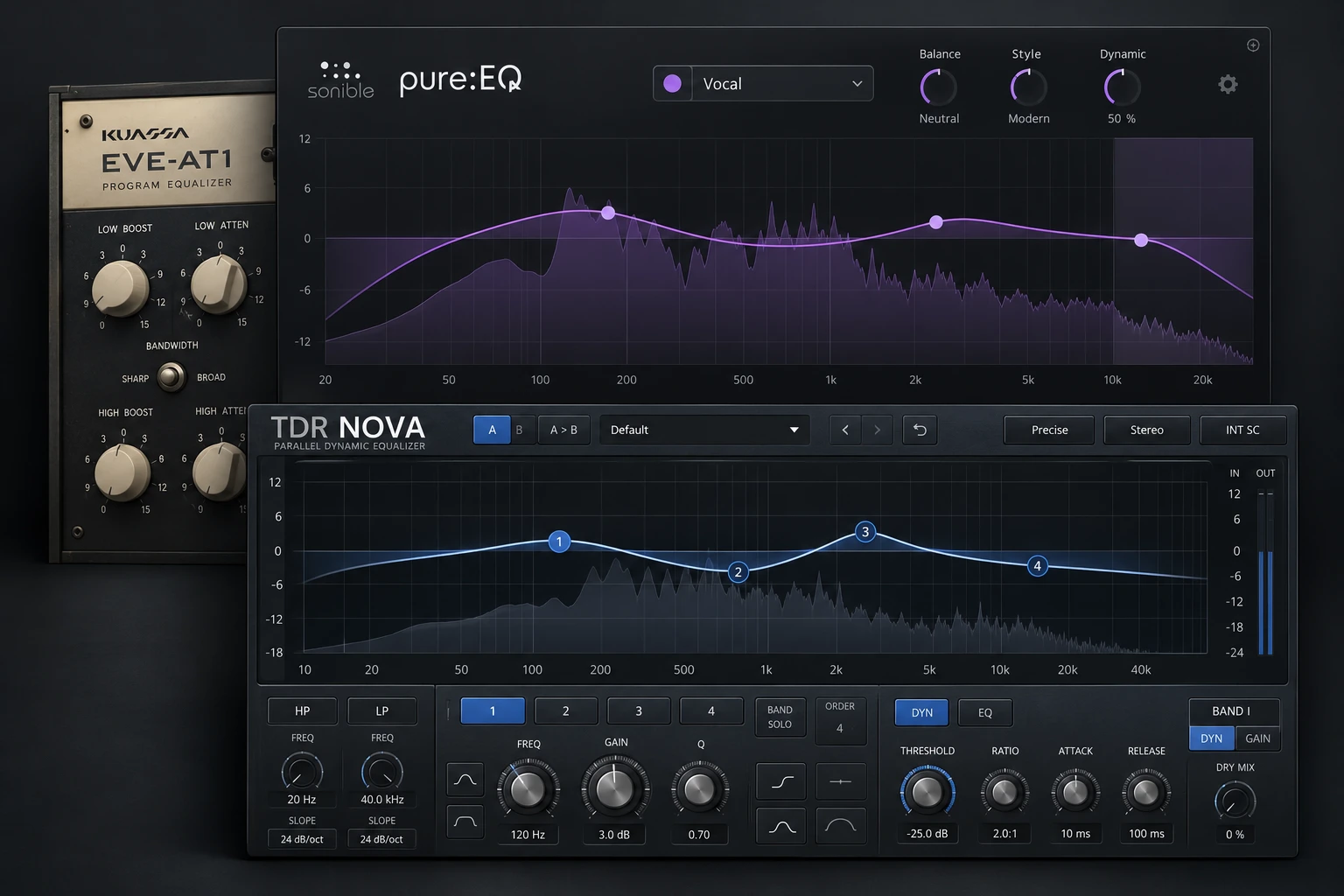

The best EQ plugins under 50 euros offer a useful reason to move beyond the equalizer already in your DAW. That reason might be a faster workflow, a different tonal approach, assisted correction or dynamic processing.
Our shortlist is SlickEQ GE for broad tonal work, pure:EQ for assisted balance, TotalEQ MK2 for extensive visual editing and EVE-AT1 for a console-style workflow. We also include the free TDR Nova for dynamic EQ. These tools cover different needs, so choose the job first.
A paid EQ is not essential for a good mix. This guide helps you identify when one of these affordable options adds something useful and when your stock EQ is already enough.
Best EQ plugins under €50 at a glance
| EQ | EUR reference | USD reference | Main reason to consider it |
|---|---|---|---|
| TDR VOS SlickEQ GE | €30 | Check store | Broad tonal shaping |
| sonible pure:EQ | €39 | US$39 | Assisted spectral balance |
| HoRNet TotalEQ MK2 | €34.99 | EUR checkout | Detailed visual EQ |
| Kuassa EVE-AT1 | €47.80* | US$39 + tax | Console-style manual EQ |
| TDR Nova | Free | Free | Dynamic EQ |
Prices checked on 1 November 2026. SlickEQ GE, pure:EQ and TotalEQ MK2 use developer-listed EUR prices for full licenses. *EVE-AT1’s €47.80 reference is the listed Gear4music Ireland price including 23% VAT; it is not a quoted Plugin Boutique checkout price. The US$39 EVE-AT1 price is the developer’s pre-tax price. Other USD references are published prices where verified, not currency conversions. Store prices, taxes and promotions vary by region, so check the final total. The €50 limit applies to each plugin individually.
Which type of EQ do you need?
A tonal EQ helps reshape the overall character: less thickness, more air or a different midrange balance. SlickEQ GE and EVE-AT1 are the main options here for that kind of manual work.
A detailed visual EQ gives you flexible bands and a clear editing display. TotalEQ MK2 is the option to examine when those controls are your priority.
Assisted EQ provides an analysed starting point. pure:EQ suits a simpler workflow where you adjust the overall result rather than drawing every band yourself.
Dynamic EQ changes its action with the signal level. The free Nova is worth trying when a harsh or boomy region becomes a problem only during certain moments.
The choices below are based on current documentation, license prices and the jobs each plugin is designed to cover. They are editorial buying recommendations rather than claims that we have personally tested every EQ. Use the demos to judge the sound and performance on your own material.
1. TDR VOS SlickEQ GE
€30 · Our pick for deliberate tone decisions
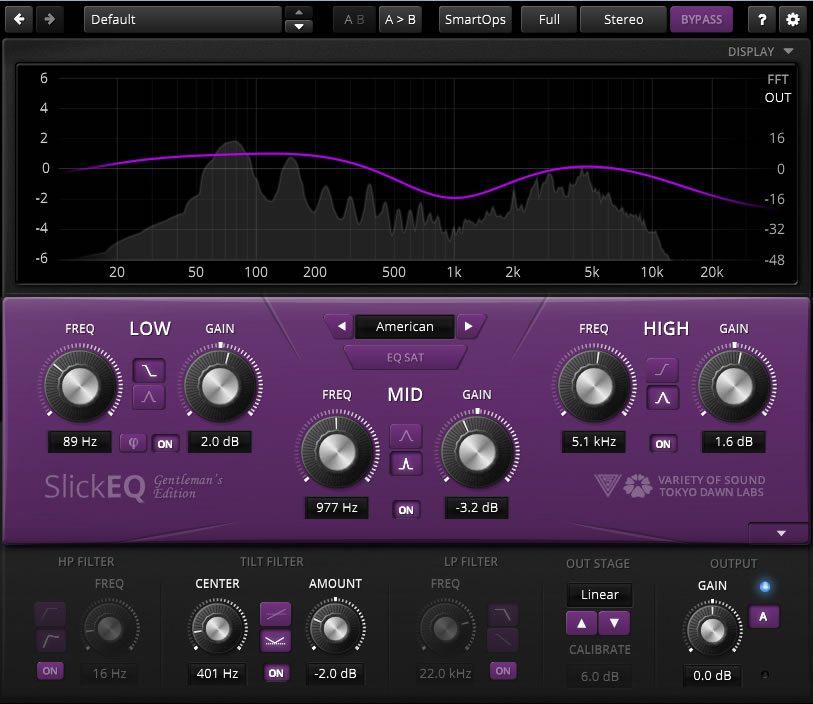
SlickEQ GE combines three semi-parametric bands, five EQ models, a tilt filter and additional high- and low-pass filters. Selectable output stages give you options for colour, while automatic gain compensation helps you compare changes without relying only on extra loudness.
We would shortlist it for shaping the overall character of a vocal, synth or drum bus. If the decision is “a little brighter, less thick, more forward,” a few purposeful controls can be easier to work with than a screen full of narrow cuts.
That does not mean it replaces every other EQ. For harshness that appears only on particular words, a dynamic band may be a better tool. And if you already own an EQ whose tonal controls you enjoy using, GE needs to earn its place through the workflow or colour it adds.
Worth buying when: you want a focused tone-shaping EQ with optional character. Keep your money when: you only need standard cuts and boosts that your DAW already handles comfortably.
SoundShaper take: try the free SlickEQ first, then compare the GE features you would actually use. Buying the larger edition makes sense when those additions solve something specific.
2. sonible pure:EQ
€39 · Our pick for a fast starting point
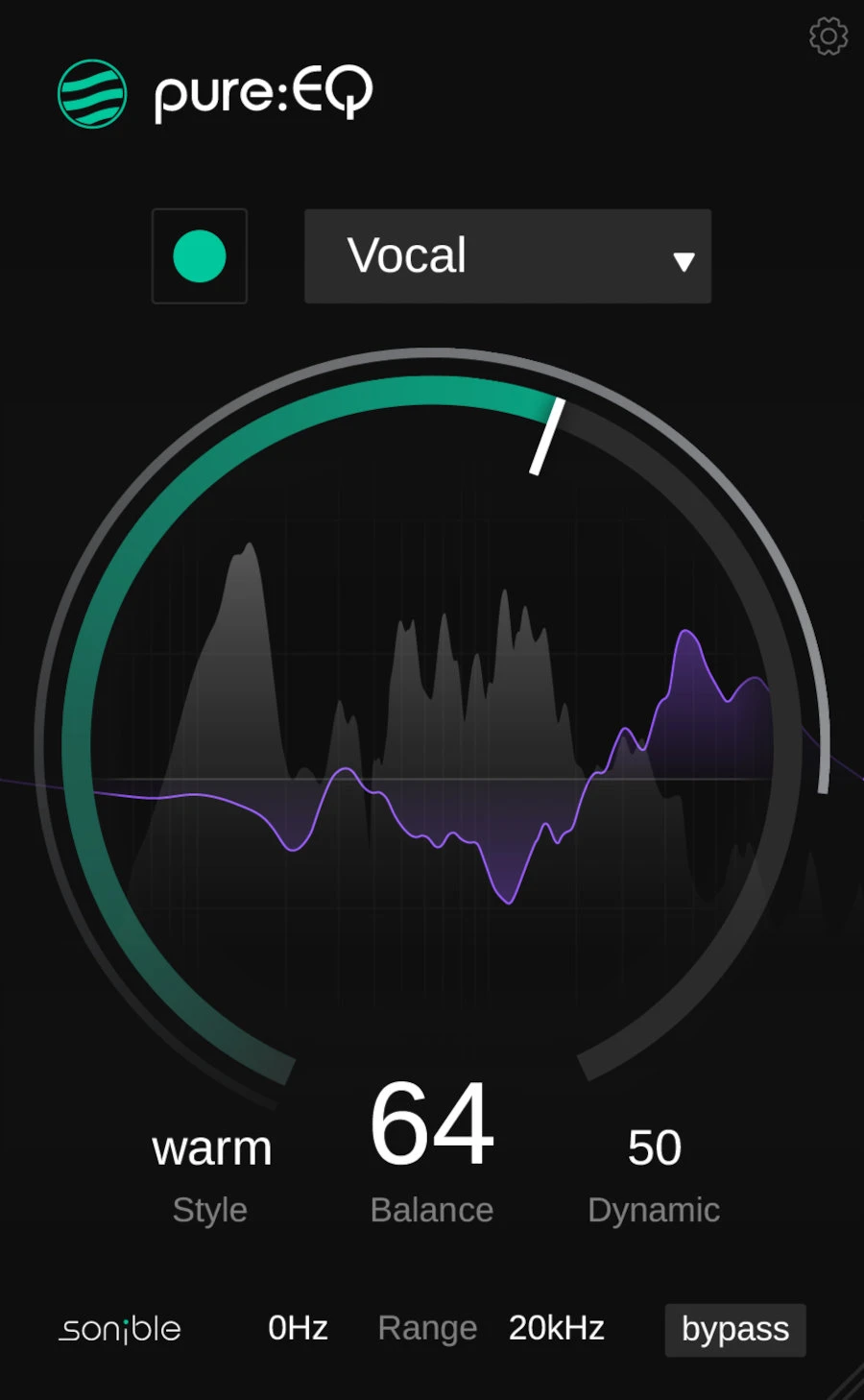
pure:EQ analyses the source and proposes a tonal correction. You choose a source profile, adjust the Balance amount and select a Warm, Neutral or Bright style. Its Dynamic control allows the response to adapt over time, and range controls limit the frequencies being processed.
The appeal is speed when you know a recording needs a better starting balance but do not want to spend the whole session building an EQ curve. We would compare its suggestion with a few simple stock-EQ moves and judge both in the full arrangement.
Automatic analysis is not the same as knowing the song. A deliberately dark sample or an unusual vocal can be exactly right before correction. The practical question is whether the proposed change supports that role, rather than whether the result looks or sounds more balanced in isolation.
Worth buying when: you want compact assisted processing and a quick way to explore tonal changes. Look elsewhere when: you want direct manual control over a detailed set of parametric bands.
SoundShaper take: use the 30-day trial to see how often its starting point survives once the rest of the mix plays. That is the useful measure of its value.
3. HoRNet TotalEQ MK2
€34.99 · Our pick for extensive manual editing

TotalEQ MK2 provides up to 36 independent bands, multiple filter types and a spectrum analyser. Its Auto EQ tools offer suggested corrections, while manual controls let you edit the result. Saturation and analogue options add further ways to shape the processing.
We would consider it if your current EQ feels restrictive when a recording needs several separate adjustments. The attraction is having room to work without immediately moving to a more expensive equalizer.
More bands are useful capacity, not a target. If you add ten cuts to a vocal, bypass them together and check what happened to the body and clarity. A display can make every peak seem like a problem, even when some of those peaks are the character of the source.
Worth buying when: you want detailed visual editing with additional analysis tools. Keep your current EQ when: it already provides the precision and workflow you need.
SoundShaper take: compare a manual correction with the Auto EQ suggestion during the demo. The better setting is the one that helps the part sit in the mix, even if it uses fewer bands.
4. Kuassa EVE-AT1
€47.80* · Our pick for a console-style workflow

EVE-AT1 is a four-band EQ inspired by the Neve 1081, with additional high-pass and low-pass filters. Its layout gives you frequency choices and band controls in a console-style interface, rather than an unrestricted graphical curve editor.
That makes it worth a look if you prefer turning a few controls while listening. We would use a familiar vocal or guitar part for the demo and try a broad change in body or presence. The point is to see whether the layout helps you make a confident decision.
It should also be compared with SlickEQ GE. Both can be candidates for tonal work, so there is little reason to buy both immediately. Their control layouts and options matter more to this decision than the fact that both are inexpensive.
Worth buying when: you specifically want a console-style EQ and its frequency choices suit your work. Look elsewhere when: you need individually controlled dynamic bands or detailed visual editing.
SoundShaper take: buy the EVE-AT1 license if it is the version you prefer. EVE-AT4 and the two-product bundle are separate choices; do not assume the bundle is necessary.
5. TDR Nova
Free · Our free alternative for changing resonances
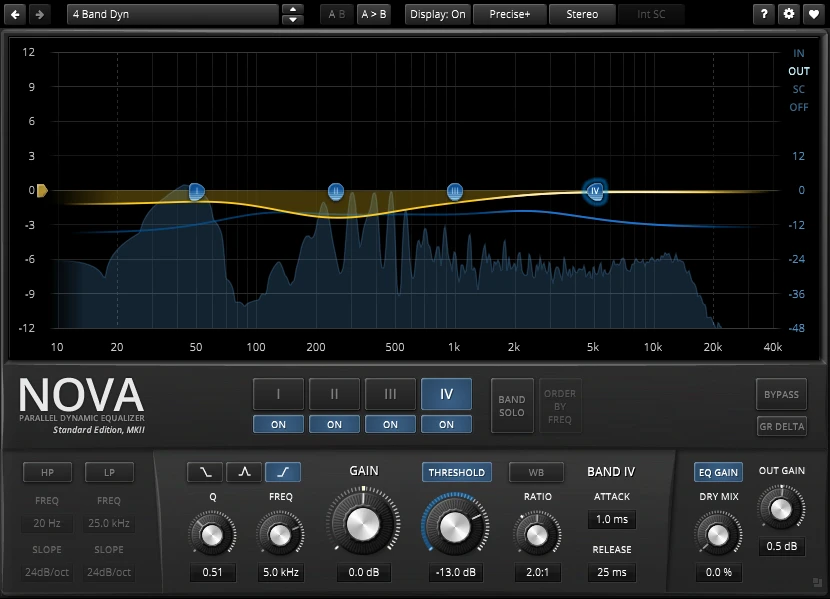
The free edition of TDR Nova offers four dynamic EQ bands plus high- and low-pass filters. You can use it for ordinary EQ, then bring in frequency-selective dynamics where a static cut would be too blunt.
For example, a vocal might become harsh only when the singer pushes certain words. A permanent cut also changes the quieter phrases. A dynamic band gives you another approach: reduce the troublesome region when its level crosses the threshold, then let it recover.
The settings still need care. Too much reduction or unsuitable timing can make the vocal uneven or dull. Start with a modest range of action and compare the processed phrase with nearby phrases at a similar listening level.
Worth downloading when: you want to explore dynamic EQ without paying. Do not confuse it with: Nova GE, the separate paid edition with additional capabilities.
SoundShaper take: this is our first suggestion when the problem changes with the performance. Our Pro-Q 4 vs TDR Nova comparison explores the workflow differences in more detail.
SoundShaper opinion: one useful EQ beats five overlapping purchases
We would start by writing down what your current EQ makes difficult. If the answer is simply “my mixes do not sound finished,” another equalizer is too vague a solution. Balance, arrangement and the source sound deserve attention first.
If you already understand basic EQ but want a different way to make tonal decisions, SlickEQ GE would be our first paid demo from this list. EVE-AT1 is the alternative when its console-style layout is the specific attraction. We would compare them on the same vocal or instrument and choose the one that makes the decision easier.
For speed, pure:EQ has the clearer purpose. It gives you an analysed correction with a compact set of controls. We would value it if that process regularly gets a usable track closer to the arrangement quickly. We would be less interested if we repeatedly undo its suggestion because the source was meant to sound unusual.
TotalEQ MK2 makes more sense when you want extensive visual control. The question is whether that control improves your work or just encourages more editing. A useful EQ session can end after two changes.
For harshness or boom that comes and goes, we would download Nova before spending. It lets you explore the dynamic approach directly. If that solves the problem, a paid tonal EQ would be an additional creative choice rather than a necessary repair.
Our buying rule: keep the plugin only if you can name the job it does better for you. Matching output levels, listening in the mix and returning the next day will tell you more than a long feature list.
How to compare an EQ before you buy
- Pick one real problem. Use a vocal, drum loop or synth from a current project, rather than judging only factory audio examples.
- Make a simple stock-EQ version. This gives the new plugin something meaningful to improve on.
- Match the listening level. Lower the processed output if the EQ boost makes it louder.
- Play the whole arrangement. A fuller solo sound may leave less room for the vocal or bass.
- Check practical performance. Confirm the plugin format, operating-system support, automation and latency in your own DAW.
Frequently asked questions
What is the best free alternative to a paid EQ?
TDR Nova is our free choice here when dynamic control is useful. Your stock EQ is also a good starting point for ordinary cuts and boosts. The right alternative depends on the feature you would otherwise pay for.
Do expensive EQ plugins always sound better?
No. A higher price may pay for more processing options, interface features or a particular workflow. It does not guarantee a better decision on your track. Compare the same job at similar loudness before assuming that the expensive option wins.
Should I buy a dynamic EQ or an analogue-style EQ?
Choose dynamic EQ when the processing needs to react to the performance. Consider a tonal or analogue-style EQ when you want a particular shaping workflow or colour. They can complement each other, but they are different buying decisions.
Are these complete licenses or upgrades?
The four paid entries refer to full licenses. Nova is a free edition, not a trial. Check the exact product at checkout: SlickEQ GE, Nova GE, EVE-AT4 and the EVE-AT bundle are separate products from similarly named options in this guide.
Is €50 the same budget as US$50?
No. Regional pricing and tax can produce different totals. Use the listed price in your checkout region rather than treating the dollar and euro symbols as interchangeable.
Final thoughts
Start with the missing capability: SlickEQ GE or EVE-AT1 for manual tonal work, pure:EQ for assisted balance, TotalEQ MK2 for extensive visual editing, or Nova for free dynamic processing. Buy one clear improvement to your workflow rather than several EQs that solve the same problem.
If muddy low-mids are the reason you are shopping, work through our guide to fixing a muddy mix first. A different EQ can help you apply a decision, but the mix still needs the right decision.
![[background image] image of recording equipment (for a musician & band)](https://cdn.prod.website-files.com/68efa70811edd8e5af30a90d/6ae7c2c1c4281d9b098e8737_6ae7c2aa522bb0c8cb94522c_delay-under-50-cover.webp)
![[background image] image of recording equipment (for a musician & band)](https://cdn.prod.website-files.com/68efa70811edd8e5af30a90d/6ae7869f56ddcdda00952bf1_6ae786869aab39fb0b67f17f_soundshaper-synth-under-100-cover.webp)
![[background image] image of recording equipment (for a musician & band)](https://cdn.prod.website-files.com/68efa70811edd8e5af30a90d/6ae751a831e0a05227c8c3a2_6ae75192813e1e16ffa57cfe_soundshaper-compressor-under-50-cover.webp)